
How to Use AI to Evaluate Designs and Identify "Winning Banners"
Simply upload your design proposals, and the "Visual Creative Analyst" instantly performs a weakness analysis and proposes multiple improvement suggestions.


Tools to Use
Visual Creative Analyst
Why You Should Use AI for Banner Evaluation
Banner ads are critical to website conversion rates.
However, there are many situations where objective judgment is difficult, such as "Click-through rate is sluggish," "Unable to select the most effective design from multiple options," or "Improvement points are based purely on intuition."
By introducing design evaluation using the "Visual Creative Analyst," you can obtain an objective assessment from a specialized perspective tailored to the purpose, such as a "site banner."
This allows you to provide concrete and constructive feedback to designers, not only streamlining the revision process but also leading to improved banner click-through rates and enhanced appeal through data-driven improvements.
Concrete Steps
Step 1: Upload Banner Design Proposals
Start the Visual Creative Analyst and upload the banner design proposals (multiple are acceptable) that you want to evaluate.
| Item | Input Example |
| Image File (Max 5 files) | Upload the banner design proposals you want to evaluate. Supported file formats include JPEG, PNG, etc. |
| Purpose | Site Banner |
Step 2: Check the Analysis Results (Scores) and Concrete Improvement Suggestions
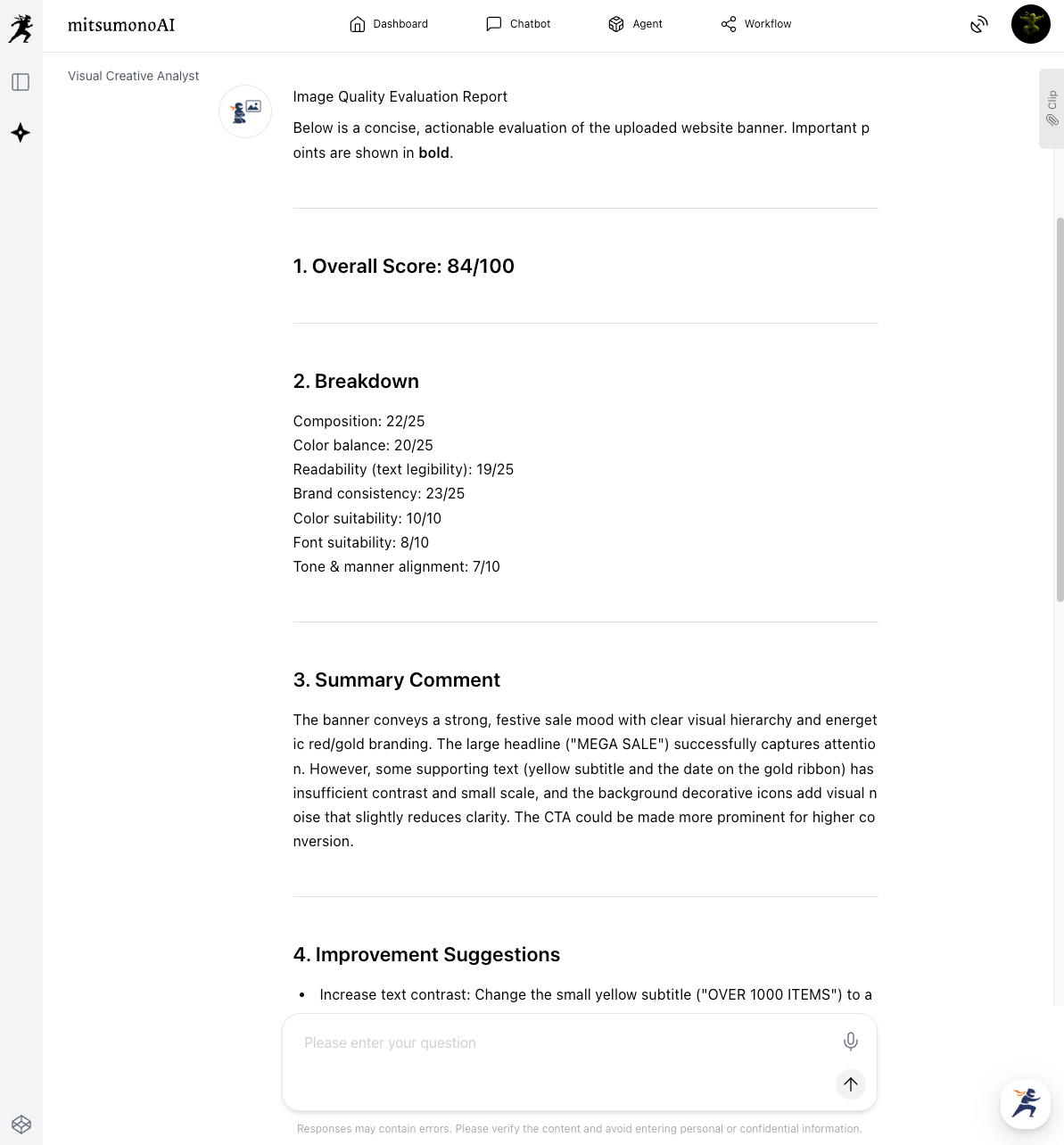
The AI automatically analyzes the design and provides a score evaluation from 0 to 100 points for each item, such as "Composition," "Color Balance," and "Text Legibility."
Check the concrete improvement suggestions provided alongside the score, such as "Strengthen the contrast between the text and background."
Step 3: Compare and Review Multiple Proposals
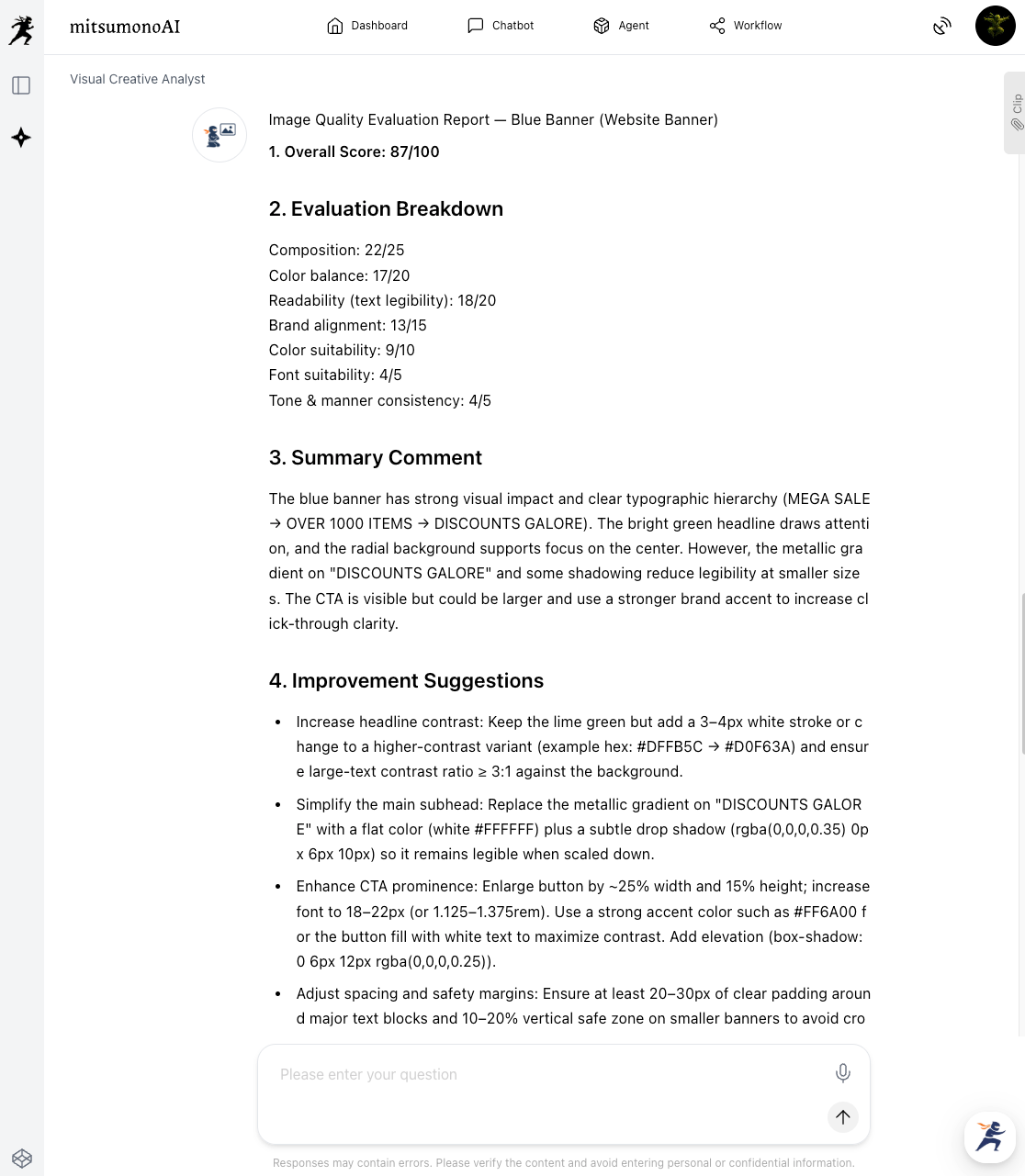
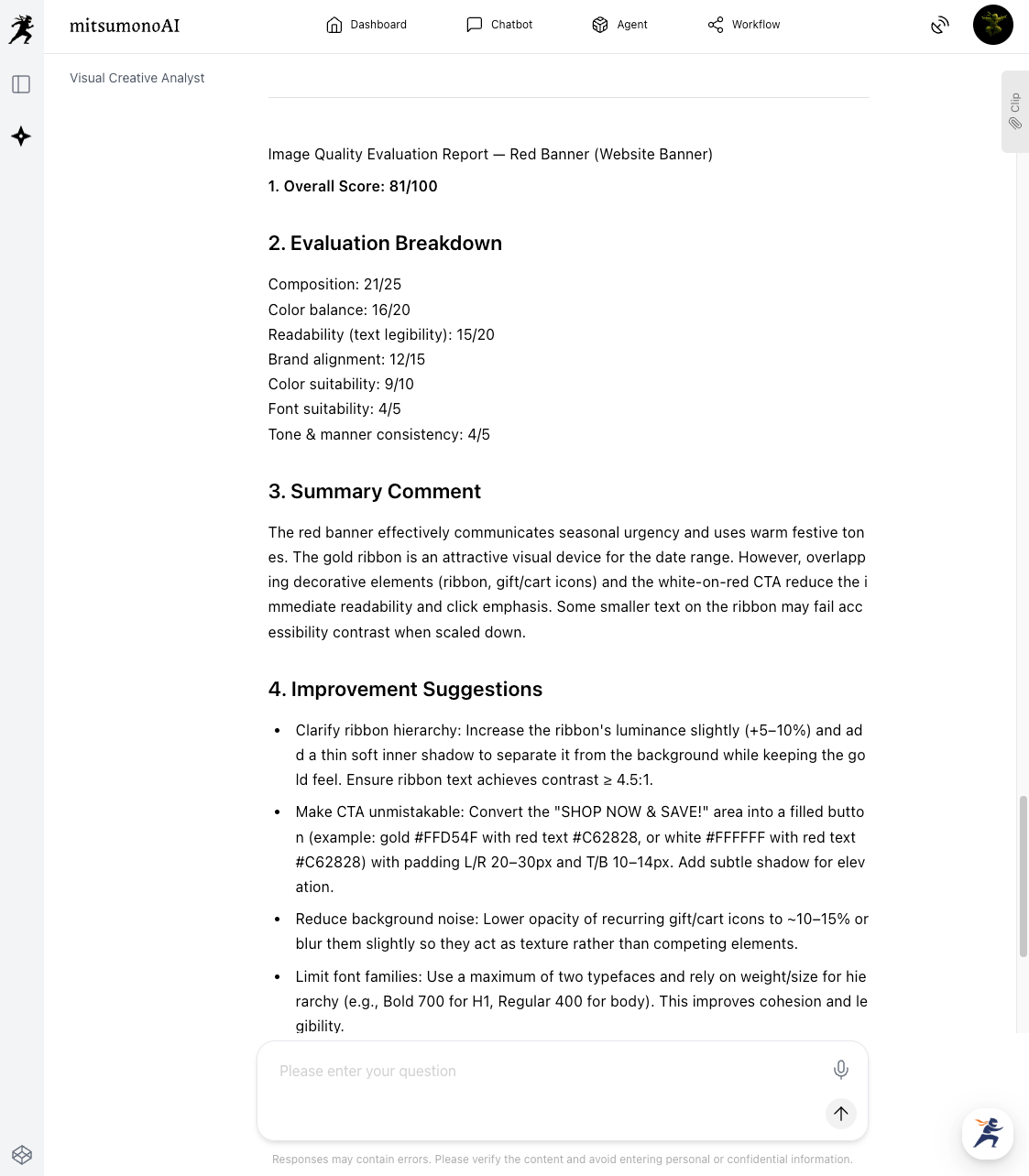
You can also upload multiple banner proposals and compare their respective evaluation reports.
This is useful for narrowing down candidates before conducting A/B testing, and since the strengths and weaknesses of each proposal are visualized with data, it enables effective discussion.
Step 4: Utilize as Feedback
Use the AI's analysis results as a basis for giving specific revision requests to the designer, or as a clear guideline when modifying the design yourself.
Targeted Outcomes Achieved Through Utilization (Example)
Through objective design evaluation using AI, you gain an understanding of the current situation and what constitutes a "winning banner" that leads to improved click-through rates. By clearly defining specific areas for improvement, you aim to increase the efficiency and maximize the effect of design revisions.
This establishes a data-driven banner production and improvement cycle, contributing to the overall conversion rate improvement of the website.
Target Figures for Six Months Following the Initiative
KGI:
- Conversions from banners: 20% increase compared to the same period last year
KPI:
- Banner quality score using the AI tool: Average 85 points or higher
- Average Click-Through Rate (CTR) of target banners: 0.5 percentage point increase from the current rate
- Percentage of times the most effective banner is selected during A/B testing: 70% or higher



