Manufacturing Sector Solutions : How to Create Exhibition Demo Scripts That Stop Traffic in 15 Minutes with AI
Stop being ignored at crowded trade shows. Learn a 3-step AI-driven process to analyze visitor needs and create high-impact demo video scripts that capture attention instantly, significantly boosting booth engagement and lead generation for manufacturers.

Are Your Demo Videos Just "Product Introductions"?
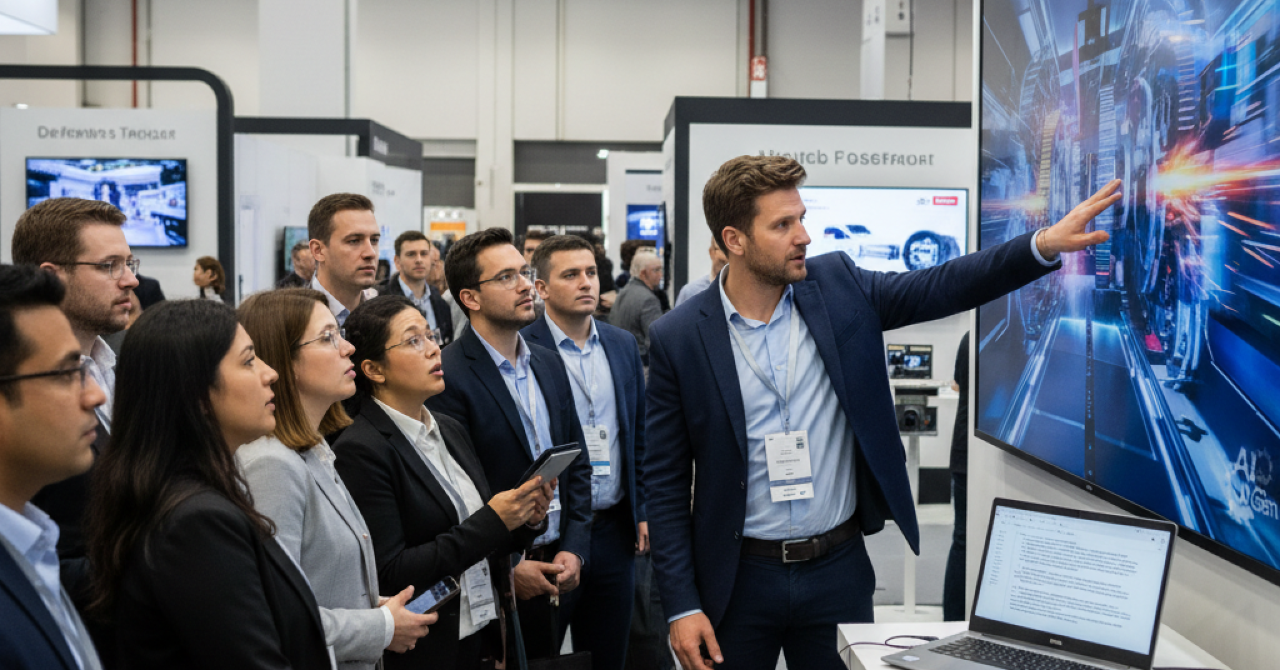
At major annual exhibitions, despite significant investment and preparation, many visitors walk past booths with indifference. The culprit is often the video playing at the booth.
3 Reasons Why Exhibition Videos Get "Snoozed"
- One-Sided Product Introductions:
Ignoring what visitors are struggling with and focusing only on what you want to say (specs and features). - Lack of Initial Impact:
Failing to make visitors feel "this is relevant to me" within the first 3 seconds, causing them to move to the next booth. - Planning and Production Limits:
Even if you understand the importance of an attractive video, a lack of expertise or time results in a video that looks like a PowerPoint slideshow.
In a crowded exhibition, it is crucial to instantly identify and stop your "future customers" among the masses. To do this, you need empathetic video content focused on the "challenges" they face.
By reading this article, you will learn a specific process using AI to solve these issues and create persuasive demo video scripts—calculated backward from the visitor’s problems—in a short amount of time.
AI Becomes Your "Booth Planning Team"
mitsumonoAI provides a suite of AI assistants that support everything from target analysis to script creation to solve these exhibition video challenges.
- Target List Creation Assistant:
Based on your company's strengths and the exhibition theme, this tool automatically lists specific visitor personas—detailing their roles and the challenges they likely face. - Video Script Creation Workflow:
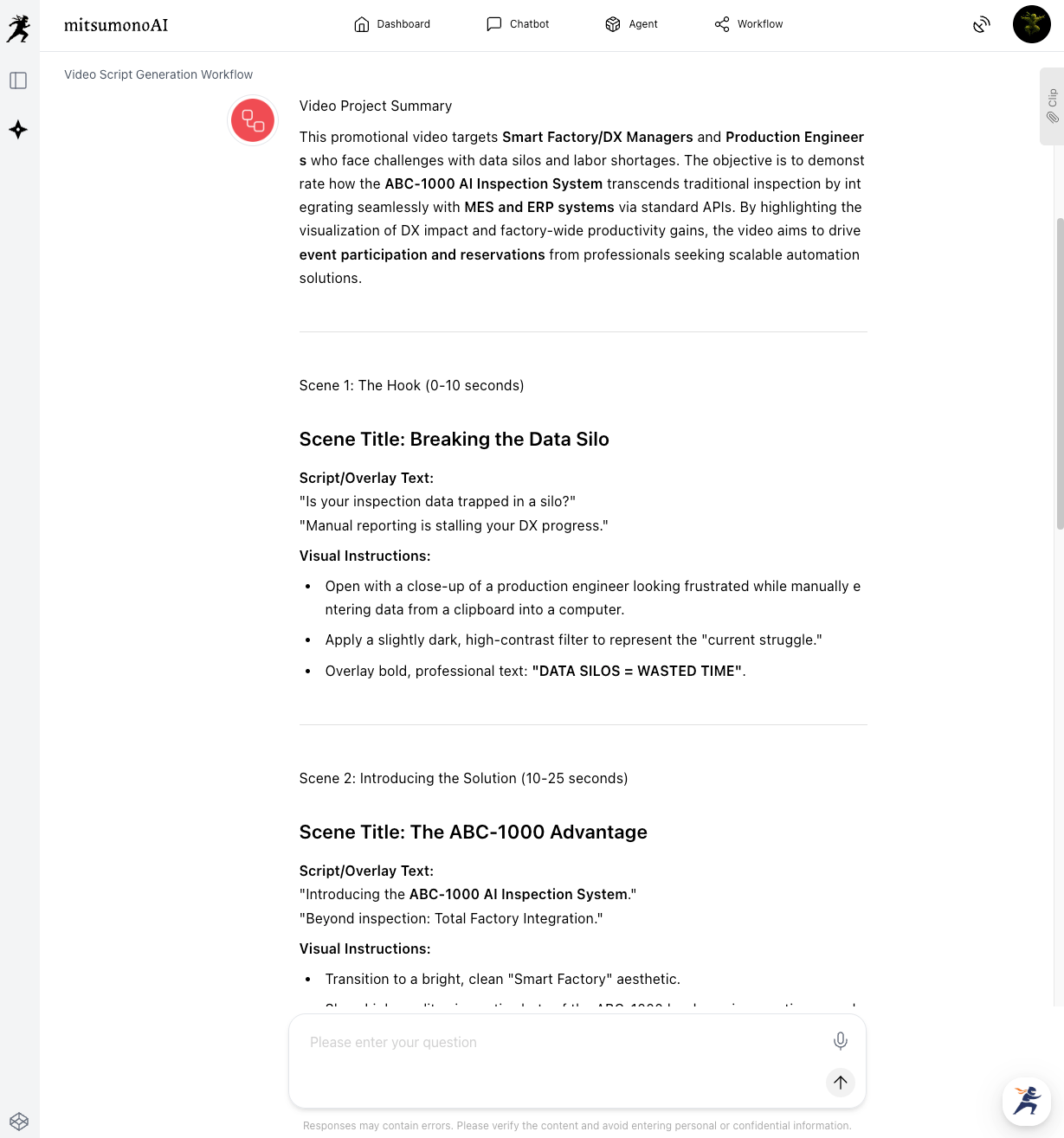
This tool takes the identified target challenges and automatically transforms them into a structured video script, complete with an opening hook and a final CTA (Call to Action). - Mission Function:
By sharing your "exhibition goals" (e.g., acquiring 100 business cards) with the AI, all generated content remains consistent and aligned with that objective.
By linking these AIs, video planning—which previously relied on intuition and experience—evolves into a strategic and reproducible process.
Step-by-Step Guide: Creating "High-Impact Demo" Scripts with AI
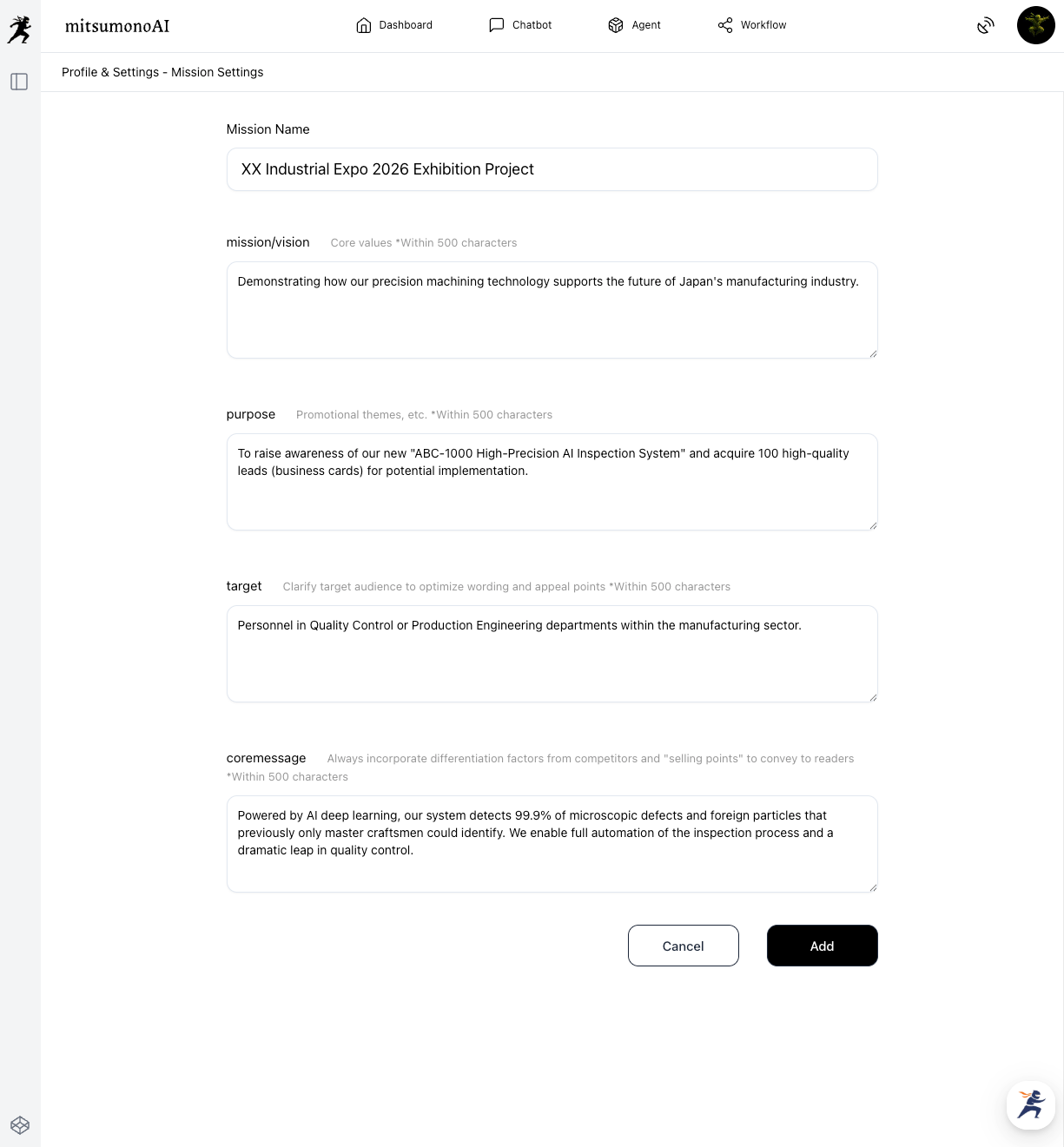
Step 1: [Register Mission] Share Your Exhibition "Goal" with AI
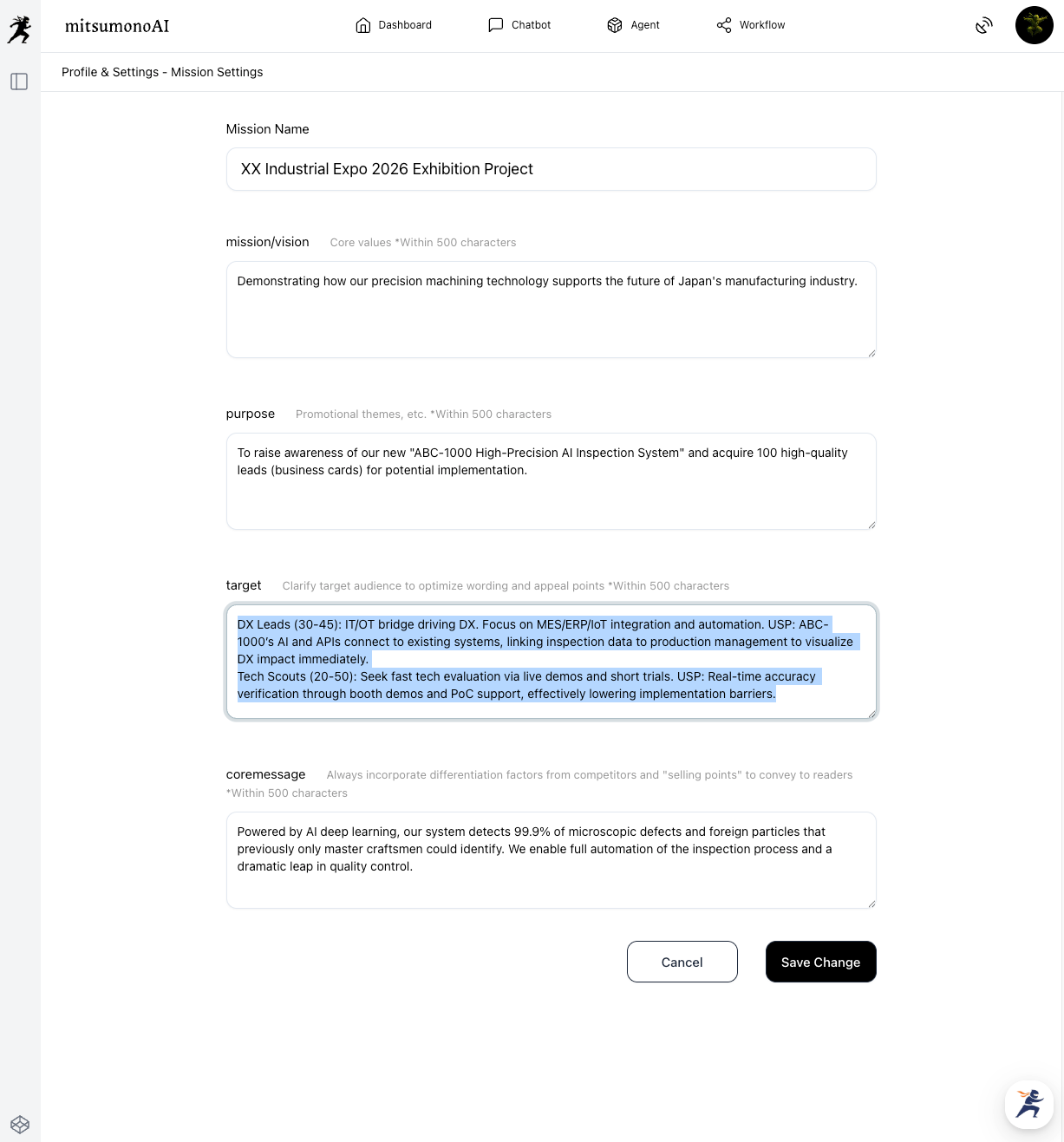
First, define what you want to achieve at this exhibition as a "Mission." Your target definitions can be broad at this stage.
Step 2: [Target List Creation] Have AI List Your "Future Customers"
Next, use the Target List Creation Assistant to narrow down who you should really be approaching from the crowd.
[Preparation & Execution]
Launch the assistant and select the Mission created in Step 1. In the "SWOT Analysis Results" field, briefly enter your company's strengths (USP) and the "Opportunities" presented by the exhibition.
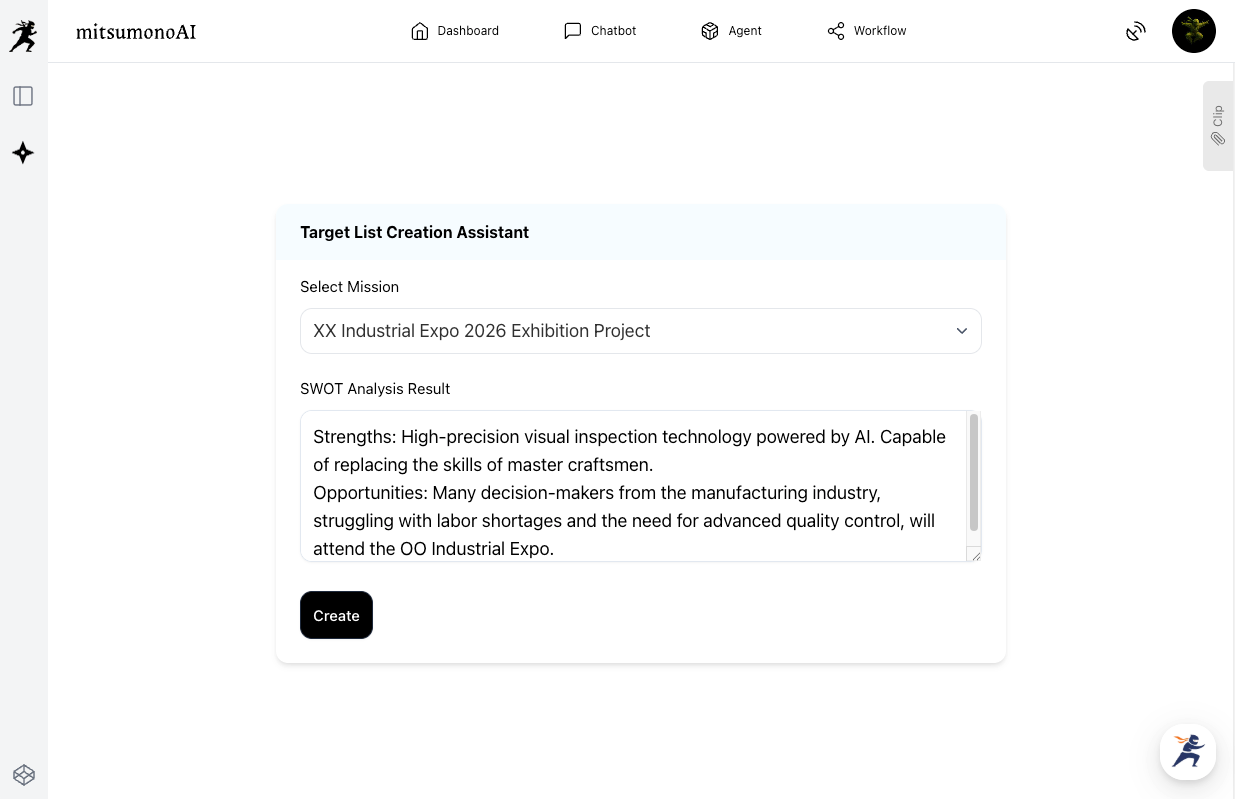
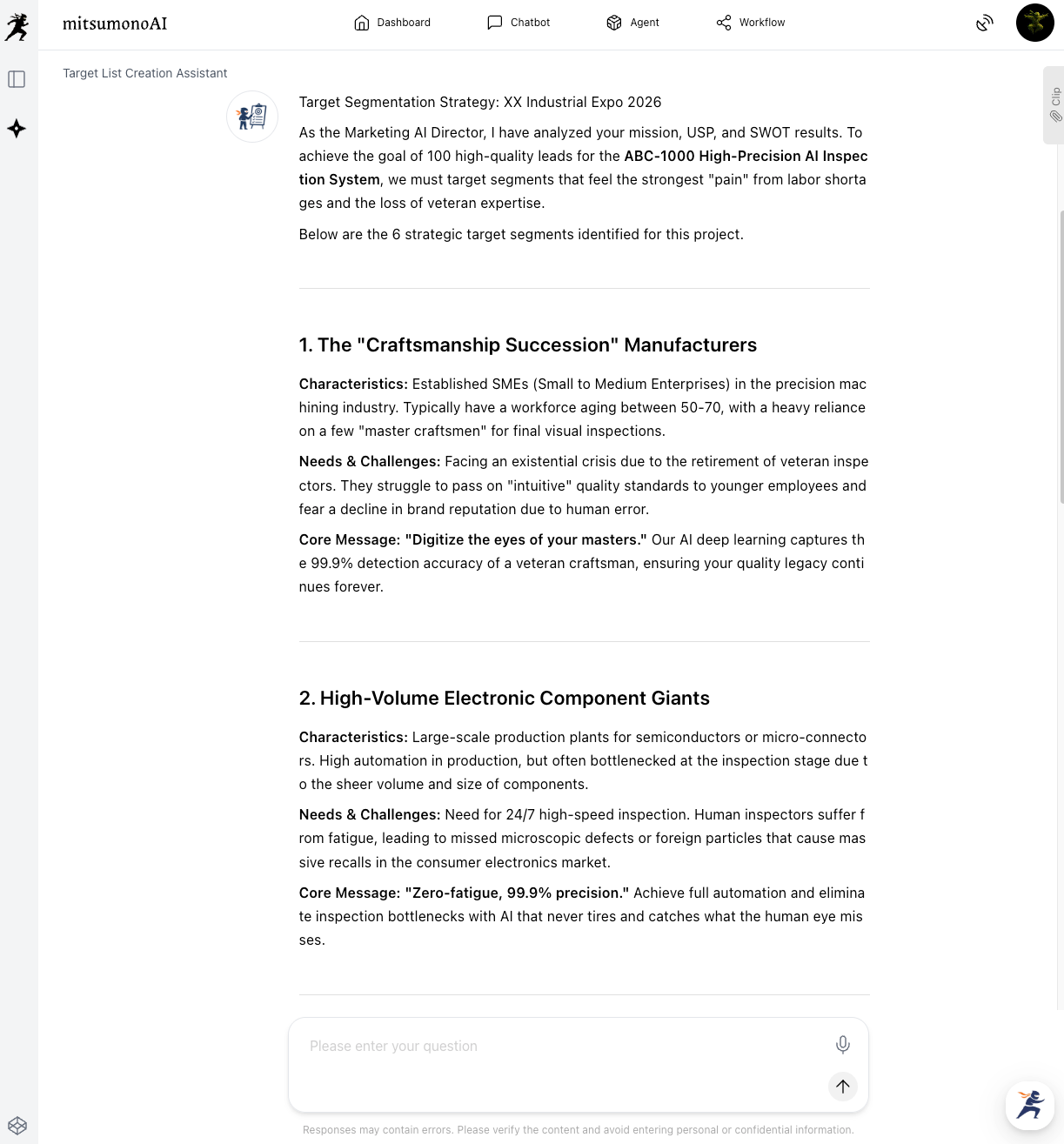
This step clarifies the "pains" of each target, dramatically improving the accuracy of the script.
Step 3: [Video Script Creation Workflow] Generate a Script Starting with Target Challenges
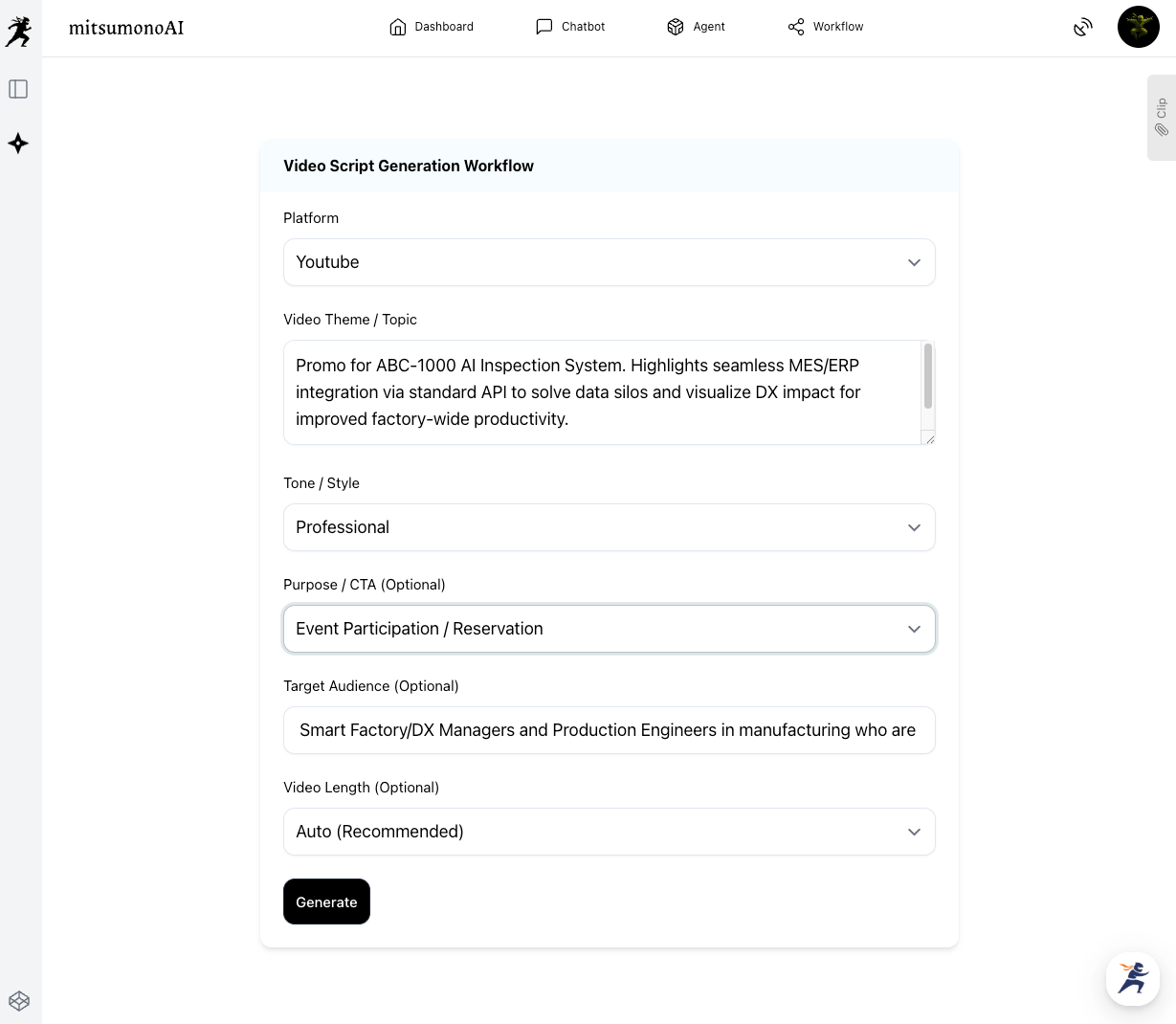
Finally, create a script that speaks directly to the identified target's problems.
[Preparation & Execution]
Launch the Video Script Creation Workflow and enter the "Video Theme/Topic" based on the structure of the target's challenges and your product's solution.
Application and Expansion: Automating Post-Exhibition Follow-ups
The videos and scripts created through this process can also be used for post-exhibition sales activities.
- Follow-up Emails:
Attach the video URL to thank-you emails sent to booth visitors. Mentioning "This is the video we showed at the booth" helps trigger their memory and increases the conversion rate to meetings. - Website Integration:
Post the video on product pages to facilitate understanding for potential customers who couldn't attend the event. - Social Media:
Use the Post Text Creation Workflow to create SNS posts highlighting parts of the video. Sharing these as post-event reports helps in continuous lead acquisition.
Summary
This article introduced a 3-step AI process for creating exhibition demo scripts that stand out from competitors and stop visitors in their tracks.
- Use AI to define "whose" problem you are solving to increase target resolution.
- Collaborate with AI to create an empathetic story starting from the target's "challenges."
- Communicate the value of the product as a "story of problem-solving" rather than a mere product intro.
AI is your most reliable "Sales Planning Partner," connecting your technical superiority with the real-world challenges of your customers to design persuasive communication scenarios.
Why not move beyond "just playing a video" and start creating strategic video content that facilitates encounters with future customers?
mitsumonoAI is a specialized AI platform designed to simultaneously improve "work quality" and "speed" through the use of AI.
Beyond exhibition planning, it can be utilized for various business challenges, operational efficiency, and new value creation.