How to Create the Perfect Job Posting with the "Persona Creation Assistant"
Learn how to use the Persona Creation Assistant to craft job ads that resonate with seekers. We’ll show you specific steps to improve the accuracy of your listings based on AI-generated ideal candidate profiles.


Tools to Use
Persona Creation Assistant
Streamlining Recruitment with AI-Generated "Ideal Candidate Profiles"
Recruitment is the cornerstone of corporate growth, and its importance only grows during new store openings or business expansions. However, it isn't easy to specifically verbalize "what kind of person we are looking for" and create job information that truly resonates with job seekers.
In this article, we will use a newly opening resort hotel as an example to show you the specific steps for creating job postings. You'll learn how to use the "Persona Creation Assistant" to define an ideal front desk staff member (persona) based on your recruitment mission.
Regardless of your industry, this method will significantly reduce the burden on hiring managers and improve recruitment efficiency.
Specific Steps
Step 1: Register Your Recruitment Mission
Clearly communicate the purpose and background of your recruitment to the Persona Creation Assistant. In this example, we will register a specific mission for hiring front desk staff for a new resort hotel.
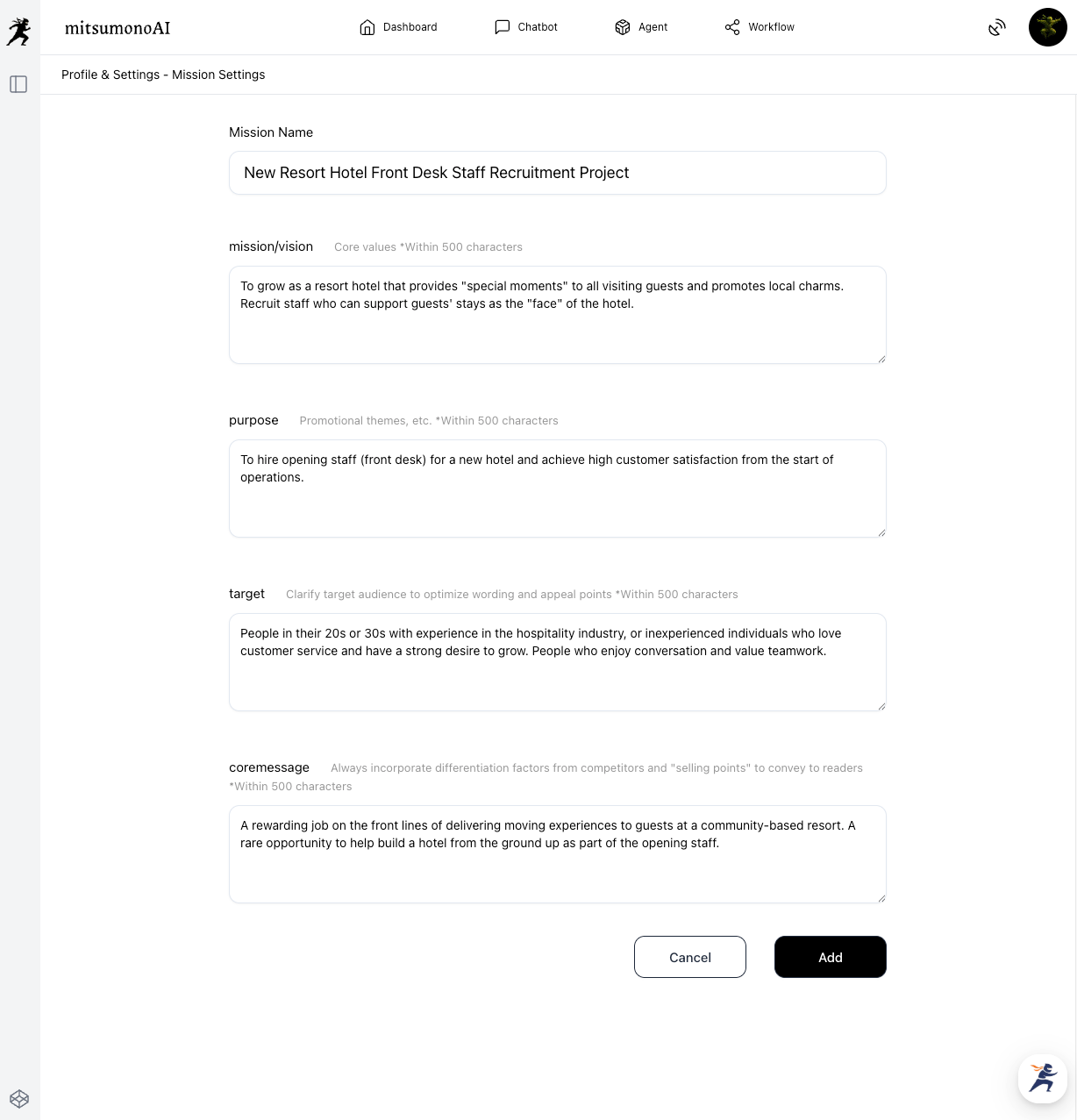
Step 2: Create a Detailed "Ideal Candidate Profile (Persona)" with AI
Based on the mission registered in Step 1, have the Persona Creation Assistant create the most ideal candidate profile (persona).
After selecting your mission, click "Create" to output a list of personas.
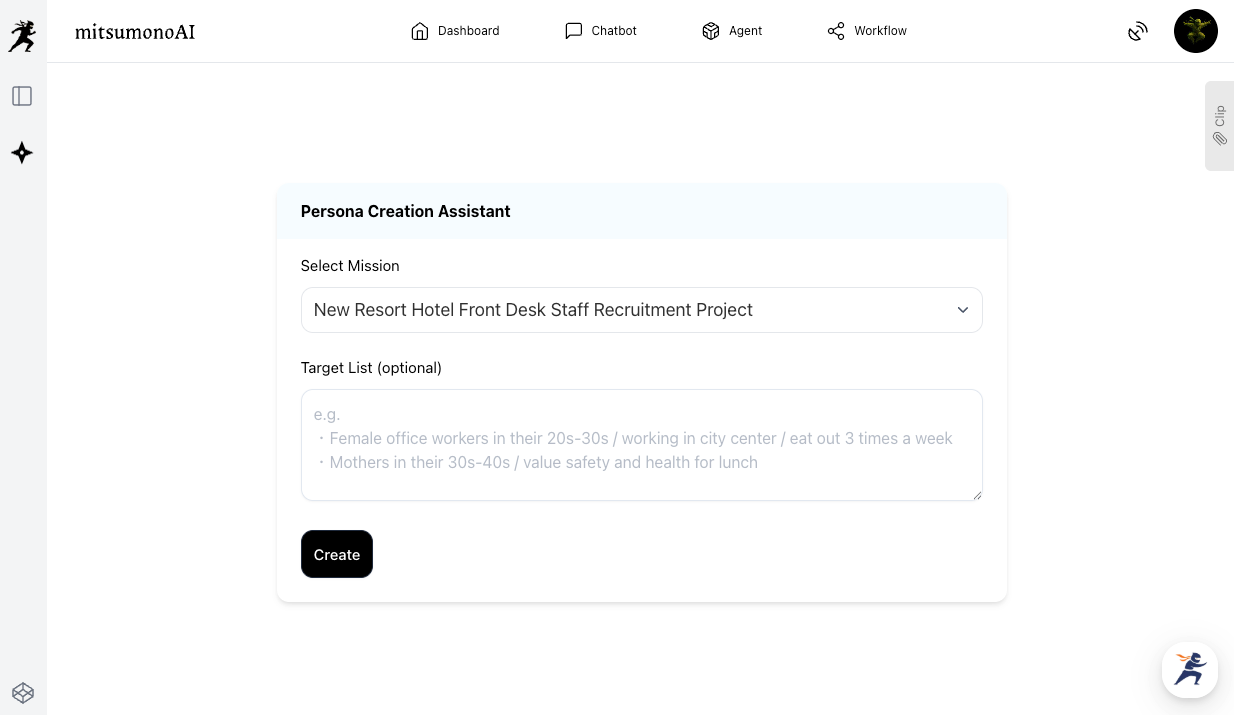
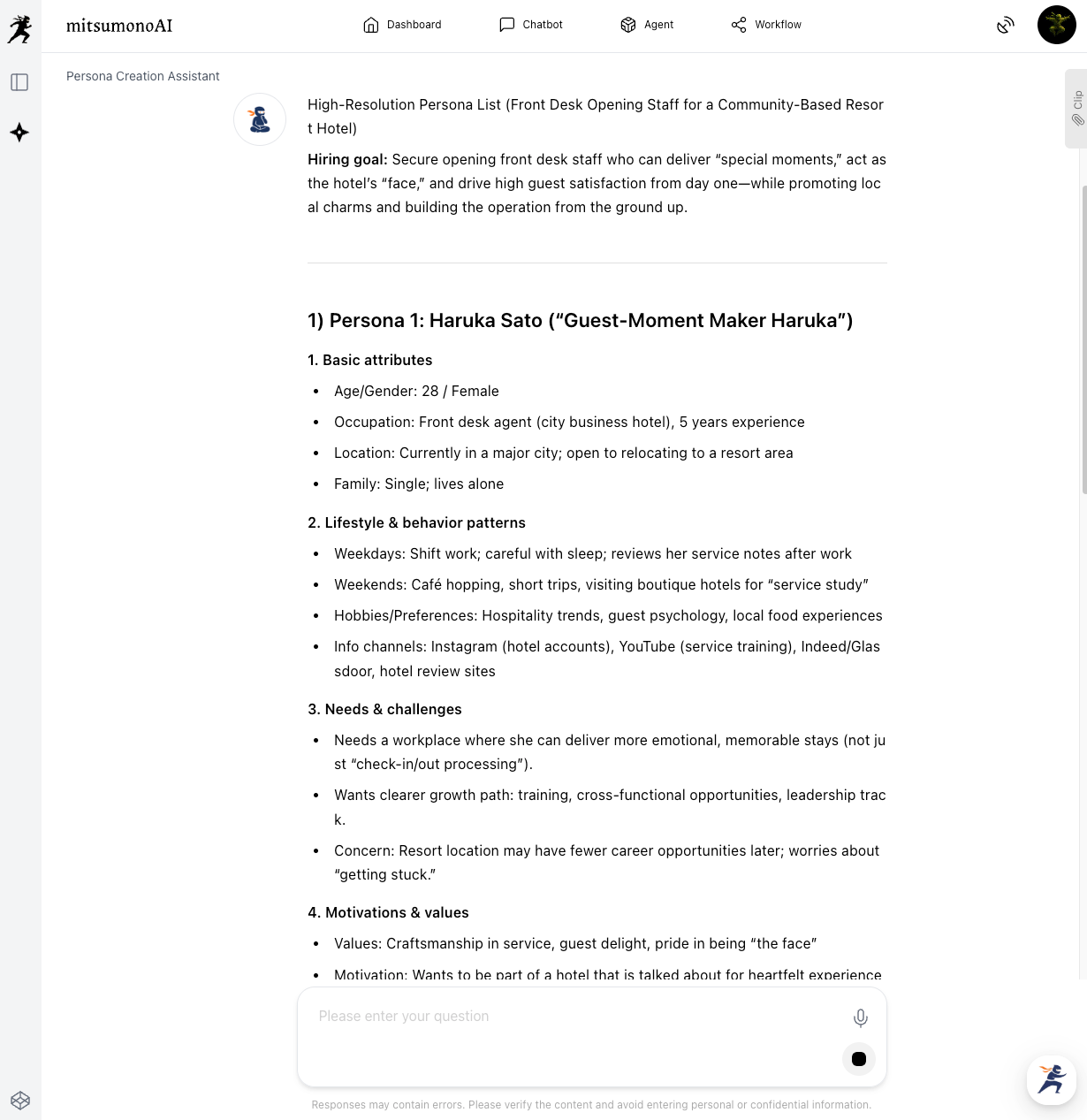
Choose one person who seems most ideal from the multiple persona drafts presented by the AI. This persona will serve as the foundation for creating your job posting.
Step 3: Generate the Optimal Job Information
Have the AI create the job posting draft based on the persona chosen in Step 2. Instruct the AI to include all necessary elements.
If you have already decided on certain details, include them in the instructions beforehand.
"Please create a job posting draft designed to attract 'Persona 1.'
Ensure the following elements are included:
・Work Location: [City, Prefecture] (Newly opening resort hotel)
・Employment Type, Salary, and Working Hours
・Job Description: General front desk operations for a resort hotel.
・Qualifications and Preferred Skills
・Benefits and Career Advancement System
・The appeal and growth opportunities of being part of the opening staff."
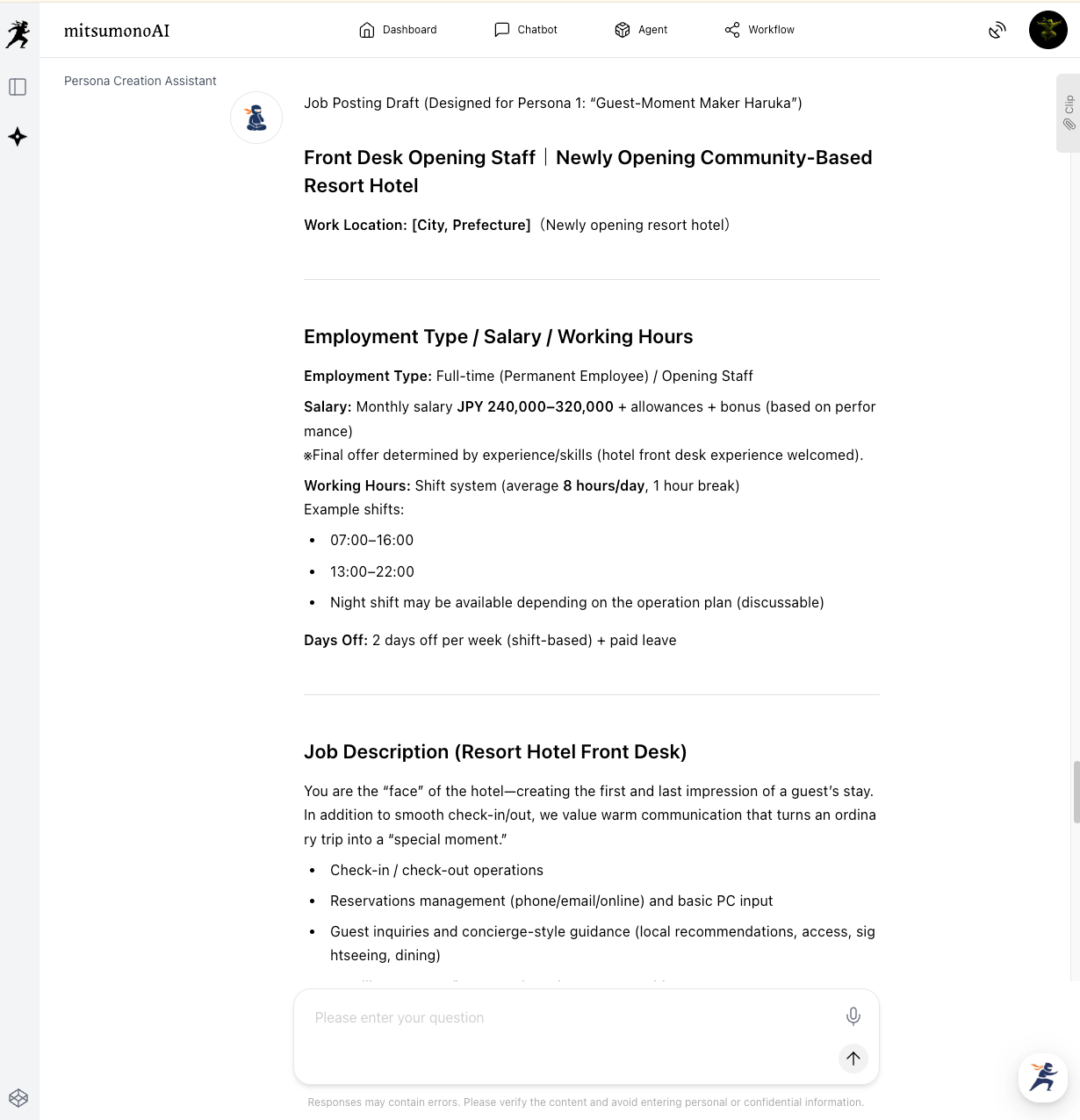
If there are specific benefits or conditions, reflect them by giving specific instructions.
"After 3 years of continuous service, 10 days of consecutive leave is granted every 3 years."
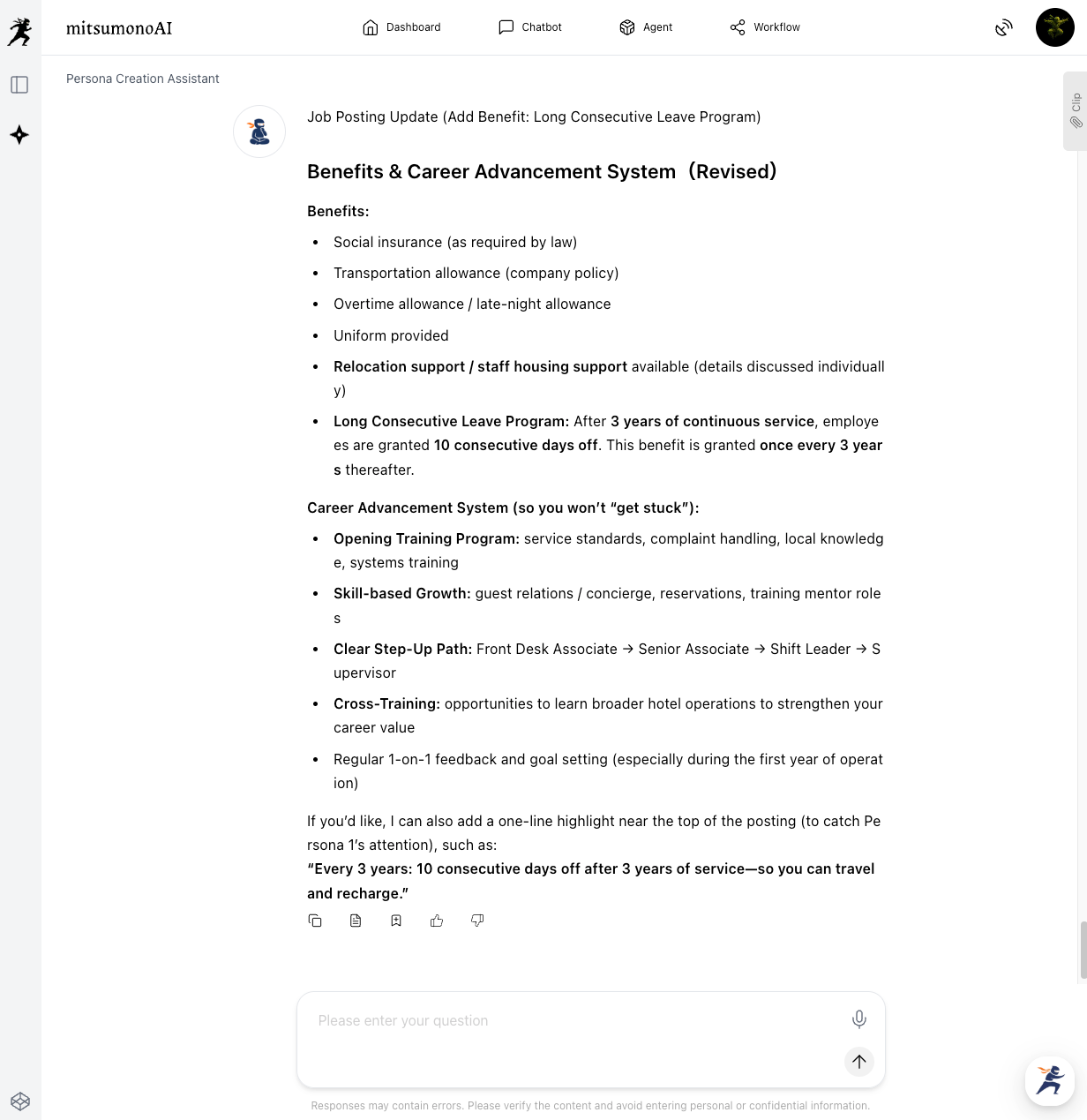
Once the draft fits your planned conditions and benefits, perform internal checks and adjustments using a format like Word.
Step 4: Internal Review, Adjustments, and Publishing
The job posting generated by the AI should be reviewed and adjusted by the hiring manager, department head, and HR department to complete the final version.
Points to Confirm (Examples):
- Typos and Factual Checks: Are the job title and working conditions accurate and up to date?
- Legal and Ethical Perspectives: Compliance with labor laws and employment security laws; checking for any discriminatory expressions.
- Motivation for Application: Is the content designed to make job seekers feel like they "want to apply"?
Results Achieved (Examples)
- Improved efficiency in attracting candidates who match the ideal profile:
By creating job information that resonates with the target based on an AI-generated persona, applications from candidates closer to your ideal will increase, improving the overall quality of recruitment. - Reduction in time and costs for recruitment activities:
With AI supporting the job posting creation process, the burden on managers is reduced, allowing for quick and efficient preparation. - Better company understanding and higher motivation among seekers:
By creating information tailored to a persona's motivations and values, seekers feel more connected to the company, leading to higher motivation and preventing post-hire mismatches.
Target Metrics after 3 Months
KGI:
- Number of Hires: Successfully hired the target number of staff.
KPIs:
- Number of applications: Target of 50.
- Fulfillment rate of candidates moving to interviews (match with persona): 80% or higher.
- Offer acceptance rate: 70% or higher.
For more use cases and the latest information, visit the mitsumonoAI blog site.