Prompt Engineering Mastery : Extracting Actionable Business Solutions from Expert AI
Stop settling for generic AI responses. Learn how to transform vague instructions into high-quality outputs using the "Target, Constraint, and Emotion" framework with Sensei AI.


Verbalizing Instructions for AI to Generate Business-Ready Outputs
The reason AI often fails to meet expectations after implementation isn't a lack of performance; it's the user's inability to specifically define premises, constraints, and objectives. This article explains the "Prompt Engineering" techniques required to utilize AI as an expert-level partner and how to organize your thinking using mitsumonoAI.
Recommended for those who:
- Have implemented AI but find the responses too generic or abstract for practical use.
- Want to know how to accurately convey industry-specific characteristics and operational constraints to the AI.
- Aim to verbalize high-quality prompts and create a system for sharing and reusing them within their organization.
- Want to evolve AI from a simple search tool into a strategic thinking partner.
Practical Guide: Step-by-Step Walkthrough
Let’s simulate a case where a restaurant in a business district develops a "new winter menu" to boost seasonal sales. We will improve the output by comparing a "Poor Example" with a "Good Example."
Step 1: [Poor Example] Identifying "Average" Results from Vague Instructions
First, let's look at a common mistake: the "hands-off" request.
Preparation & Execution:
Launch Sensei AI - Restaurant and enter the following prompt.
Input Example (Poor):
"Please give me three ideas for a new winter menu."
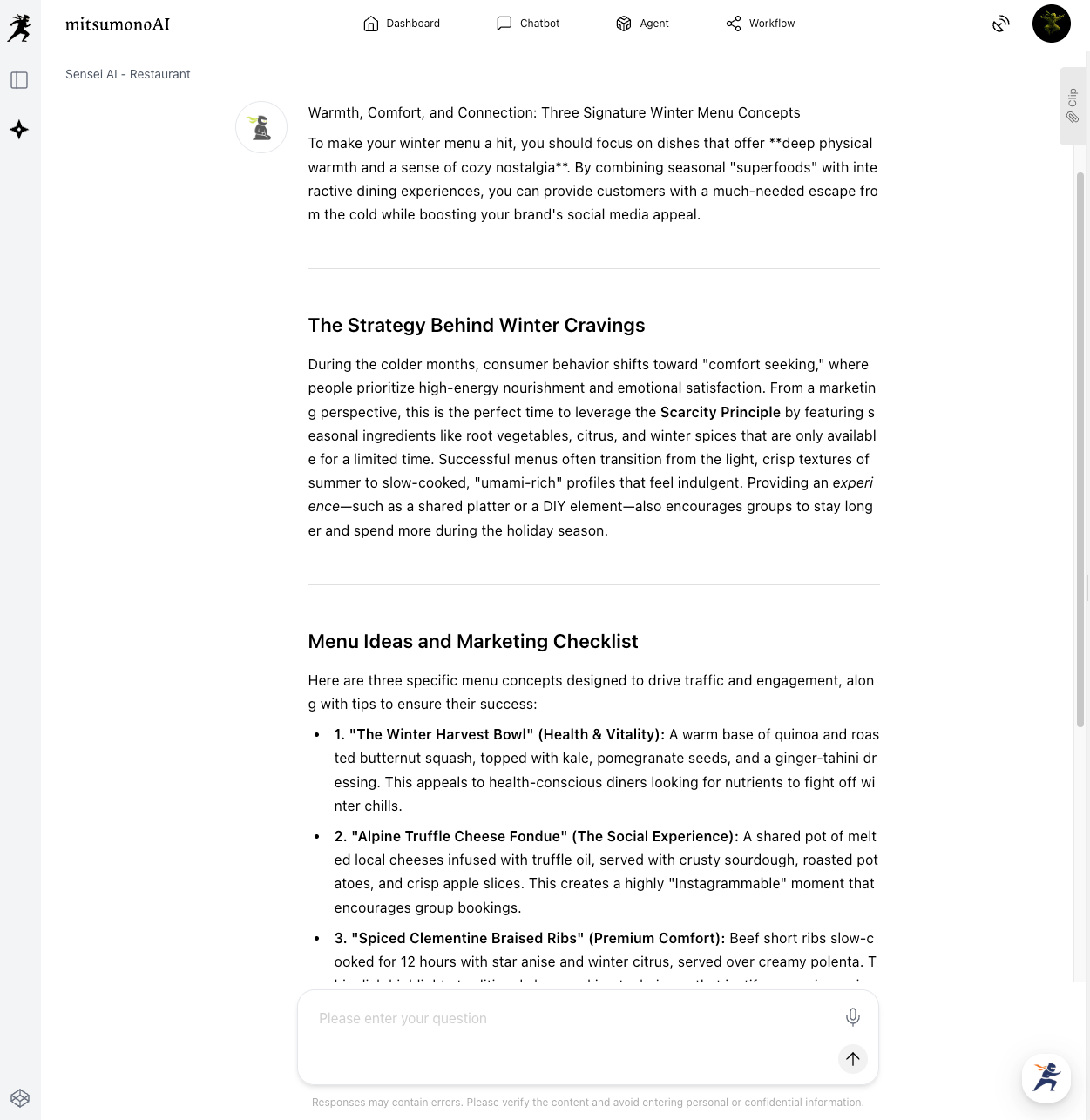
AI Response (Sample):
- The Winter Harvest Bowl
- Alpine Truffle Cheese Fondue
- Spiced Clementine Braised Ribs
Since Sensei AI - Restaurant is specialized for the food industry, these are decent suggestions. However, they lack the edge needed to differentiate from competitors.
Step 2: [Good Example] Re-prompting with "Target, Constraints, and Emotion"
Next, we narrow down the conditions. Increasing the "resolution" of your instructions is the key to improving response quality.
Preparation & Execution:
Using the same Sensei AI - Restaurant, re-issue the instruction adding these three elements:
- Target: Male office workers in their 30s.
- Constraints: Focus on high turnover for lunch (fast service). Keep food costs low.
- Emotion/Goal: Provide energy for the afternoon's work (hearty/stamina-focused).
Input Example (Good):
"I am developing a new winter lunch menu for a business district location where high turnover is essential. The target audience is 30-something male office workers looking for energy for their afternoon tasks. Please propose three 'spicy/stamina-boosting' menu ideas that are cost-effective, satisfying, and quick to serve."
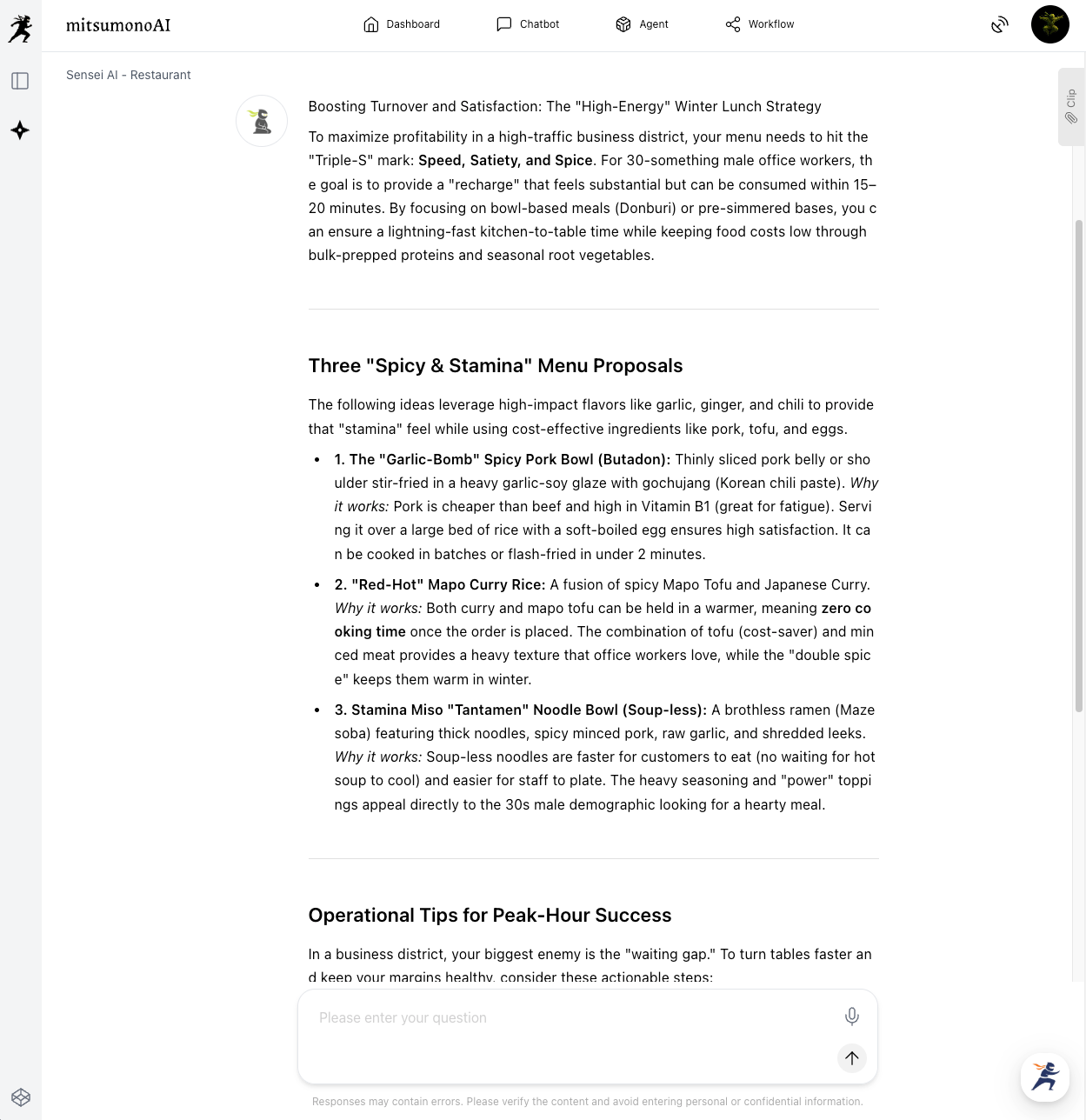
AI Response (Sample):
- The "Garlic-Bomb" Spicy Pork Bowl
- "Red-Hot" Mapo Curry Rice
- Stamina Miso "Tantamen" Noodle Bowl (Soup-less)
Notice the difference? Instead of just "winter dishes," the AI generated ready-to-implement ideas where the "Who," "How (Operations)," and "Value Proposition" are crystal clear.
Step 3: [Standardization] Using "Clips" to Create Templates
Once you get a great response, don't let it end there. Turn this "way of instructing" into an asset.
- Copy the prompt used in Step 2.
- Open the "Clip Function" on the right side of the mitsumonoAI screen and save it as a new note.
- By naming it "【Menu Dev】Target x Constraint x Emotion Prompt," you can achieve the same high-quality results for a summer menu simply by changing "Winter" to "Summer."
 mitsumonoAI
Applications (From Job Postings to Apology Emails)
This "Target, Constraint, and Emotion" framework applies to all business tasks:
Job Postings (HR/Recruitment):
- Poor: "Write a job posting for a sales position."
- Good: "A job posting for a sales role targeted at 20-somethings with grit but no experience (Target). Avoid technical jargon (Constraint) and write in a way that conveys the excitement of growth within this company (Emotion)."
Apology Emails (Sales):
- Poor: "Write an apology email for a delayed delivery."
- Good: "An apology for a shipping delay to a long-term client (Target). Make no excuses (Constraint), present a recovery plan, and ensure the tone conveys sincerity and future peace of mind (Emotion)."
Summary
This article introduced techniques to improve AI instructions and extract actionable business answers.
- Sensei AI can act as an "industry pro" if given the right conditions.
- Adding the three elements of Target, Constraint, and Emotion drastically improves the specificity of responses.
- Save successful prompts using the Clip Function to make them organizational assets.
If an AI's response feels "mediocre," it might not be the AI's fault—it's likely because the instructions were "vague." By using AI as a "mirror" to train your ability to verbalize thoughts, you will significantly enhance both your AI utilization and your overall business skills.
The mitsumonoAI official blog site introduces many other specific use cases to streamline daily operations and further improve the quality of provided services.