Planning SNS Campaigns with AI | Breaking Free from Haphazard Operations
Transform your daily scramble into strategic campaign execution. This guide explains how to use AI to automate everything from SNS campaign planning to posting, allowing you to maximize impact and stop guessing your next move.

Tools to Use
- Mission Function
- Content Marketing Planner
- Post Idea Creation Workflow
- Post Caption Creation Workflow
Using AI to Turn "Haphazard" SNS Management into a "Planned" Strategy
"I want to announce a summer campaign on our website and Instagram."
"But I’m so busy handling daily bookings and creating posts that I don’t have time to actually plan."
"In the end, the campaigns and ads are just one-offs, and I never really know if they were effective."
Many salon owners and PR representatives face these exact struggles.
Even a brilliant idea loses half its impact without a consistent plan and continuous communication.
In this article, we’ll show you specific steps to use AI to break away from haphazard SNS management and execute planned campaigns that effectively link your website and social media.
Specific Steps
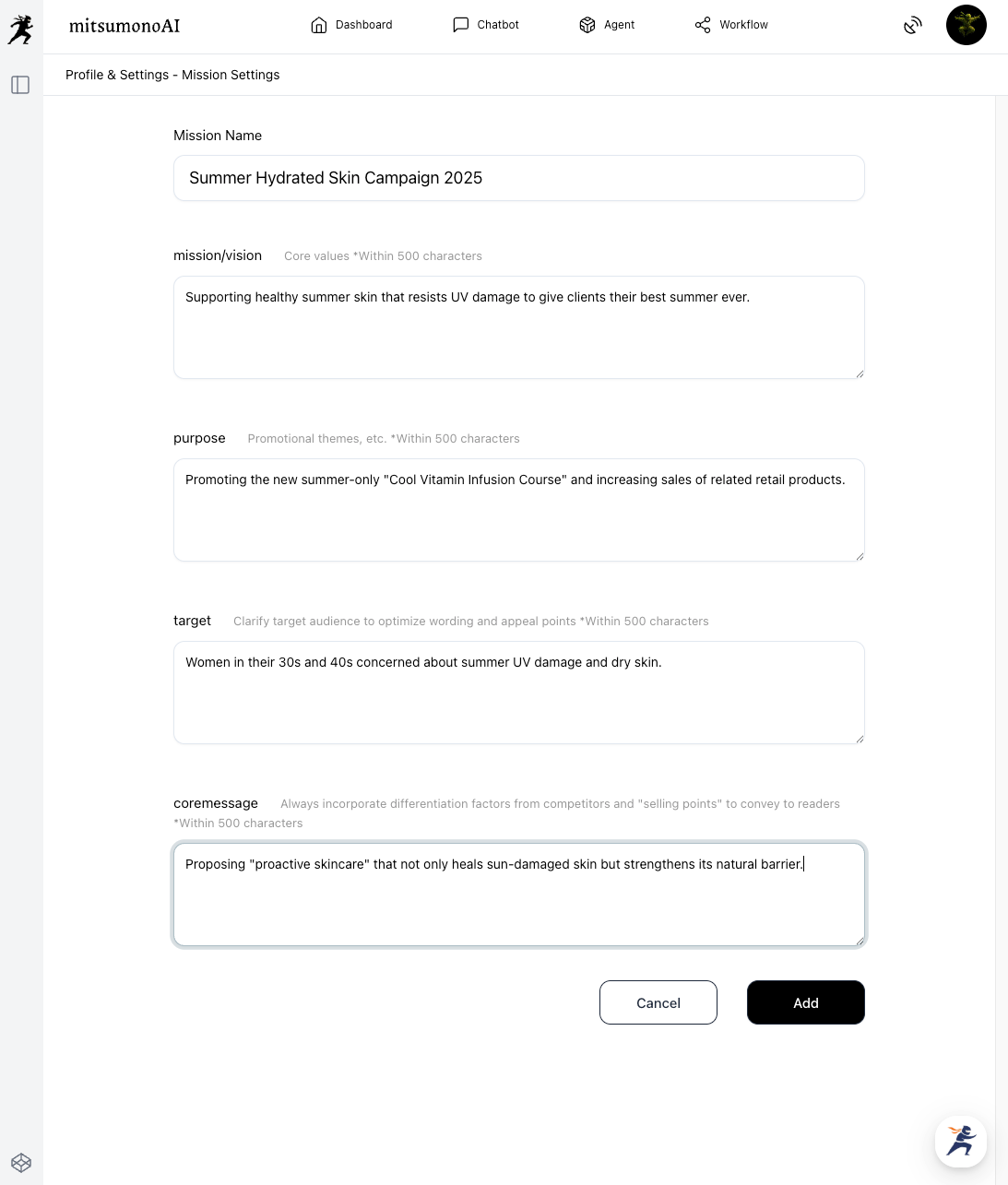
Step 1: Let the AI Define a "Mission" to Serve as Your Campaign Compass
The first and most important step is to clearly verbalize the "purpose" and "goal" of your campaign and share them with the AI.
By registering a Mission, you ensure that all subsequent AI suggestions remain consistent.
In this example, we will input a summer campaign for a beauty clinic.
Step 2: Draw a "Campaign Blueprint" Linking Web and SNS with AI
▶︎ Content Marketing Planner
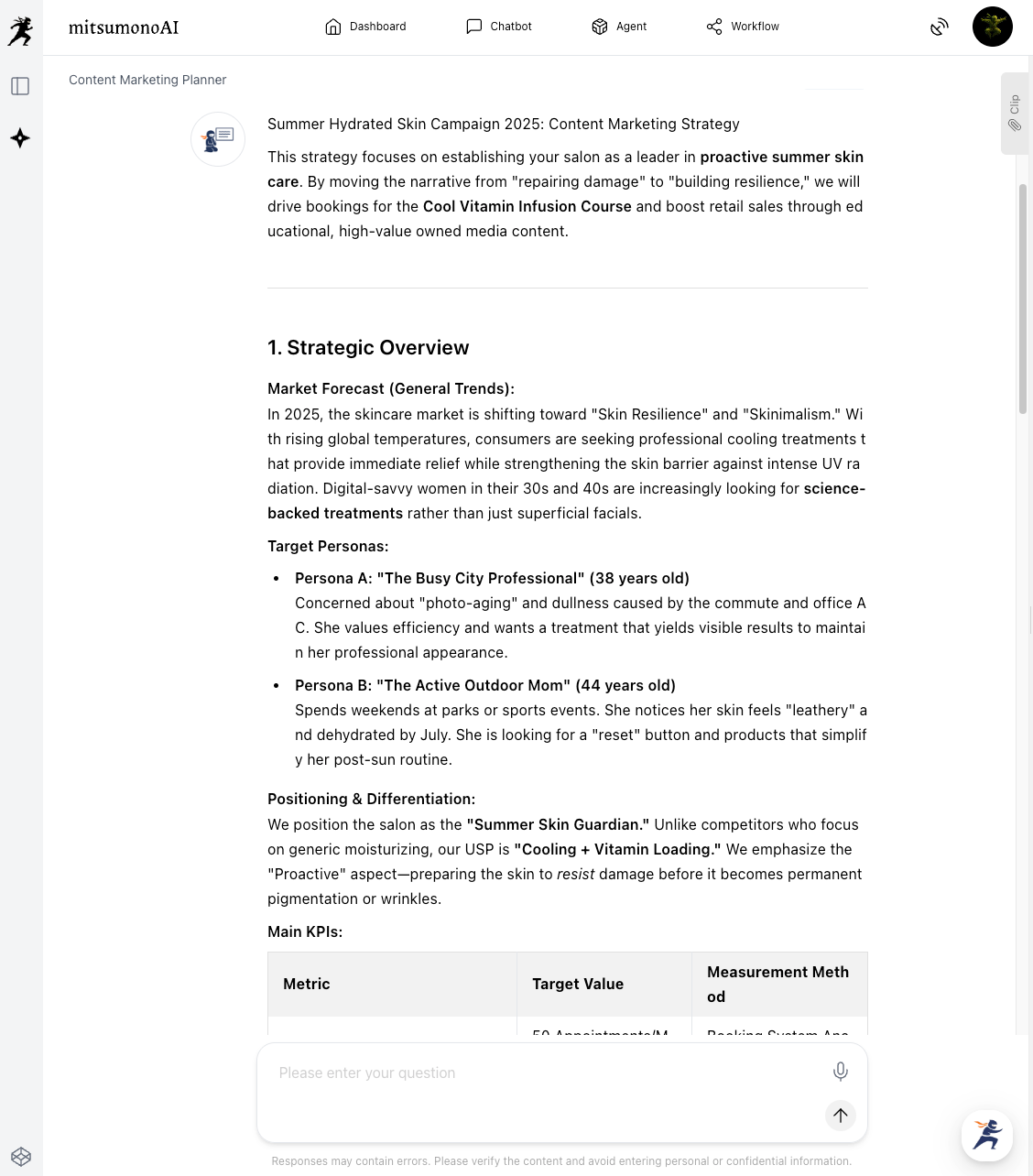
Based on the Mission defined in Step 1, have the AI formulate a specific schedule and content plan for the entire campaign.
[Tips for Input]
In the Content Marketing Planner, select the Mission created in Step 1 and enter the campaign details.
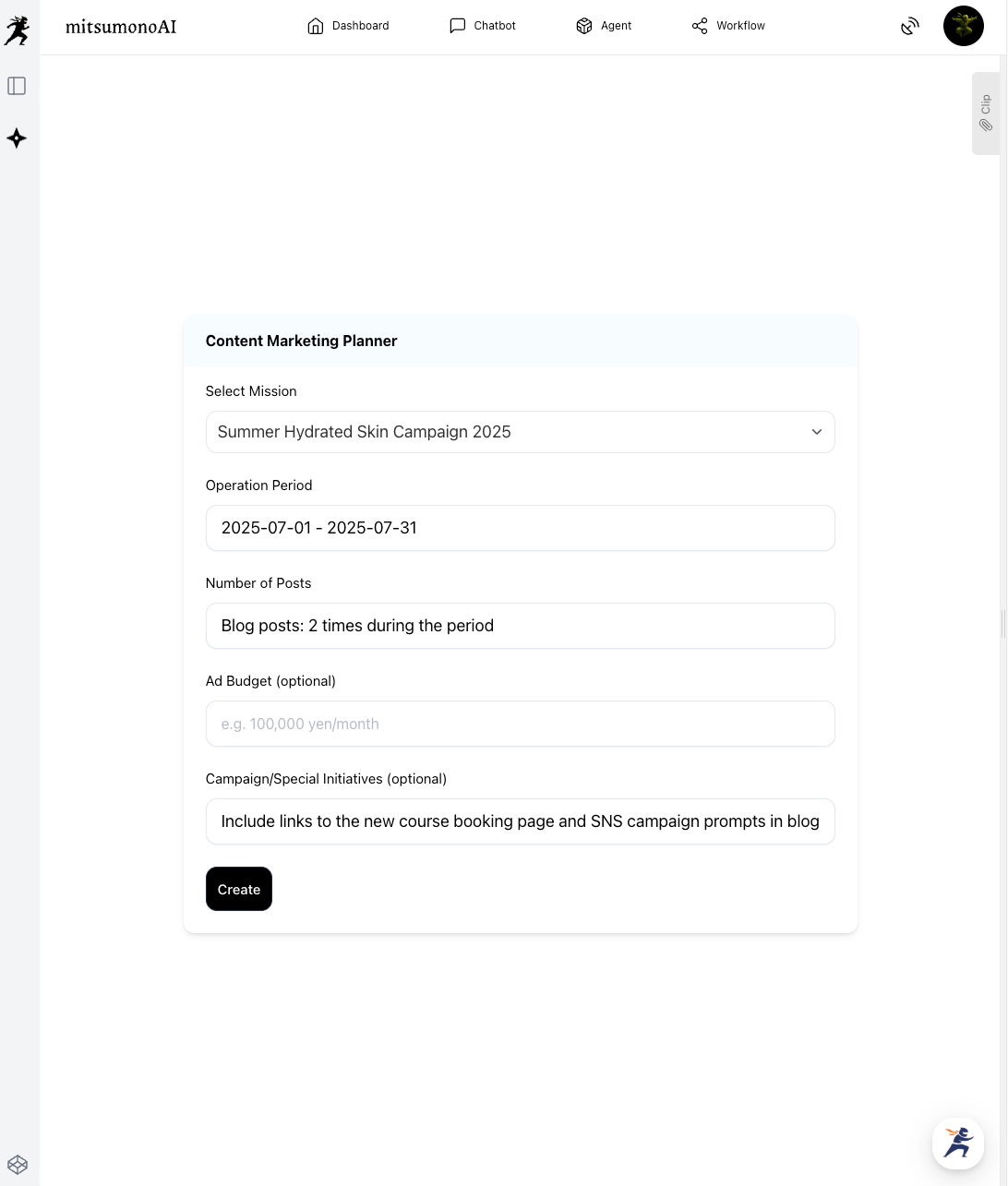
Since we want to create a content calendar synced with SNS, we will provide additional instructions.
"I want to post on Instagram 3 times a week (1 Reel, 2 static posts) during this period. Please create a content calendar that links the website (blog) and SNS (Instagram)."
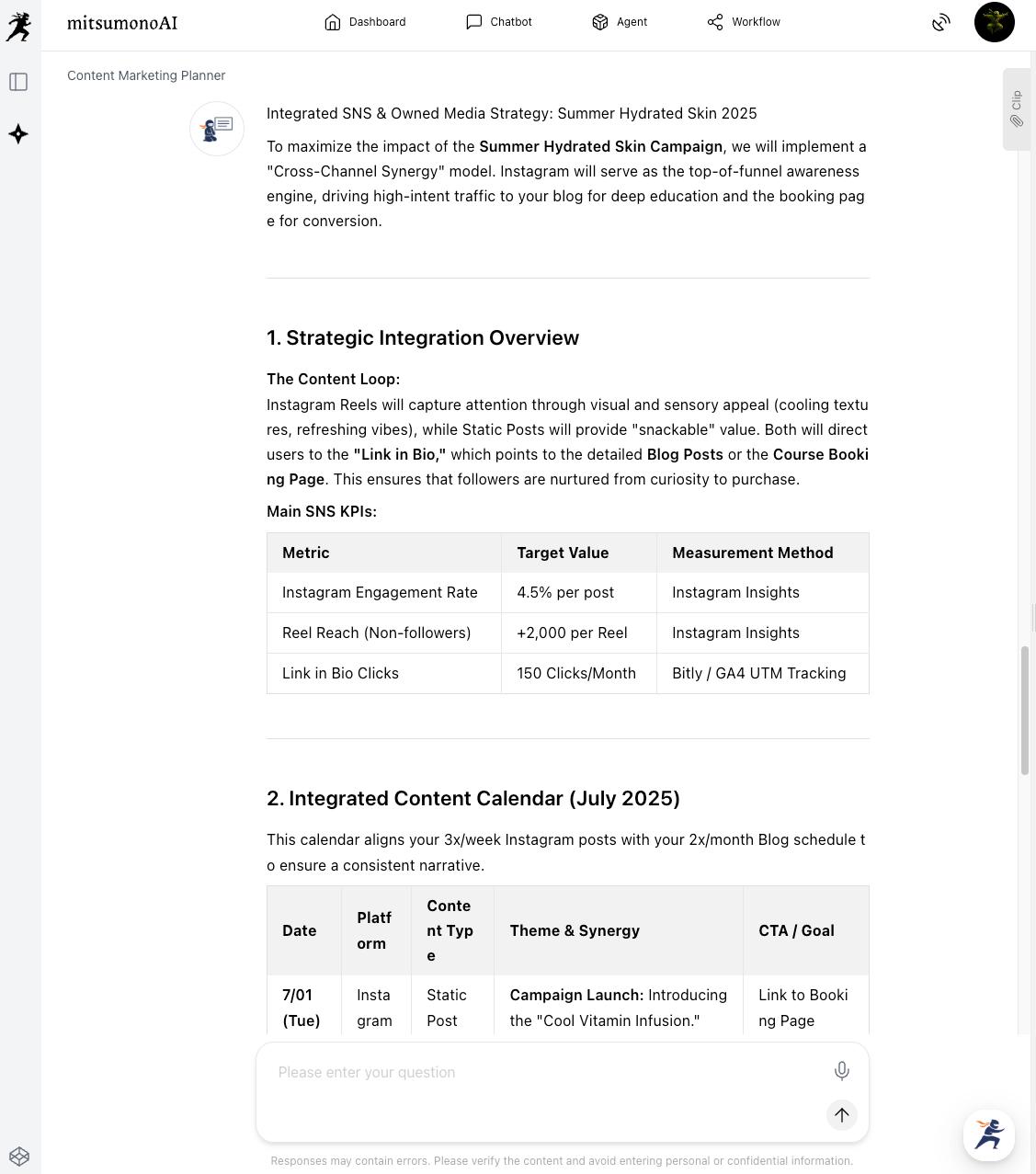
The AI will then propose a content calendar along with specific methods for driving traffic between the platforms.
Step 3: Automatically Generate Daily "Posting Content" with AI
▶︎ Post Idea Creation Workflow, Post Caption Creation Workflow
Once the blueprint is ready, leave the "execution" of daily posts to the AI to dramatically reduce the workload.
1. Generating Ideas to Build Campaign Momentum
First, use the Post Idea Creation Workflow to mass-produce various creative angles for the campaign.
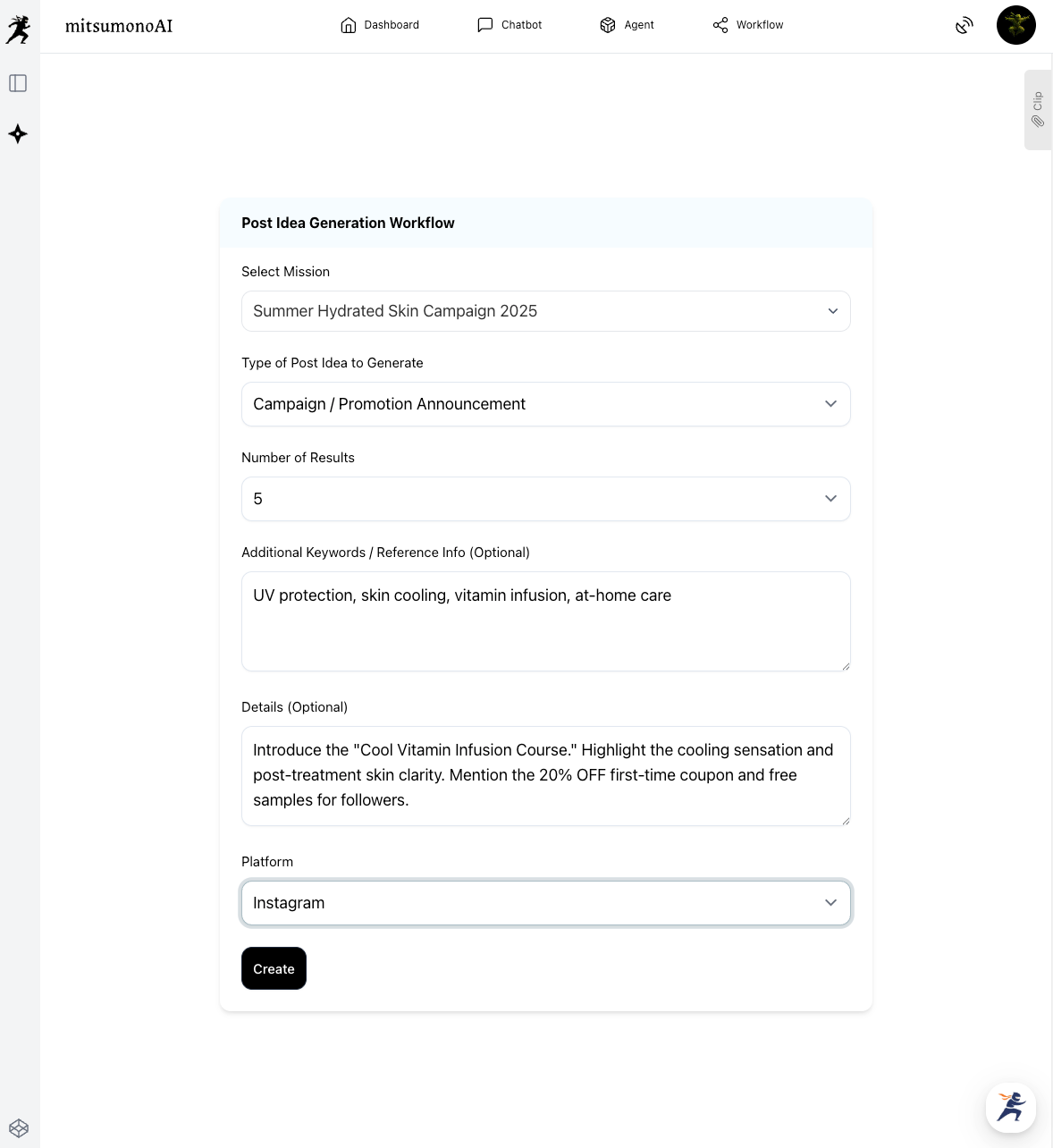
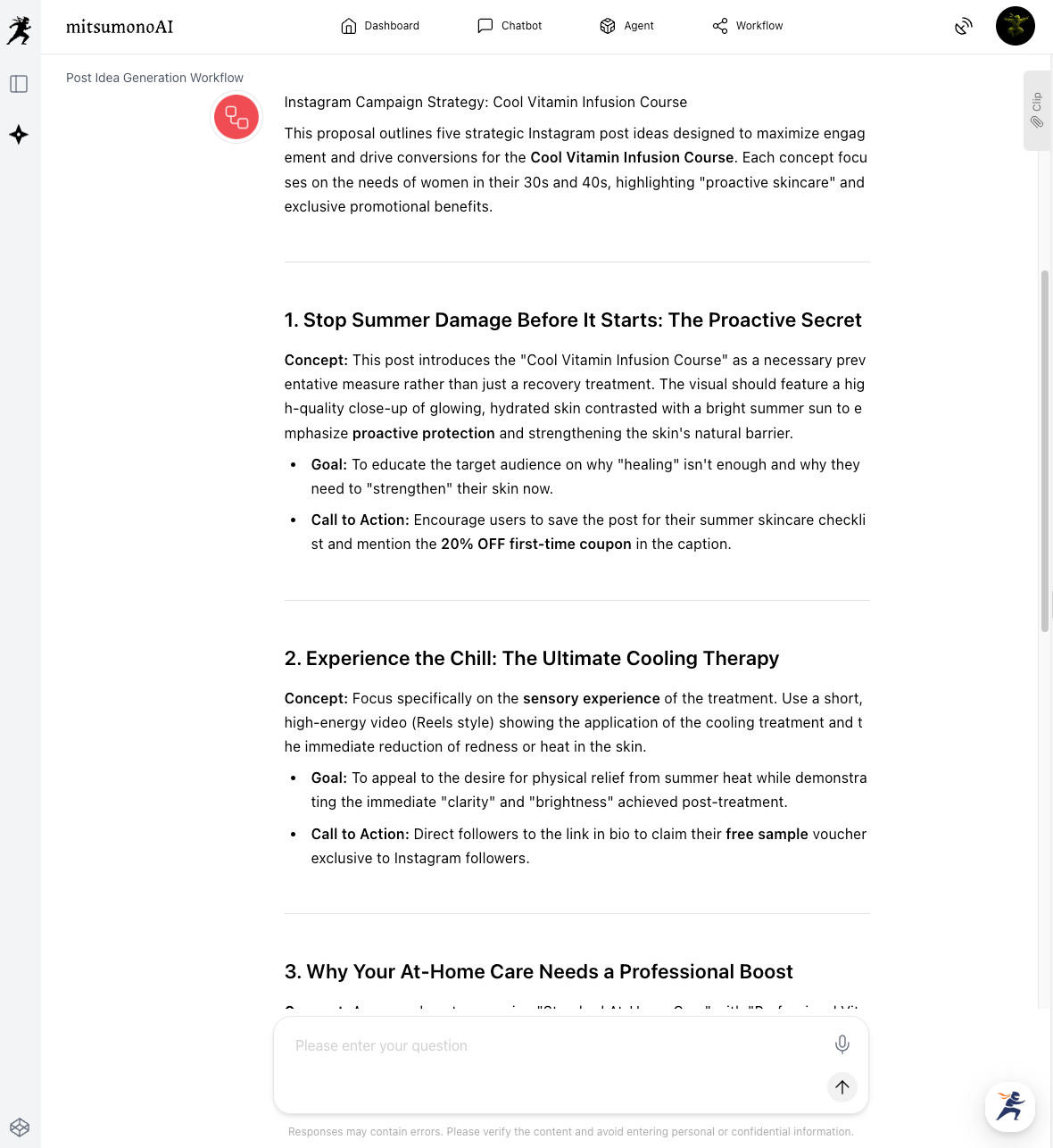
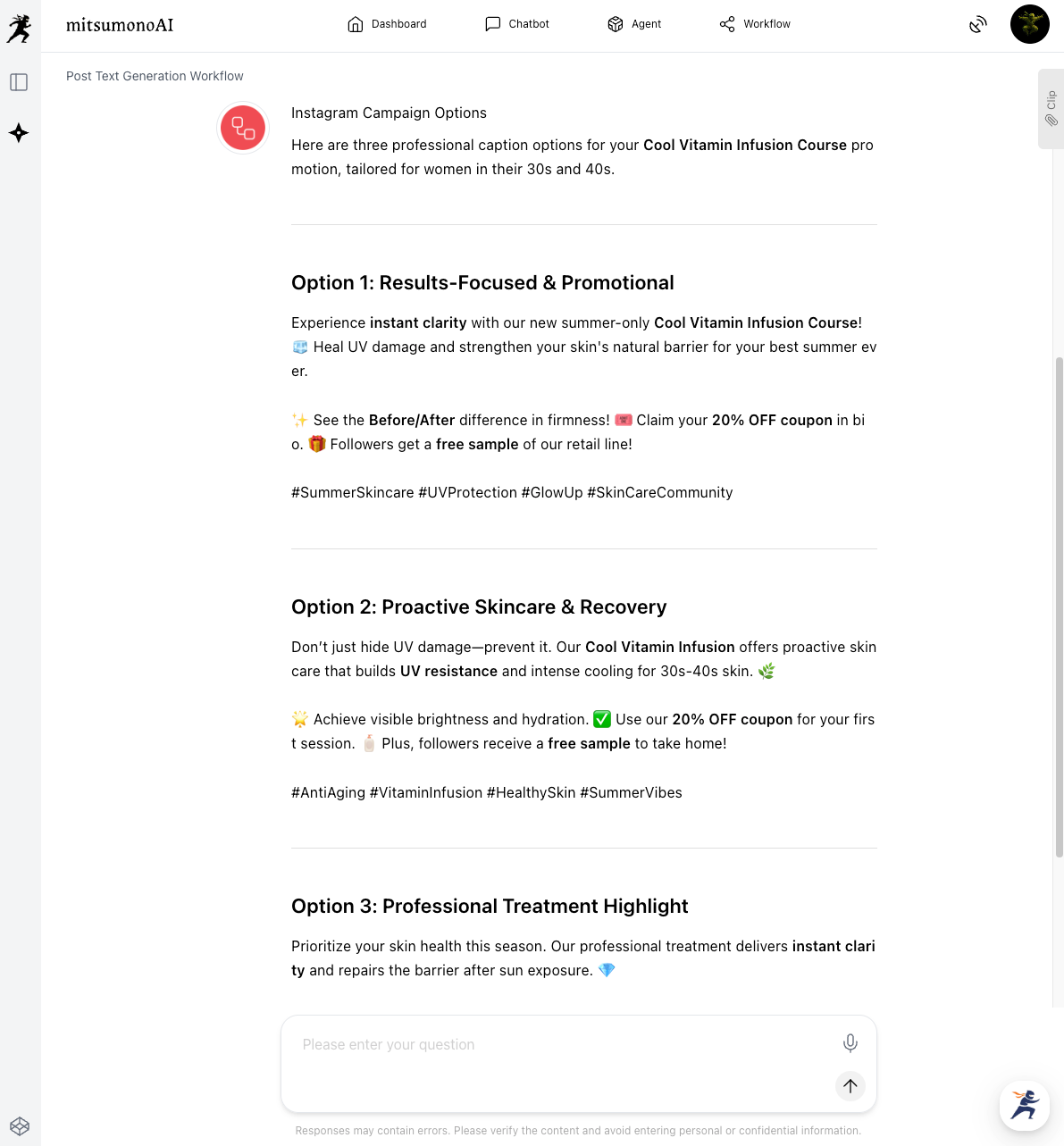
2. Generating Specific Post Captions
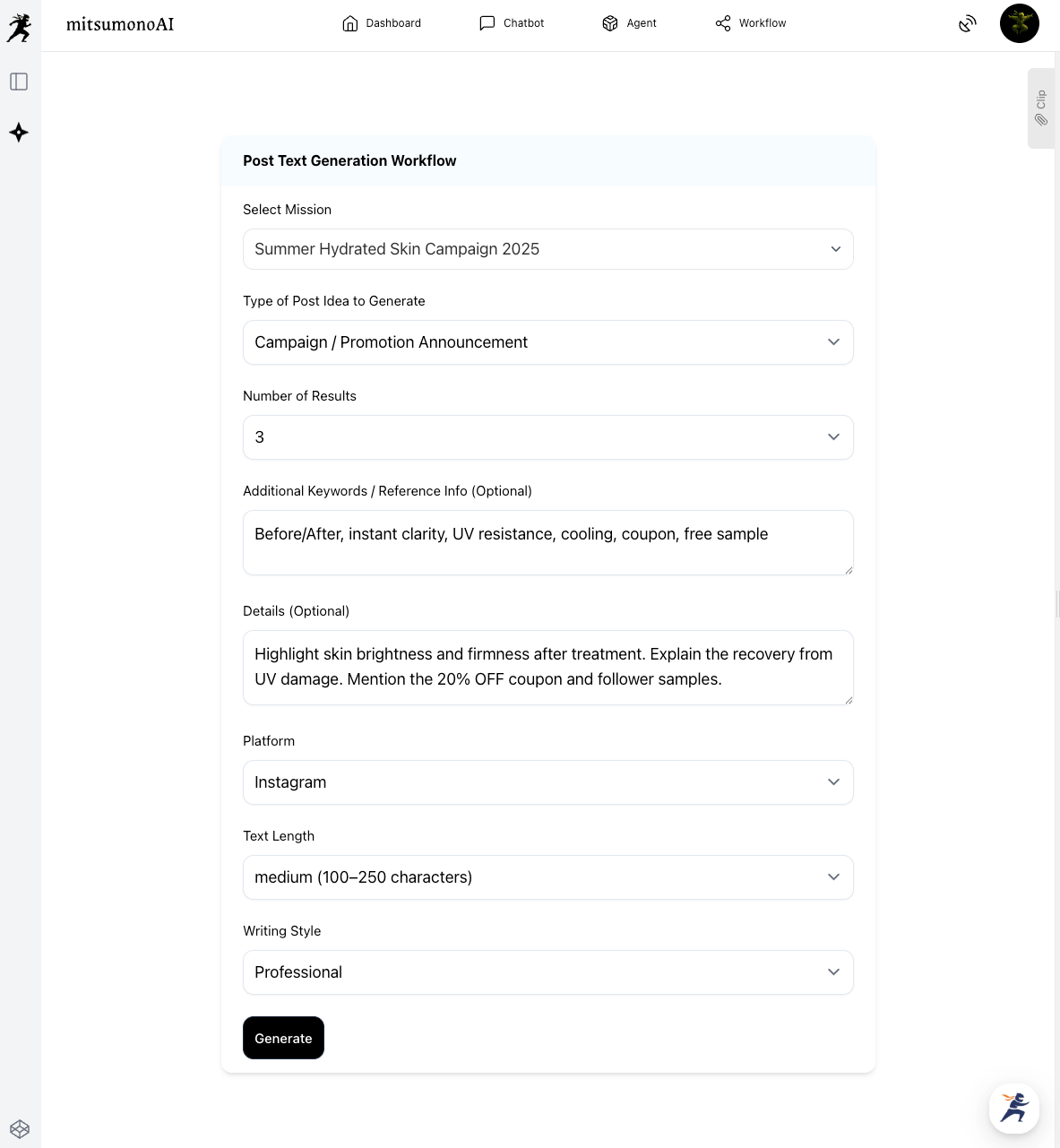
Next, choose your favorite idea and use the Post Caption Creation Workflow to generate the actual text. Let’s try creating one from the idea "Before & After: Instant Clarity."
Results Achieved Through This Approach
- Exit from Haphazard Management:
Staff are freed from daily grunt work and can focus on more strategic tasks like overall planning and measuring effectiveness. - Maximizing Impact with Consistent Messaging:
By sending a unified message across the website, SNS, and ads, you improve your brand image and increase the campaign's persuasive power. - Improved ROI (Return on Investment):
Planned promotions eliminate waste in ad spend and human resources, leading directly to more bookings and higher sales.
Target Metrics After 1 Month
KGI:
- New booking sales via campaign: 500,000 JPY
KPI:
- Time spent on daily post creation: 80% reduction
- Instagram reach for campaign posts: 50% increase vs. previous month
- Transition rate from SNS to campaign landing page: 2x increase
For more use cases and the latest information, visit the mitsumonoAI blog.