From Ambiguity to Logic: Accelerating Decision-Making with AI Sparring
"I have ideas, but I can't put them into words..." This frustration slows down business. This article explains how to use AI as a "sparring partner" to elevate vague ideas into logical plans, helping you move past emotional bias and perfectionism to enhance your strategic thinking and prompting.


Many business professionals struggle with the inability to verbalize ideas, leading to stagnant projects and a lack of persuasiveness. This article explains the specific process of using mitsumonoAI to objectify your thoughts and transform vague images into logical strategies.
Recommended for those with the following challenges:
- Inability to translate ideas in your head into specific words or logical documents.
- Lack of persuasiveness to those around you due to an inability to objectively organize the rationale behind a plan.
- Failure to get expected results because intentions are not accurately conveyed to subordinates or AI.
- A desire to broaden the scope of thinking through professional perspectives and objective feedback.
Here, we simulate a case where a PR representative in the manufacturing industry takes a vague idea—"I want to launch a new initiative to convey the appeal of our factory to recruit young talent"—and refines it to the level of a formal proposal.
Step 1: Defining Target Insights
First, set the axis of your thinking by telling the AI "who" you want to reach and "what" you want to deliver.
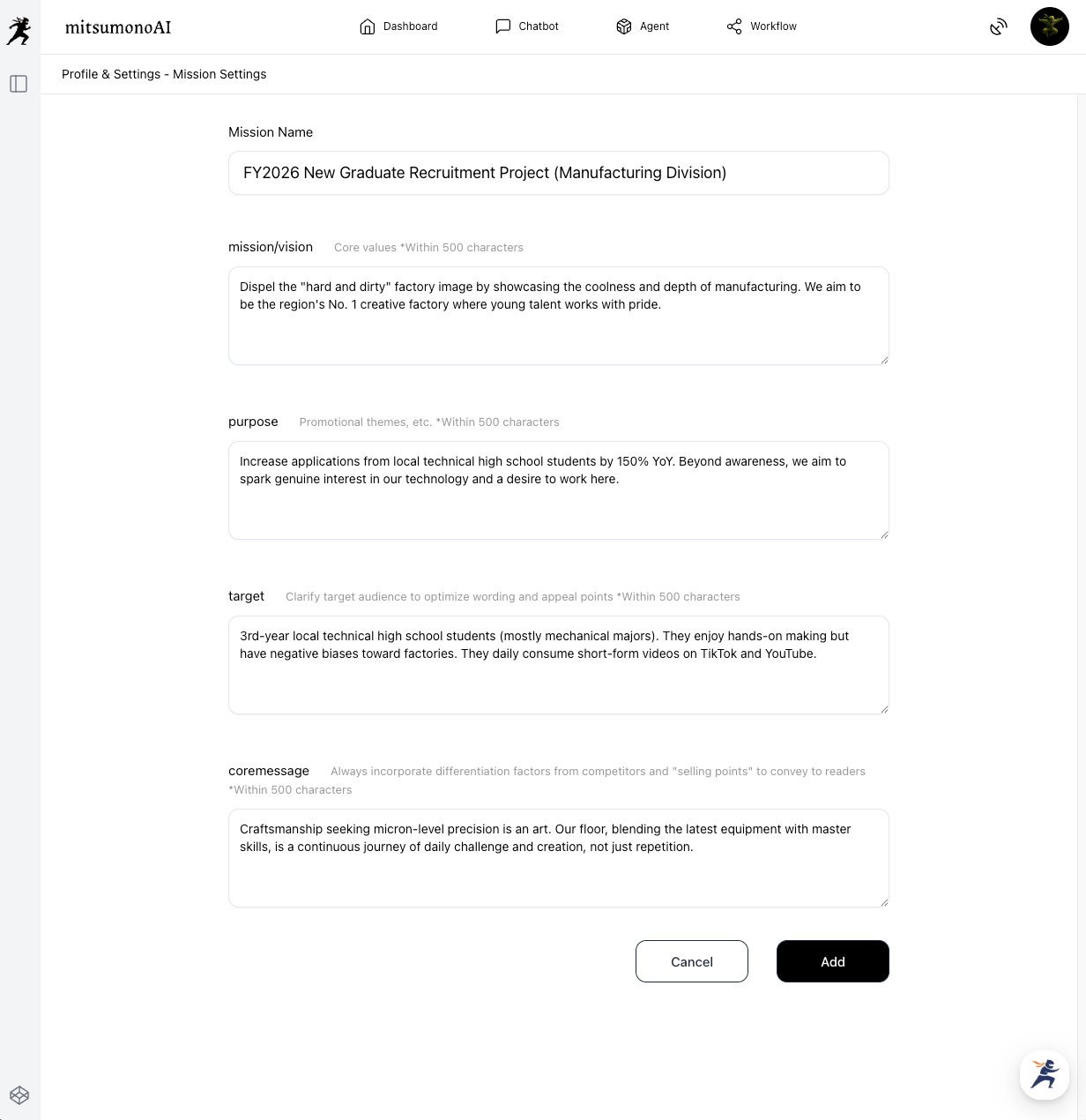
[Preparation & Execution]
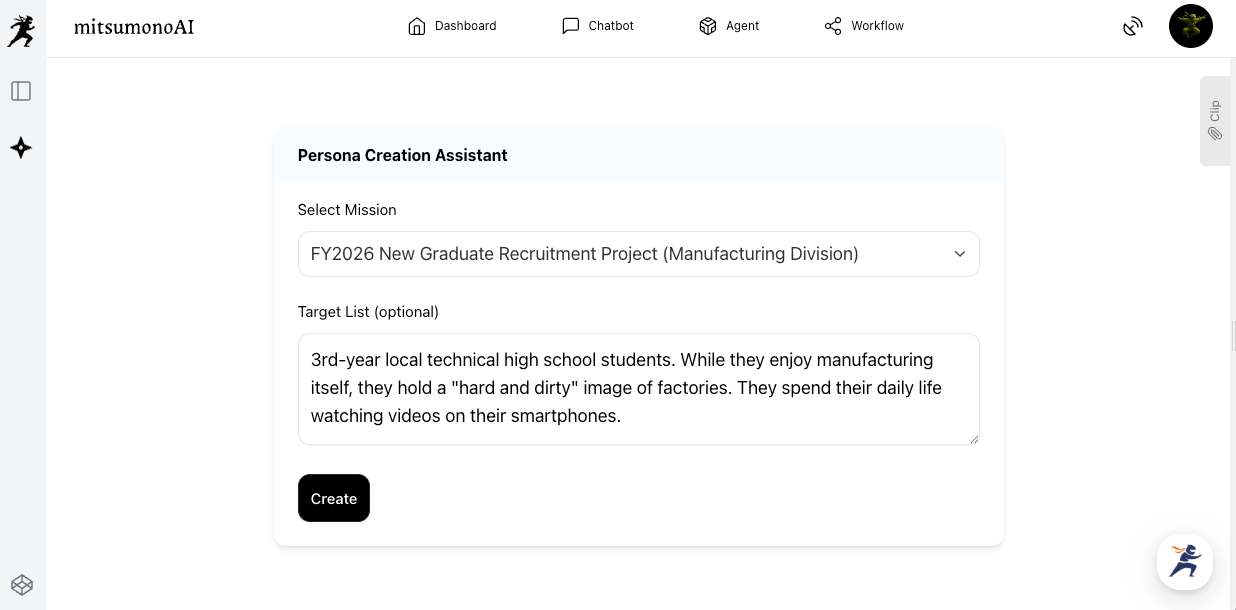
Use the "Mission function" and the Persona Creation Assistant. By having the AI create a specific target profile rather than a "vague young person," you instantly increase the resolution of your thinking.
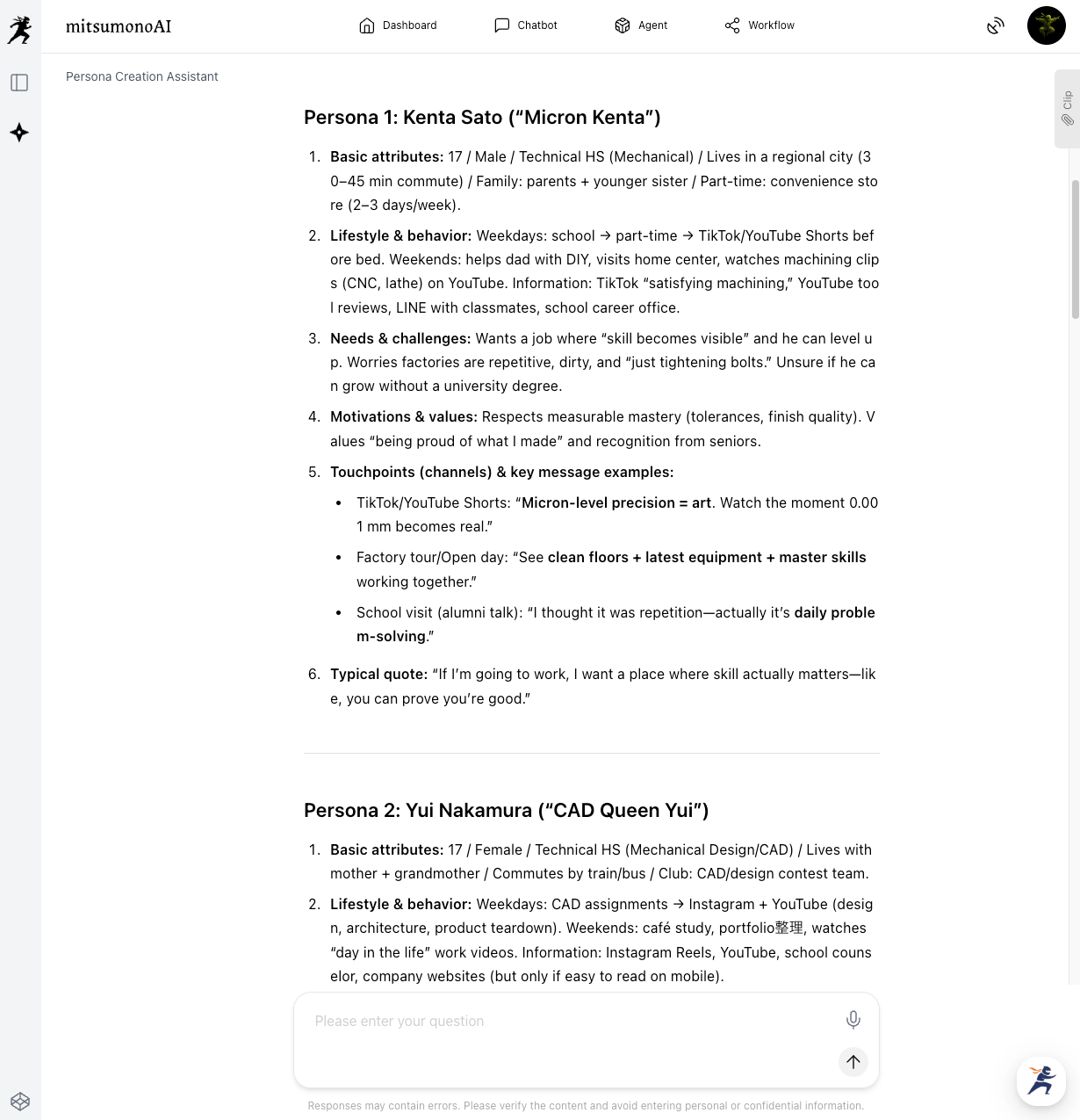
Based on this, the AI generates a detailed persona.
Step 2: Reinterpreting Unique Resources and Concept Creation
Spar with Sensei AI to expand your ideas.
[Preparation & Execution]
Launch Sensei AI - Manufacturing and throw out your vague concerns. The prompt doesn't need to be perfect. Talk to it like a conversation.
Prompt Example: Sensei AI - Manufacturing
"I want to strengthen recruitment PR for local high school students, but I can only think of cliché company information sessions. Please provide three unique planning ideas to dispel the 'hard and dirty' image and convey the 'coolness' of our technology."
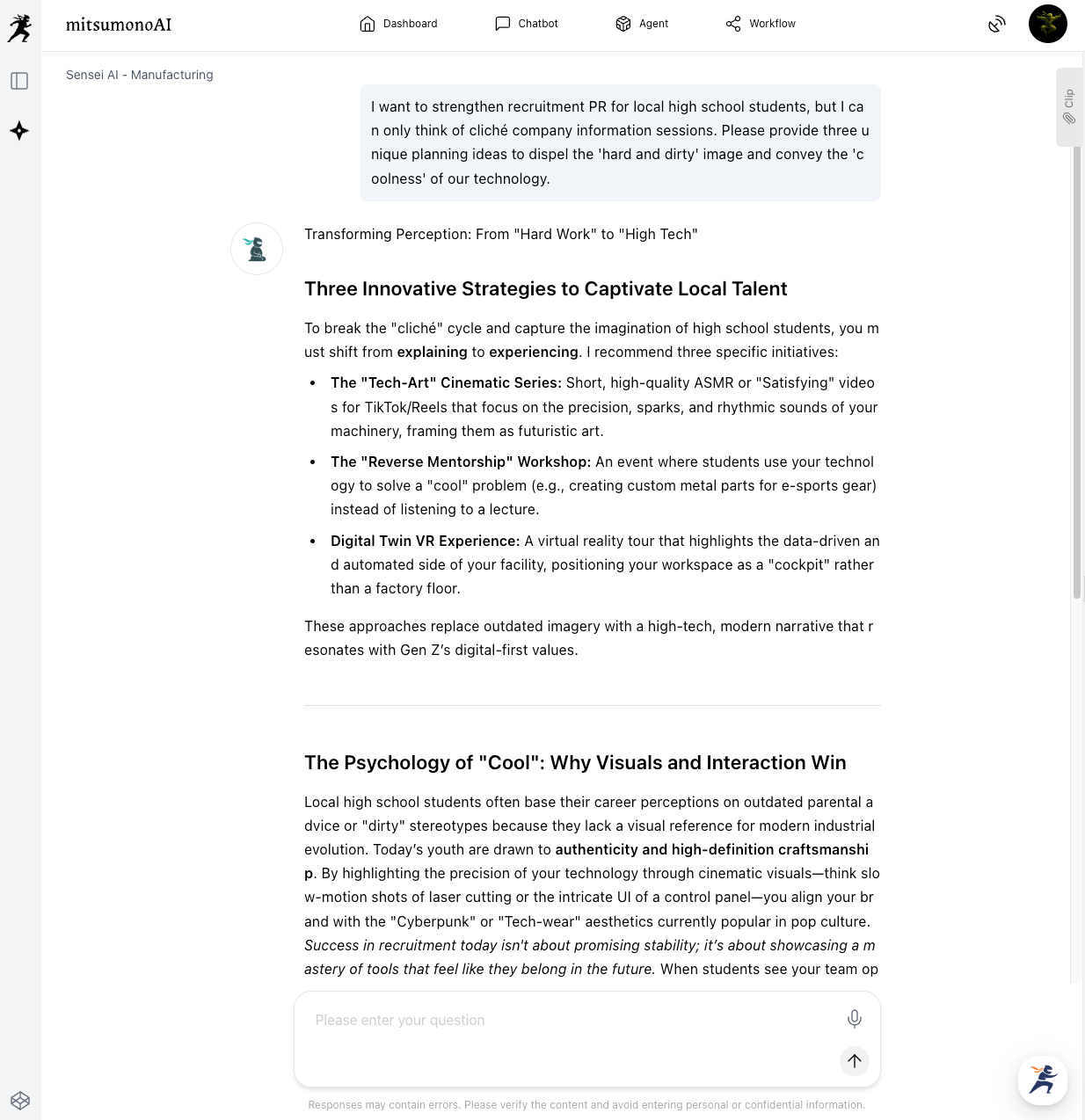
Here, an interesting seed was found: "Digital Twin VR Experience"
Step 3: Structuring Logic and Automating Consensus Building
Build "logic" with a Thinking model and save it using the Clip function.
[Preparation & Execution] To turn the idea into a formal plan, use "AI Chat (Claude Opus 4.6 Thinking or GPT-5.2 Thinking)." The key here is to ask the AI "Why?"
Prompt Example: GPT-5.2 Thinking
"I want to adopt the plan 'Digital Twin VR Experience.'
To persuade my supervisor, please structure and explain the logical rationale (why this leads to recruitment) from a psychological perspective, explaining why this will resonate with the target (industrial high school students).
[Project Details] (Attach the generation results from Step 2)"
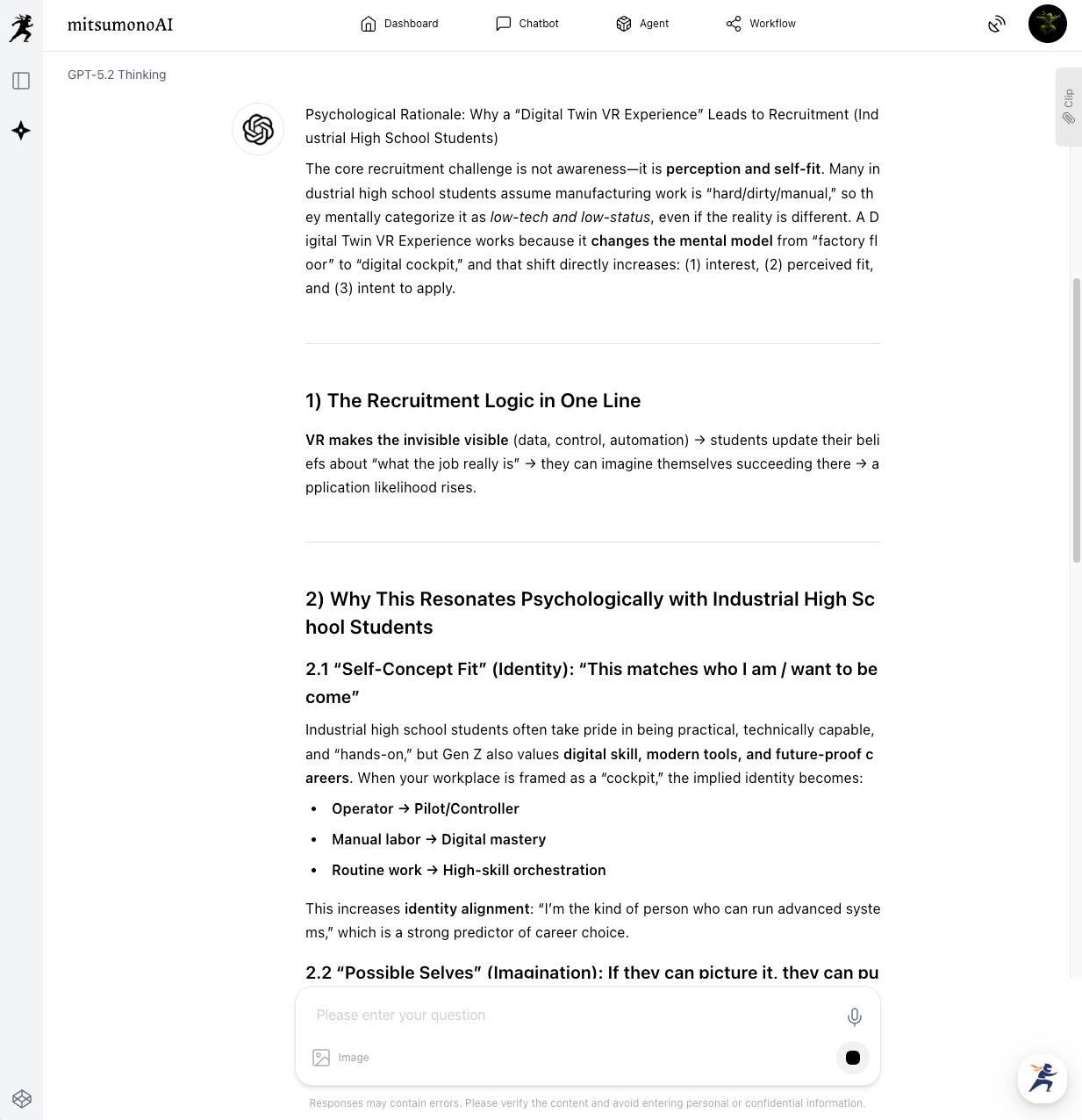
The AI will present deep logic that is difficult for humans to verbalize, such as: "The novel perspective of 'the machine's eye' stimulates curiosity and provides a pseudo-experience of 'working on-site' rather than just a simple tour."
Save this result using the "Clip function." This becomes a powerful weapon when creating the proposal later or sharing it with other members.
 mitsumonoAI
Application and Expansion (Transition to Prompt Mastery)
This "sparring" process also serves as training to improve your own AI utilization skills.
- Reverse Engineering Learning: When the AI provides a good answer, ask: "Explain what part of my prompt was effective in leading to this response." This allows you to meta-learn how to give better instructions.
- Emotional Detox: When trouble occurs, write down the situation to the AI while still emotional and request: "Organize this situation calmly and narrow down the tasks I should do now to three." By using the AI as an "emotional filter," you can immediately regain calm judgment.
Summary
In this article, we introduced methods to use AI as a thinking partner to transform ambiguous ideas into logical plans.
- Incorporate professional perspectives you don't have and expand ideas with Sensei AI.
- Dig deeper into the "Why?" and build a persuasive logical structure with Thinking models.
- Always maintain a target perspective through Persona Creation Assistant instead of becoming self-centered.
Using AI is by no means "not thinking for yourself." Rather, by using the AI as a mirror, you notice your own thinking habits and engage in "mental strength training" to discipline your logical construction skills.
Starting today, don't keep your worries to yourself—try talking to mitsumonoAI first. That single word will be a major step in moving your business forward.
mitsumonoAI is equipped with a variety of functions that support business leaders' decision-making beyond the thought organization introduced here, such as meeting minutes summarization, SWOT analysis, and daily report feedback.
Other use cases and the latest information are introduced on the mitsumonoAI blog site.