
AI-Powered Quality Assessment and Brand Image Unification for SNS Photos Tools Used
This photo isn't stylish..." AI solves this. Learn 2 steps to make AI your Art Director. Objectively evaluate and improve SNS photos to maintain a consistent brand image, no matter who takes the shot.

Tools Used
Visual Creative Analyst
How AI Objectively Evaluates the Quality of SNS Photos
"The atmosphere of photos posted by different staff members is inconsistent..."
"I feel like it's slightly off-brand, but I can't give specific instructions on how to fix it..."
SNS visuals are the most critical element when conveying a touching moment from a wedding or communicating the cleanliness and trustworthiness of a beauty clinic. However, when multiple staff members are in charge of photography, variations in quality and a deviation from the brand image are inevitable challenges. This article introduces two concrete steps to utilize AI as a 24/7 dedicated "Art Director," allowing staff without specialized expertise to maintain high-quality visuals with a consistent world-view.
Specific Procedures
Step 1: Understand the Improvement Points through AI's "Objective Quality Assessment"
▶ Visual Creative Analyst
First, have the AI objectively evaluate whether the photo meets the basic quality standards of a "good photo." The first step is to obtain data-driven scores and specific improvement suggestions, rather than relying on a subjective "good/bad" feeling. Simply uploading the photo to the Visual Creative Analyst allows the AI to instantly analyze it from multiple perspectives, such as composition, color balance, readability, and brand consistency.
[Input Tips]
Upload the photo taken by staff for SNS posting as is. Specify the use case as "SNS posting image."
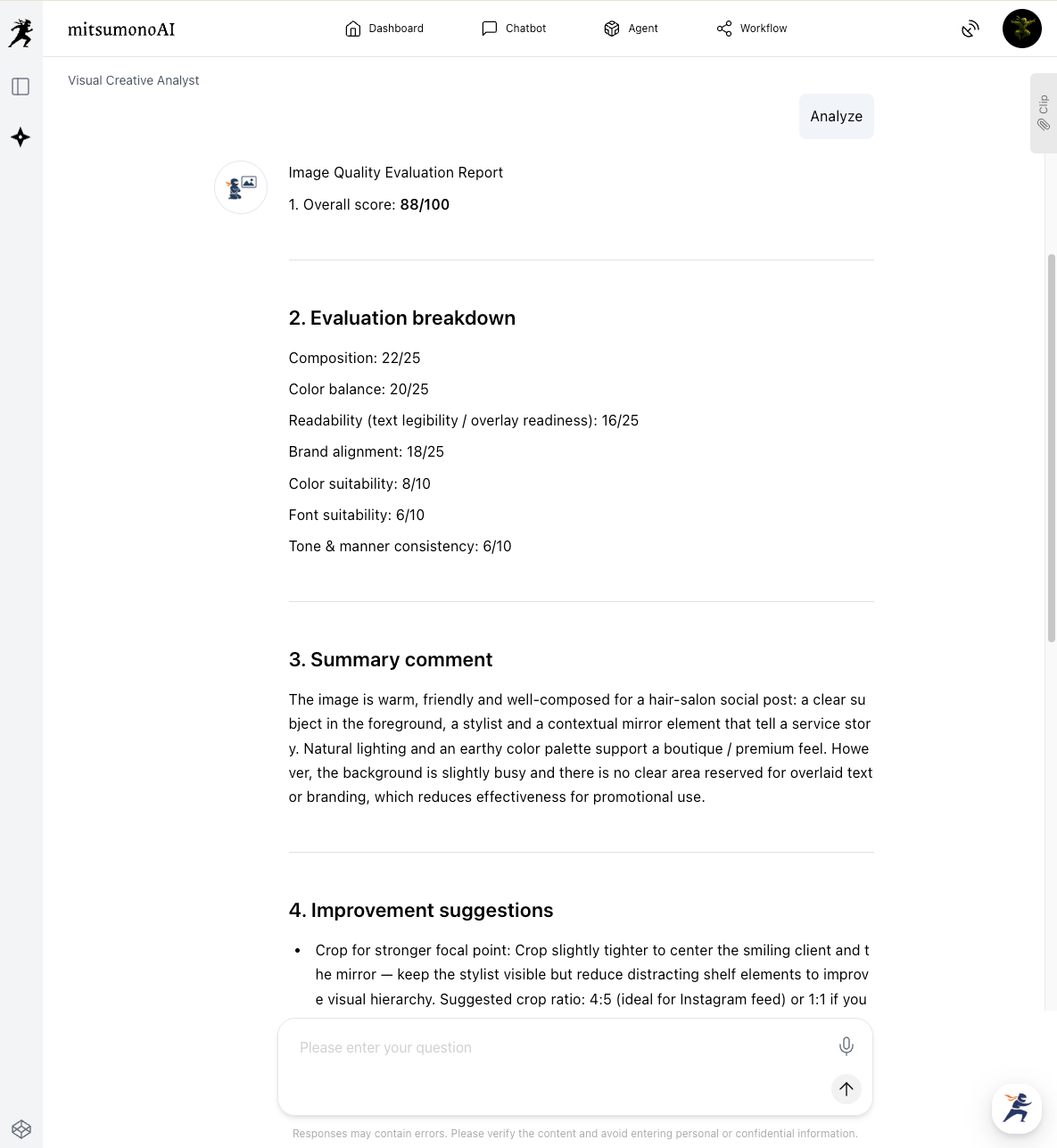
Through AI analysis, the issues with photos that previously felt "somehow not good" are verbalized as concrete, understandable improvement points for anyone.
- Medical equipment or posters in the background disperse attention, and readability (contrast) for overlaying text is slightly insufficient.
- The lower half of the face is hidden by a mask, imposing restrictions on how the treatment area (eyes, face line, etc.) can be shown.
- Utilization of brand elements (logo, brand colors) is limited.
Step 2: Optimize for "Brand Image" through "Dialogue" with AI
▶ Visual Creative Analyst
Based on the basic quality assessment, the next step is to elicit deeper suggestions for improving the photo to align it with the company's target "brand image," through dialogue with the AI. After the Step 1 assessment results are generated, you can send additional instructions in a chat format.
[Input Tips]
Defining your target brand image with concrete words and communicating it to the AI is the key to success. Include specific keywords, not just abstract phrases like "an atmosphere like XX."
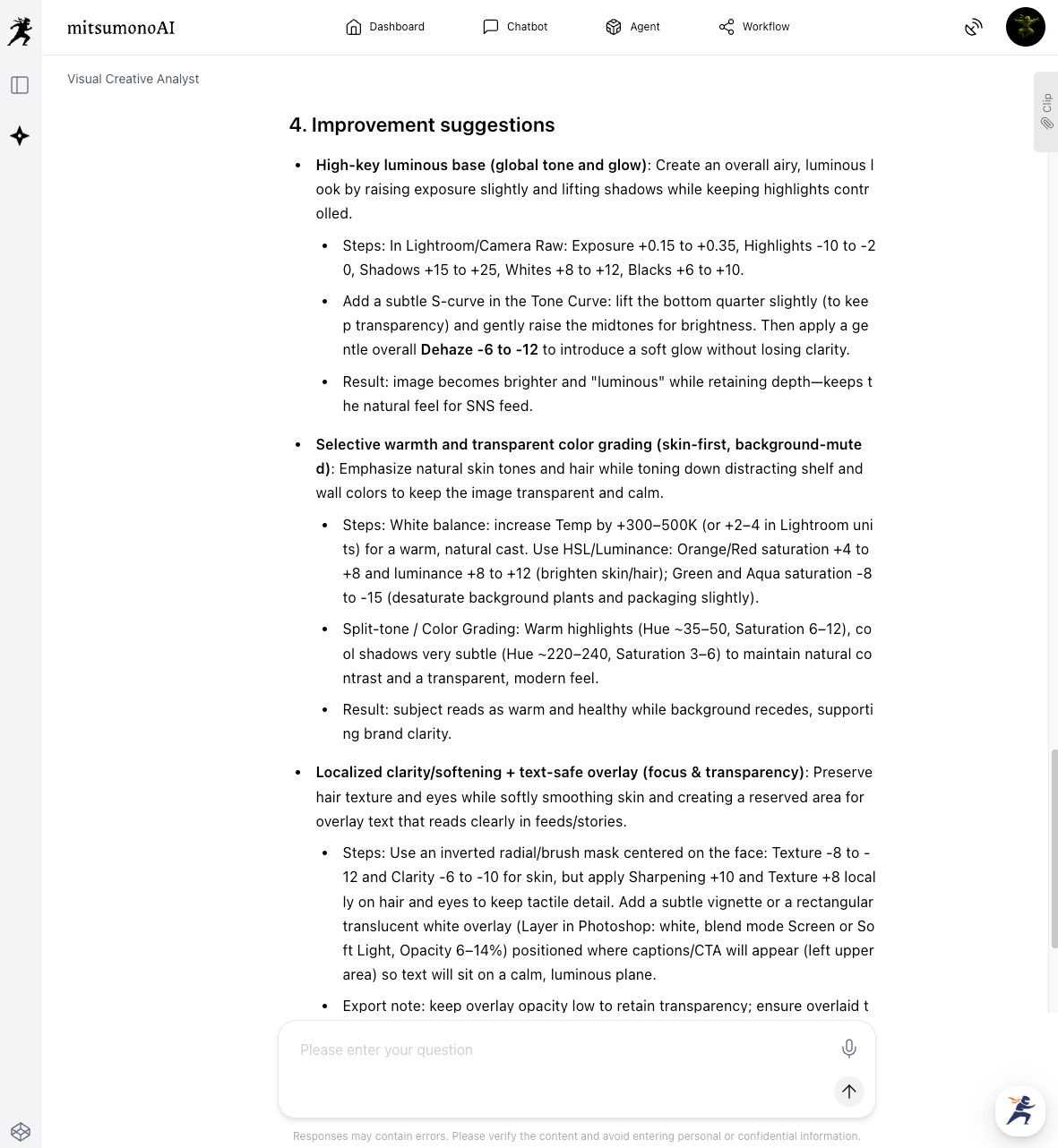
"Please suggest three concrete editing and processing ideas to further align this photo with our brand image, which is 'a luminous, transparent, natural atmosphere.'"
In response to this prompt, the AI will interpret the brand image and provide more advanced, creative suggestions.
Results Achieved Through Utilization (Examples)
- Standardization of Creative Quality and Elimination of Dependency on Specific
Individuals Regardless of the absence of an Art Director or design experienced staff, the AI provides objective evaluation criteria. This builds a system where all staff can produce creatives above a certain standard. - Increased Operational Efficiency and Cost
Reduction Significantly reduces the time spent on photo retouching and giving correction instructions, improving overall productivity in creative production work. This allows time to be allocated to core business tasks. - Brand Image Unification and Engagement Improvement
Continuously publishing visuals with a consistent tone and manner strengthens the overall brand image of the SNS account. This leads to increased trust from followers and higher engagement, thereby boosting customer attraction capabilities.
Target Figures for the 6-Month Period of the Initiative
KGI (Key Goal Indicator):
- Transition Rate from Profile Access to Official Website: 10% increase
KPI (Key Performance Indicators):
- Editing/Retouching Time for SNS Posting Photos: 50% reduction
- Stabilization of "Likes" and "Saves" per Post (Reduction in Variation): 30% improvement.



