
How to Create a Work Checklist Based on Past Mistakes
Drawing on examples from end-of-day till closing procedures in restaurants, we explain how to create a comprehensive and practical business checklist based on past failure cases.


Tools Used
- Sensei AI
Creating a "Checklist" to Ensure Reliable Task Execution
In daily routine work, minor mistakes can occur repeatedly. For example, the end-of-day till closing procedure in a restaurant is a task prone to errors due to the need to follow multiple steps, or factors such as a staff member's lack of experience or fatigue.
A checklist that incorporates past failure cases is effective in preventing such mistakes. However, creating a comprehensive and practical checklist from scratch requires both time and experience.
This article explains how to quickly create an effective checklist using Sensei AI, taking the restaurant till closing procedure as an example. By training the AI with past failure cases, you can easily create checklists and manuals that prevent errors and ensure reliable task execution.
Specific Steps
Step 1: Provide the AI with Work Procedures and Past Mistake Cases
Provide "Sensei AI - Restaurant" with the basic procedure for till closing and examples of mistakes that have occurred in the past.
Give the following instruction:
"The till closing procedure at our restaurant is as follows. Please analyze the causes of errors, referring to past monetary mistake cases.
[Example Till Closing Procedure]
1.Confirmation of the cash amount in the till at opening.
2.Calculation of sales amount by printing receipts.
3.Counting of cash inside the till.
4.Reconciliation of the counted amount and the sales amount.
5.Collection of sales proceeds, excluding the float for the following day.
6.Locking the till.
[Past Mistake Cases]
・Cash shortage or overage due to giving incorrect change.
・Error in aggregating the amount on receipts.
・Error in counting the cash inside the till.
・Failure to reconcile the sales proceeds with the cash inside the till.
[Other Items to Prevent]
・Misappropriation through fraud (This item is included to prompt more cautious checklist items.) "
With this instruction, the AI will understand and analyze what kind of mistakes are likely to occur in what situations.
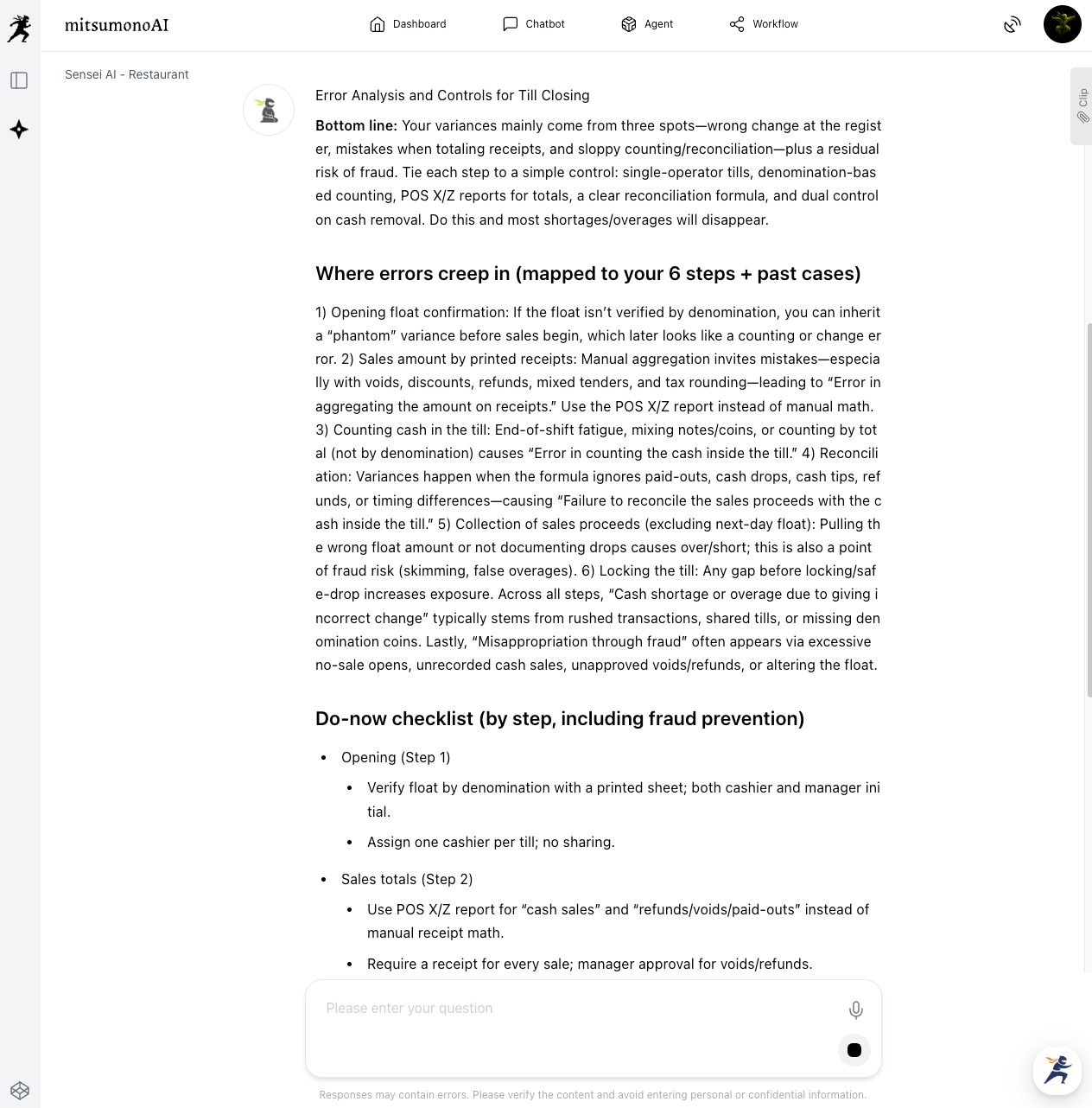
Step 2: Generate and Adjust the Checklist to Fit Your Company
Next, request the creation of a checklist.
"Based on the analysis results, please create a checklist for performing the till closing procedure without errors."
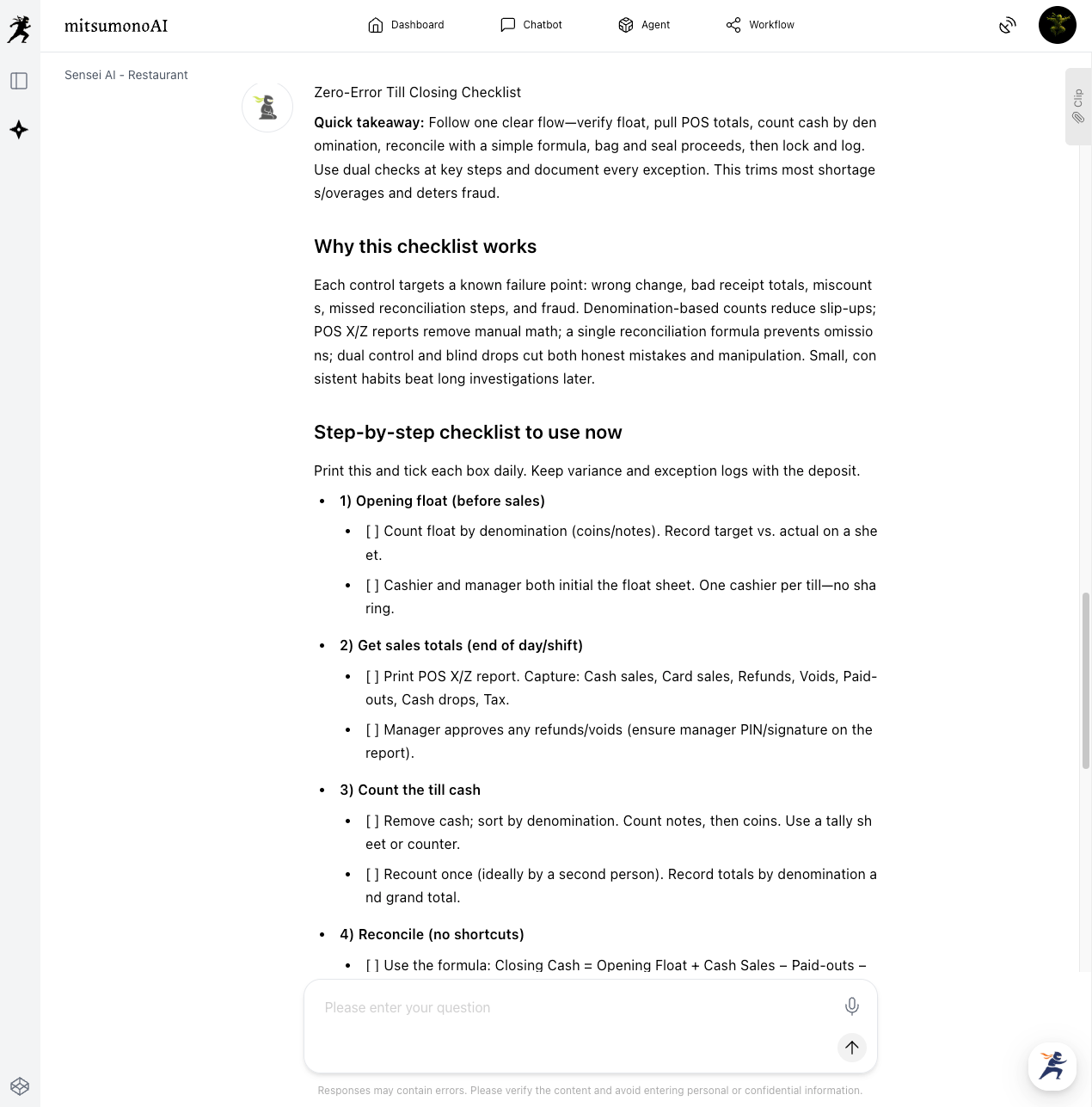
Check the generated checklist and adjust it to fit your company's operations. Verify if the items are comprehensive and the wording is easy to understand, and provide additional instructions as needed for optimization.
・"Reconciliation with sales data from cashless payment terminals is required."
・"Please add a verification procedure for cases where the difference from the previous day is significant."
・"I want to incorporate a double-check system involving multiple people. In this way, a practical checklist tailored to the reality of the workplace is completed."
Step 3: Integrate into a Practical Manual/Procedure Document
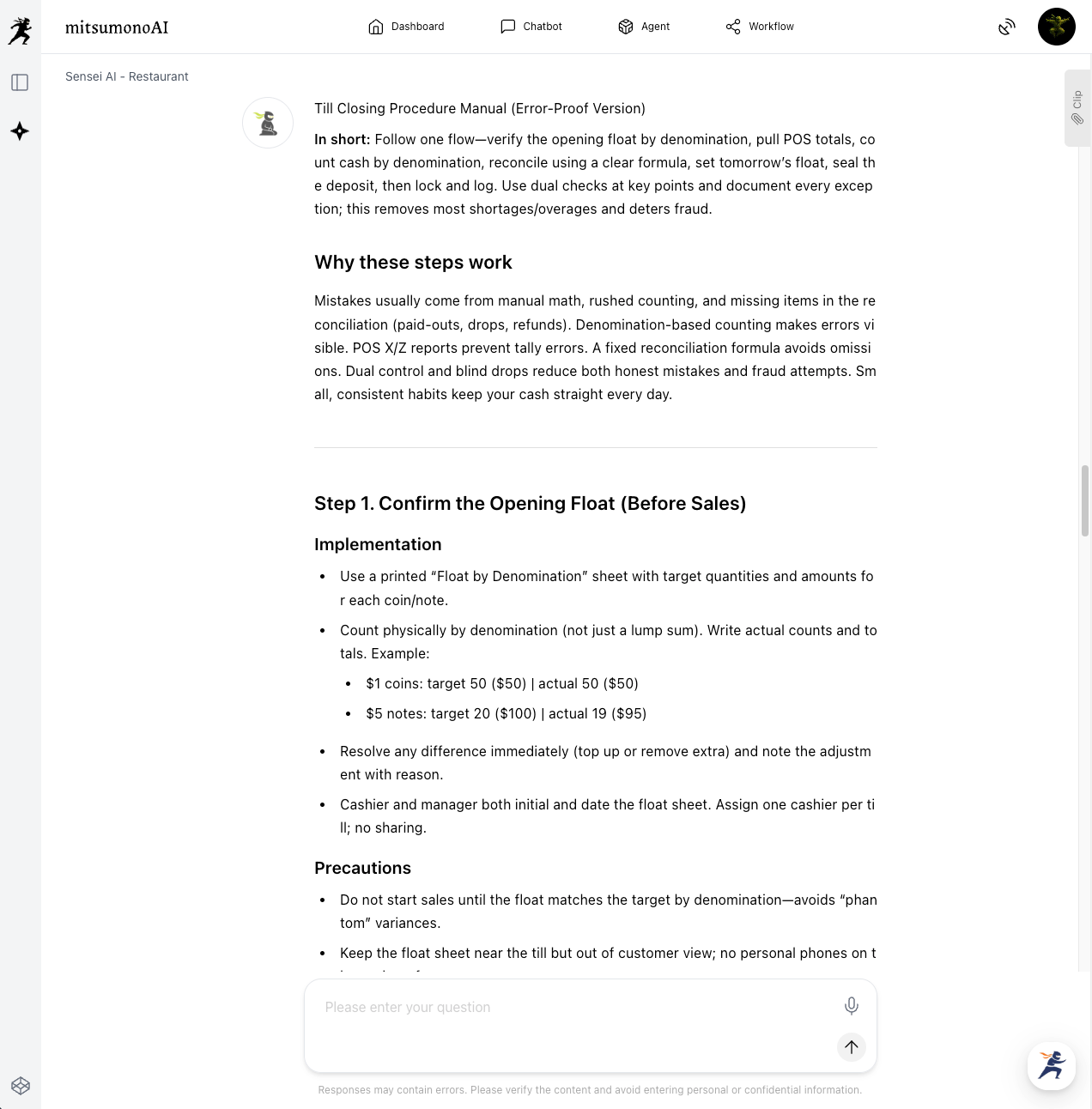
Organize the created checklist into a manual or procedure document that is easy to use in actual operations. By adding specific operating methods and precautions for each item, you ensure that anyone can perform the task accurately.
"Please create a till closing procedure manual that includes specific implementation methods and precautions for each item. Specifically, provide detailed explanations for items where mistakes are likely to occur. "
Key Review Points
When reviewing the checklist and manual, check the following points:
- Does the checklist's flow align with the actual work process?
- Are the instructions for each item clear, leaving no room for misunderstanding?
- Does it cover all anticipated mistakes?
- Is the manual understandable even for a new staff member?
Step 4: Implement On-Site and Continuously Improve
After the final review, the created checklist and manual are implemented in the workplace.
Even after implementation, it is important to periodically review the content and update it in accordance with newly occurring mistake cases or changes in the work process.
Outcomes Achieved Through Utilization (Examples)
- Significant reduction in errors during till closing
- By generating a checklist based on past failures, human errors such as incorrect change, counting mistakes, and aggregation errors are fundamentally prevented. This eliminates daily cash discrepancies and enables accurate sales management.
- Work time is reduced, and post-closing burden is alleviated
- The clarity of the checklist reduces hesitation and rework during the till closing procedure. By proceeding based on the efficient steps generated by the AI, staff can complete the task quickly and without confusion, significantly shortening post-closing work time.
- Employee anxiety is resolved, enabling confident task execution
- The need to work with the anxiety of "I might make a mistake" is eliminated. Clear procedures and a checklist allow even new staff members to approach their work with confidence, ultimately leading to an improvement in the overall skill level of the organization.
Target Metrics After 1 Month of Implementation
- Number of cash overages/shortages during till closing: 0
- Average time required for till closing procedure: 20% reduction
- Occurrence rate of till closing rework: 0%



