Mastering the Art of "Accurately Communicating" with Designers : Design Instruction Generator
Learn how to bridge the communication gap with designers using the mitsumonoAI "Design Instruction Generator." This guide explores how to transform vague ideas into professional briefs that reduce revisions and ensure high-quality visual results for your business.

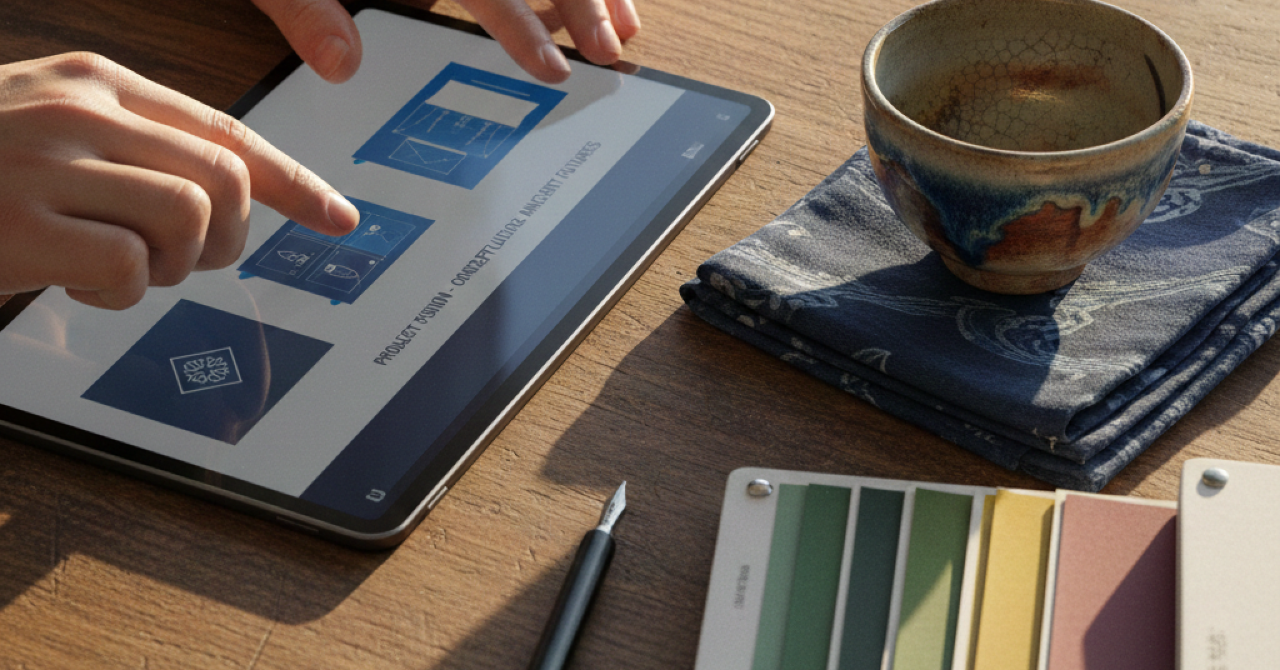
Three Challenges Arising from "Misalignment of Intent" with Designers
In the design production process, misalignment of intent between the client and the designer is a common occurrence. This is primarily driven by the following three challenges:
- Ineffable Discomfort: Even if you feel a design is "somehow different from the image" upon seeing the finished product, it is difficult to provide specific corrective instructions using design terminology like "composition" or "color schemes."
- Dependency on Individual Skills: Without in-house design experts, the know-how for writing briefs and communicating with designers becomes siloed. As a result, design quality fluctuates depending on the person in charge.
- Accumulated Revision Costs: Failure to convey intent leads to repeated rounds of revisions. This not only increases production costs but also causes delivery delays, leading to lost business opportunities.
The "Design Instruction Generator" solves these problems and enables smooth collaboration with designers.
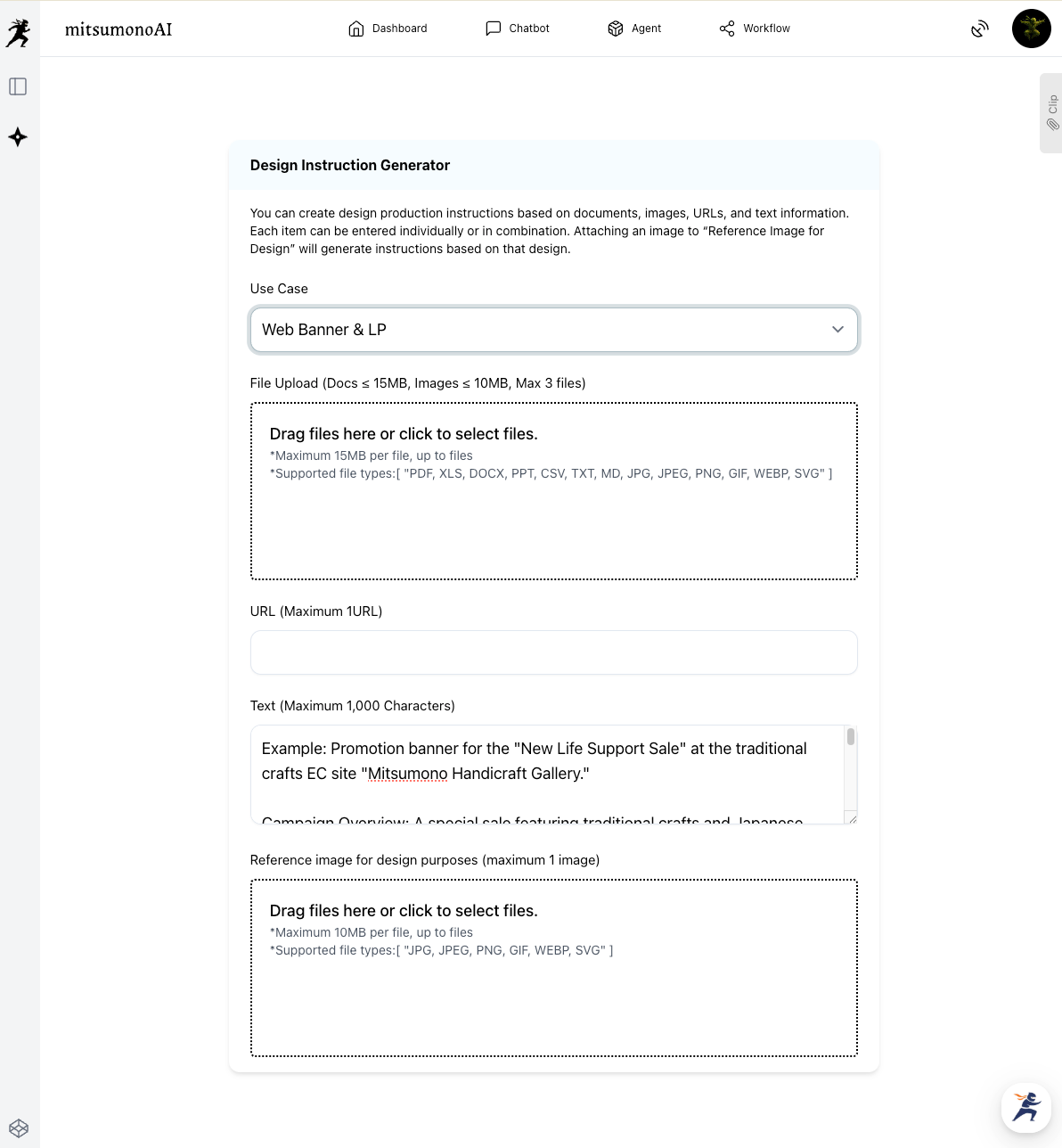
STEP 1: Conveying Banner Ideas to the "Design Instruction Generator"
First, provide the AI with the basic idea and purpose of the banner you wish to create.
- Usage: Web banner / LP (Landing Page) image
- Text: (Input text below)
By simply entering text like the following and clicking "Generate," the AI will capture your requirements and generate an initial draft of a specific design brief that allows designers to begin work immediately.
Example: Promotion banner for the "New Life Support Sale" at the traditional crafts EC site "Mitsumono Handicraft Gallery."
Campaign Overview: A special sale featuring traditional crafts and Japanese sundries crafted with artisanal skill, aimed at those starting a new chapter in life. 10% OFF on target products for a limited time, with free shipping on select items.
Target: Individuals in their 20s to 50s interested in high-quality Japanese sundries and traditional crafts. Those looking for gifts for new beginnings or seeking to enrich their home life.
Key Points to Emphasize: "Artisan Skill," "Coloring Your New Life," "Limited Time 10% OFF," "Free Shipping," "Perfect for Gifts."
Note: You can create a brief with just one piece of information from "File Upload," "URL," or "Text." Combining multiple inputs is also possible.
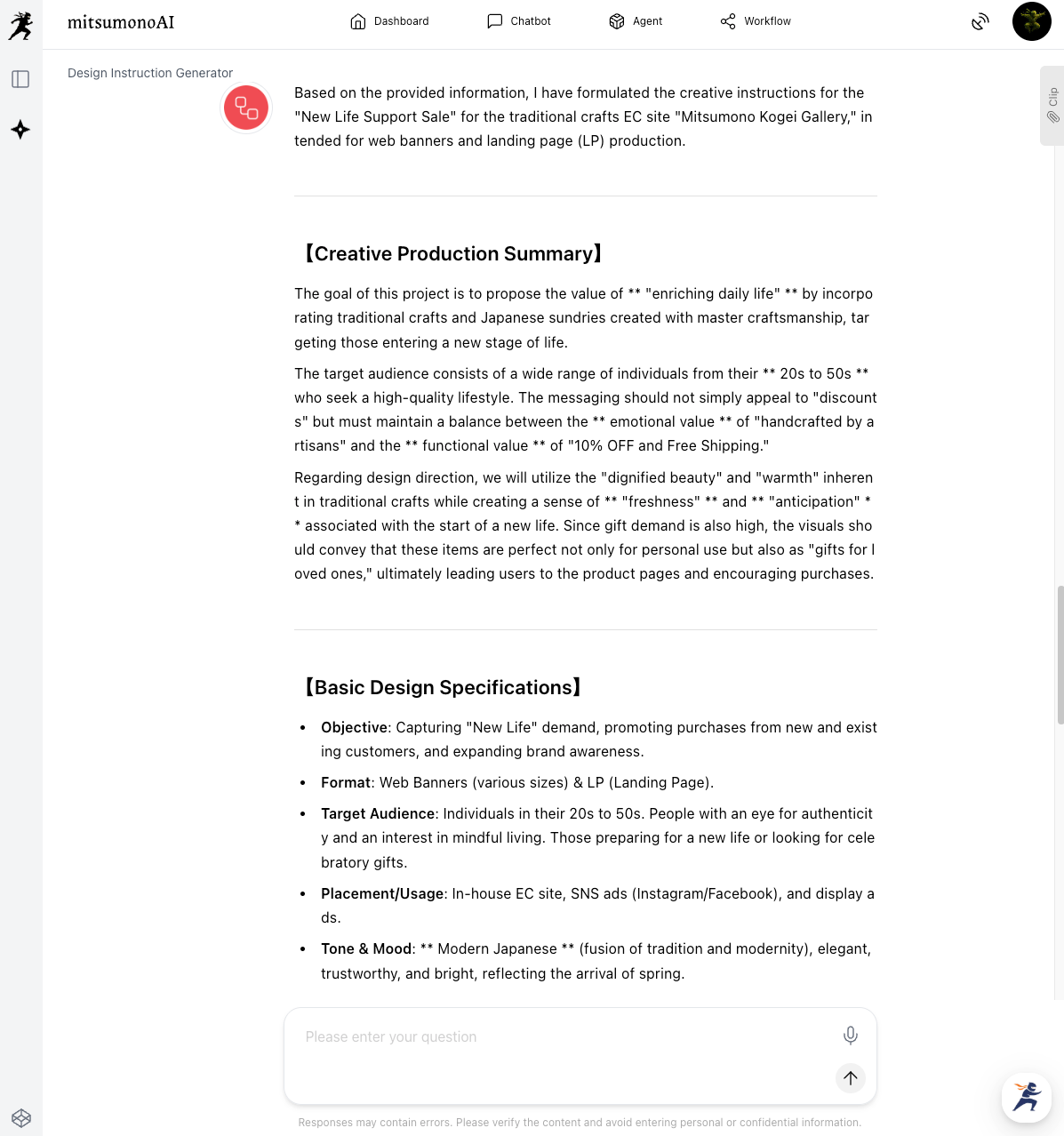
STEP 2: Refining the "Instruction Brief" through Dialogue with AI
The initial draft from the AI is already highly useful as a comprehensive design brief. By deepening your dialogue with the AI from here, you can polish it into a sophisticated instruction document that eliminates any room for designer hesitation.
Examples of Additional Instruction Prompts:
Requesting "Enhanced Catchphrase Appeal":
"Regarding the currently proposed catchphrase '[Current Catchphrase Proposal],' please suggest three additional catchphrase options with different tones that make the target '20s–50s demographic starting new lives' feel the 'warmth of handiwork' and a 'sense of exclusivity,' and add them to the brief."
Specifying "Improved Visibility of Design Elements":
"Please add specific instructions regarding colors (e.g., suggest 3 colors from traditional Japanese colors), placement, and fonts to make the text 'Limited Time 10% OFF' the most prominent element in the banner. Also, mention the contrast with the background color."
Requesting "Fine-Tuning the Overall Atmosphere":
"To change the design tone to 'Elegant and Warm Wabi-Sabi Modern,' please add more specific instructions regarding the color palette, motifs to be used, and the overall layout."
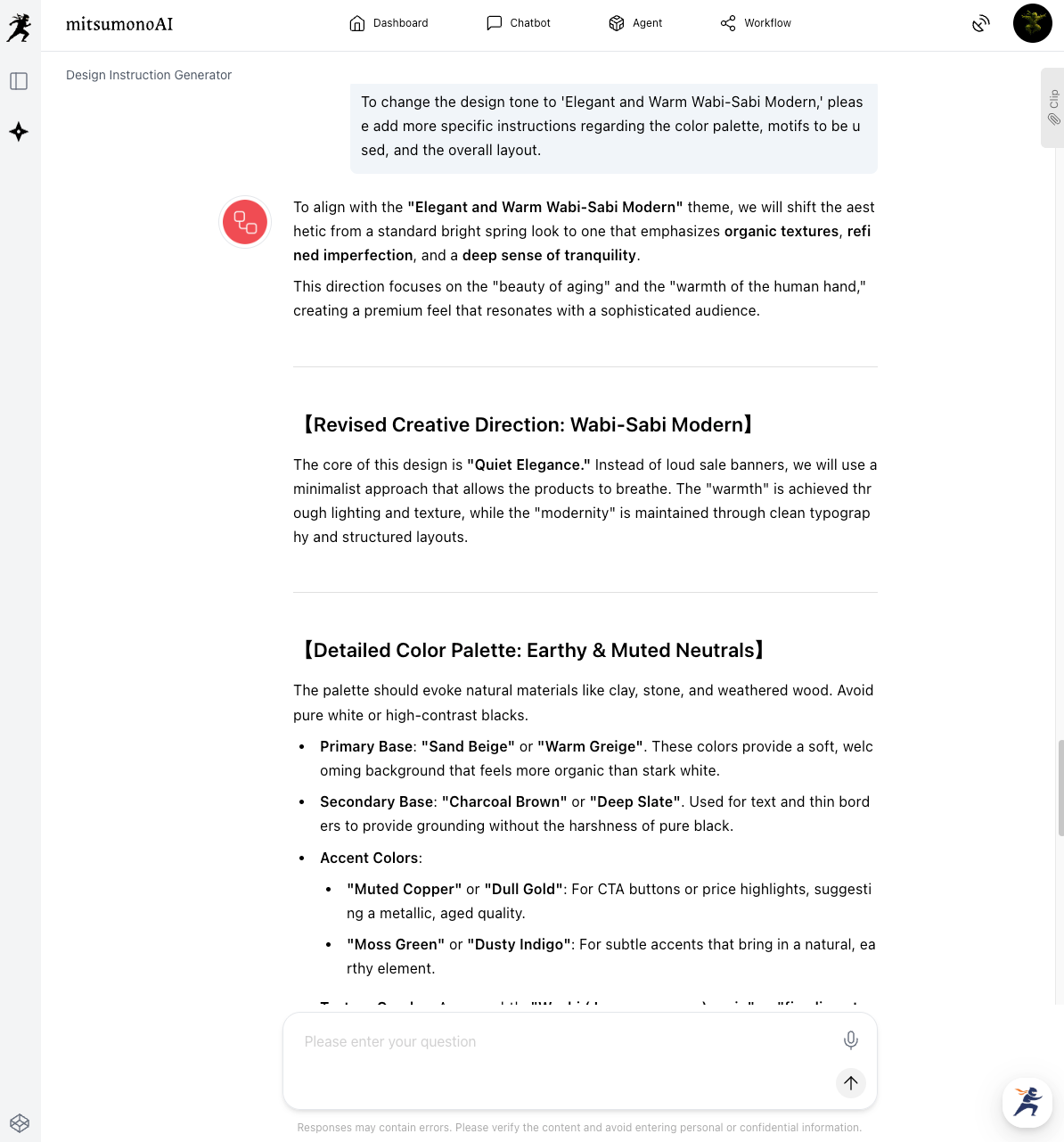
By repeating these interactions with the AI, vague images are translated into concrete design elements, resulting in a high-quality brief that allows the designer to proceed without confusion.
STEP 3: Streamlining the Design Process with the Completed Brief
By handing the finalized "Design Instruction" to the designer, you achieve a seamless production process.
- Establishing a Common Understanding: The brief clearly states the catchphrase, composition, color scheme, fonts, tone of imagery, and elements to be emphasized. This ensures the designer understands your intent accurately and can propose a design close to your image from the first draft.
- Drastically Reducing Revision Cycles: Eliminating misalignment at the initial stage dramatically reduces the number of reworks. This directly correlates to lower production costs and significantly shorter lead times for completion.
- Stabilizing Design Quality: With a clear brief, high-quality design can be expected regardless of who places the order. You can raise the standard of design quality across the organization without relying on the specific skills of an individual staff member.
Summary: Eliminating Design Stress While Balancing Efficiency and Quality
The "Design Instruction Generator" is a powerful tool for those without specialized design knowledge to dramatically improve communication with designers and streamline the production process.
- Free yourself from the stress of failing to convey intent and reduce the frequency of revisions.
- Compress costs and lead times significantly, enabling the rapid production of more attractive banners.
- Stabilize design quality and uplift internal creative standards to maintain consistently "Instagrammable" (visually appealing) visuals.
If you are currently struggling with "not being able to communicate well with designers" or "spending too much time and money on revisions," please try the "Design Instruction Generator." It will surely transform your creative workflow.
As a method to convey your image even more concretely to a designer, mitsumonoAI also allows you to generate images based on these design instructions.
For specific steps on how to use the "Design Instruction Generator" in conjunction with the "Image Generation Tool 2K," please refer to the following article.
 mitsumonoAI