Must-Read for EC Site Managers : AI Techniques for Creating "High-Converting Product Banners" from Smartphone Photos
Learn how to transform simple smartphone photos into professional, high-converting product banners using AI. This guide provides a step-by-step workflow for EC shop owners to create sophisticated designs quickly without expensive software or specialized design knowledge.

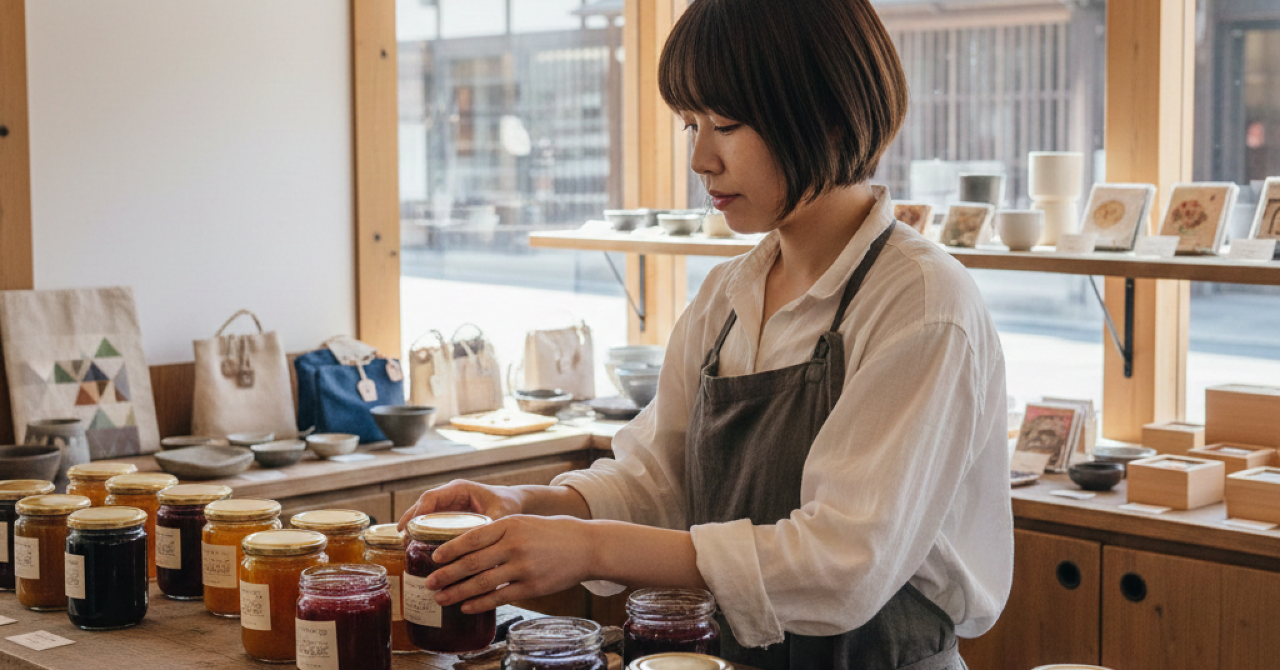
Introduction: Do you have confidence in your product photos taken with a smartphone?
Everyone knows that product photos determine sales in the world of EC shops. However, what is the reality? "I don't have an expensive DSLR or a professional studio." "I tried my best with my smartphone, but it’s nowhere near the 'selling photos' that professionals take."
An even bigger hurdle is the process of editing those lackluster photos into eye-catching "product banners." Design software is difficult to master, and budgets for hiring designers are often non-existent. As a result, shops end up with banners that look like simple copy-pasted images with no persuasive power.
What I want to convey in this article is that "even if you don't have absolute confidence in the quality of your photos, you can create banners with AI."
By utilizing the functions of mitsumonoAI, the AI can maximize the charm of your smartphone photos and transform them into professional-grade "high-converting product banners." In this guide, we will explain the steps using a case study of a tourism association in a hot spring resort selling souvenirs on an EC site.
STEP 1: Let the AI Create the "Design Blueprint" (Design Instruction Generator)
To create an effective banner, you first need a clear "blueprint" of the design. The "Design Instruction Generator" is a tool where the AI verbalizes that blueprint from a professional perspective based on the materials and information you provide.
[Practice] Generating a design instruction from product photos and text
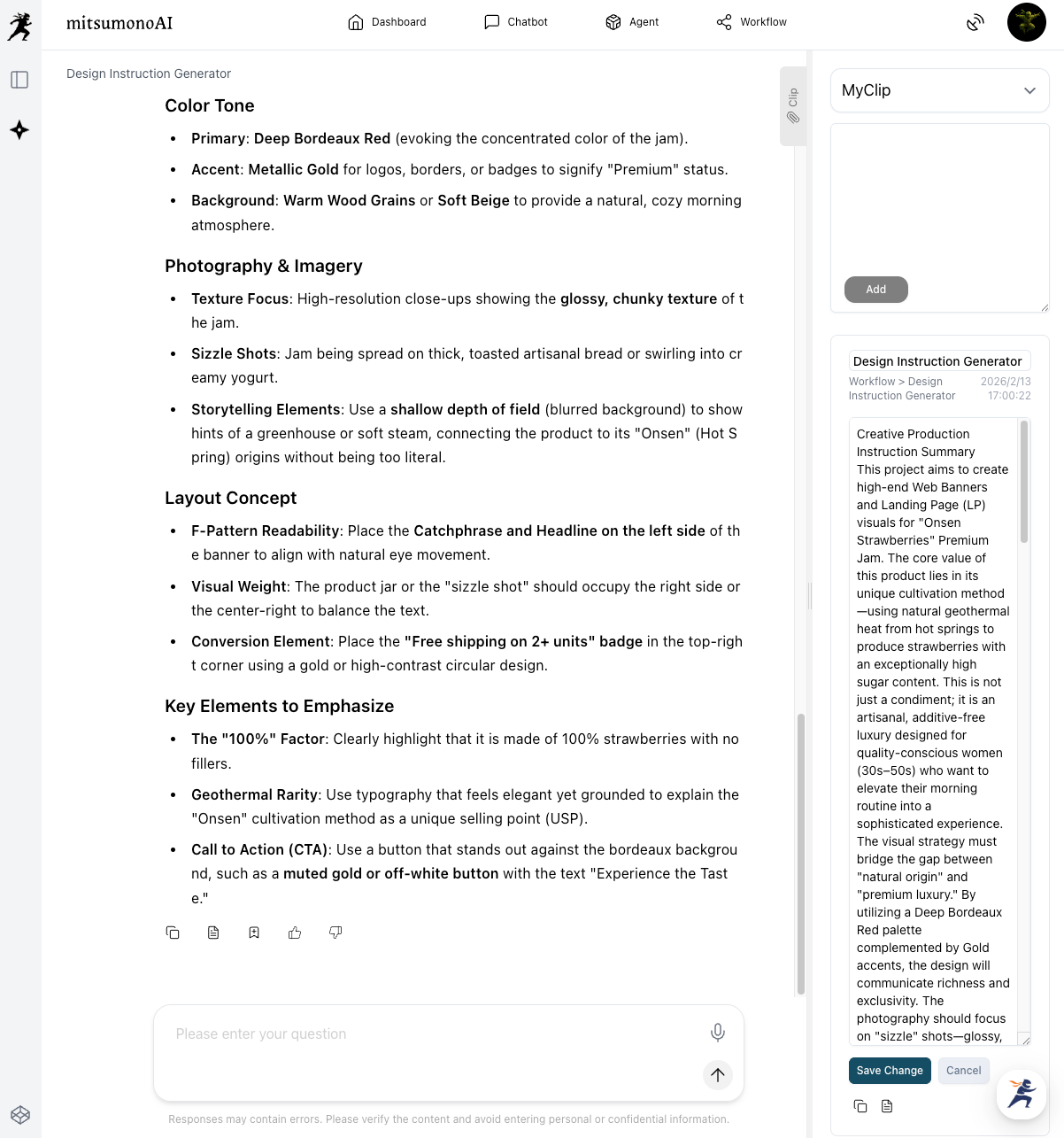
- Launch the Design Instruction Generator.
- Input your materials into the AI:
- Use Case: Select "Web Banners/LP Images."
- Original Image for Design Reference: Upload your main product photo taken with your smartphone.
- Text: Enter the features of the product you want to sell, price, target audience, and key selling points in bullet points. (e.g., "Uses 100% 'Onsen Strawberries' with high sugar content grown using geothermal heat from hot springs." "No preservatives or artificial colors." "Campaign: Free shipping for purchases of 2 or more.")
- Click "Generate." The AI analyzes the atmosphere of the uploaded photo and the text information to generate specific "design instructions," including color schemes, font styles, and layout proposals.
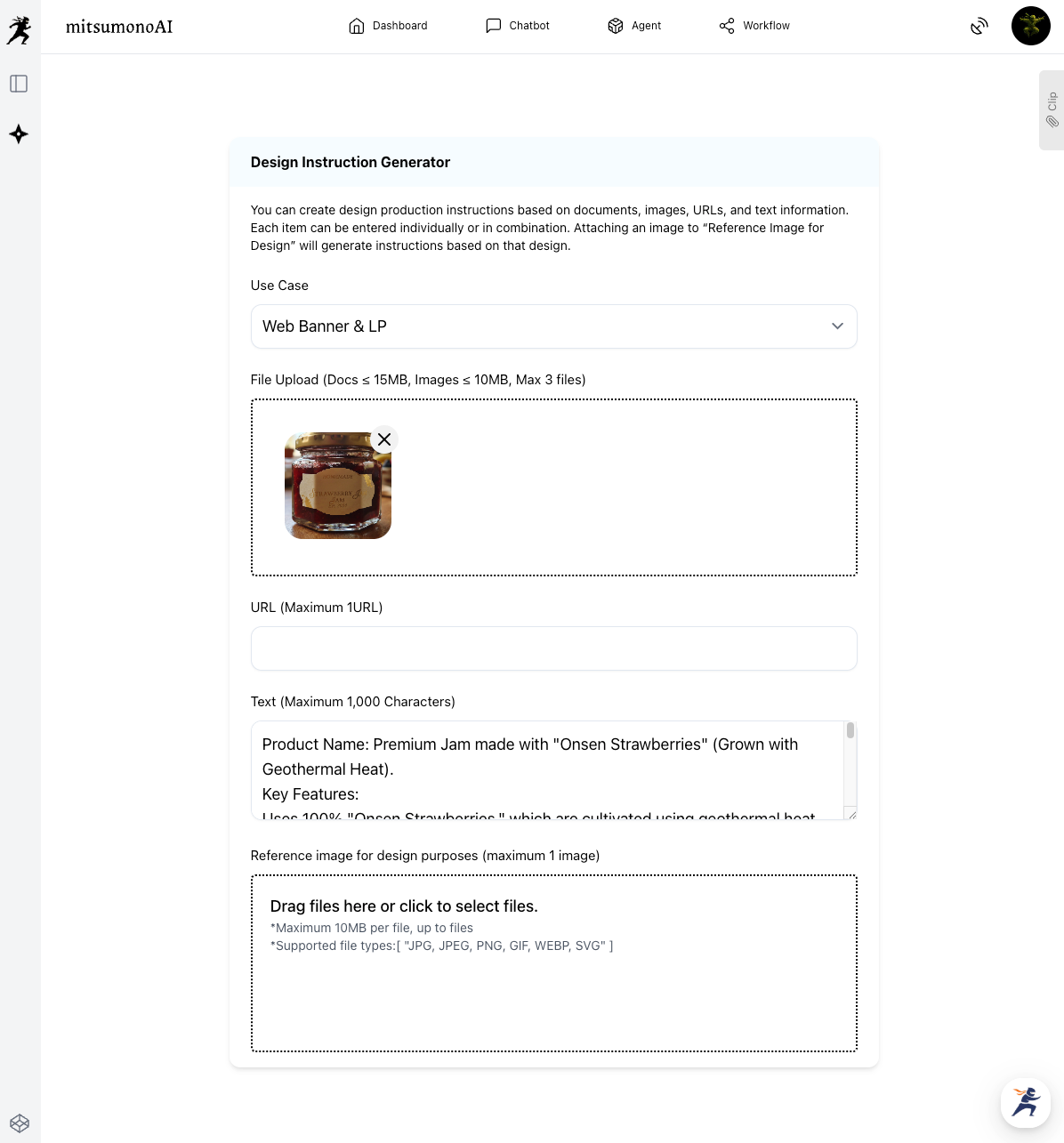
- Save the generated instructions to your "Clip." These instructions serve as the vital blueprint for actually producing the banner in the next step. Don't forget to save them to your clips for later use. (Edit the instructions as needed.)
STEP 2: Let the AI Draw the "Selling Banner" Based on the Blueprint (Image Generation Tool 2K)
Once the blueprint is complete, use the Image Generation Tool 2K to have the AI generate the actual banner image.
[Practice] Generating a banner image from the blueprint and original photo
- Input the blueprint and materials into the AI:
- Use Case: Select "Web Banners/LP Images."
- Aspect Ratio: Select "16:9" for banner use.
- Image Subject: Select "Objects/Products."
- Text Inclusion: With text: Focus on overall design (Poster style).
- Image Generation Prompt: Copy and paste the "Design Instructions" you saved to your clip in STEP 1 here.
- Image Material for Generation: Upload the same product photo used in STEP 1.
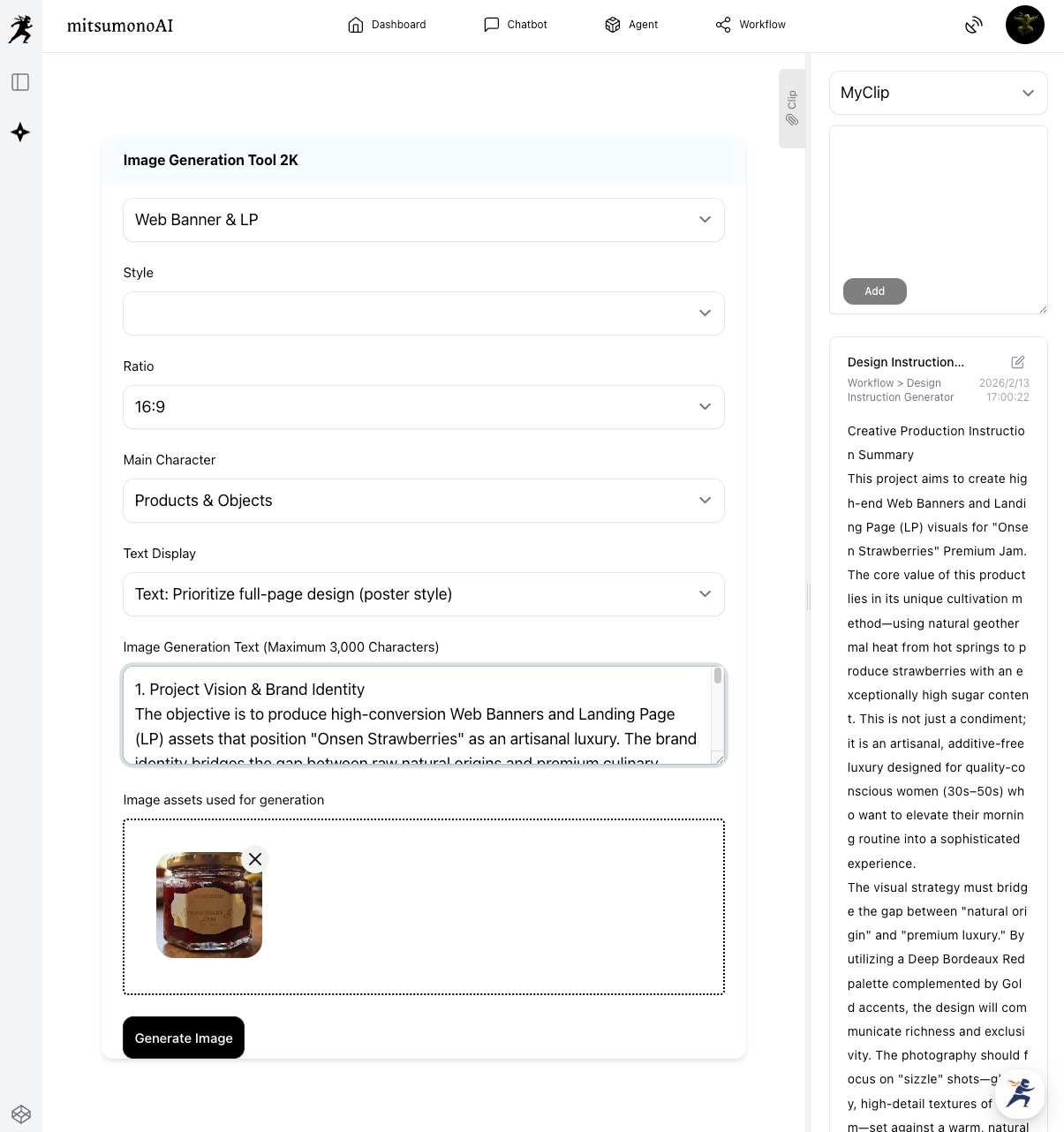
- Click "Generate Image": The AI integrates all information—your specifications, the blueprint (design instructions), and the original photo—to automatically generate a sophisticated, professional "high-converting product banner."
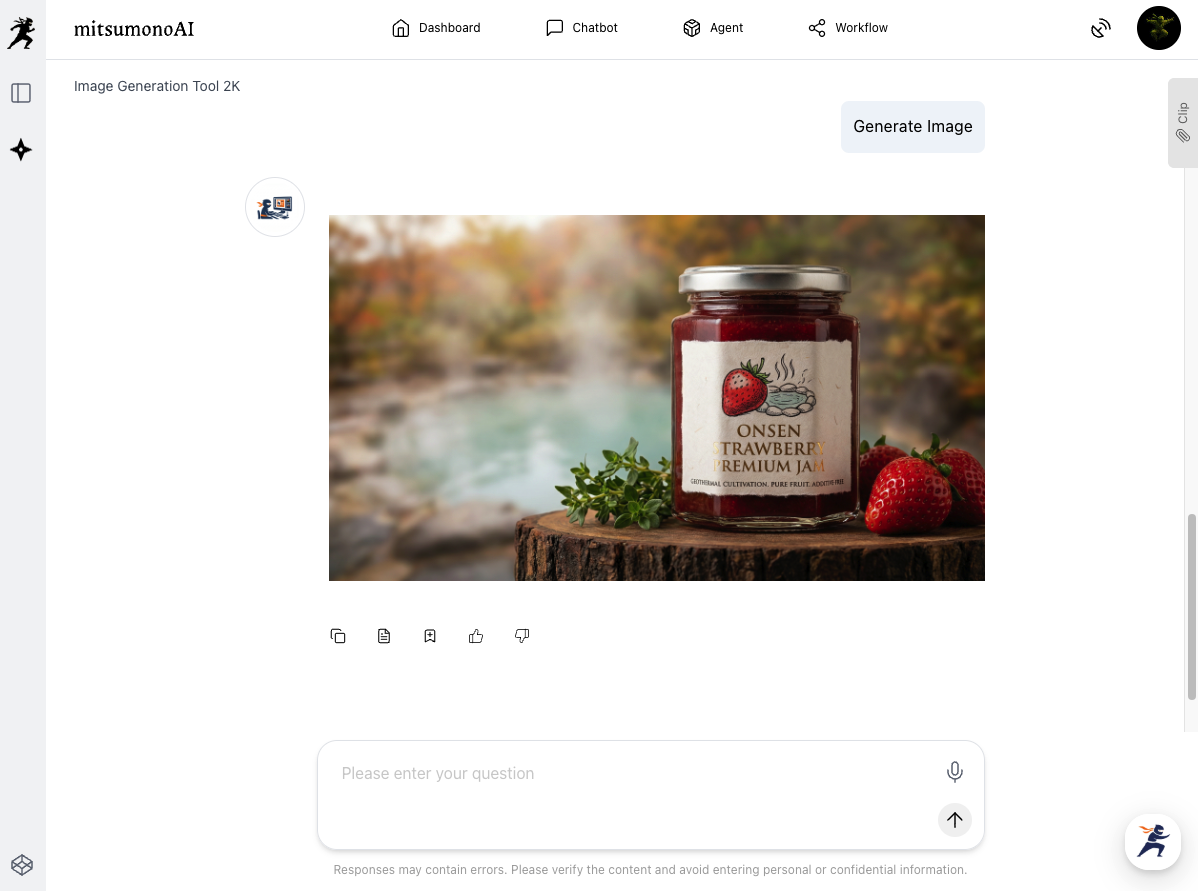
Summary: In-house Design Work Accelerates Your Business
By introducing this AI workflow, banner production—which previously required hiring external designers or relying solely on personal intuition—will change dramatically.
- Massive Reduction in Cost and Time: Costs for ordering from designers and time spent on meetings become zero. You can respond immediately to new product launches or sale promotions.
- Professional Quality without Design Sense: Even without specialized design knowledge, anyone can consistently create highly persuasive banners with high click-through rates.
- Easy AB Testing: Even with the same product photo, you can easily create multiple banner patterns with different styles simply by slightly changing the angle of the "Design Instructions" in STEP 1 to test which is more effective.
There is no longer any need to give up because "I'm not good at design." Why not start by trying this magical banner creation technique with a single photo of your best-selling product?
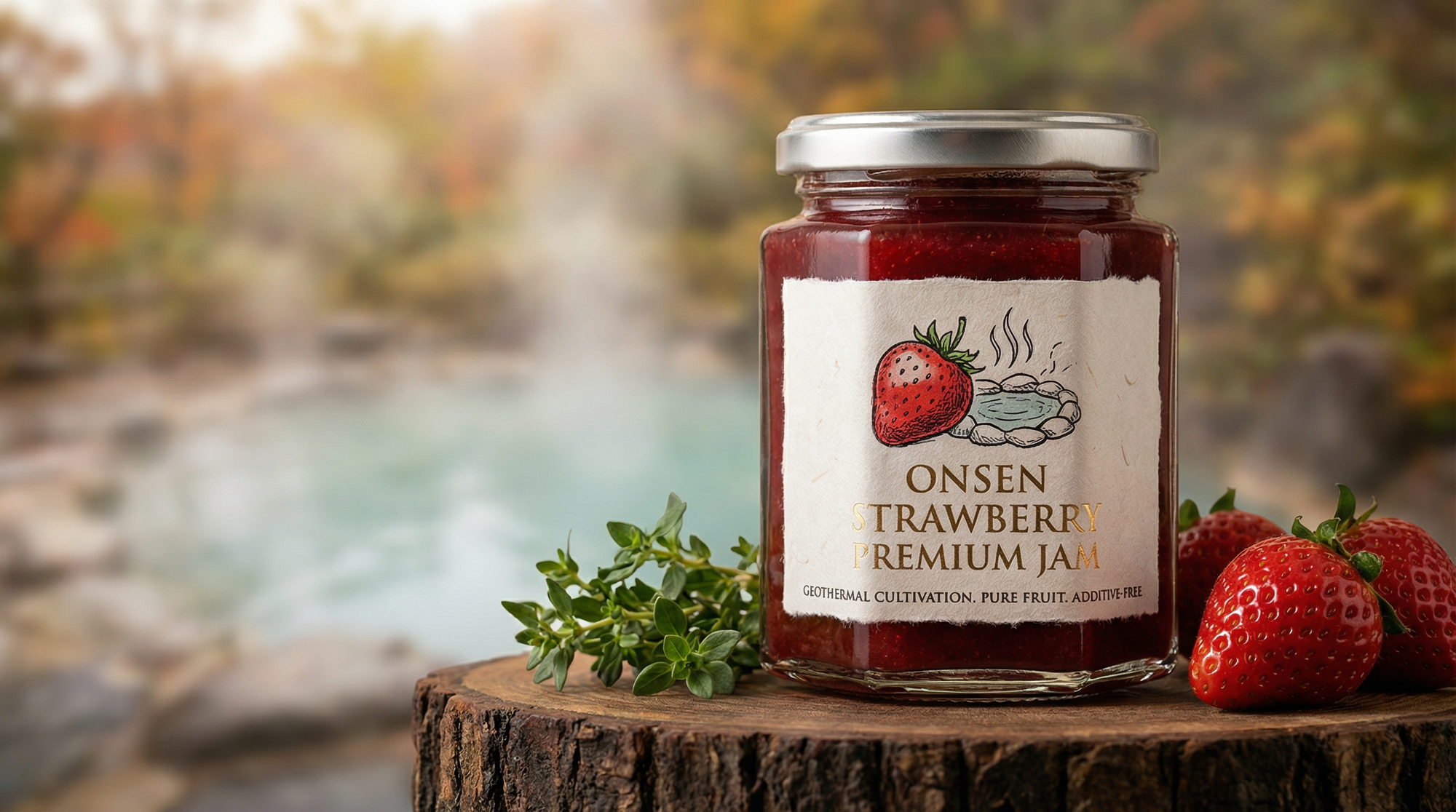
Production Examples
For those who want more tips on utilizing AI
In addition to the methods introduced here, mitsumonoAI offers features to help solve challenges across various industries.
Our official blog features many specific AI techniques, such as creating product descriptions helpful for EC shop operations and generating replies to customer reviews.
Please take a look to find hints for operational efficiency and to expand your toolkit of new ideas.