Mission Registration Guide : Event & Strategy Edition | How to Translate Proposals into "Individual Missions" Using the File Analysis Assistant
Creating a plan is only the first step. To ensure success, you must define a clear "Individual Mission." Learn how to use the File Analysis Assistant to upload your event proposals and collaborate with AI to clarify your core objectives, targets, and unique value propositions in minutes.


Why "Individual Missions" Determine the Success of Events and Strategies
While a "Basic Mission" defines the broad direction of an organization, individual events or marketing campaigns have their own specific objectives and audiences. Without a clear "Individual Mission," you may face the following challenges:
- Inconsistent Messaging: The appeal of the event is communicated differently across blog posts, social media, and press releases depending on the person in charge.
- Stagnant Planning: Without a clear purpose, ideas often become repetitive imitations of past successes or competitors, failing to resonate with participants.
- Difficulty in Measuring Results: You end up with a vague sense of "it kind of worked" without gaining specific insights for future improvements.
This is where the mitsumonoAI File Analysis Assistant comes in. In this guide, we explain how to take event information from proposals and efficiently verbalize a consistent, "rock-solid" mission framework.
💡 For basic information regarding Missions, please refer to this manual.


*To learn how to create a "Basic Mission" for your entire organization using the In-house SWOT Analysis Assistant, please see our previous guide here:
 mitsumonoAI
STEP 1: Upload Your Event Proposal to the "File Analysis Assistant"
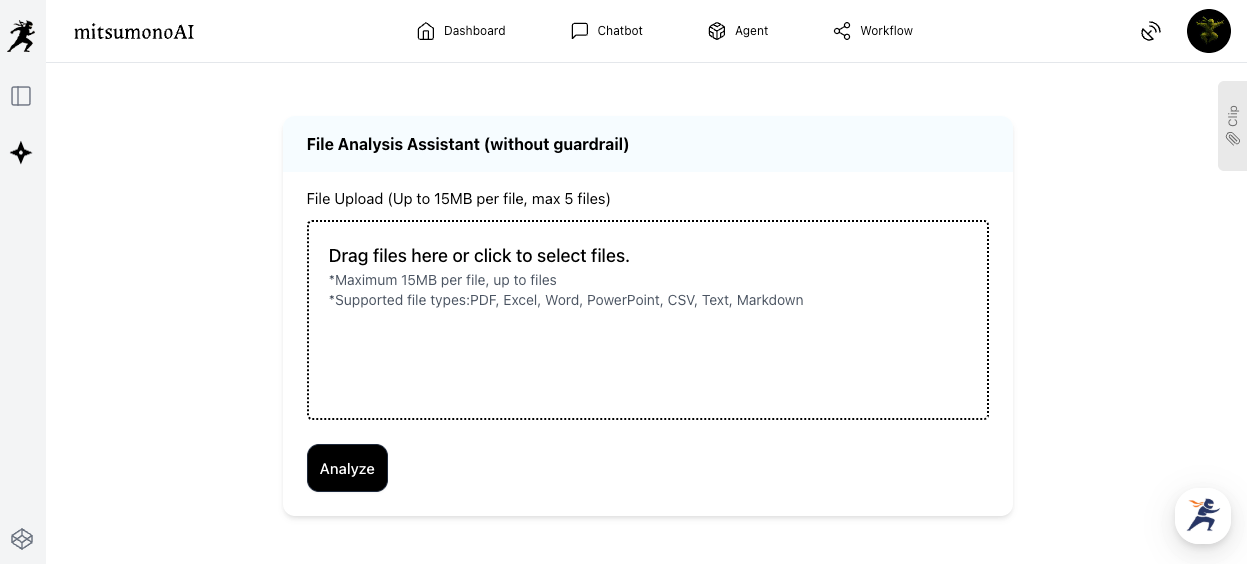
First, upload the file containing the details of the event you are planning.
1. Upload the Proposal
Upload your event documents (PDF, Word, Excel, etc.) to the File Analysis Assistant (please choose the appropriate version based on your need for guardrail masking/blocking).
2. Request Mission Creation
Provide instructions to the AI regarding the uploaded file. For example, if you are planning a "Walking Event," you might use the following prompt:
Prompt Example:
"Based on the contents of this [Event Name] proposal, please propose text for the following items. Please consider the key points for each category.
・Mission/Vision: The specific mission/vision (values) for this event.
・Purpose: The primary objectives of our management, sales, and PR activities for this event.
・Target: The primary target list for this event.
・Core Message/USP (Unique Selling Proposition): Differentiation points, value, and unique selling points for this event."
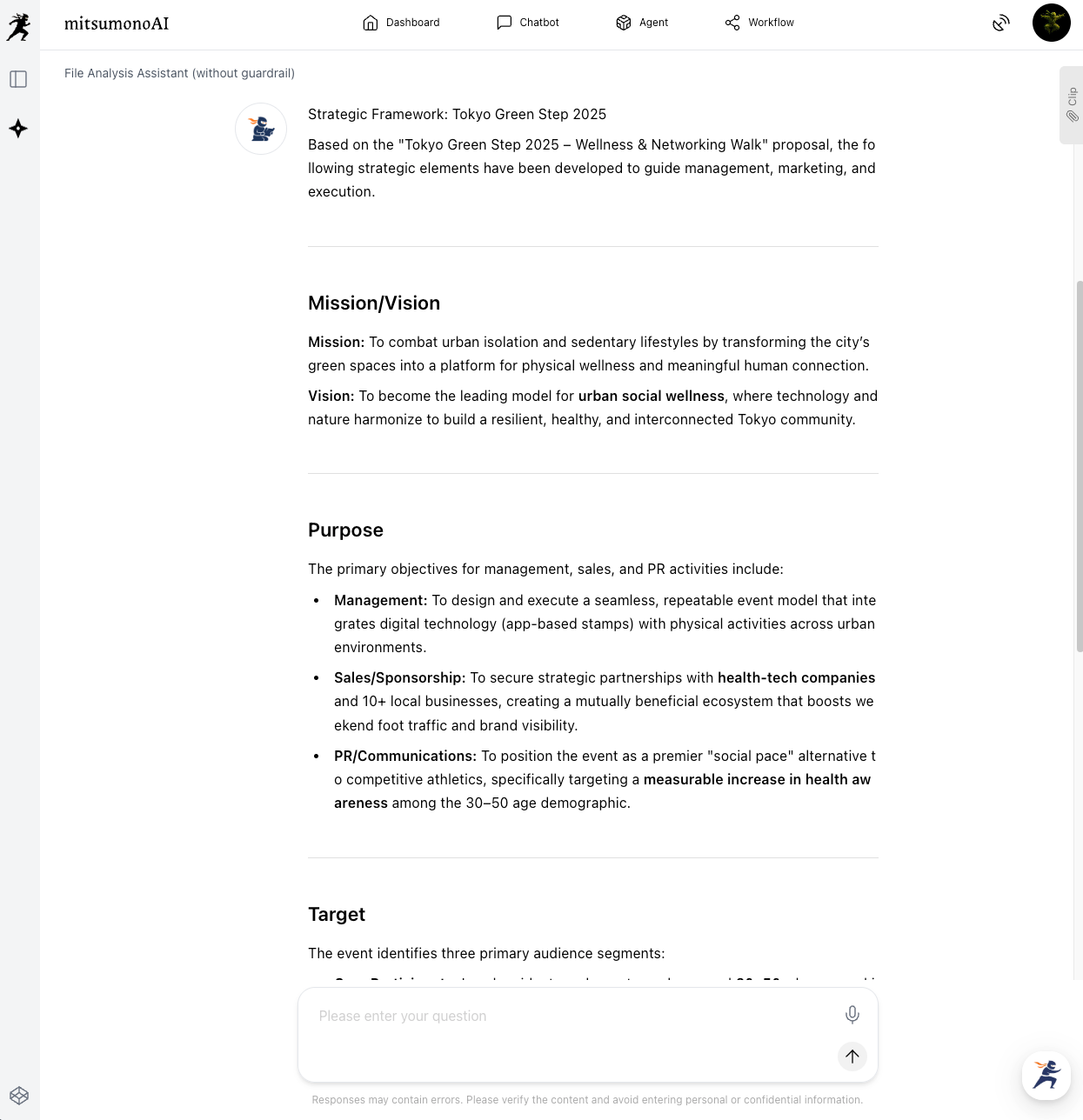
With this instruction, the AI grasps the event's purpose and target from the document and proposes a first draft.
If you are satisfied with this output, proceed to STEP 3. If you want to dive deeper, move to STEP 2.
STEP 2: Verbalize the Mission Framework through AI Dialogue
You can refine the AI's proposal by adding specific numerical targets or asking it to identify potential target audiences not explicitly mentioned in the original proposal.
Additional Prompt Examples (Deepening Insights):
- "Regarding the 'Target,' please propose three potential customer segments not explicitly mentioned in the proposal that would find this event appealing. Adjust the Mission/Vision language to resonate with them."
- "Redefine the 'Purpose' from the perspective of the specific emotions or experiences we want attendees to gain (e.g., inspiration, regional rediscovery)."
Other Refinement Examples:
- "Please include a specific attendance goal of 'X participants' in the 'Purpose' to make it a more achievement-oriented expression."
- "Add specific keywords or perspectives to the 'Target' section to increase appeal specifically to the 'Younger Generation'."
STEP 3: Register and Utilize the Completed Individual Mission
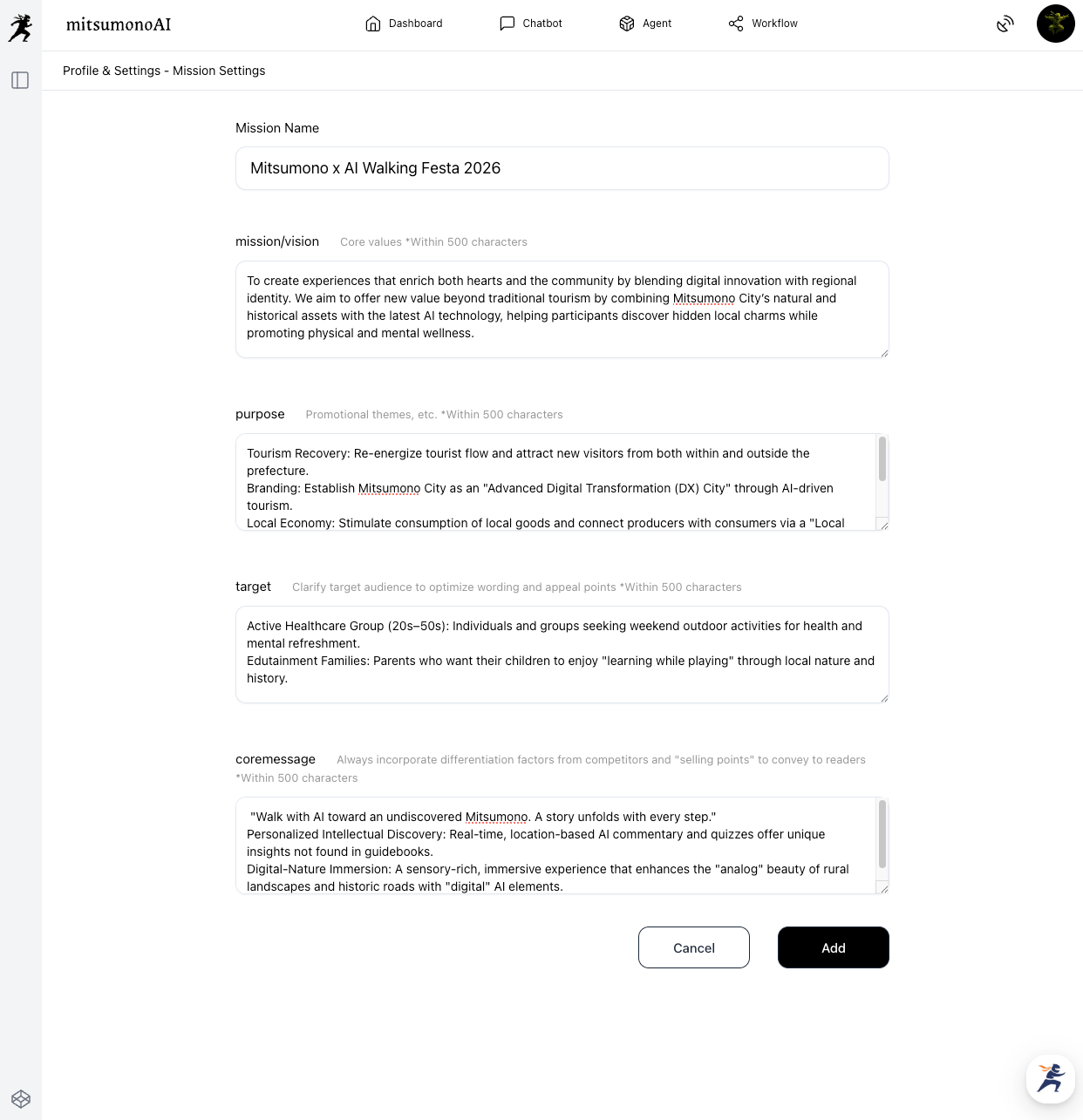
Once finalized, register the content into the mitsumonoAI "Mission Registration" function.
1. Register the Completed Mission
Copy and paste the Mission Name, Mission/Vision, Purpose, Target, and Core Message/USP into the registration screen and click "Save."
2. Utilize the Individual Mission Across Other AI Functions
Once registered, you can use the AI as your "Dedicated Planner" for all PR and execution activities.
- Generate Social Media Ideas: Use the Post Idea Creation Workflow to generate countdown posts or "behind-the-scenes" stories with a consistent message.
- Create Promotional Articles: Use the Blog Article Creation Workflow to write attractive blog posts that lead to conversions, with the AI supporting the perfect word choice for your target.
Summary: Achieving Success with the File Analysis Assistant
Defining "what to say and who to reach" from a proposal is a time-consuming task. By using the File Analysis Assistant, your planning process transforms:
- Efficiency: Extract "Individual Missions" directly from existing documents.
- Consistency: Eliminate contradictions in communication and content creation.
- Innovation: Efficiently generate fresh, effective ideas through dialogue with the AI.
Use this guide to make the File Analysis Assistant your "Dedicated Planner" and lead every project to success.
For more use cases to improve your daily workflow, visit the mitsumonoAI official blog.