Mission Registration Guide : Mastering Business Fundamentals with AI and SWOT Analysis
Learn how to establish a "Basic Mission" for your organization using mitsumonoAI. This guide demonstrates how to use the In-house SWOT Analysis Assistant to objectively understand your business—using a hot spring inn as an example—and translate those insights into a professional mission profile.


Supporting "Self-Understanding" for Mission Registration
The "Mission" feature in mitsumonoAI is a critical function. Once set, it allows the AI to deeply understand your company's philosophy, ensuring consistently high-quality and coherent output. However, without regular opportunities to view your company objectively through methods like SWOT analysis, it is easy to get stuck with a vague image, wondering what exactly to write in your mission profile. In this guide, we will demonstrate how to use the "In-house SWOT Analysis Assistant" to grasp the "fact-based reality of your company" and use those results as the building blocks for your "Basic Mission."
💡 For basic information regarding Missions, please refer to this manual.


*For instructions on creating "Missions" for specific events or measures using the "File Analysis Assistant," please see the following article:
 mitsumonoAI
STEP 1: Gain an Objective View of Your Company with the "In-house SWOT Analysis Assistant"
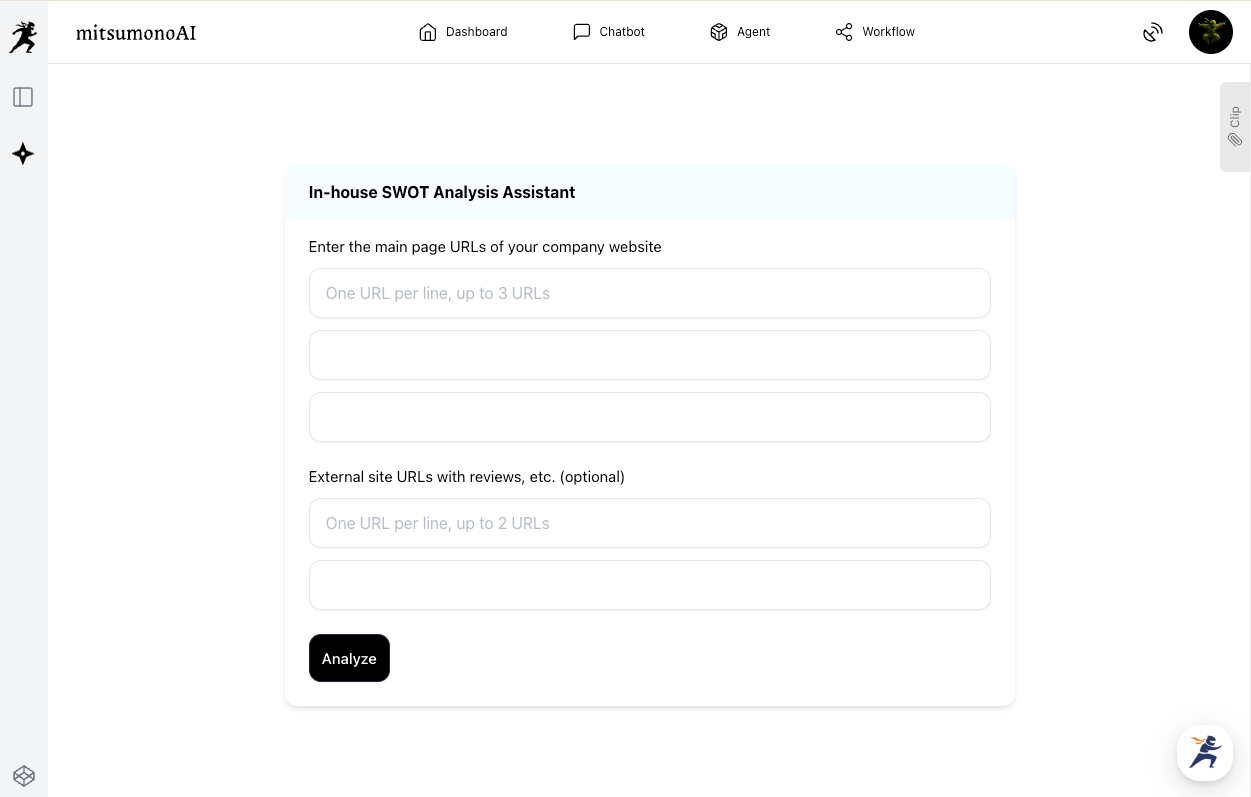
First, perform a SWOT analysis of your company to serve as the foundational data for your mission. (In this example, we will use a fictional hot spring inn.) On the input screen of the "In-house SWOT Analysis Assistant," enter the following information:
- Company Website URL (Required, up to 3): Enter URLs for your corporate overview or service introduction pages that form the core of the analysis.
- External Review Site URL (Optional, up to 2): You can include URLs for industry review sites. Including these allows for a more objective SWOT analysis.
By simply clicking the "Create" button after entering this information, the AI will automatically generate a SWOT analysis report based on objective data, along with a concrete action plan.
Carefully review each item generated by the AI: "Strengths (S)," "Weaknesses (W)," "Opportunities (O)," and "Threats (T)." This report allows you to objectively understand your company's current status and external environment.
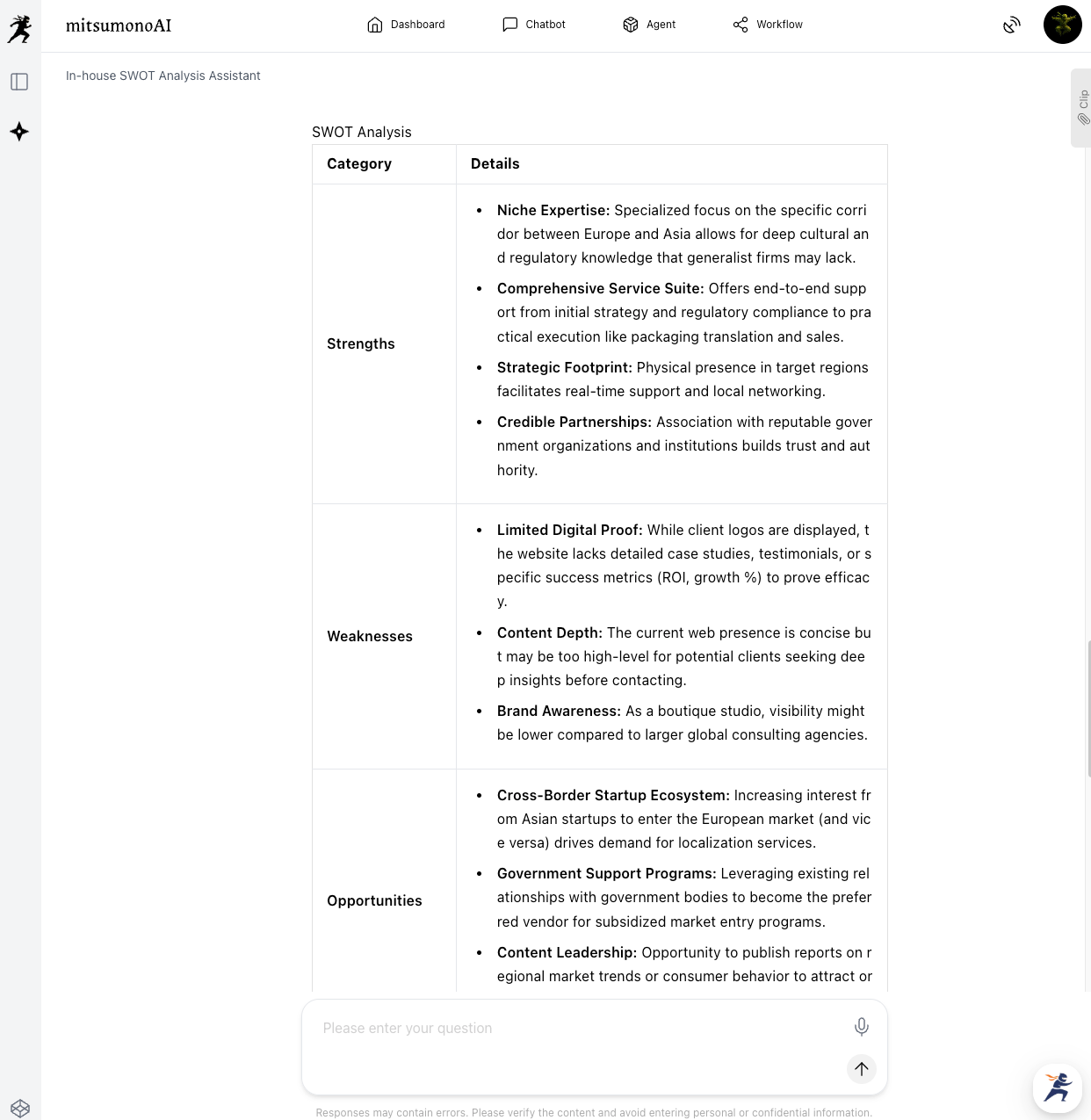
The results of this SWOT analysis serve as the valuable "ingredients" for specifically describing each item in your Basic Mission registration.
STEP 2: Verbalize the Mission Framework through AI Dialogue Based on SWOT Results
The SWOT analysis results obtained in STEP 1 are precious data points representing the current state of your inn. The challenge of "not knowing what to write in the mission" can be solved here by asking the AI to propose information that fits each category of the Basic Mission registration. Using SWOT analysis results as the "ingredients" for mission creation offers the following benefits:
- Evidence-Based Mission: You can create a mission backed by objective data—such as market and customer evaluations—rather than just the subjective views of the person in charge.
- Specific and Practical Direction: The mission reflects a concrete business direction that maximizes your company's strengths and external opportunities while addressing weaknesses and threats.
- High Credibility and Ease of Sharing: Because the rationale is clear, the mission is highly convincing. Team plan users can also share the created mission within the company.
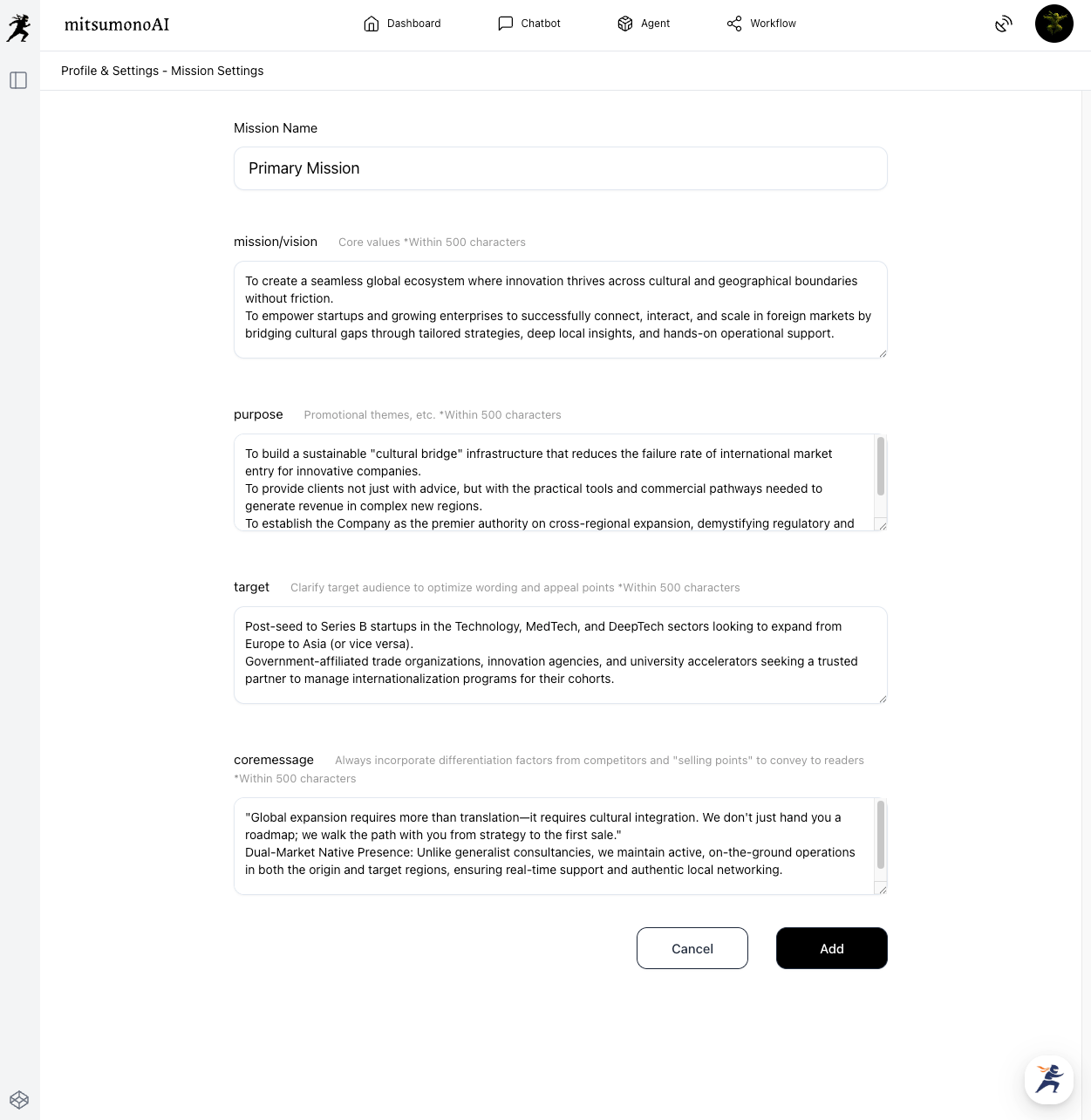
Through this process, visions and purposes that were previously vague will emerge as concrete words. In the chat screen, provide the AI with the SWOT analysis results and the items required for mission registration, and have it generate content for each.
Prompt Example:
Based on this analysis, please propose text for the following items. Please consider the key points for each category.
・Mission/Vision: Our company’s own mission and vision (values)
・Purpose: The primary objectives of our management, sales, and PR activities
・Target: Our primary target list
・Core Message/USP (Unique Selling Proposition): Our differentiation points, value, and unique selling points
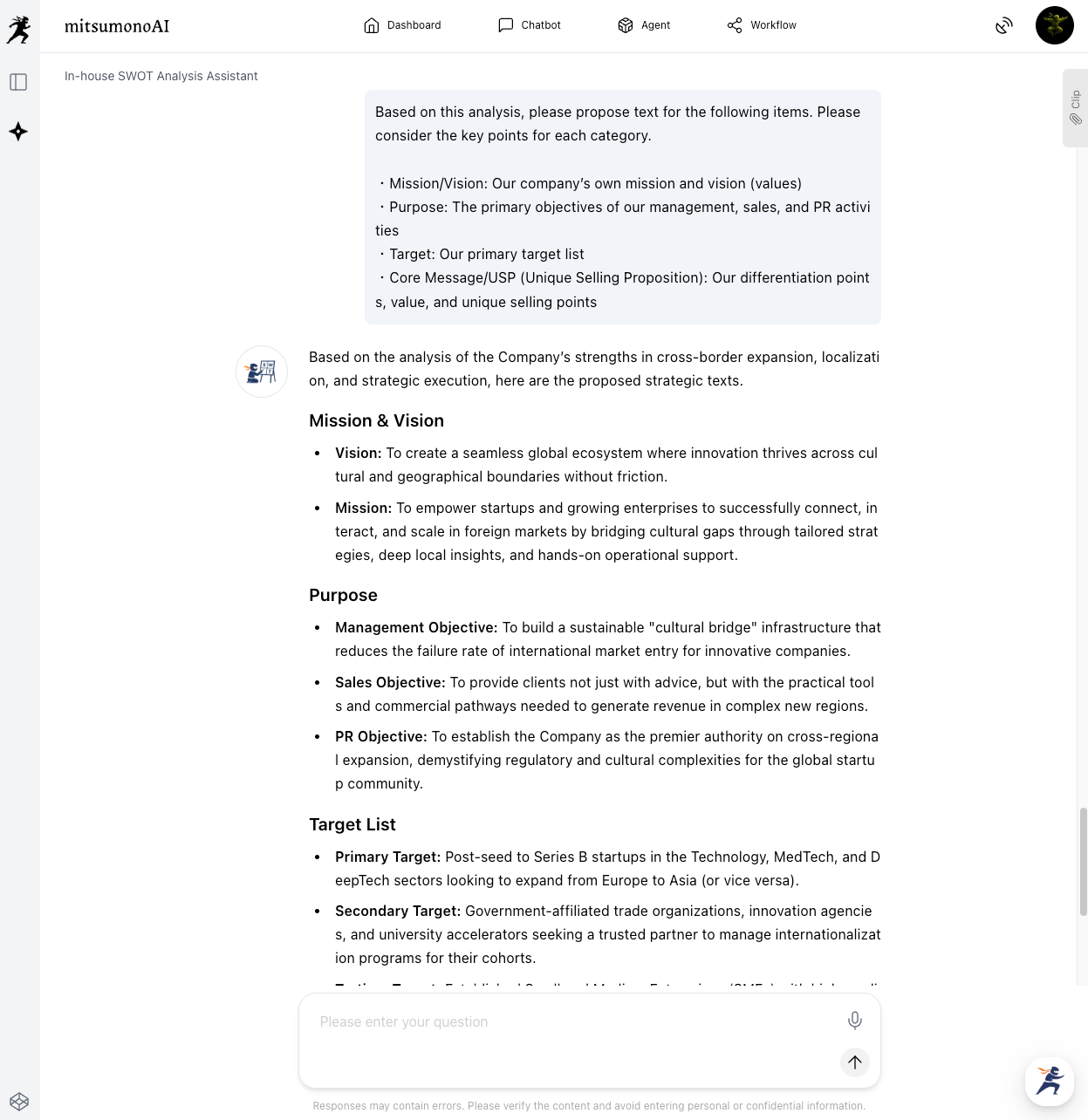
Using this as a reference, adjust the expressions to be more specific to your company's voice and refine the details to complete your final mission registration.
When editing manually, you can also use the "Clip" function. Always review the output yourself to ensure it aligns with your philosophy and reality.
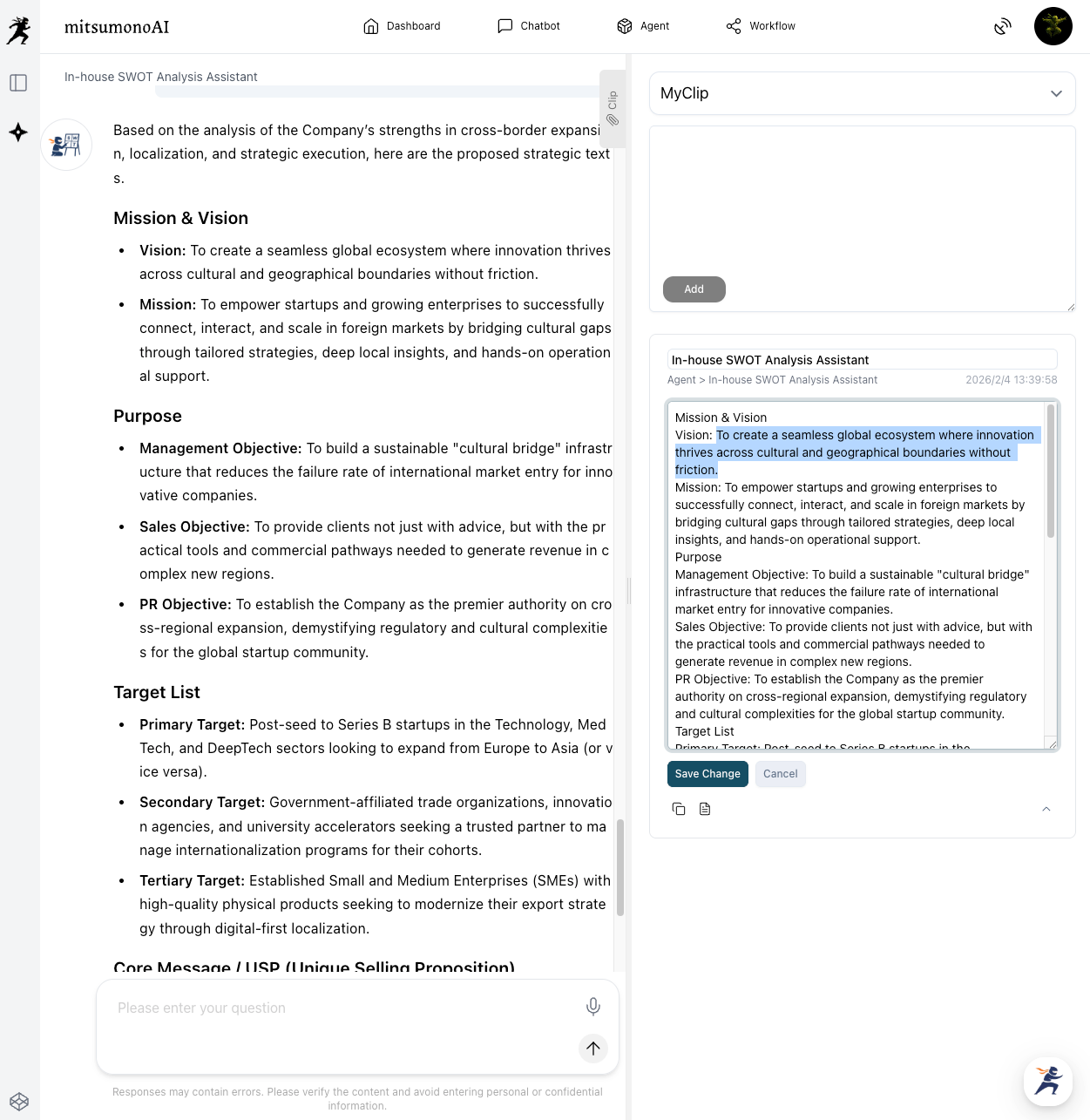
💡 For basic information regarding the Clip function, please refer to this manual.


STEP 3: Save and Utilize Your Completed Mission
Once you have completed the mission registration, click the "Save" button. After registration, you can utilize mitsumonoAI in the following ways:
- Acquire Outputs Referencing the Mission: In functions where mission selection is required—such as creating Post Idea Creation Workflows or planning PR strategies—mitsumonoAI will always reference this registered Basic Mission.
- Consistent, "On-Brand" Output: The AI generates the most suitable output for your instructions based on a constant understanding of your company's values, vision, purpose, and targets.
- Reduced Manual Input and Stable Output: It saves the effort of entering basic information every time and prevents inconsistencies in output regardless of who is using the tool.
Summary: Define Your "Axis" with SWOT and Accelerate Business with AI
We have seen that the struggle of "not knowing what to write" can be solved by objectively understanding your company via the "In-house SWOT Analysis Assistant" and translating those results into a "Mission Registration" through AI dialogue.
- Based on objective data from the SWOT analysis, you can verbalize a Basic Mission that serves as the "organizational axis" without hesitation.
- Through AI dialogue, you can efficiently and deeply consider each item of the Basic Mission.
- The AI will consistently generate high-quality output with a tone and purpose that is uniquely "yours."
Please use this article as a reference to start by knowing your company through the "In-house SWOT Analysis Assistant," and welcome mitsumonoAI as your "highly talented employee."
On the official mitsumonoAI blog, we also explain how to have industry-specific AIs, such as "Sensei AI - Restaurant," help brainstorm the information to be included in your "Mission Registration." Please take a look at those resources as well.
 mitsumonoAI