High-Speed Q&A Creation Techniques to Reduce Inquiries
Learn how to quickly create Q&As from source documents using the File Analysis Assistant. This practical guide is applicable to all types of documents, including product manuals, work procedures, subsidy application guidelines, and internal regulations.


Tools Used
- File Analysis Assistant
Streamlining Q&A Creation for All Types of Documents
Organizations maintain a wide variety of documents, such as product manuals, work procedures, subsidy application guidelines, internal regulations, and service user guides. Providing a "Frequently Asked Questions (Q&A)" section for these documents can significantly reduce the burden of responding to inquiries.
However, while Q&As are meant to reduce the number of inquiries, the creation process itself can consume too much time. Furthermore, if the Q&A doesn't align with what users actually wonder about, inquiries will continue to arrive anyway.
In this article, we introduce how to streamline Q&A creation using the "File Analysis Assistant," taking subsidy application guidelines as an example. This method can be applied to Q&A creation for any document, including manuals and regulations.
Specific Procedures
Step 1: Uploading Guidelines and Initial Q&A Generation
First, upload the target document (in this example, fictional "Subsidy Application Guidelines" in PDF or Word format)to the AI File Analysis Assistant.
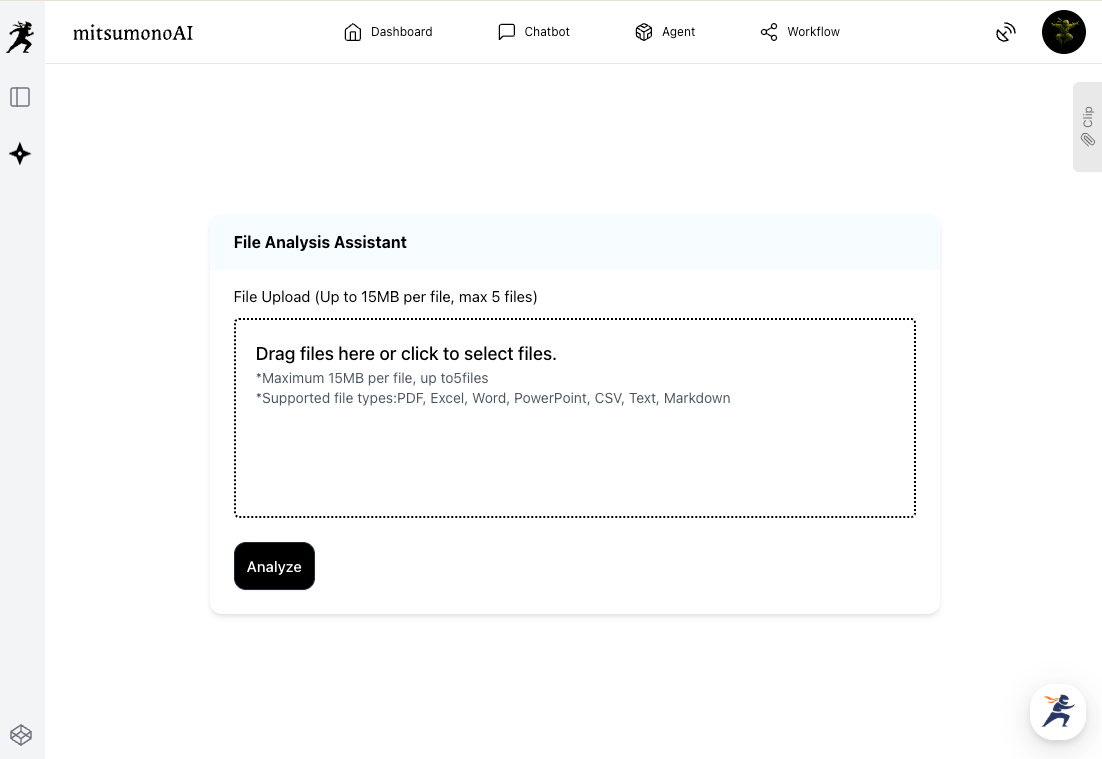
Next, instruct the AI to create the Q&A.
The AI analyzes the text data of the document and quickly generates highly relevant questions and answers. You can obtain a draft of a Q&A—which previously had to be created from scratch—in just a few minutes.
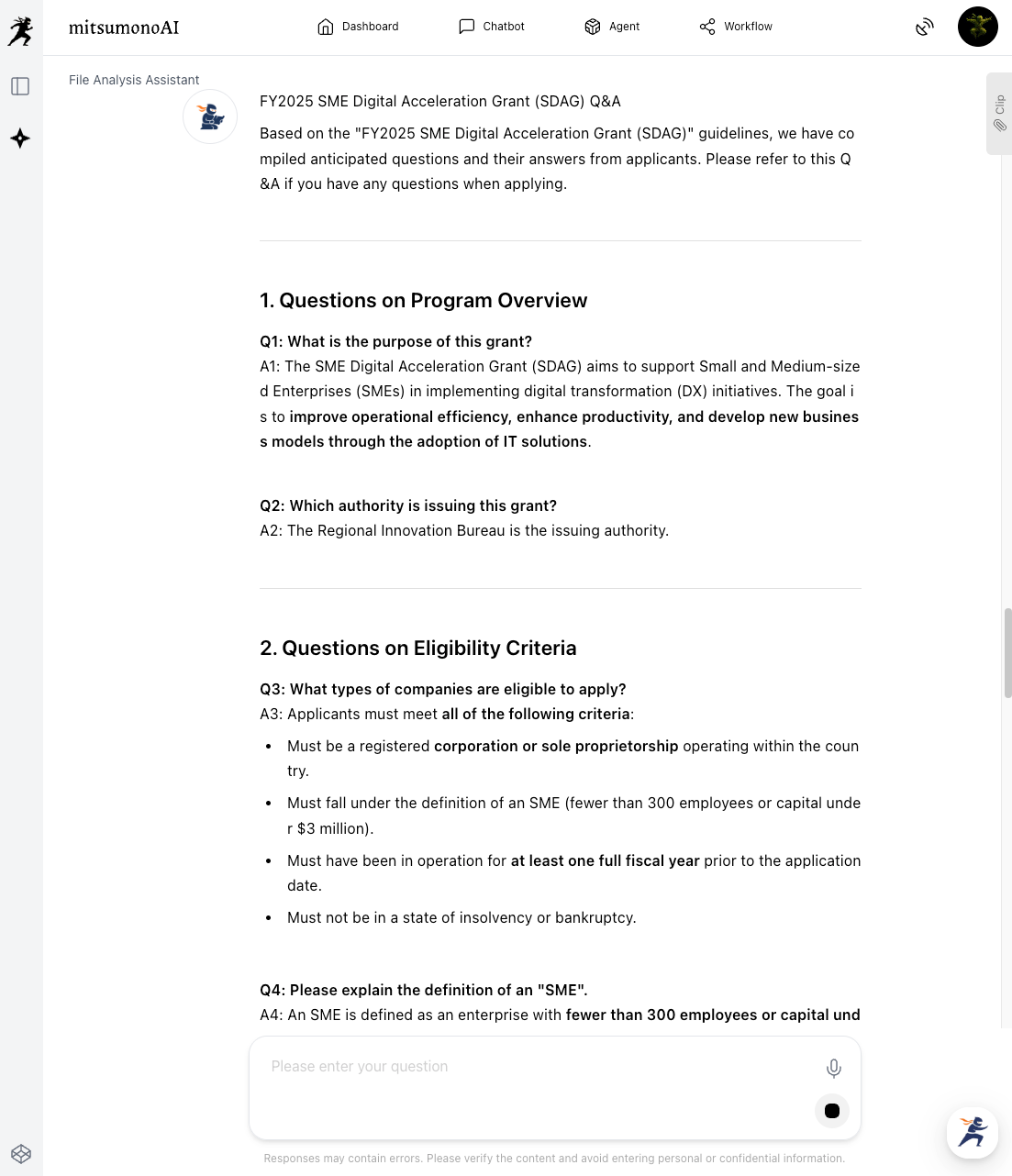
Step 2: Review and Refinement
The Q&A generated by the AI is strictly a "draft." The person in charge should review the content and make corrections or additions as necessary, taking into account the nuances of the document, the organization's unique operational rules, and past inquiry trends.
Checklist (Examples):
- Completeness: Are there any missing questions?
- Accuracy: Does the answer content match the application guidelines?
- Clarity: Is it explained in plain language, avoiding technical jargon?
- Reflecting Past Trends: Does it account for questions that have been frequent in the past?
Step 3: Deployment to FAQ Sites or Inquiry Desks
Post the completed Q&A in locations easily accessible to users, such as the FAQ (Frequently Asked Questions) page on your website, internal portals, or chatbots.
Users will be able to resolve their doubts on their own, reducing the need for individual inquiry handling.
If certain questions remain frequent, engage in continuous improvement activities, such as reviewing the FAQ content or improving the wording of the original document itself.
Outcomes Achieved Through Utilization (Examples)
- Significant Reduction in Q&A Creation Man-Hours Since the AI quickly generates a draft, the time required for creation is drastically shortened. Tasks that previously took several days can now be completed in a short amount of time.
- Sharp Decline in Number of Inquiries By increasing the information available for self-resolution, individual inquiries to staff decrease, reducing the overall workload. This can alleviate the concentration of inquiries immediately after a new product launch or the start of a recruitment period.
- Focus on Core Tasks With less time spent responding to inquiries, staff can focus on the tasks they should inherently prioritize (e.g., reviewing applications, product development, customer support).
Summary
A certain number of inquiries will always arise from documents published or shared by an organization. However, many of those may be "questions that could have been resolved if a Q&A existed."
By utilizing the File Analysis Assistant, you can dramatically reduce the time and effort required to create Q&As for any document and effectively decrease the number of inquiries. While we used subsidy application guidelines as an example, this technique is applicable to product manuals, work procedures, internal regulations, and more.
The key is to have the answers ready before the user feels "I don't understand."
Let's implement AI-driven Q&A creation to free ourselves from tedious inquiry handling and shift toward higher-value work.