Mastering the PDCA Cycle: How to Turn Guest Reviews into Sustainable Revenue Growth
Leverage AI-driven PDCA cycles to validate service improvements with real data and consistently exceed guest expectations. Learn how to turn reviews into sustainable ROI.


In the hospitality industry, online reviews are more than just feedback; they are critical assets that directly impact your booking rates and brand equity. However, extracting actionable insights from thousands of comments and objectively measuring the impact of your service improvements is an immense challenge.
With mitsumonoAI, you can build a data-driven "PDCA Cycle" (Plan-Do-Check-Act) that moves beyond intuition, ensuring high-ROI service enhancements.
Recommended for those facing these challenges:
- Hotel managers overwhelmed by the sheer volume of reviews.
- Executives who want objective proof that their service investments are working.
- Properties looking to sharpen their competitive edge through SWOT-based analysis.
Step 1: PLAN — Identify Pain Points through Deep Sentiment Analysis
The first step is to establish a baseline. Use the Review Analysis Assistant by inputting the URLs of your property’s major review sites (e.g., TripAdvisor, Google Maps, Booking.com).
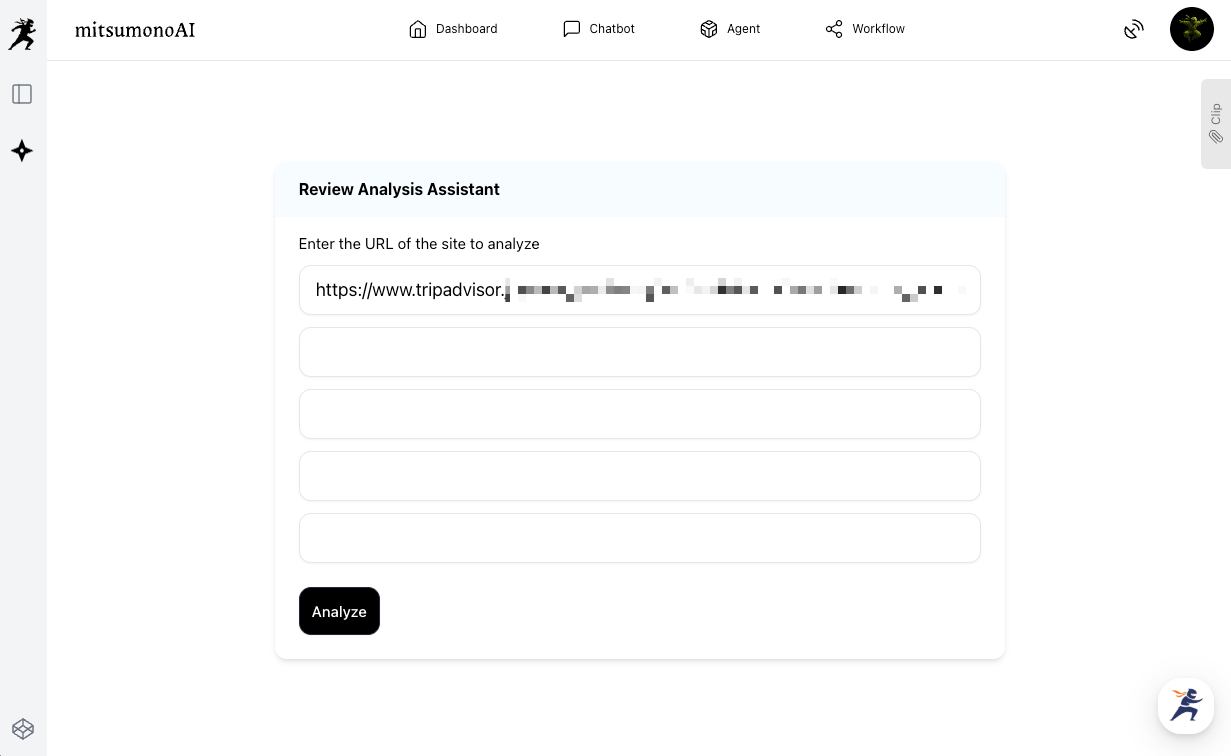
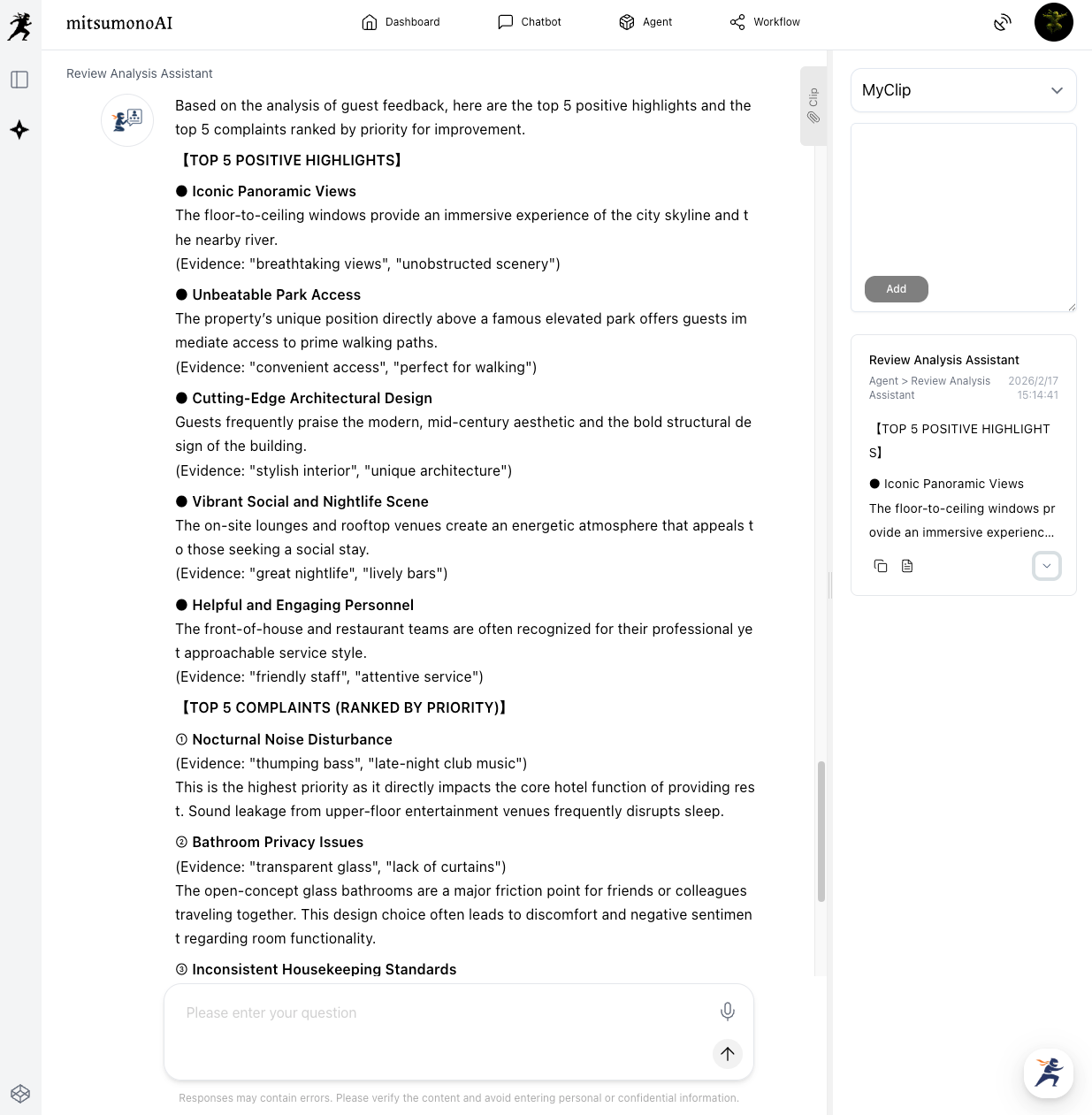
Utilize the AI to summarize the top 5 complaints and top 5 praises. This identifies your high-priority improvement areas.
Prompt Example:
"Identify and summarize the top 5 complaints and top 5 positive highlights regarding our service. Rank the complaints by priority for improvement."
The Clip Function: Save these results using the "Clip" feature. This becomes your "Baseline Data"—the snapshot of your reputation before any intervention.
Step 2: DO — Implement Data-Backed Service Enhancements
Based on the AI’s findings, execute specific service improvements. Because these actions are rooted in actual guest sentiment, they are much more likely to yield results.
Common Action Items:
- Staff Training: Conduct targeted workshops for specific departments flagged by the AI.
- Facility Upgrades: Enhance Wi-Fi infrastructure or upgrade amenities as requested by guests.
- New Experience Programs: Launch local tours or wellness activities if the AI identifies "lack of local engagement" as a latent need.
Step 3: CHECK — Measuring Impact through Comparative Analysis
After a significant period (e.g., 6 months of the new protocol), it is time to verify the results. Re-run the Review Analysis Assistant using the same URLs.
Apply the same prompt used in Step 1 to maintain consistency:
"Identify and summarize the top 5 complaints and top 5 positive highlights regarding our service."
Save these new results to your "Clip" library as "Post-Improvement Data." You now have two distinct datasets to compare.
Step 4: ACT — The Final Audit and Next-Generation Strategy
This is where the power of Sensei AI comes in. Use the AI to perform a "Gap Analysis" between your baseline and your new data.
The Comparison Prompt:
"Compare the two sets of analysis data I am about to send (Pre-Improvement vs. Post-Improvement). Analyze how the guest review trends have shifted. Specifically, point out areas where satisfaction improved, areas where no change was seen, and propose the next set of actions for our strategic roadmap."
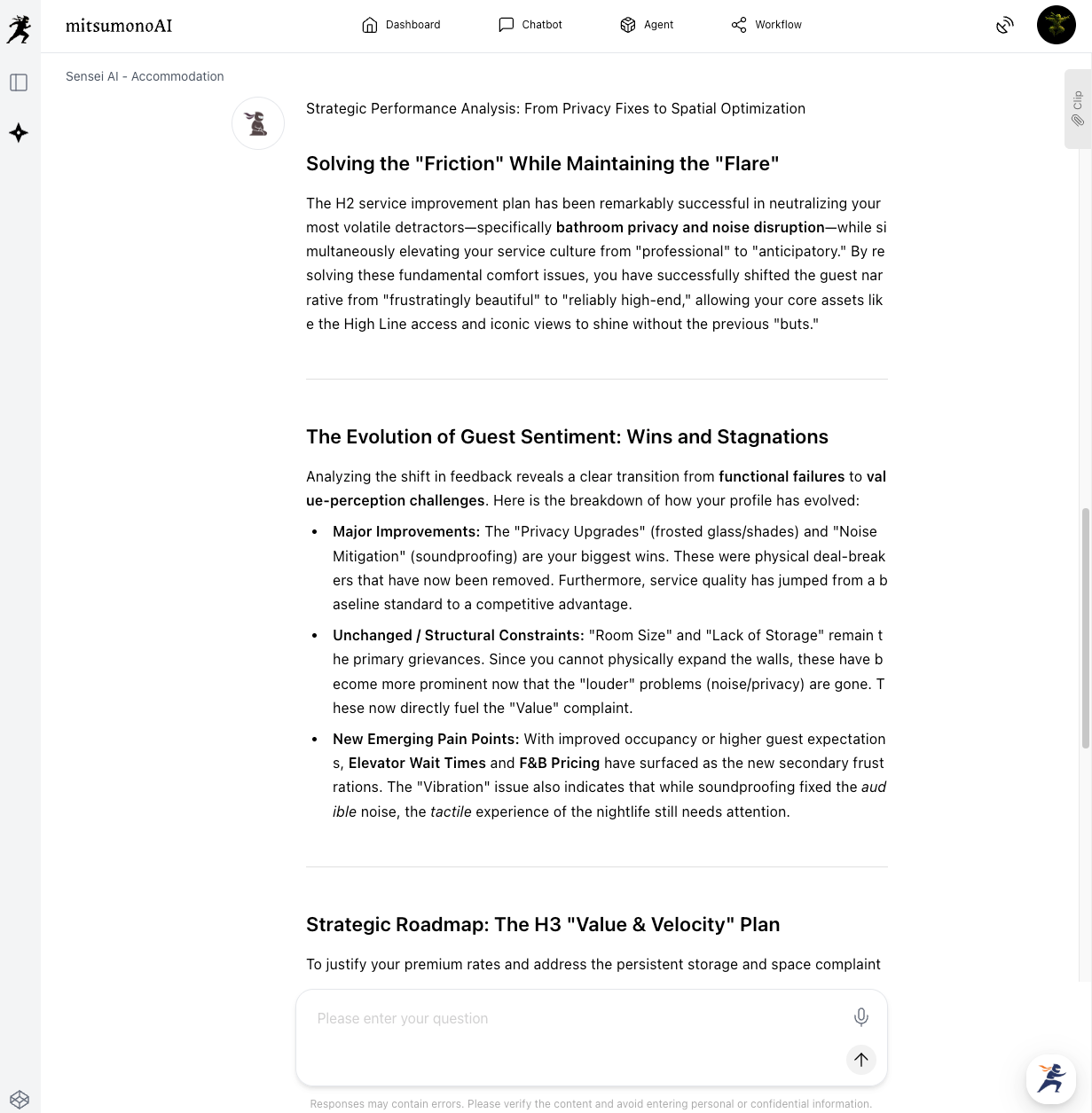
By analyzing these clips, Sensei AI provides deep insights into the effectiveness of your investments, allowing you to refine your strategy or pivot to the next priority.
Beyond Operations: Strategic Brand Decision Making
The insights gained from this cycle do more than fix broken toilets; they define your mid-to-long-term brand strategy.
- Marketing Material: If guests consistently praise your "heritage-inspired interior," this should become the centerpiece of your digital marketing and brand messaging.
- Cultural Transformation: Sharing these data-driven wins across departments fosters a guest-centric culture, boosting staff morale and overall hospitality standards.
Conclusion: Data is the Compass for Guest Experience
Reviews are not just a record of the past; they are a roadmap for your future growth. By utilizing mitsumonoAI to build an automated, structural understanding of guest sentiment, properties can stay agile in a shifting market.
- Automated Situational Awareness: Identify critical issues instantly.
- Precision Decision-Making: Evaluate your ROI with objective AI comparison.
- Sustainable Value Creation: Balance profitability and satisfaction through a data-backed PDCA cycle.
Start your journey toward a 5-star reputation today. mitsumonoAI is your specialized platform for high-speed, high-quality business intelligence.
mitsumonoAI is a business-specific AI platform that uses AI to simultaneously improve the quality and speed of business operations.
It can be used to solve a variety of business challenges, improve operational efficiency, and create new value.