
How to Create SNS Post Captions that Prevent Missed Sales Opportunities During Last-Minute Cancellations and Disasters
Sudden cancellations or unexpected closures? Learn to instantly create compelling emergency post drafts tailored to each SNS platform using the "Post Idea Creation Workflow." A practical guide for handling urgent situations effectively.

Tool Used
- Post Creation Workflow
SNS is an Effective Customer Acquisition Tool, Even During Cancellations
When managing a restaurant, the occurrence of vacancies due to sudden cancellations is unavoidable.
Emergency customer attraction using SNS (LINE, Instagram, X, etc.) is extremely effective as a means to quickly fill these empty spots.
However, this method is applicable not only to restaurants but to all businesses with fluctuating reservation or inventory status, such as beauty salons and retail stores.
But when a vacancy occurs, you must create a highly urgent appeal message that makes people "want to book immediately," and you must do it quickly.
We will introduce a method to efficiently create captions that achieve both "speed in emergency response" and "persuasiveness" using the "Post Creation Workflow." Prepare in advance so you don't panic during an emergency.
Specific Steps
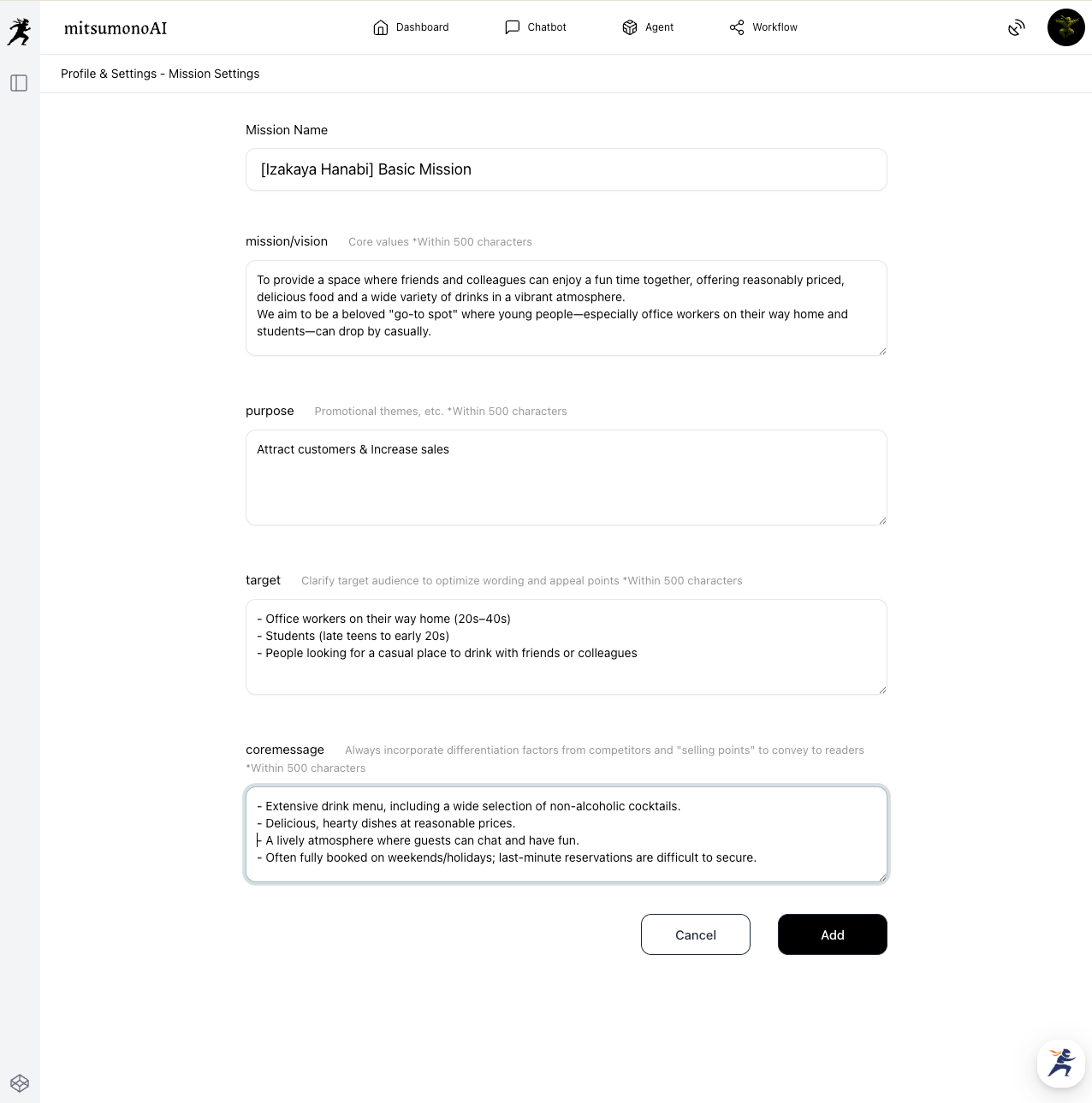
Step 1: Create a Mission in Advance
▶︎ Add Mission
First, register the basic concept of your business (using an izakaya (Japanese pub) as an example here) to the AI to unify the tone and manner of all post captions. This allows the system to generate accurate captions that consider the business's basic information.
Step 2: Create Post Ideas for Cancellation Occurrences
▶︎ Post Creation Workflow
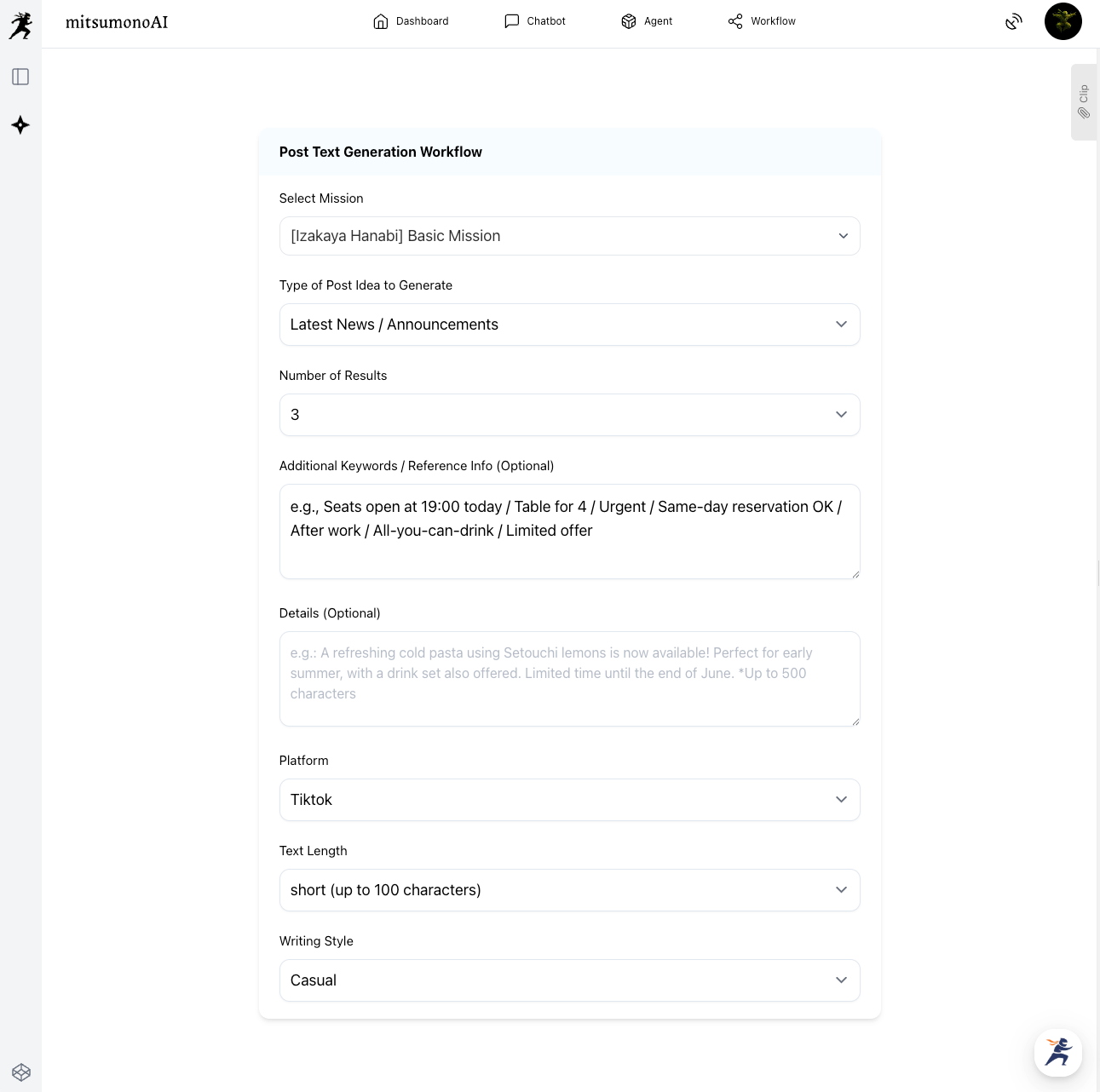
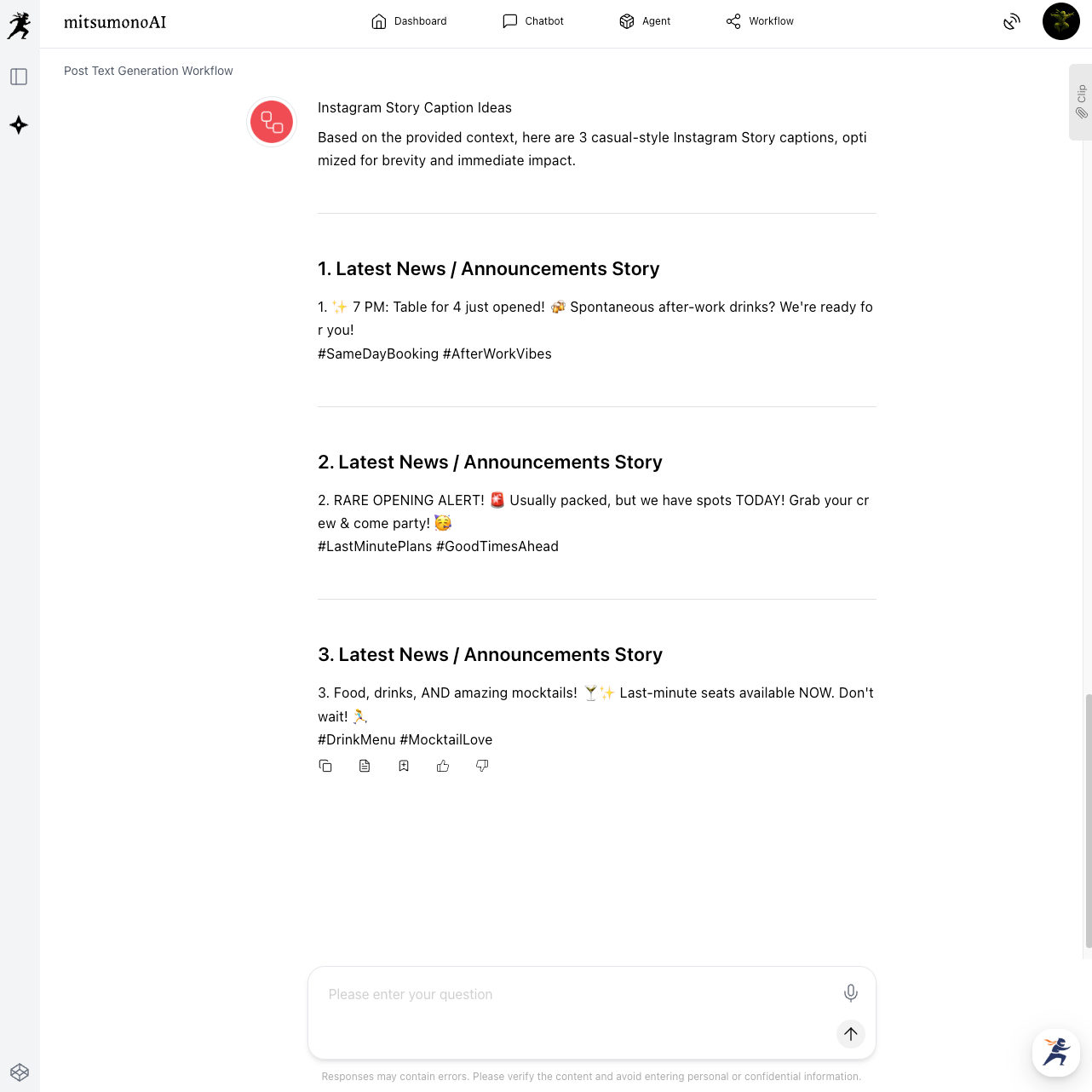
Input urgent information, such as the vacancy status, into the "Post Creation Workflow" and click "Generate."
The AI will instantly output a post draft optimized for TikTok, conveying a sense of urgency and benefit.
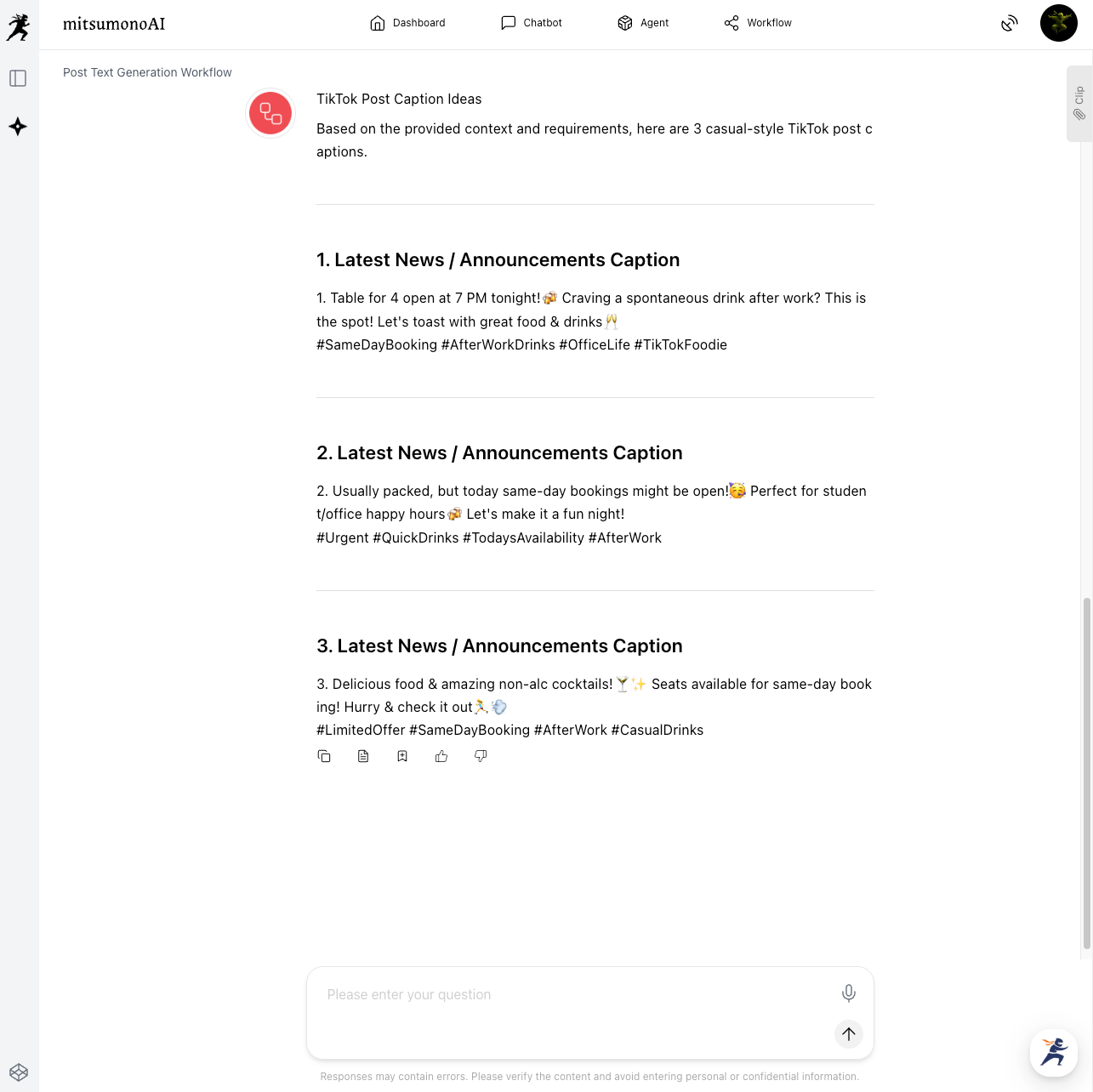
For instance, if you want to adapt it for an Instagram Story, simply instruct the AI with "Optimize this for an Instagram Story," and the text will be adjusted to suit that platform's style.
Step 3: Post the Created Draft on Each SNS Platform
Post the AI-generated draft as is, or with minor adjustments. If you save this text as a clip, you can reuse it repeatedly when the same situation arises.
Three Key Points for SNS Customer Acquisition Posts
- Utilization of Photos and Videos
For Instagram and TikTok, including photos or videos that convey the appeal of your dishes or the interior of your establishment is more effective. - Ensuring a Clear Reservation Path
Clearly state the reservation URL or phone number within the post caption to make the path to booking smooth. - Encouraging Engagement
Respond quickly to comments and DMs to foster communication with customers.
Expected Outcomes from Utilization (Example)
- Speeding up Emergency Response
The time from a vacancy occurring to posting on SNS is reduced, enabling swift customer attraction activities. - Effective Posts Optimized for Each SNS
Since the AI creates post drafts with a writing style suited to the platform's characteristics, it becomes easier to reach more users. - Minimizing Missed Opportunities and Maximizing Sales Chances
Improving the accuracy and speed of emergency customer attraction reduces missed sales opportunities due to vacancies and contributes to an increase in reservations.
Summary
In modern SNS customer acquisition, the key to filling vacancies lies in balancing the "speed of information dissemination" with the "persuasiveness" that stirs the target audience's emotion to "book now." The steps introduced in this article offer an immediate solution to minimize missed sales opportunities due to reservation cancellations.
By registering your business's basic information as a "Mission," you can quickly create and post content optimized for each SNS not only for vacancy response like this but also for highly urgent situations like natural disasters or unexpected closures.
To enable calm and quick response even in emergencies, we encourage you to utilize the "Post Creation Workflow."



