Spin Agent Comprehensive Guide : Generating AI-Powered Questions for Successful Sales Negotiations
Master "Spin Agent," the AI tool designed to fix shallow sales discovery. Based on the SPIN method, it auto-generates high-impact questions. From setup tips to using external AI for drafts, this guide covers it all. Boost your closing rates by simply entering a URL to start.


Do you ever face challenges in sales like "our discovery is too shallow" or "we can't seem to uncover the customer's true pain points"?
"Spin Agent" is designed to solve exactly those problems.
In this article, we explain everything you need to know: from basic features and "strategic thinking points" for maximizing AI performance to a secret hack (using other AI tools) when you're stuck on what to input.
1.The Core and Purpose of Spin Agent
Spin Agent is more than just a tool for listing questions.Based on the world-renowned "SPIN Selling" framework, it automatically constructs a set of questions that approach the customer's subconscious mind in stages.
What is SPIN Selling? A Technique to Awaken the "Need for a Solution"
n short, SPIN Selling is a questioning framework that enables customers to recognize latent problems—issues they may not even be aware of yet—as their own urgent challenges.
MitsumonoAI’s "Spin Agent" generates questions based on the following four SPIN stages to shift the customer's mindset and create a powerful motivation: "I need to solve this right now."
- S (Situation): Confirm the Status Quo
Fact-finding to establish the baseline.
Example: "What is your current situation regarding [X]?" - P (Problem): Uncover Dissatisfaction and Challenges
Searching for the "seeds of trouble" or minor frustrations.
Example: "Are there any inconveniences or pain points you are currently facing?" - I (Implication): [★CRITICAL] Realizing the "Worst-Case Scenario" of Inaction
Visualizing a chain of crises to make the customer feel the weight of the problem.
Example: "If this problem remains unaddressed, what kind of long-term damage or loss will it lead to?" - N (Need-payoff): Visualize the Ideal Outcome
Allowing the customer to articulate the value and benefits of a solution.
Example: "How much would your operations improve if this issue were completely resolved?"
2.Operational Flow and Input Screen Overview
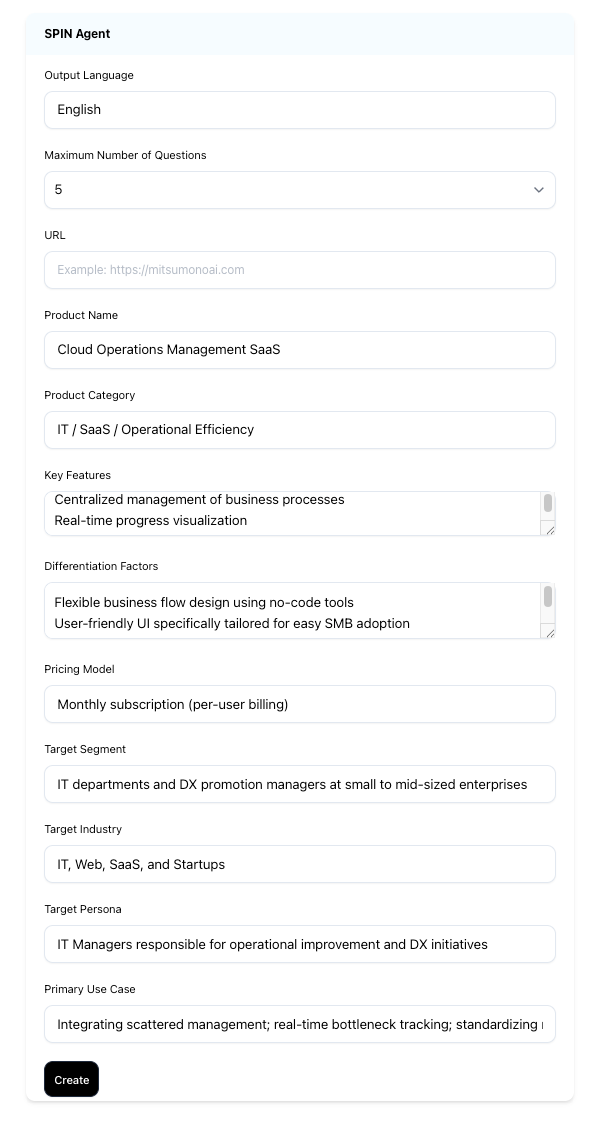
Operating Spin Agent is as simple as filling in the fields on the settings screen and clicking the "Create" button. To ensure the AI correctly connects your "product value" with "target pain points," please follow this input guide.
Full Item Input Guide (Roles and Tips)
| Field Name | Role (What the AI determines) | Input Advice (Tips) |
|---|---|---|
| Output Language | Sets the language for the questions. | Defaults to "Japanese." For international deals, you can specify "English," etc. |
| Max Questions | Total number of questions. | 5 for inside sales; 10–15 for deep negotiations. |
| URL | Automatically extracts product info. | [Recommended] Pasting your URL simplifies filling other fields. |
| Product Name | Reference name in questions. | Using terms like "Estimation AI" alongside abbreviations sounds more natural. |
| Product Category | Market positioning. | Niche attributes (e.g., "CRM for Manufacturing") sharpen the questions. |
| Key Features | Customer "can-do" list. | Use benefit-oriented phrasing like "Automates XX." |
| Differentiators | "Why us" over competitors. | Critical. Unique strengths you provide create insightful questions. |
| Pricing Model | Basis for ROI calculation. | Mention "Subscription" or "Zero Upfront." Used for cost-benefit questions. |
| Target Segment | Company size and nature. | Specifying "Under 50 employees" helps AI anticipate specific barriers. |
| Target Industry | Industry customs and jargon. | Specifying "IT" or "Construction" draws out specific pain points. |
| Target Persona | Listener's position. | Efficiency for "Field Leaders"; cost/risk for "Executive Management." |
| Main Use Cases | Specific "pain point" scenarios. | Specific scenarios, like "Excel management errors," are highly effective. |
3.[Advanced] If You’re Stuck, Let "Other AIs" Write Your Draft"
"Filling out these settings is a hassle."
"I can't think of the right words."
In such cases, the smartest way is to have an AI chat tool like ChatGPT or Claude create a draft for you.Copy and paste the following text into your preferred AI.
Copy-Paste Prompt for Settings:
Please provide concise bullet points of about 100–200 characters for each item.
■ Output Items:
Product Name, Category, Key Features, Differentiators, Pricing Model, Target Segment, Target Industry, Target Persona, Main Use Cases
■ Business Overview (Enter your company info here):
[Describe your company's service name and features freely]"
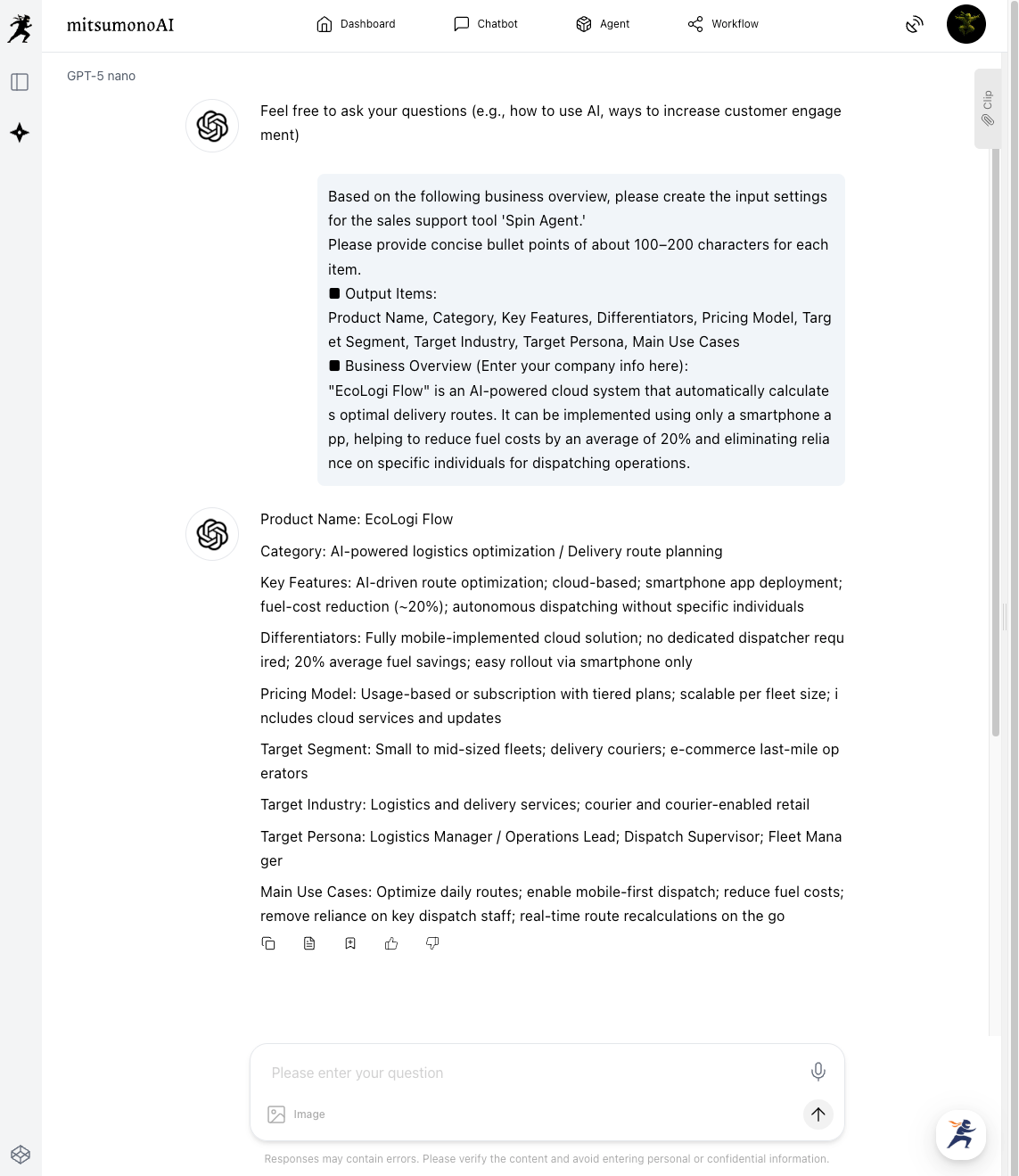
Simply paste the generated responses into the corresponding fields in Spin Agent to complete your setup.
4.How to Interpret and Utilize the Results
Once you click "Create," a draft of questions following the SPIN (Situation, Problem, Implication, Need-payoff) sequence will be generated.
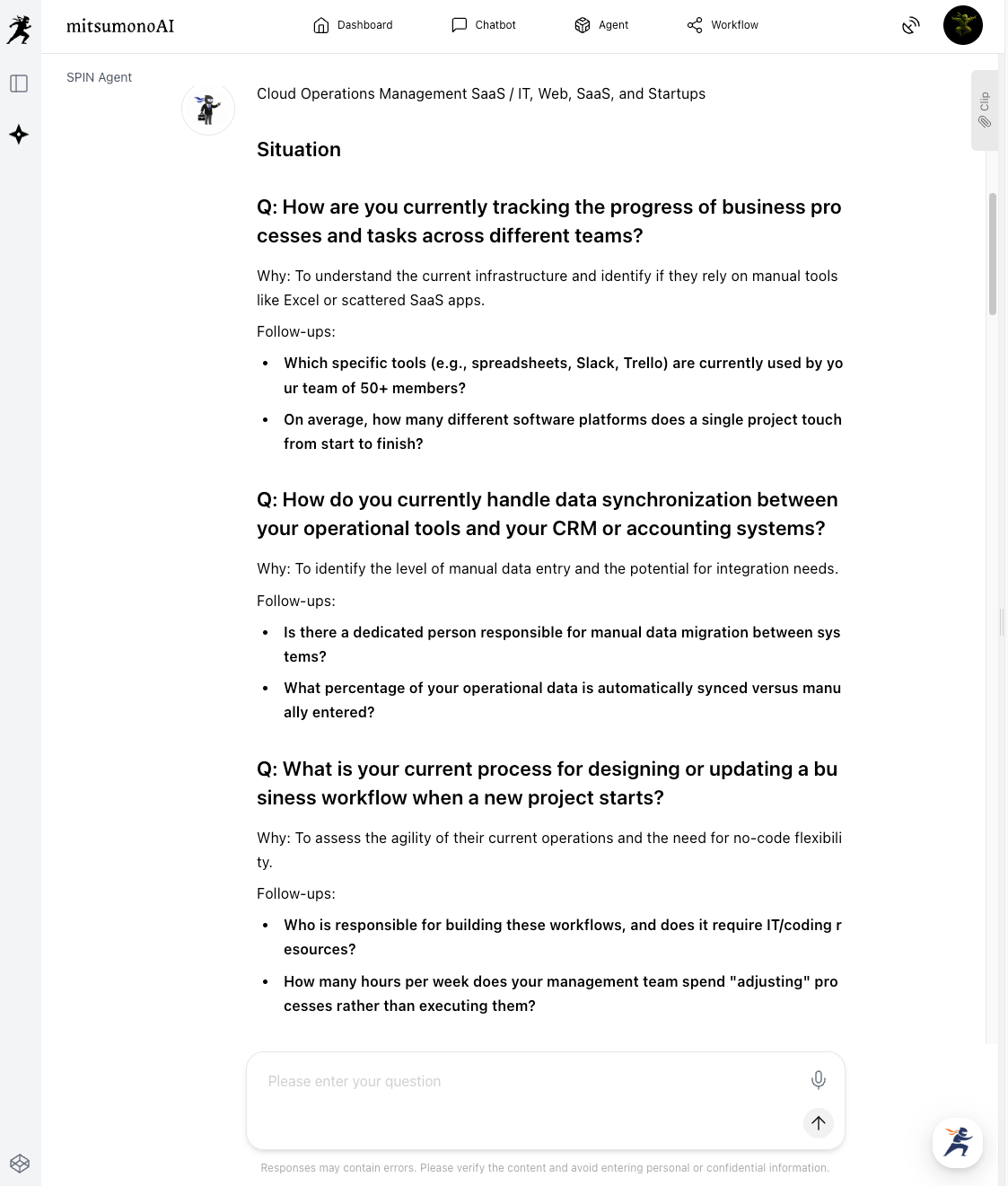
Three Tips for Mastering the Output
- Read the "Why" (Question Intent) first:
By understanding the AI's logic behind each question, the sales representative’s own discovery skills will naturally improve. - Note the Follow-ups:
The tool provides "secondary questions" for when a customer’s answer is vague. Keep these in the margins of your meeting notes. - Don't ask everything:
The tool may output 10–15 questions, but 3–5 are usually enough for a real meeting. Pick the "must-confirm" items for your session.
5.Conclusion
With "correct input (understanding your product and customer)," Spin Agent is a tool that allows anyone to conduct discovery like a top-tier salesperson.
- Fill in the settings smartly using URLs and AI chats.
- Read the "Why" to internalize the story of the negotiation.
- Ask the "questions" on the front lines to draw out the customer’s true challenges.
Start by entering one URL for your product and see the results for yourself.
Click here for specific use cases categorized by industry.
 mitsumonoAI
 mitsumonoAI