Title Renovation Techniques to Revive Click-Through Rates : Blog Title Creation
Learn how to revitalize existing content into high-performing assets using mitsumonoAI. By combining the Text Summarization Workflow and Blog Title Creation, you can significantly boost CTR and traffic without the cost of creating new articles from scratch.


Reviving Hidden Gems: The Power of AI in Transforming Articles into "Clickable" Content
Even if the quality of your past articles remains high, they gradually lose traffic if the titles look outdated or fail to align with shifting search engine algorithms and user interests.
The Blog Title Creation workflow generates numerous compelling titles based on the actual text of your blog. This guide explains how to perform efficient "Title Renovation" to restore the click-through rate (CTR) of your archived posts.
STEP 1: Extract the "Core" of Existing Articles via Text Summarization Workflow
First, extract the essential points of the article you wish to rewrite. (This preparation allows the AI to grasp key points efficiently without processing the entire text. If you prefer to skip summarization, please proceed to STEP 2.)
1. Prepare the text of the existing article
Copy and paste the body of the article you want to rewrite.
2. Input into the Text Summarization Workflow and generate a summary
Configure the following settings on the input screen:
- Original Text (up to 5,000 characters): Paste the body (or a portion) of the existing article.
- Target Language: Select "Japanese" (or your preferred language).
- Summary Length: Select "Standard (250–500 characters)."
- Summary Type (Optional): Select "Extractive Summary (Focus on key sentences)" to serve as material for title generation.
- Target Audience/Purpose (Optional): Select "For Articles."
- Writing Style (Optional): Select "Polite/Formal" or "Friendly/Conversational."
- Highlight Keywords/Key Phrases (Optional): Enter any specific keywords you want to include.
- Language Model: Select a model such as "claude-haiku."
- Output Format (Optional): Select "Plain Text."
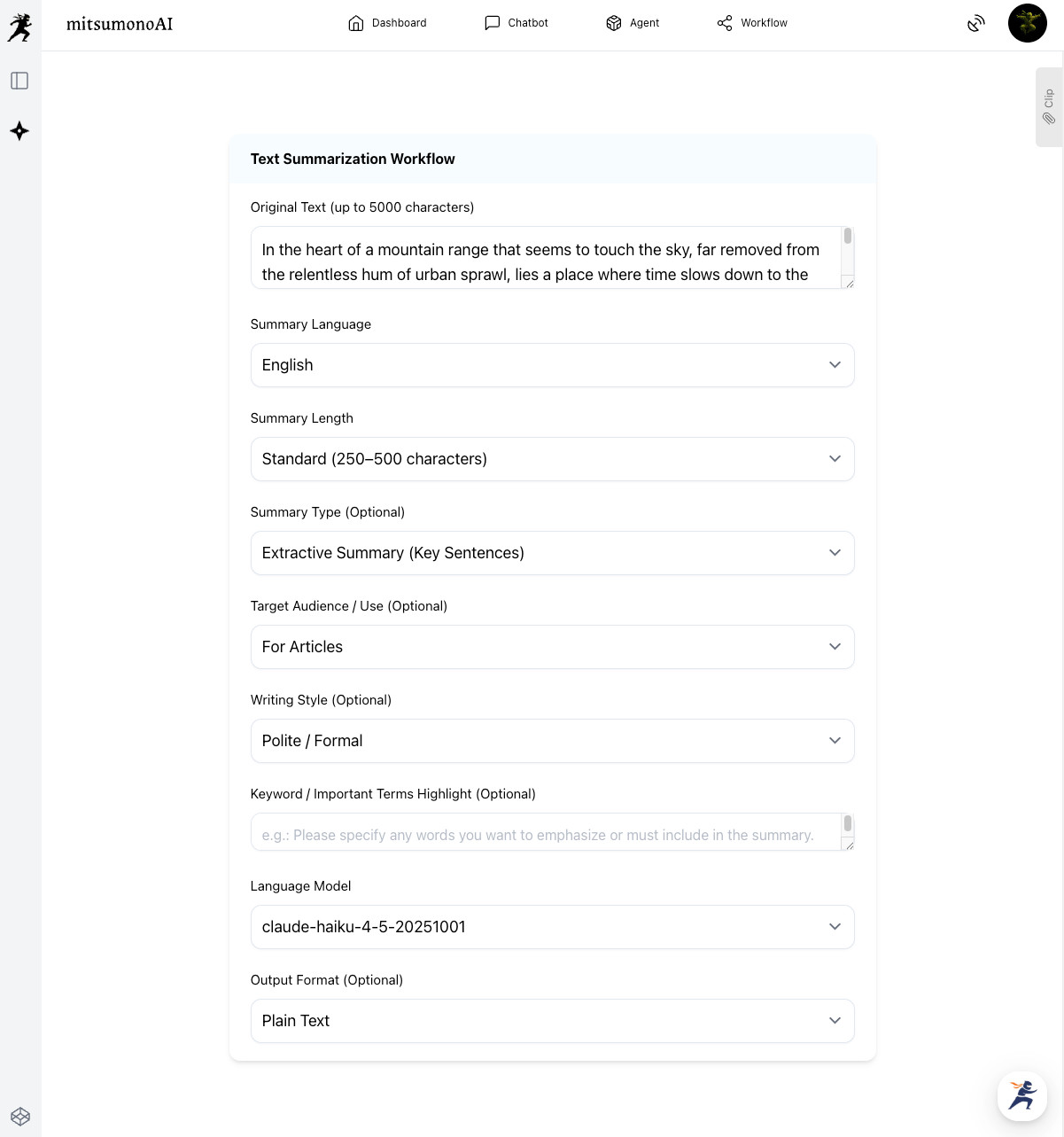
Click the "Summarize" button, and the AI will generate a condensed summary of the article's vital points.
Save this summary to your clipboard as it serves as the "raw material" for your new titles.
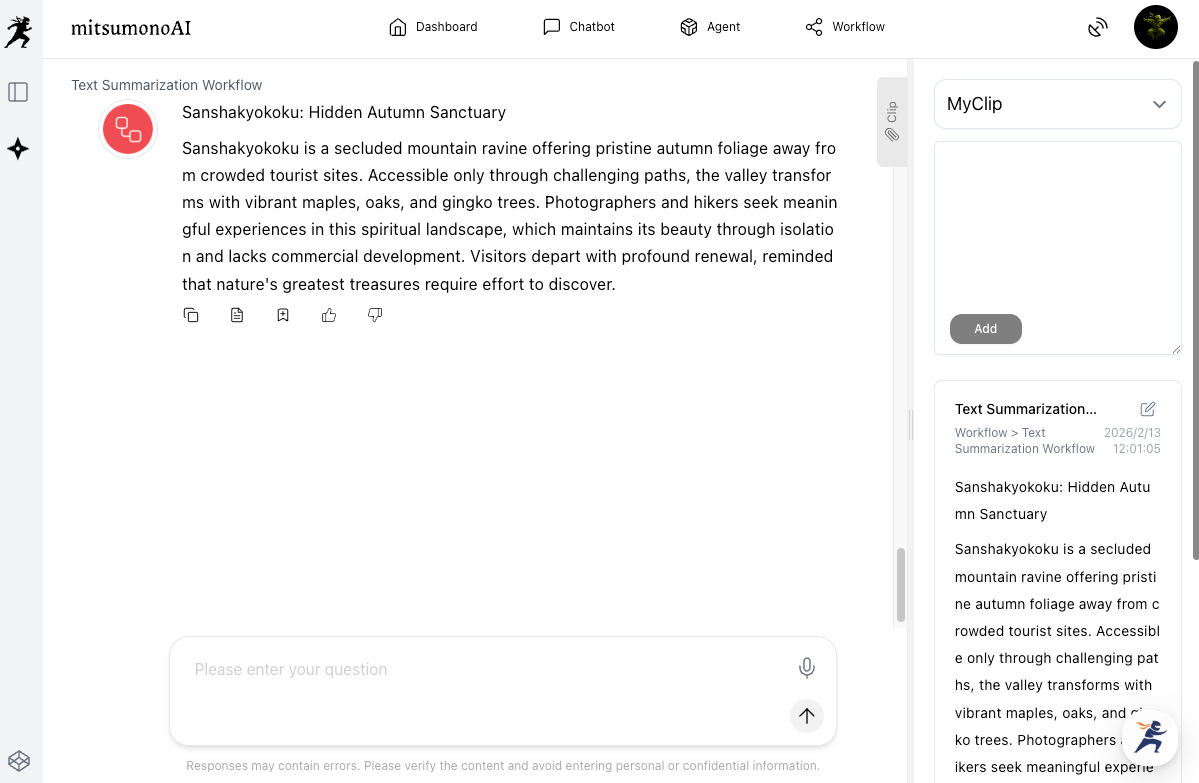
STEP 2: Generate New Titles from the Summary via Blog Title Creation
Using the summary created in STEP 1, use Blog Title Creation to generate multiple eye-catching titles.
1. Select and input items on the workflow screen
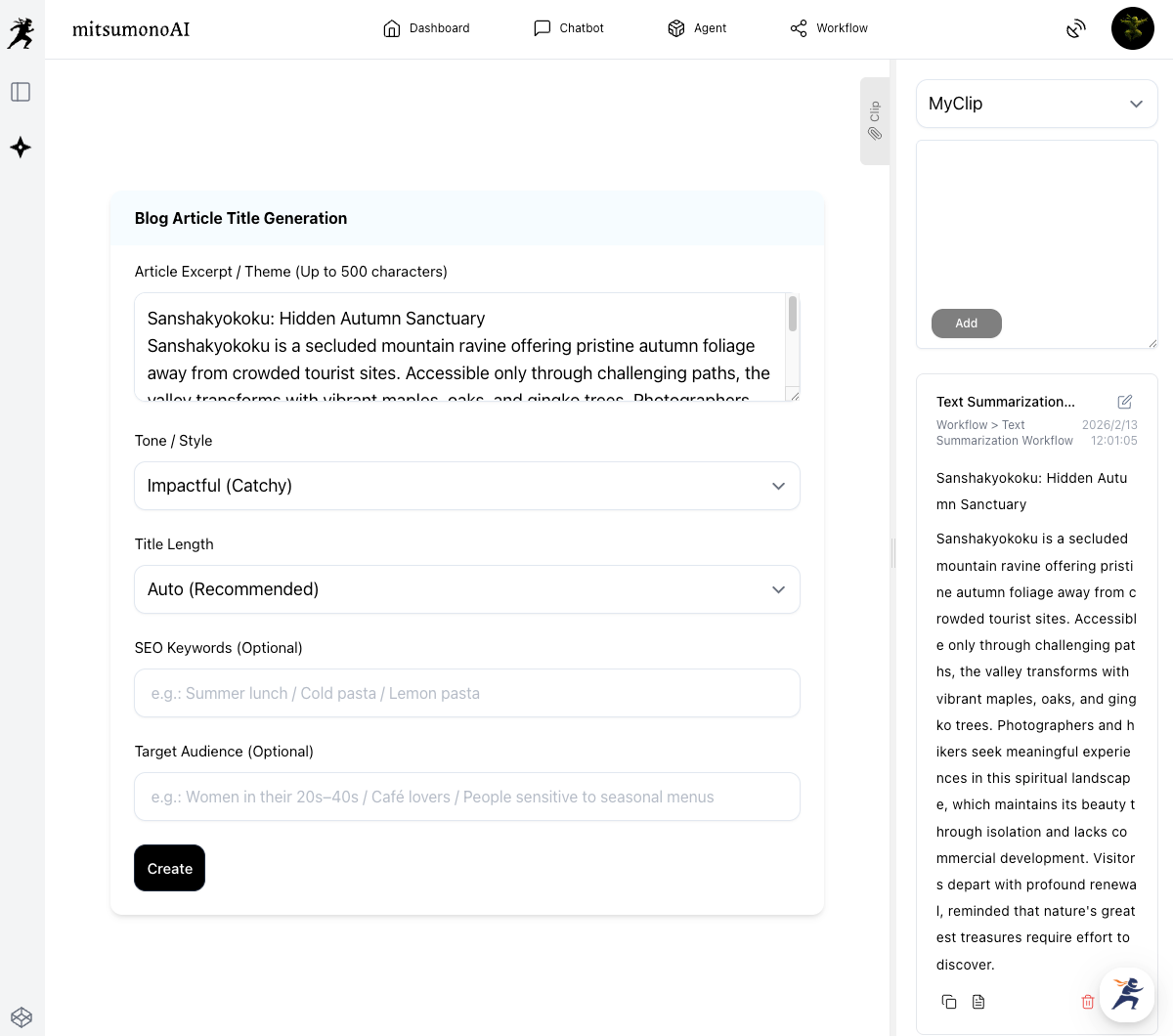
Configure the following in the Blog Title Creation input screen:
- Article Excerpt/Theme (up to 500 characters): Paste the summary from STEP 1 here.
- Tone/Style: Select the desired atmosphere, such as "Impact-Oriented (Catchy)" or "Professional/Trustworthy."
- Character Count: Select the desired length. Choosing "Automatic" allows the AI to determine the optimal length.
- SEO Keywords (Optional): Enter keywords separated by "/", e.g., SEO / Blog / Traffic Generation / 202X / Beginner.
- Target Audience (Optional): Enter the intended readers separated by "/", e.g., Blog Owners / Web Marketing Managers / Business Owners struggling with traffic.
Click the "Create" button. The AI will propose various attractive title ideas from multiple perspectives based on the summary and specified keywords.
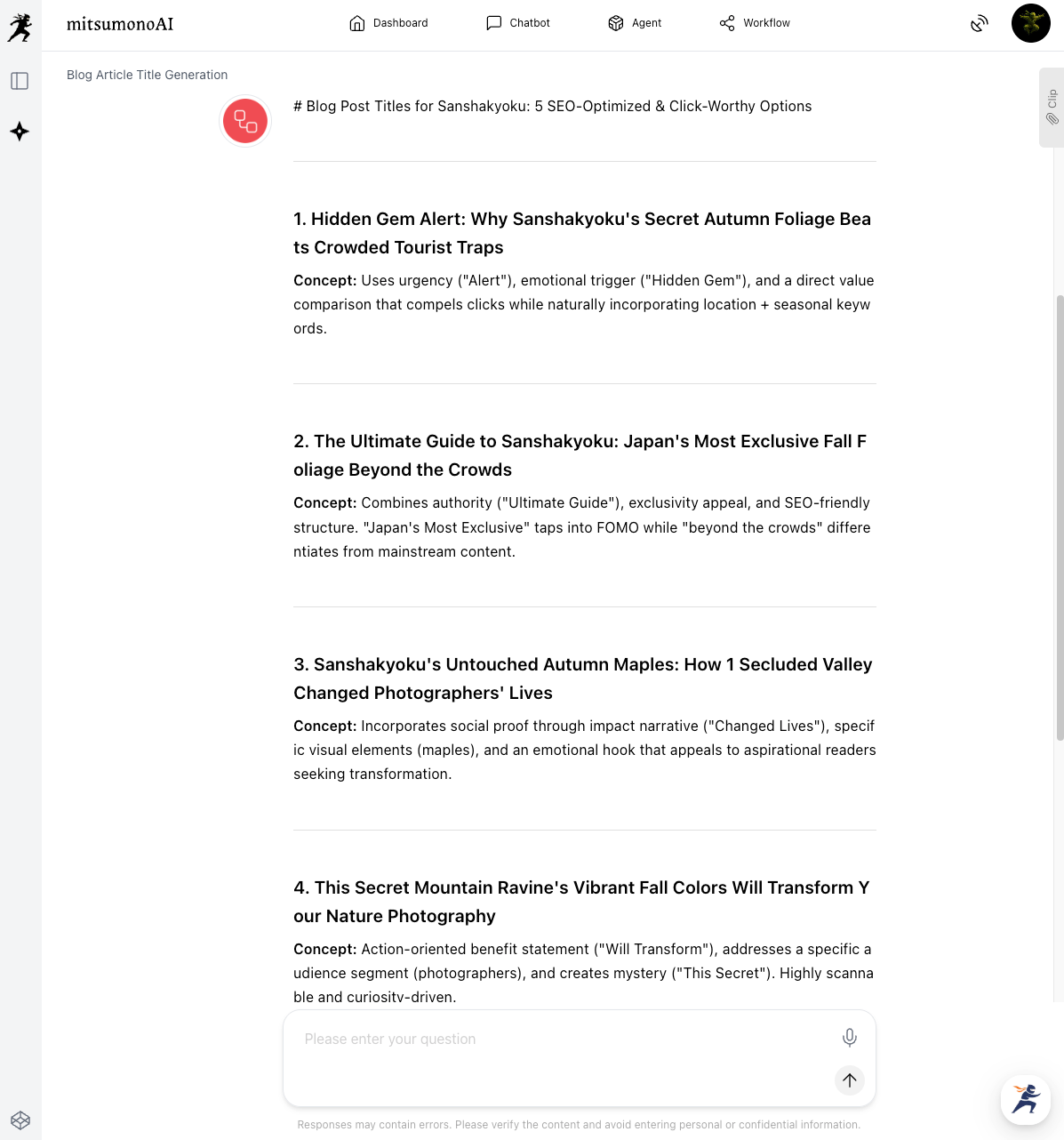
2. Choose the best option from the proposed titles
Select the title that best fits your article based on these criteria:
- Accuracy: Does it correctly reflect the content?
- Appeal: Does it make readers want to click?
- SEO Elements: Does it include numbers or keywords for better visibility?
For example, a renovation of an old SEO article might transform a title like "Basics and Methods of SEO" into "202X Latest Edition! 7 SEO Tips You Can't Afford to Miss [For Beginners]."
STEP 3: Update the Article and Verify Results
Once the optimal title is found, it is time to update your content.
- Update the title on your blog platform: Replace the old title with the new one. Adjusting the URL and meta description at this stage can further enhance performance.
- Monitor performance continuously: After updating, use tools like Google Analytics to observe metrics such as CTR, dwell time, and search rankings. Comparing data over several weeks or months will clarify the impact of the renovation.
- Iterate as needed: If no improvement is seen, return to STEP 2 to try a different title or consider rewriting the article body. Continuous improvement is key.
Summary: Turning Existing Assets into Future Success with AI
By combining the Text Summarization Workflow and Blog Title Creation Workflow, you can repurpose valuable past content. Maximizing existing "assets" allows you to increase site traffic and achieve organizational goals.
Implementing these title renovation techniques offers the following benefits:
- Significant reduction in new content creation costs, optimizing time and resources.
- Potential to increase traffic from existing assets by 130% to 200%.
- Revived CTR, bringing high-quality hidden content back to the audience's attention.
Use this guide and leverage mitsumonoAI to transform your "old articles" into "results-driven content."
The mitsumonoAI official blog offers many other specific ways to improve daily operational efficiency and service quality.