
August 2025 Update: Introducing New Features "Clips" and "ChatGPT-5 Series"
In this update, we have launched the new "Clip" feature and the next-generation AI model "ChatGPT-5 Series," which has also been integrated into all relevant features.


mitsumonoAI August 2025 Update Information
mitsumonoAI underwent a major update in August 2025.
This update introduces the "Clip Feature," a powerful new function for boosting operational efficiency, and the availability of the new AI model "ChatGPT-5 Series." This update will improve the accuracy of information management in your business operations and enable more advanced decision-making support. Please read on for details about these new features.
Introduction to New Features
✅ Clip Feature Added
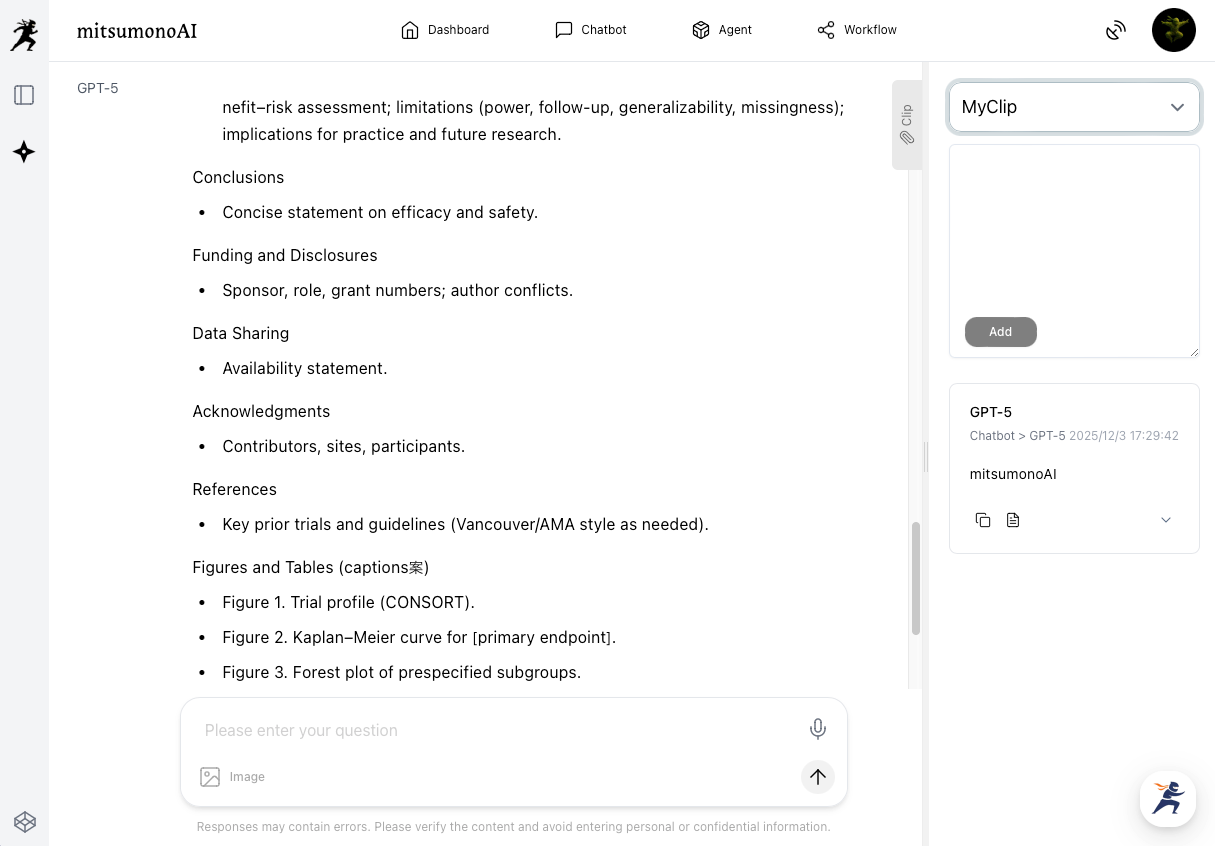
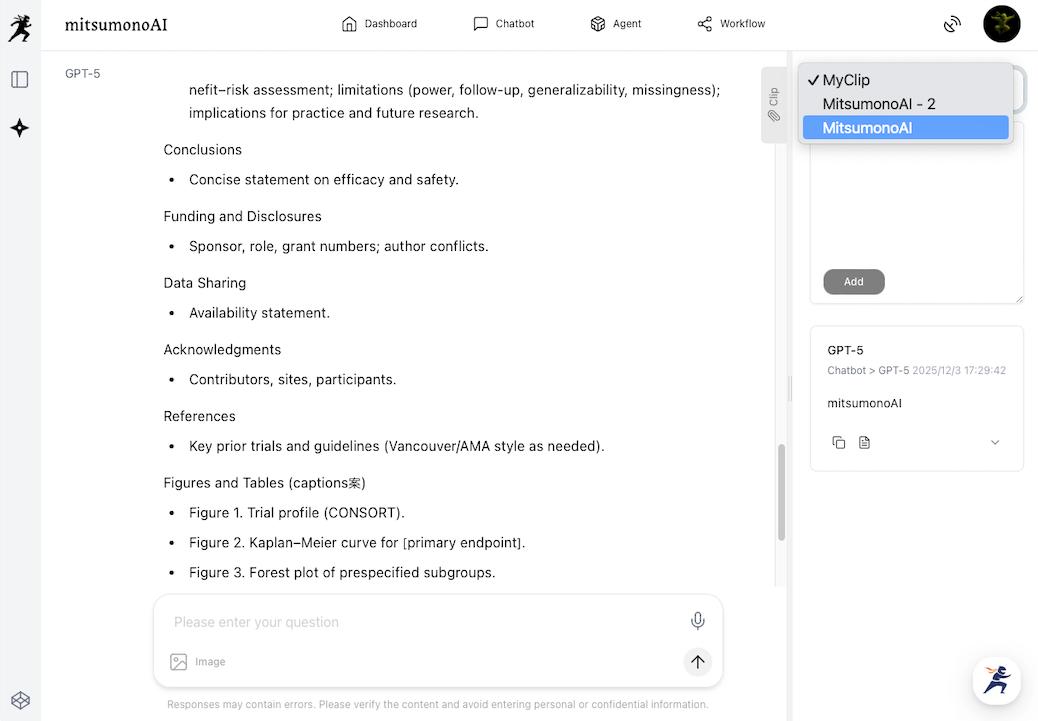
The newly added "Clip Feature" allows users to temporarily or permanently save text information outputted by various mitsumonoAI assistants or information inputted by the user, making it easy to reference and reuse later.
This feature streamlines information sharing between multiple tools, allowing you to efficiently generate consistent output while maintaining the continuity of your thought process.
✅ ChatGPT-5 Series Now Available
We have integrated OpenAI's latest AI model, the "ChatGPT-5 Series," into mitsumonoAI. Compared to conventional models, its advanced inference capabilities, long-text comprehension, expressive power, and multifaceted information processing capacity have been dramatically enhanced.
- GPT-5 Series added to the list of AI models.
- All features are updated to the GPT-5 Series.
▶︎Please refer to this manual for details on the features of the ChatGPT-5 Series.


Upgrade Guide
📝 Clip Feature
- Easy Saving, Viewing, and Editing of Output Results: You can easily save, view, and edit the output results.
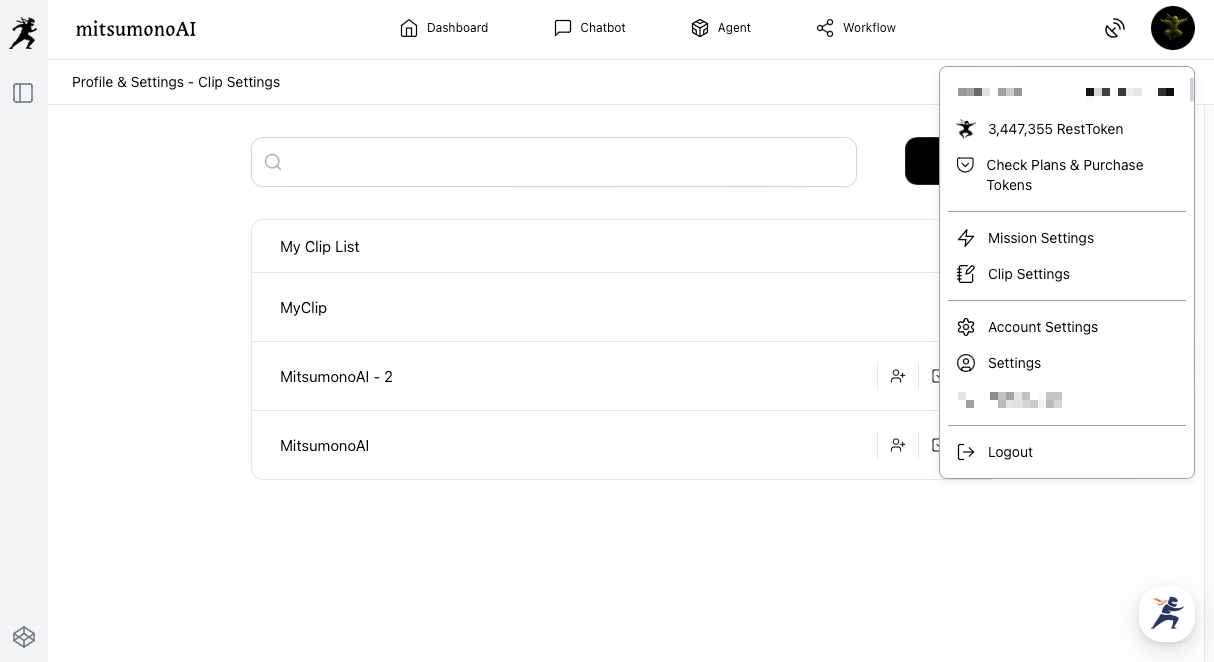
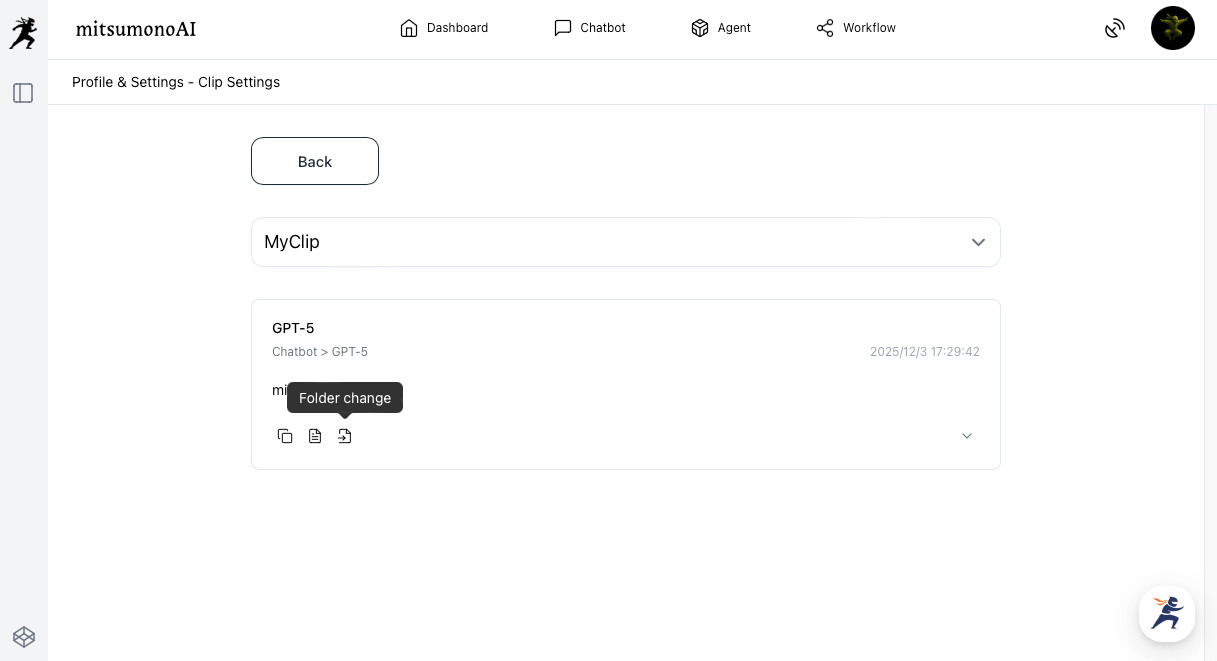
- Folder Organization and Management: Clips can be organized into folders. New folders can be added from "My Clips" in the menu, and clips can be moved between folders. This allows you to systematically organize information and quickly find what you need.
- Manual Editing Available: Output results saved as a clip can be manually edited. You can add new sentences or delete parts, allowing you to include your own insights or supplementary information. It can also be used as a manual note.
- Usable as a Note: Information obtained from each feature can be utilized as a manual note.
- Information Linking and Utilization: Information saved in a clip can be reused in other features. For example, you can save the SWOT analysis results created by the "Company SWOT Analysis Assistant" to a clip and then seamlessly paste the information from the clip into the input field of the "Target List Creation Assistant" for utilization.
📝 ChatGPT-5 Series
- GPT-5 Series Added to AI Models: The ChatGPT-5 Series has been added to the list of available AI models.
- Update of Each Feature to the GPT-5 Series: The ChatGPT-5 Series has been introduced to all major features, allowing for more accurate output results.
ℹ️ Notice Regarding Usage
- The "File Analysis Assistant" allows a maximum of 60 minutes of chat after upload, taking file confidentiality into consideration.
⚠️ Known Issues
- Currently, a system error occurs in the "Company SWOT Analysis Assistant" and "Review Analysis Assistant" when recalling past history to ask additional questions.
- This error does not occur when continuing the Q&A in chat format immediately after the output, and the feature can be used without issue in that scenario.



