Living Like a Local: Creating Captivating Real Estate SNS Posts with AI
Learn how to transform luxury property descriptions and canal views into high-performing Instagram posts. Use reference images and AI to create professional social media content for your vacation rentals in minutes.

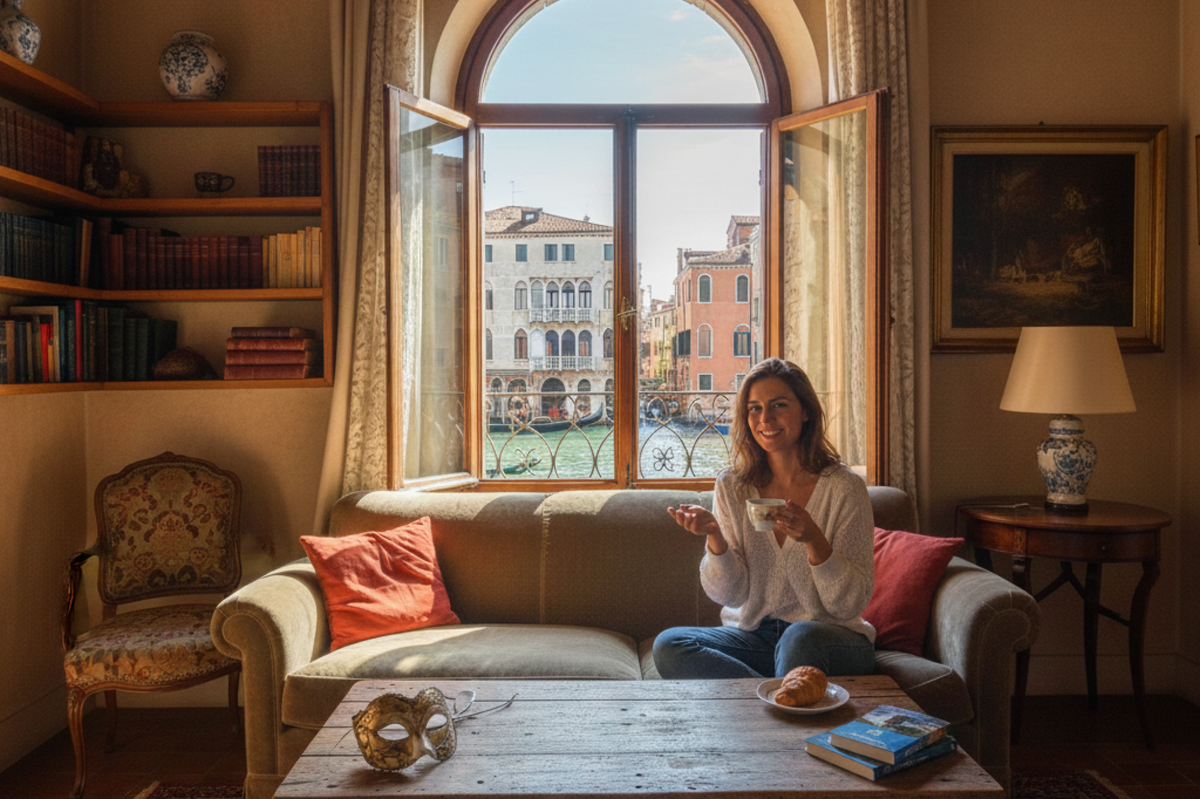
For property managers and vacation rental owners, social media is about more than just showing a room; it’s about selling a lifestyle. You want your audience to imagine themselves "living like a local" in a luxury Venetian apartment, but creating that aspirational "vibe" through design can be difficult.
Using property listings , we will show you how to take a professional interior photo and a website description to create a stunning Instagram post that attracts long-term travelers and families.
What You Will Learn in This Article
- How to use a Reference Image to guide your design's visual style.
- How to generate and save instructions to your Clip for a seamless workflow.
- How to create multi-platform posts (Instagram Feed & Stories) by simply changing the ratio.
STEP 1: Generate Instructions Using a Reference Image
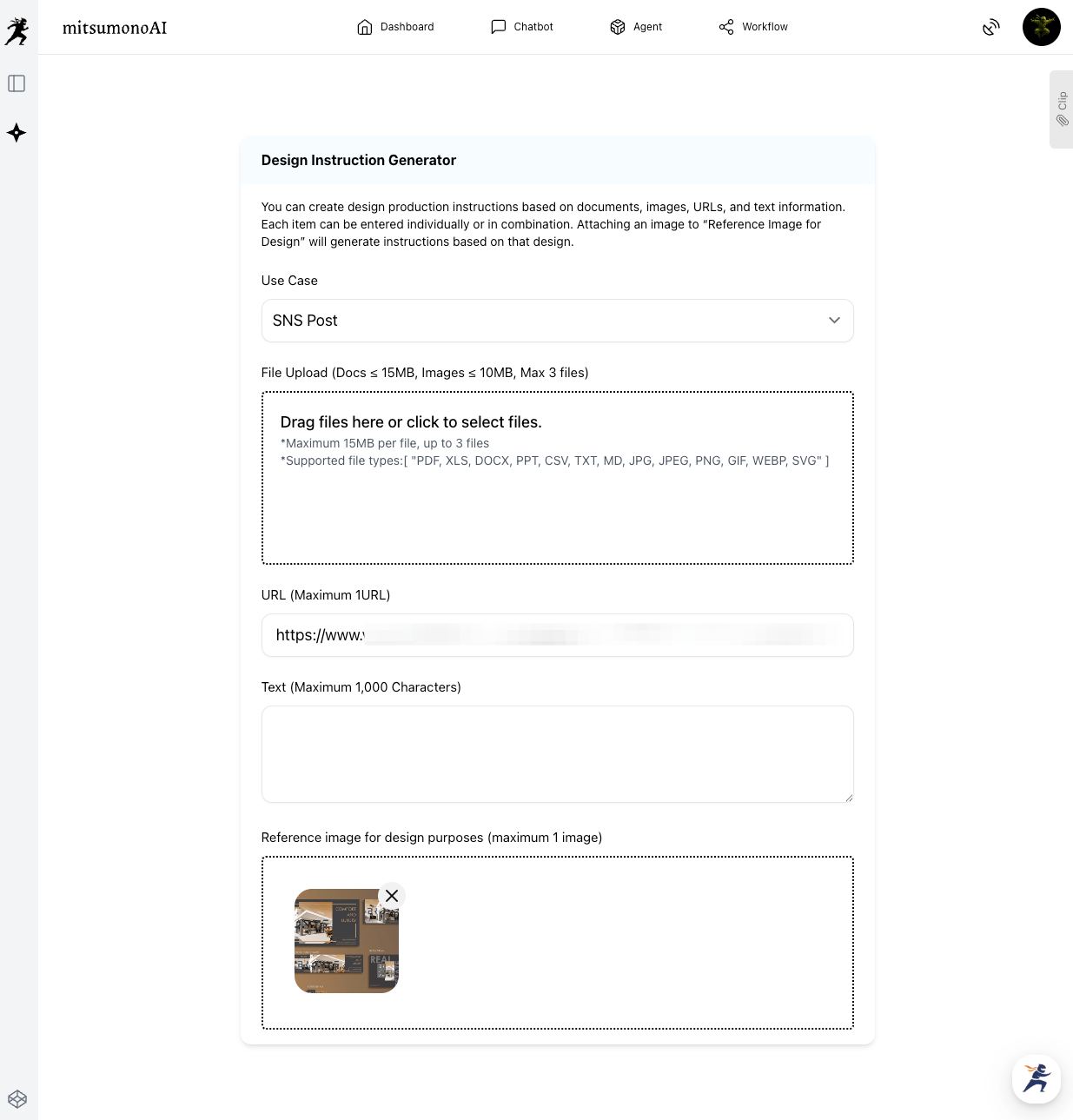
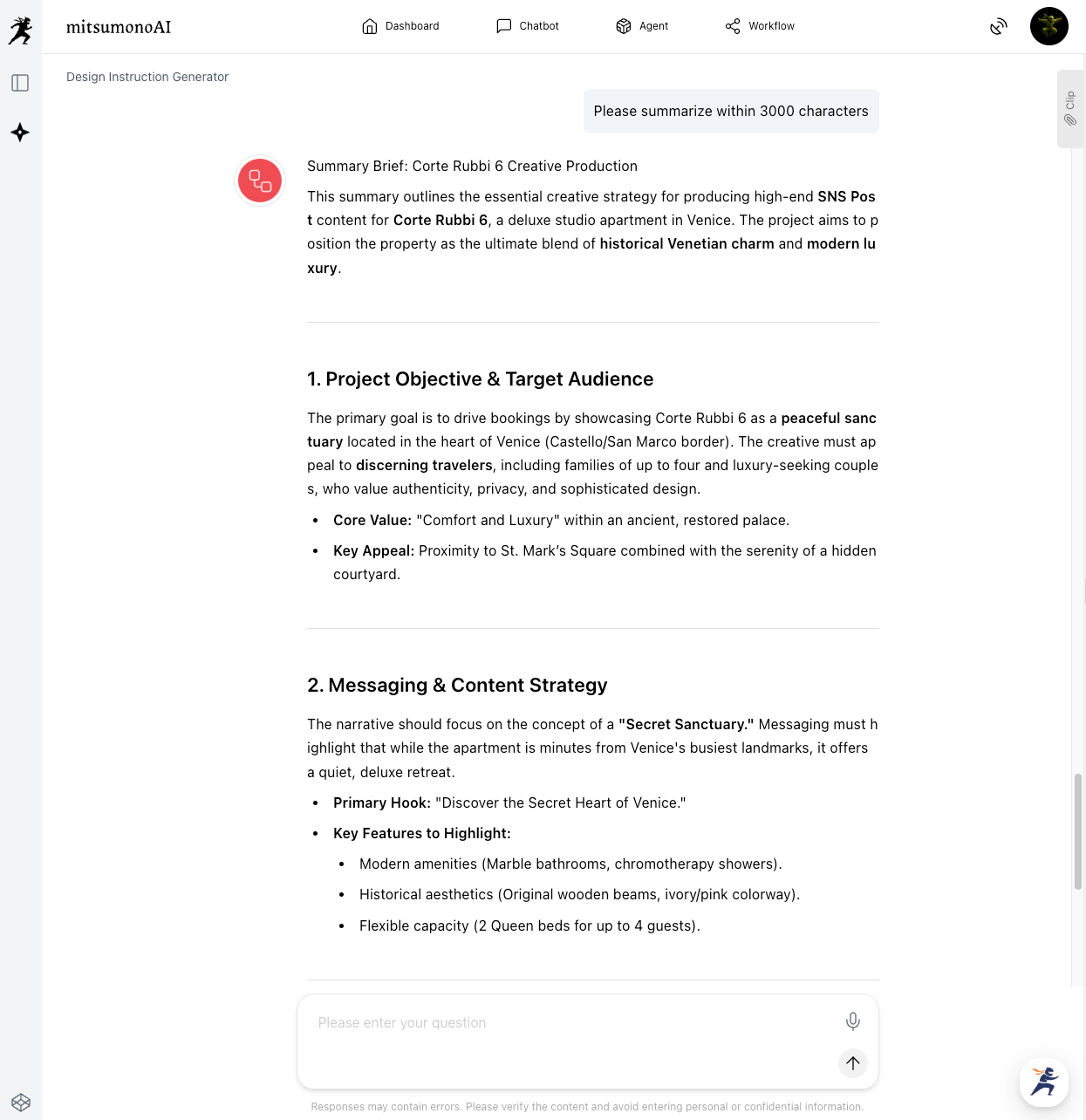
In this step, we use the Design Instruction Generator. Unlike a basic search, we are going to provide a "style guide" to the AI by using a reference image.
How-To:
- Select a Use Case: Choose "Social Post."
- Paste a URL: Use a property page.
- Attach a Reference Image: Upload a photo of your favorite design style into the "Design Reference Image" box. This tells the AI to make the final design professional and elegant.
- Generate: The AI will blend the property details from the URL with the aesthetic of the reference image.
Saving to Your Clip
Once your brief is generated, don't waste time highlighting and copying. Click the "Save to Clip" button located directly below the generation result. This stores your tailored instructions with a single click.
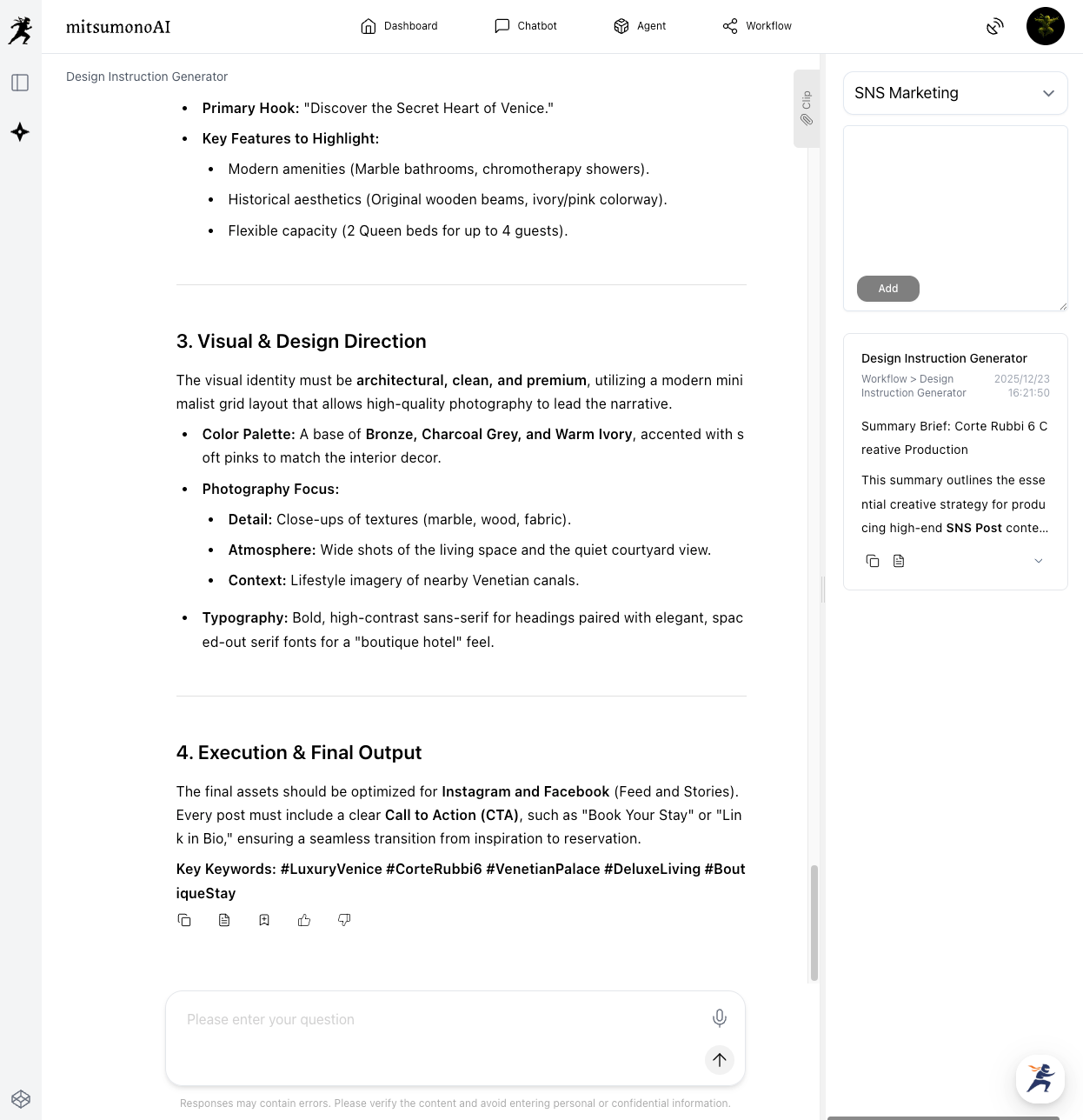
⚠️ Note: You can edit the generated text before saving it to your Clip. If the output is longer than 3,000 characters, you may want to provide an additional prompt to "Summarize for image generation" to ensure it fits the tool in the next step.
STEP 2: Generate the Post with a 3-Item Workflow
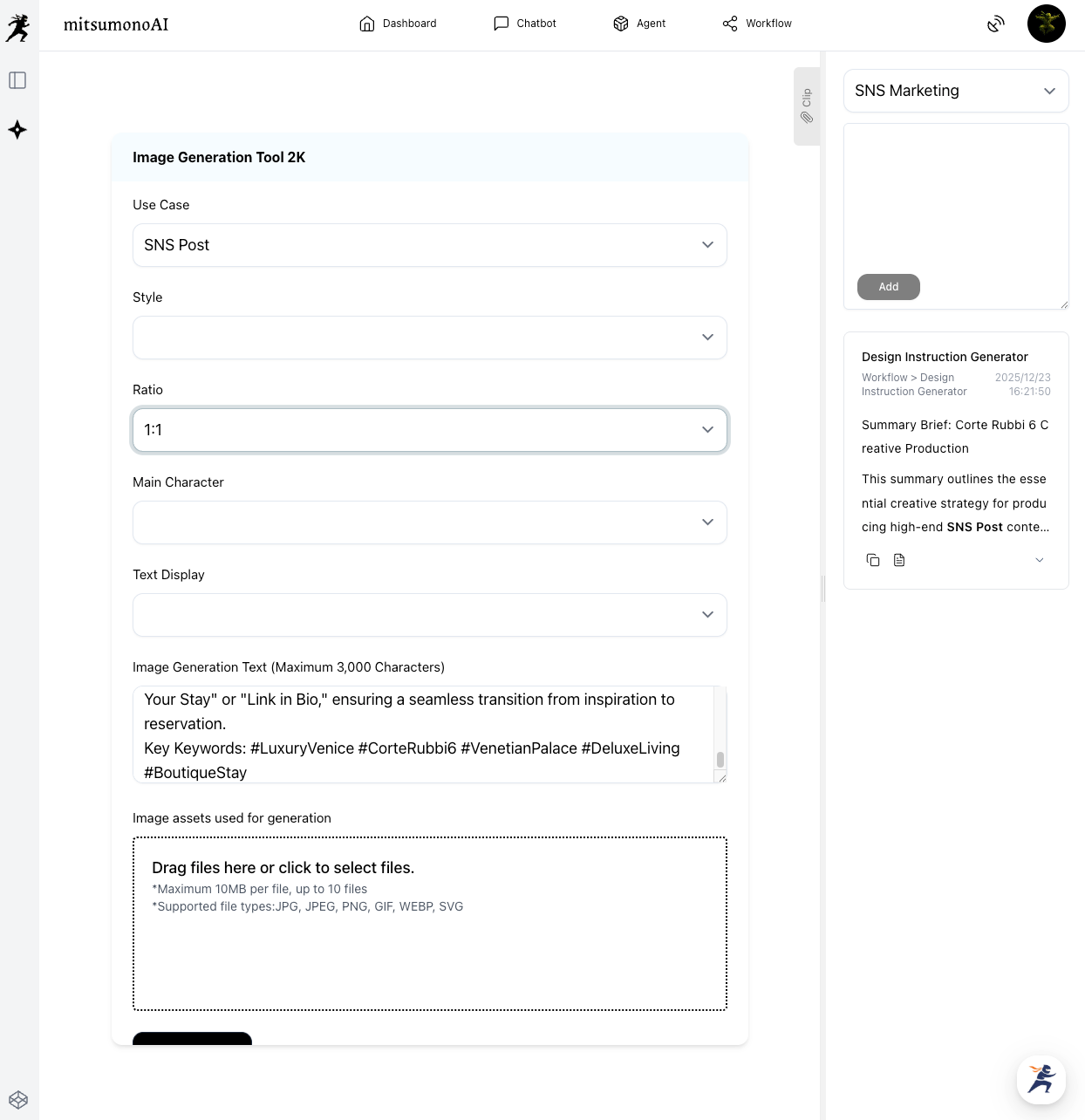
Now, open the Image Generation Tool 2K. Because you have saved your brief to your Clip, you can ignore almost all settings and focus on just three items.
The 3-Item Workflow:
- Use Case: Select [SNS Post].
- Ratio: Select 1:1 (Square) for your main feed or 9:16 (Vertical) for Instagram Stories.
- Image Generation Text: Click the "Copy" button from your saved Clip and paste the text into this box.
Important: You do not need to set Style or Main Character. The AI reads the specific aesthetic of your "Reference Image" and "Property Details" directly from the text you pasted!
The Final Result: A Dream Stay, Visualized
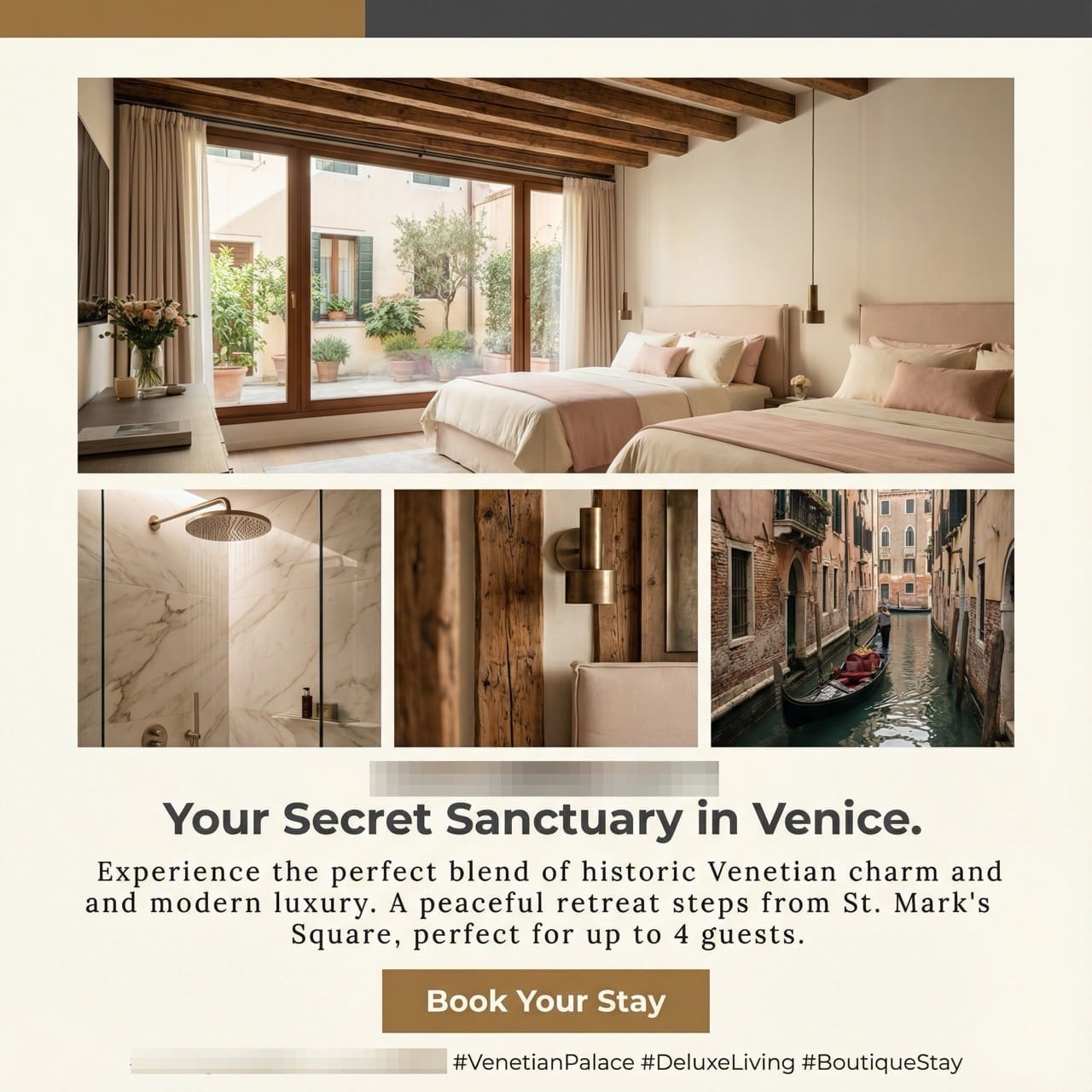
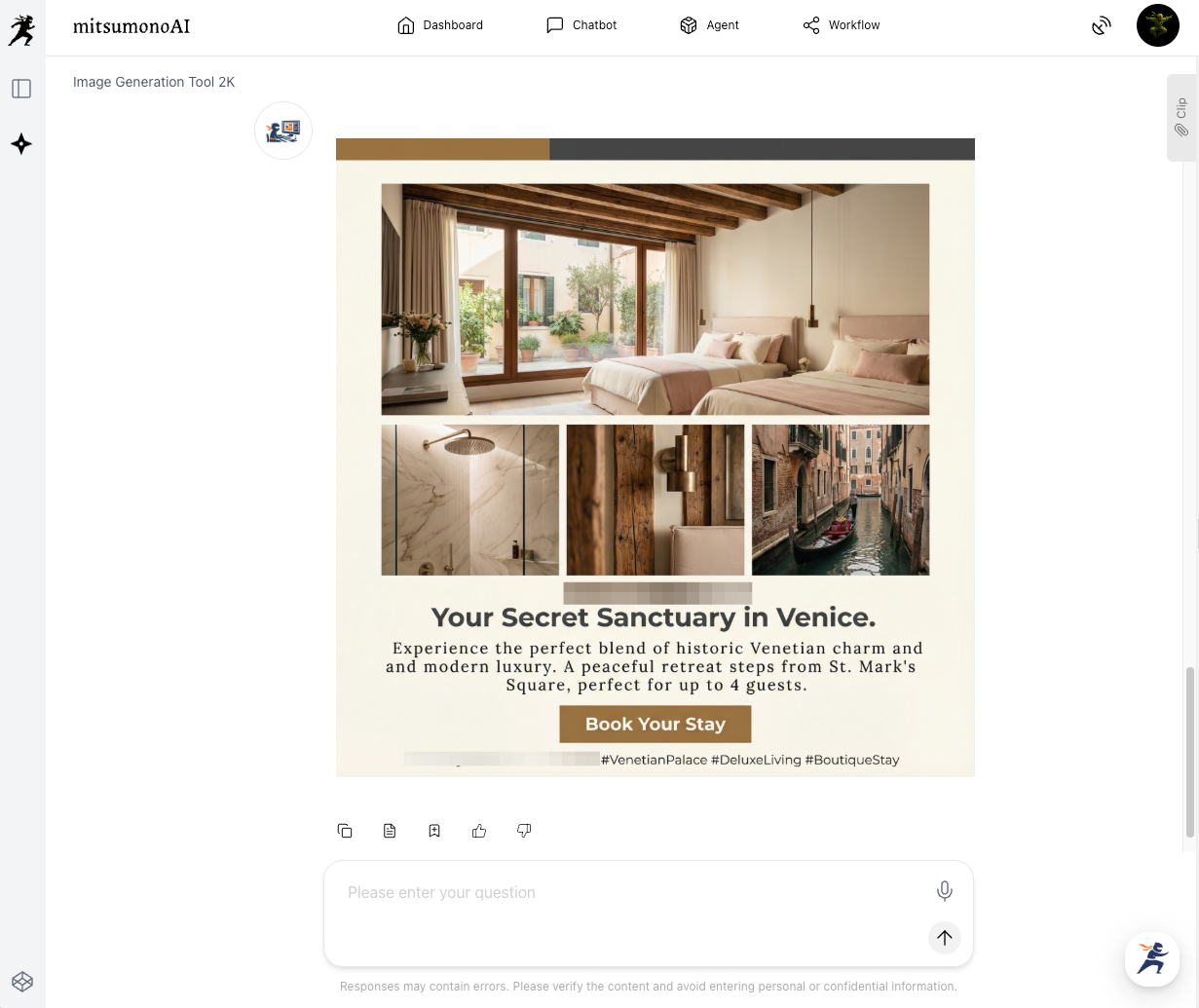
By combining a professional reference image with the rich descriptions of a Venetian apartment, the AI creates an SNS post that feels high-end, inviting, and perfectly tailored for luxury seekers.
Summary: One Design, Multiple Platforms
The true power of this workflow is its versatility. Once you have your clipped instructions, you can generate content for every platform in seconds.
- Step 1: Link your URL + Reference Image, then Save to Clip.
- Step 2: Paste your clipped text and set your Ratio.
- Step 3: Switch ratios (1:1 to 9:16) to create a matching Story post instantly!
Ready to show off your properties?
Start with your latest listing URL today and transform "rentals" into "dream destinations"!
Production reference example