Dramatically Transform Social Media Images with AI | Image Editing & Generation Techniques to Breathe New Life into Existing Photos
"This photo is okay, but it’s missing something..." Why not turn your dormant photo assets into viral creatives with the power of AI? This article explains two specific steps to create eye-catching social media visuals from existing photos—no specialized tools required.


Your Photo Folder is a "Gold Mine"
Launching a new product, announcing a campaign... Attractive images are essential for communicating on social media. However, many marketing professionals face the following hurdles.
The Limits of Traditional Methods
- Repetitive Assets:
You have plenty of photos from the past, but they all look the same, and your posts aren't getting more "likes." - The Skill Barrier:
Specialized image editing software like Photoshop is difficult to operate; even simple corrections or processing take up too much time. - Lack of Design Consistency:
The "vibe" of images varies depending on the person in charge, failing to communicate a consistent brand image.
These challenges stem from not being able to fully utilize your existing "assets"—your photos.
By reading this article, you will learn the specific process of using AI to solve these issues, allowing anyone to easily turn existing photo materials into powerful, eye-catching weapons for social media.
AI Becomes Your "Dedicated Retoucher and Art Director"
mitsumonoAI provides advanced image editing and generation features to solve these creative production challenges. It’s like having a professional retoucher (an image correction expert) and an art director instantly bring your ideas to life.
- nano-banana (Image Editing Feature):
This tool understands the context and composition of the "original image" you upload. With simple natural language instructions like "make the background a bit brighter" or "move the product to the center," it performs high-precision edits without ruining the original atmosphere. - Visual Creative Analyst:
The AI objectively evaluates and scores the composition, color balance, and brand alignment of the finished image. It allows you to judge design quality based on data and suggests points for improvement.
By linking these AI tools, you can bring "objective metrics" and "overwhelming speed" to design tasks that previously relied on individual intuition, dramatically improving the quality of your creatives.
Step-by-Step: The Flow for Creating "Winning Visuals"
Step 1: [nano-banana] Describe Your "Ideal Image" to the AI in Words
First, take the existing photo materials sitting on your PC and evolve them into ideal visuals using the power of AI.
[Preparation & Execution]
Launch nano-banana and upload the photo file you want to edit in the "Original Image" field. Then, in the "Image Generation Prompt" section, provide specific text instructions for the changes you want to make (e.g., using a restaurant menu photo as an example).
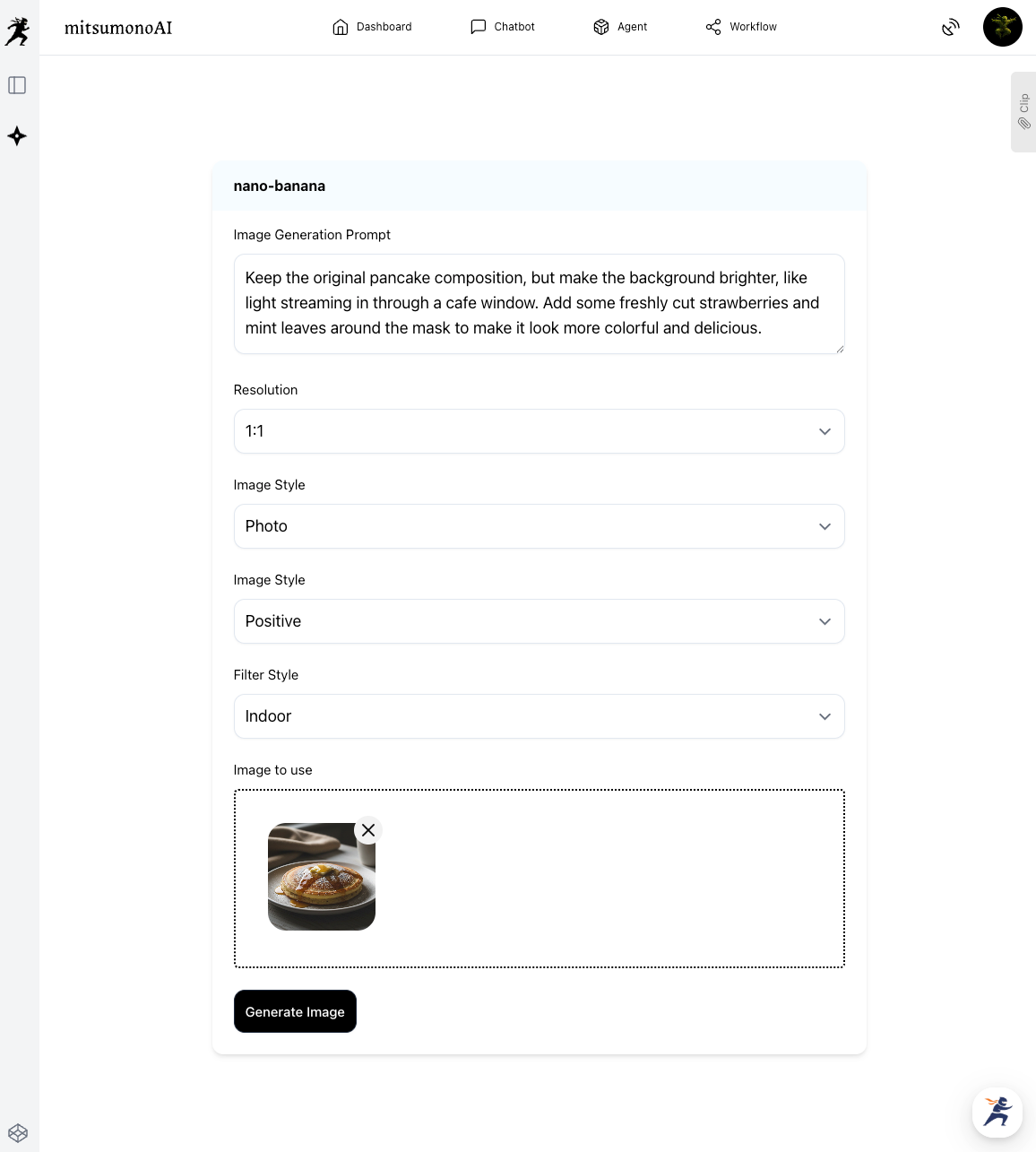
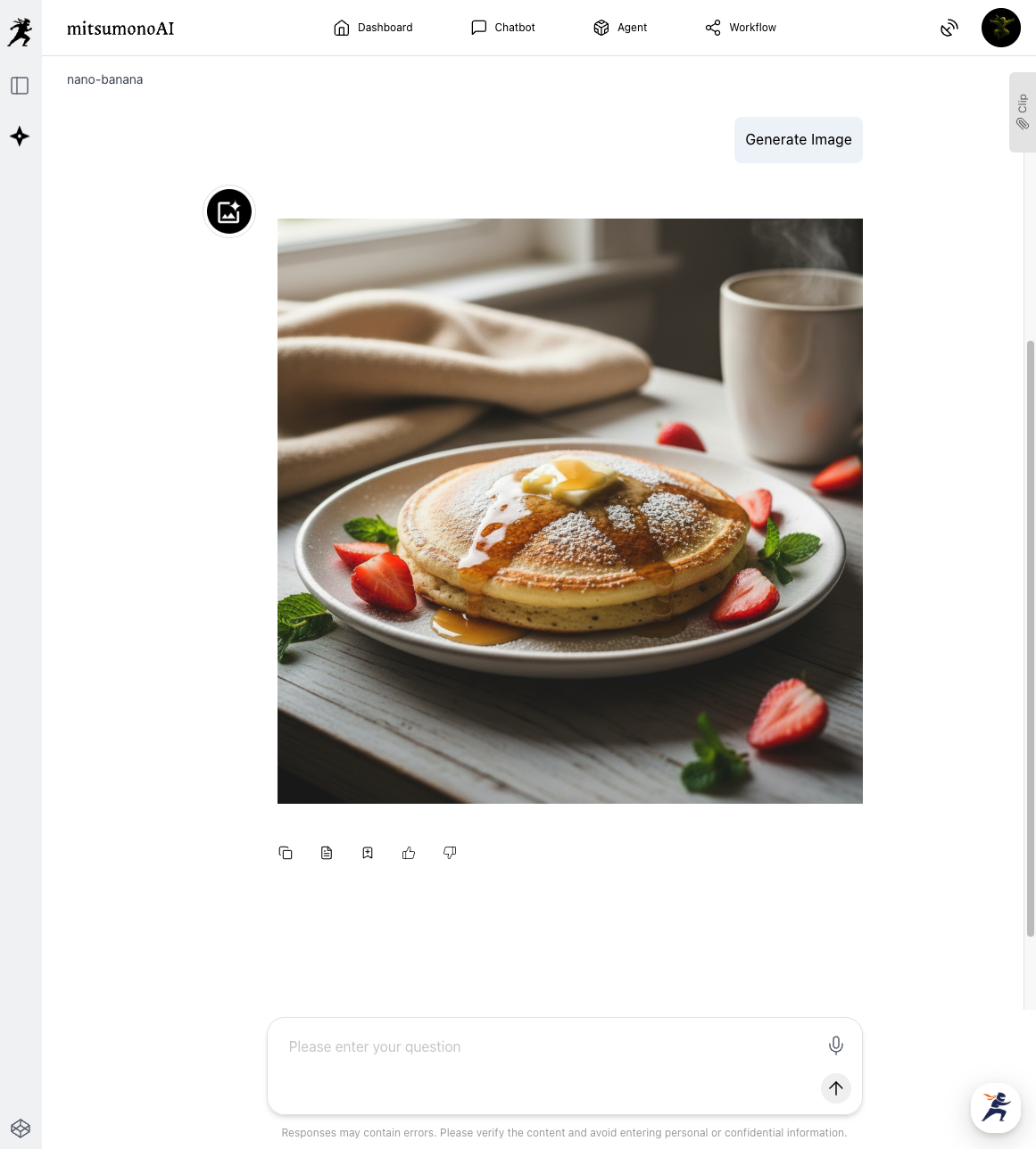
Through this step, an attractive image full of "sizzle" (appetizing appeal) is instantly completed—as if a professional had re-shot and styled it—without you ever needing specialized editing software.
Step 2: [Visual Creative Analyst] Give Your Design a "Health Check"
Next, have the AI objectively evaluate whether the finished image will truly resonate with the target audience and align with the brand image.
[Preparation & Execution]
Launch the Visual Creative Analyst and upload the image generated in Step 1. By selecting the "Intended Use," you can receive an analysis more tailored to your goals.
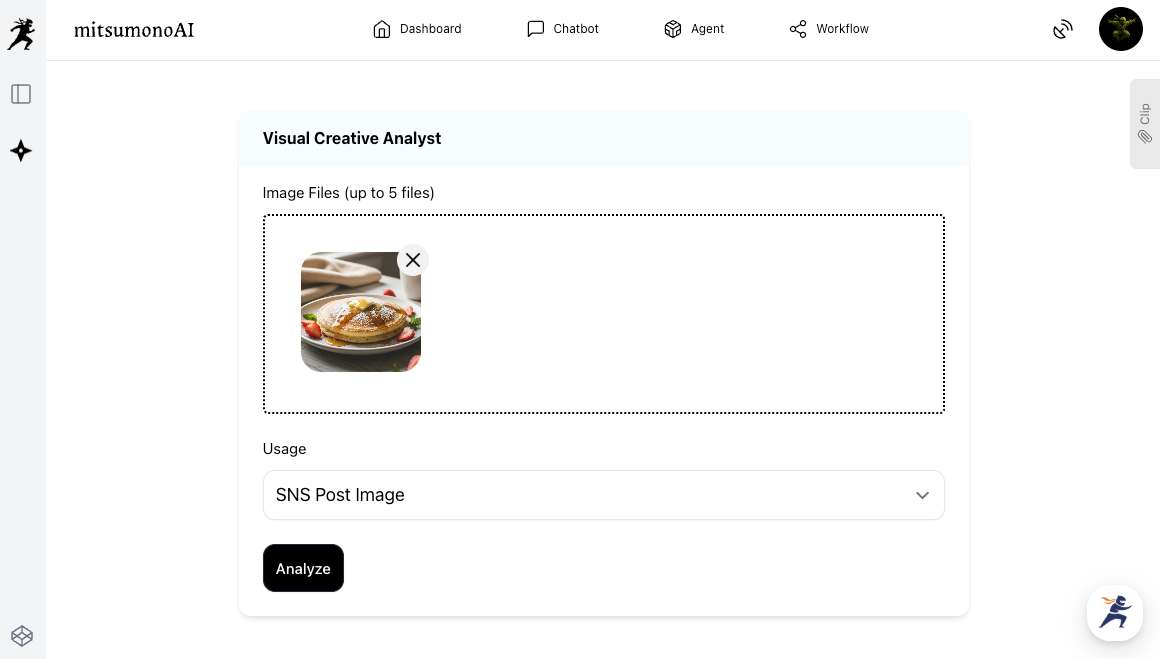
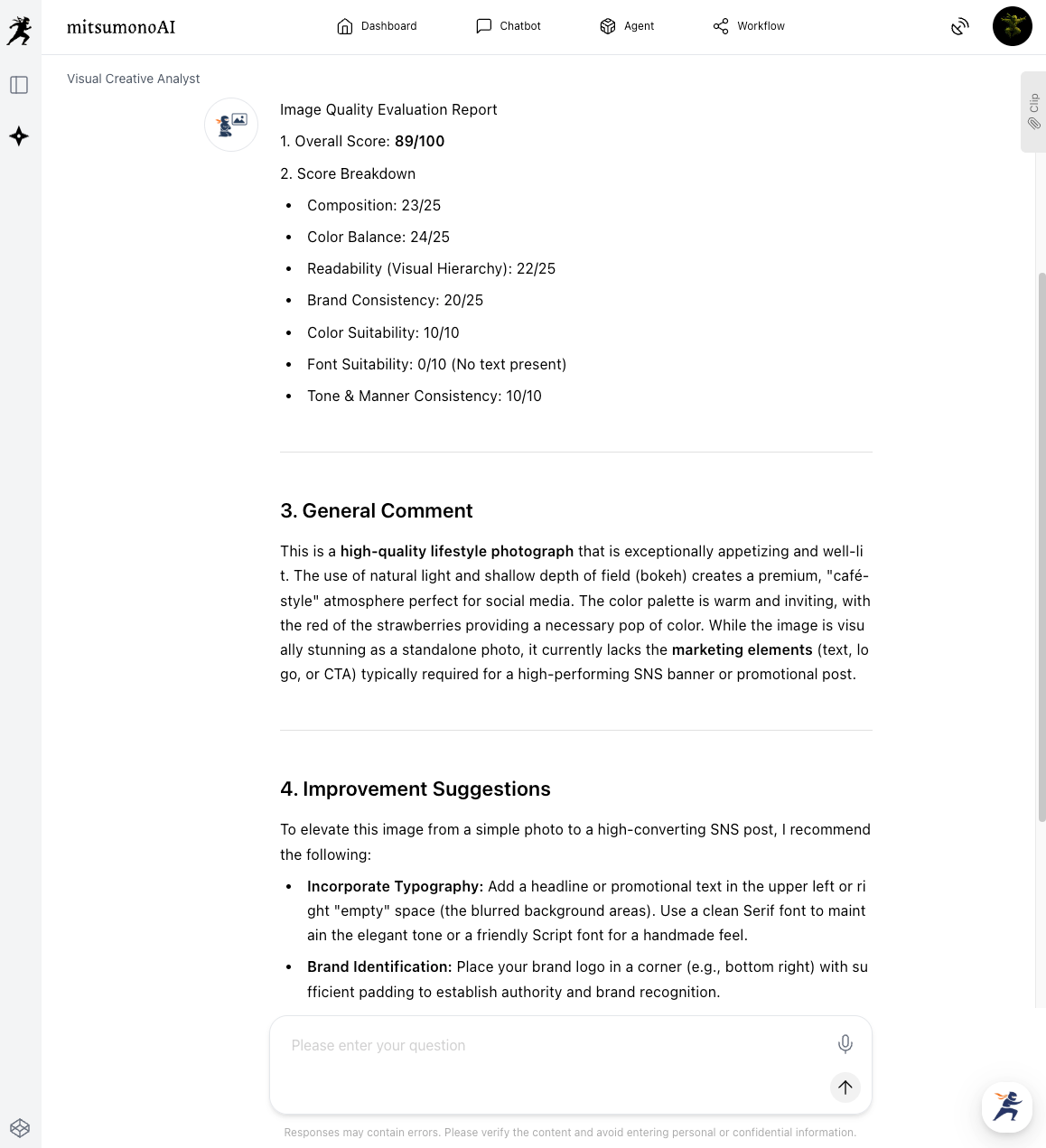
Through this step, you can judge the quality of a design based on objective data rather than personal feeling, thereby increasing the success rate of your creative efforts.
Applications: From A/B Testing to Establishing Brand Guidelines
This AI workflow is not just for one-off image edits.
- Creative A/B Testing:
Generate images in multiple styles (e.g., "Natural" vs. "Pop") with nano-banana and test which one gets a higher engagement rate on social media. Find your "winning pattern" based on data. - Establishing Brand Guidelines:
Analyze the composition and color trends common to images that receive high scores from the Visual Creative Analyst. Document these as "Design Guidelines" so anyone in the company can produce consistent creatives. - Expansion into Video Content:
Based on the edited images, use the video script creation workflow to create plans and outlines for short videos for Instagram Reels or TikTok.
Summary
This article introduced two specific steps for using AI to evolve existing photo assets into attractive visuals that drive high engagement on social media.
- Step 1: Breathe new life into dormant photos using "words."
- Step 2: Objectively evaluate the finished design using "data."
AI is your "Dedicated Retoucher and Art Director." You no longer need specialized skills or expensive software.
Why not dig into the "gold mine" of your photo folders with AI and create powerful visuals that accelerate your business?
mitsumonoAI is a specialized AI platform designed to simultaneously improve the quality and speed of operations through AI.
In addition to creative production, it can be used to solve various business challenges, improve efficiency, and create new value for your company.