Master Hospitality Manuals via Video | Efficiently Create Video Scripts with AI
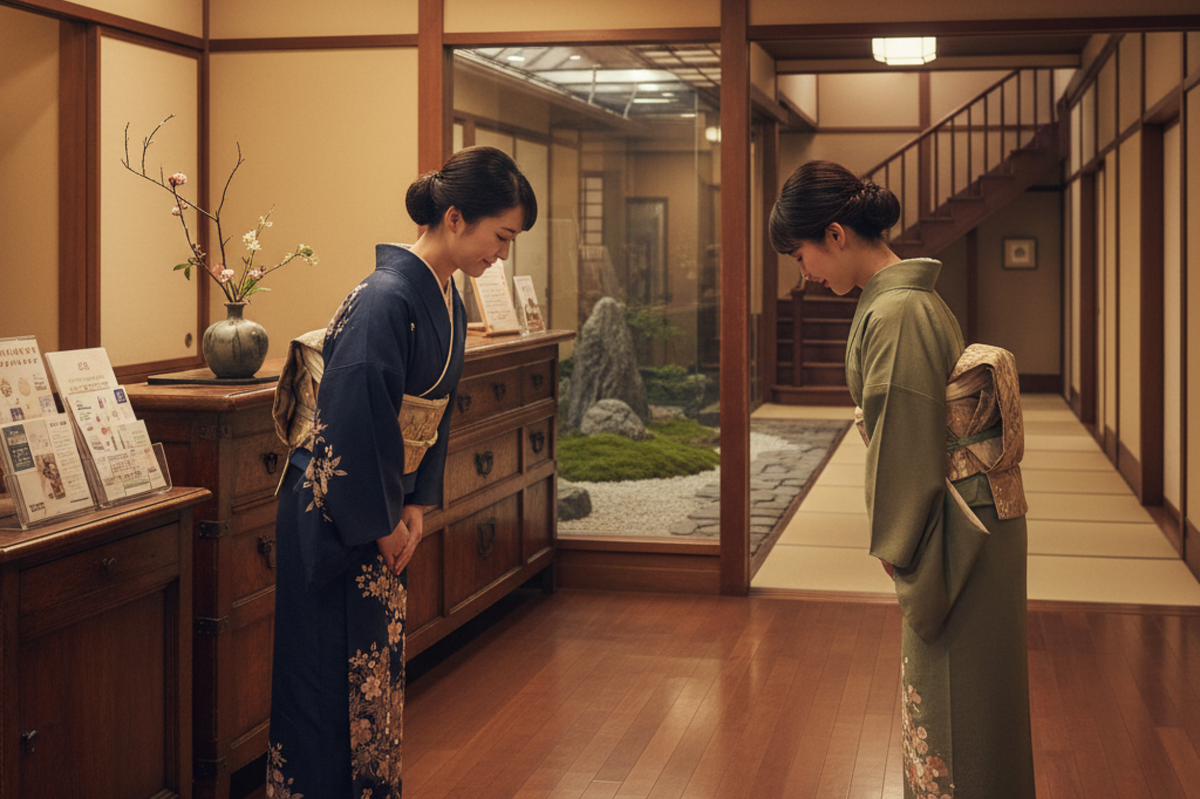
Dramatically reduce the time and effort spent creating training materials. By crafting easy-to-follow hospitality guide videos, new staff can approach "Omotenashi" with confidence, elevating the service level across your entire facility.

Tools to Use
- File Analysis Assistant
- Video Script Creation Workflow
AI-Generated Training Content that Truly Connects
New hires at ryokans and hotels have a lot on their plates, covering everything from the front desk and guest rooms to the dining areas.
Paper or PDF manuals are often just walls of text, making it hard to visualize actual movements and even harder for the information to stick.
Today, we’ll show you how to organize manual highlights and efficiently convert them into easy-to-understand videos or Q&A content that provides instant answers.
Let’s use the power of AI to create training content that actually "clicks" with your staff, significantly boosting their understanding and retention.
Specific Steps
Step 1: Extract Key Procedures from Existing Manuals
▶︎ File Analysis Assistant
First, upload your current hospitality manuals or complaint-handling guidelines to the "File Analysis Assistant" and click "Analyze."
Next, send the following message in the chat:
1.Basic hospitality flow: Summarize the main sequence, such as greetings, guiding guests, and seeing them off.
2.Specialized task points: Identify crucial procedures and precautions for each department, such as check-in, meal service, and guest room response.
I want to create a script for a new hire training video based on this info, so please use phrasing that includes 'visually clear movements and expressions.'"
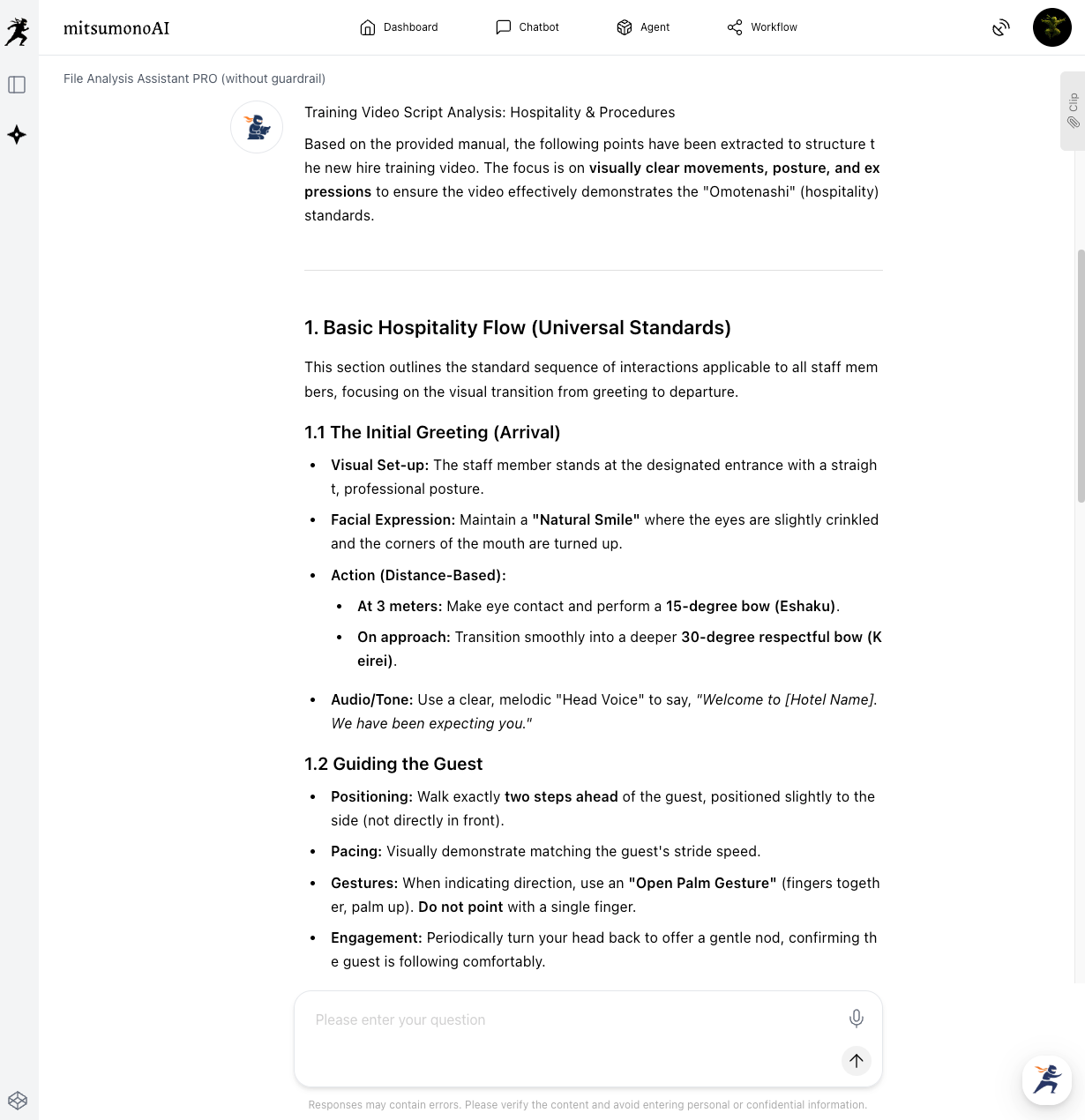
The AI will organize the information from your manual into a format that is easy to turn into a video.
Review the content and save the output to your "Clips," as we will use this for the Video Script Creation Workflow in Step 2.
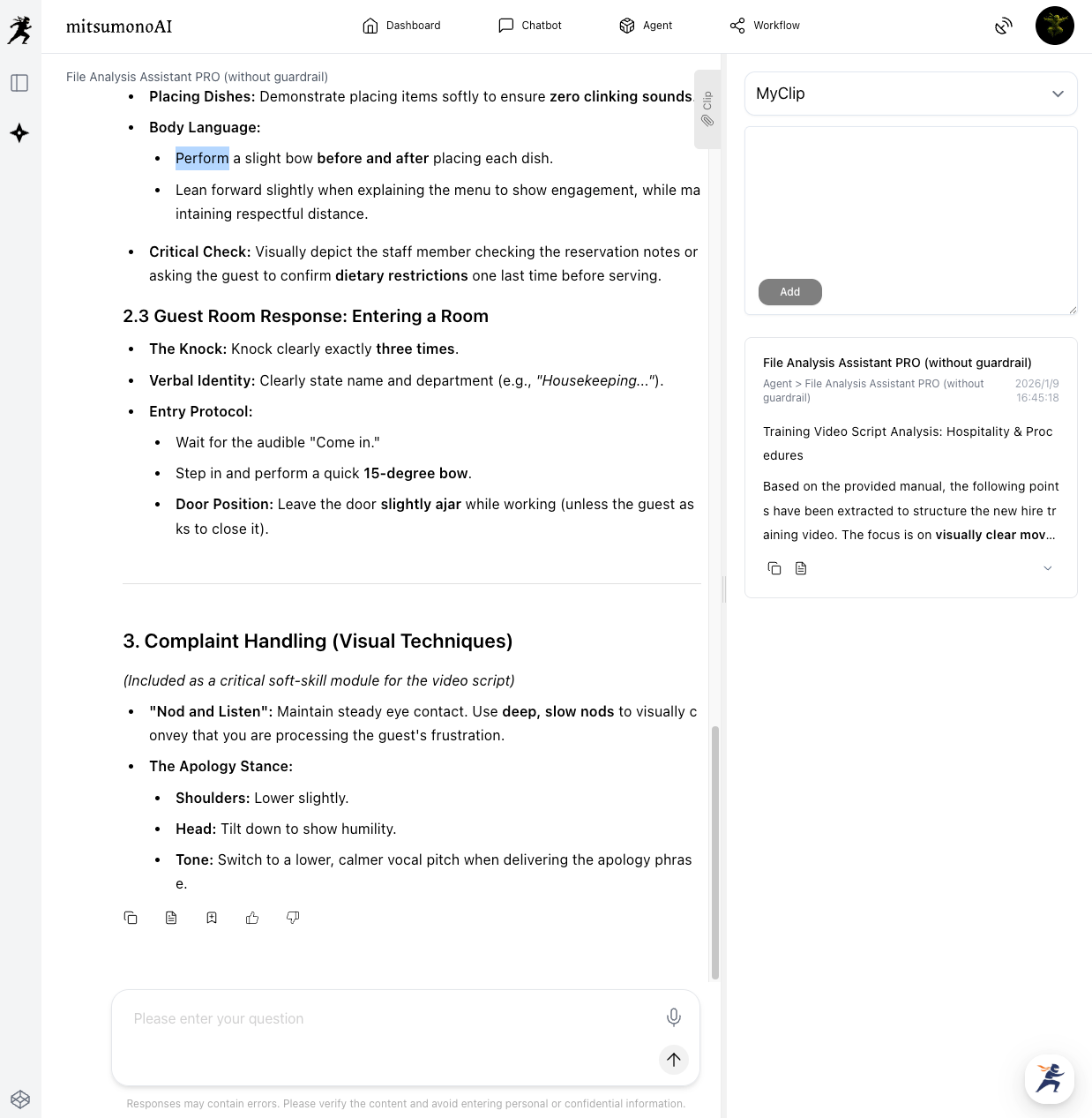
Step 2: Create the Training Video Script
▶︎ Video Script Creation Workflow
Using the core parts of the video saved in Step 1, we will create a YouTube video for educational use.
If a single video is too long, it’s hard to stay focused. For this example, we will split the content into individual videos, such as "Mindset and Grooming" and "Grooming Checkpoints."
This allows new employees to review specific sections quickly.
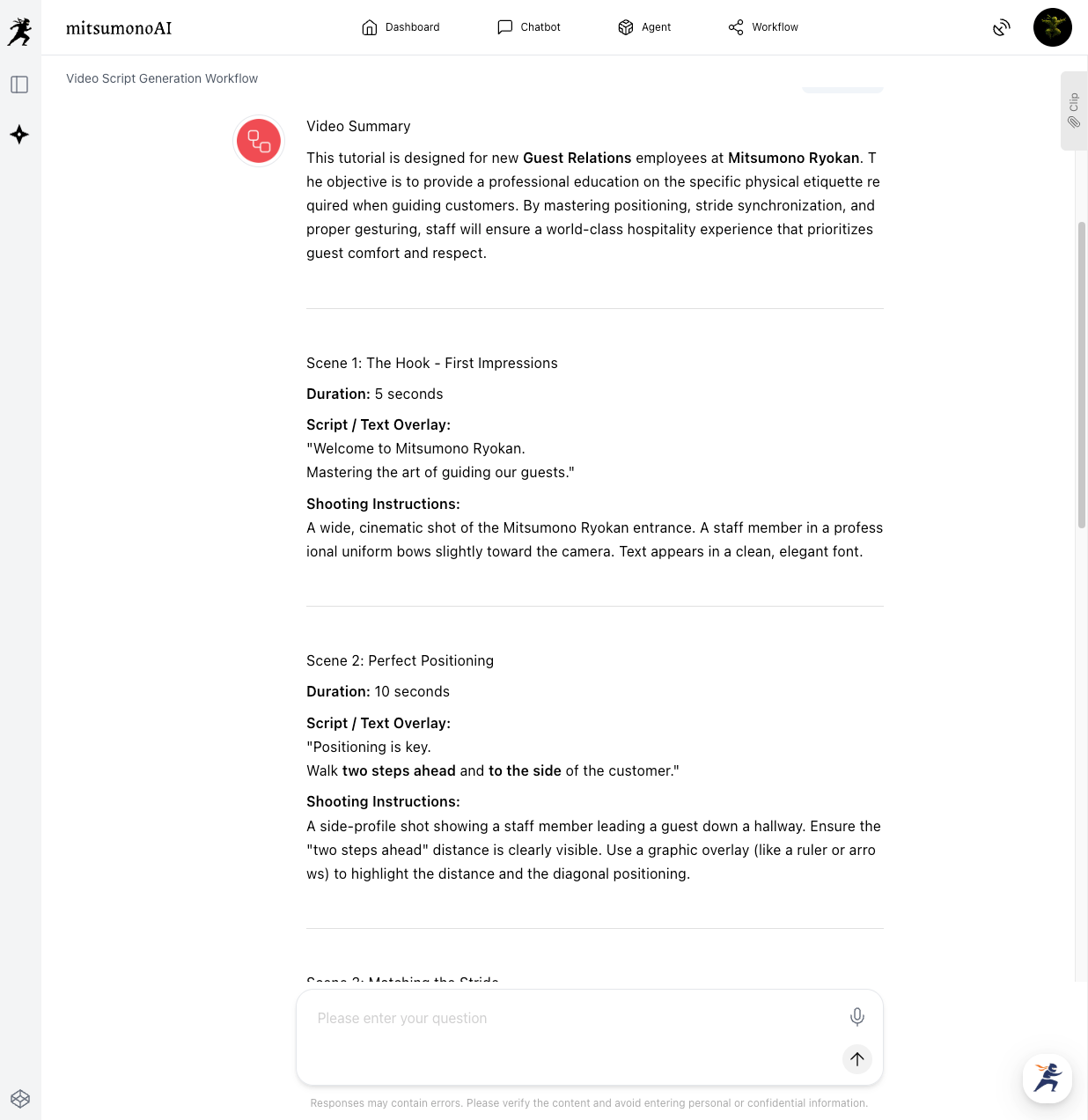
To create the "Mindset and Grooming" video, fill in the designated fields in the "Video Script Creation Workflow" and click "Generate."
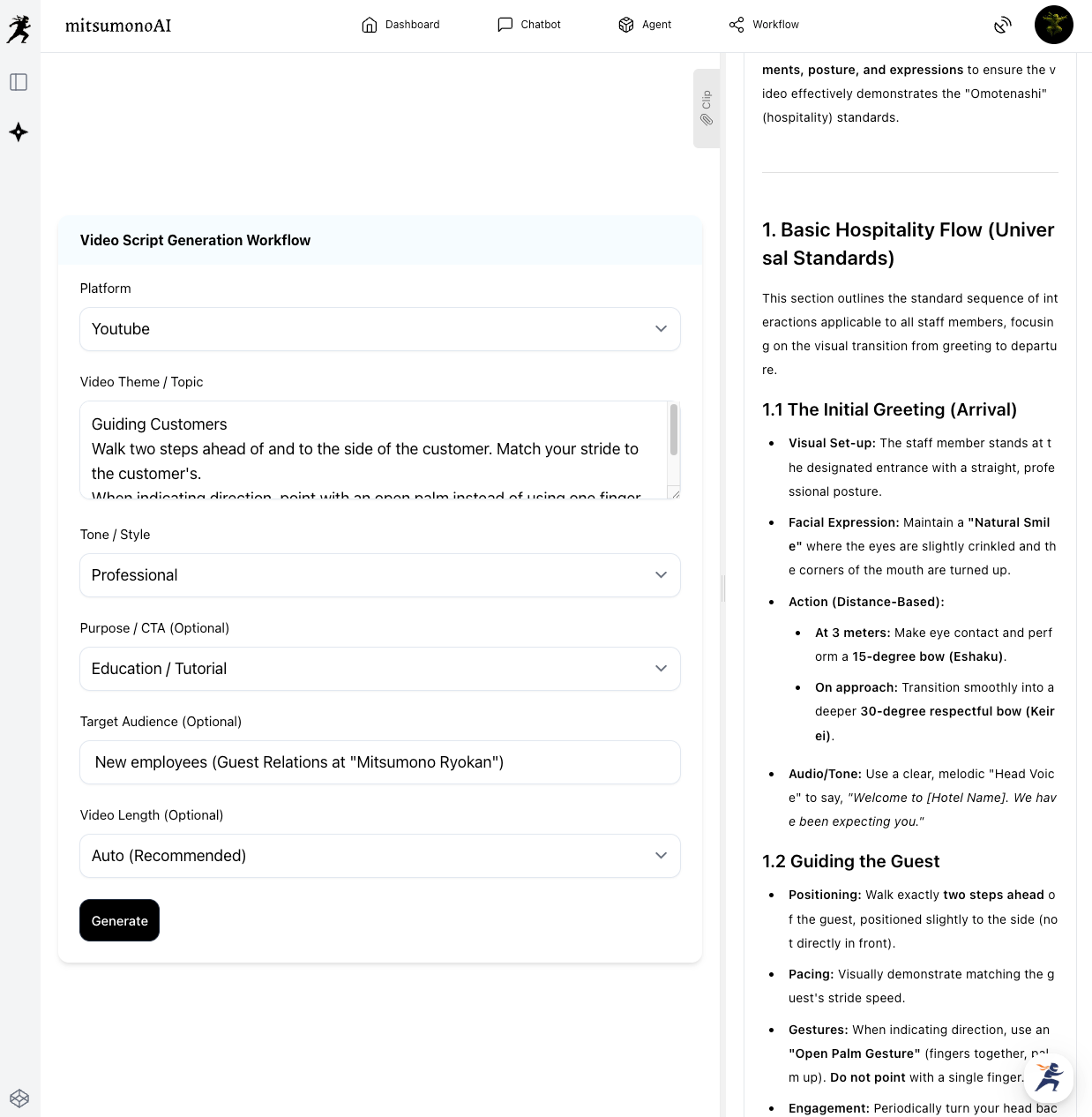
The AI will output the scenes, on-screen text, and filming instructions all at once.
Step 3: Creating and Utilizing Training Content
Based on the generated script, you can now film and produce the hospitality guideline video for new hires.
Video content created this way can convey "specific facial expressions," "tone of voice," and "body language"—details that paper manuals simply can't capture.
The finished content is useful not just for initial training, but also for retraining existing staff and standardizing service quality.
Staff will be able to approach "Omotenashi" (*1) with confidence, turning new hires into effective team members quickly and ensuring a consistently high level of service for your guests.
*1 Omotenashi: The Japanese spirit of selfless hospitality and wholehearted service.
Results Achieved (Examples)
- Dramatically Improved Understanding of Hospitality Skills
By using video to show the "subtle nuances" of professional service that are hard to grasp in paper or PDF manuals, new staff understanding improves significantly. - Diversified and High-Quality Training Content
With AI generating the scripts, you can efficiently produce effective and interactive training materials. - Improved Staff Retention
Easy-to-understand training content that can be reviewed at any time reduces job anxiety and builds confidence, helping to prevent early turnover. - Reduced Training Time and Burden
AI supports everything from extracting manual highlights to scriptwriting, greatly reducing the prep work for trainers. - Standardized "Omotenashi" Quality
Visual training ensures all staff provide the same high-quality service, leading to better guest reviews.
Target Metrics After One Year (Reference)
KGI (Key Goal Indicator):
- Customer Satisfaction Score (Hospitality items): 3% increase YoY.
- New staff turnover rate: 5% reduction YoY.
KPI (Key Performance Indicators):
- Number of hospitality guideline videos produced: 5 or more per year.
- Time from training completion to floor readiness: 20% reduction.
- Number of guest complaints regarding hospitality: 10% reduction YoY.
For more use cases and the latest information, visit the mitsumonoAI blog site.