How to Create Personalized Messages for Regular Customers with AI: Balancing Efficiency and Customer Satisfaction
AI automatically generates warm email drafts based on customer data like history and birthdays. We’ll show you how to effortlessly create messages that resonate with every customer to dramatically deepen engagement.


Tools to Use
- Email, Review, and DM Reply Generator
- AI Models
The Importance of Communication with Regular Customers
Expressing gratitude to the loyal customers who support your business daily is essential for long-term success. However, with so many customers, creating heartfelt, tailored messages for each individual can be difficult and time-consuming.
In this article, we will explain practical steps for efficiently creating personalized messages that maintain a warm tone while being uniquely tailored to each guest.
Specific Steps
Step 1: Create a Warm Email Template
▶︎ Email, Review, and DM Reply Generator
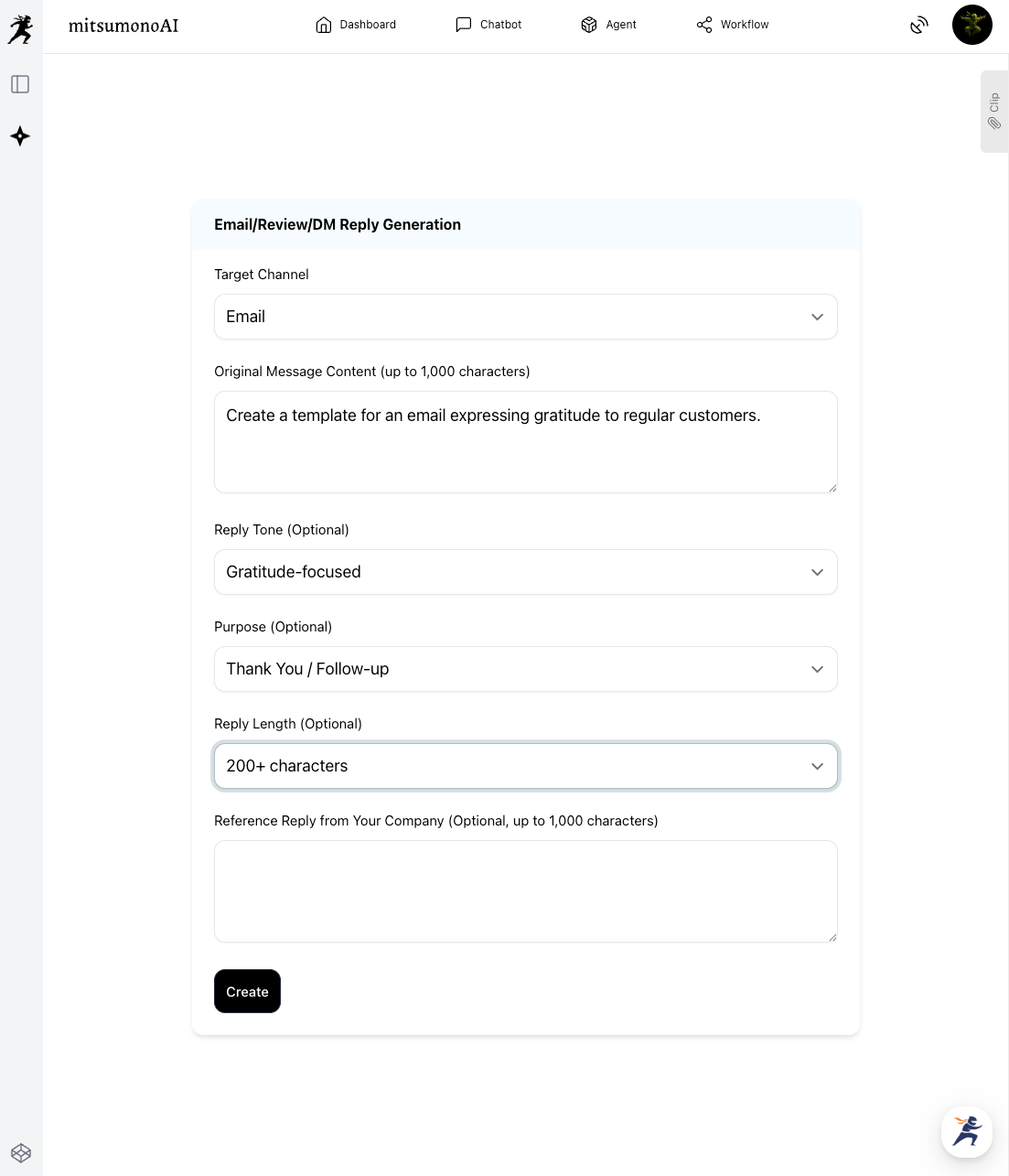
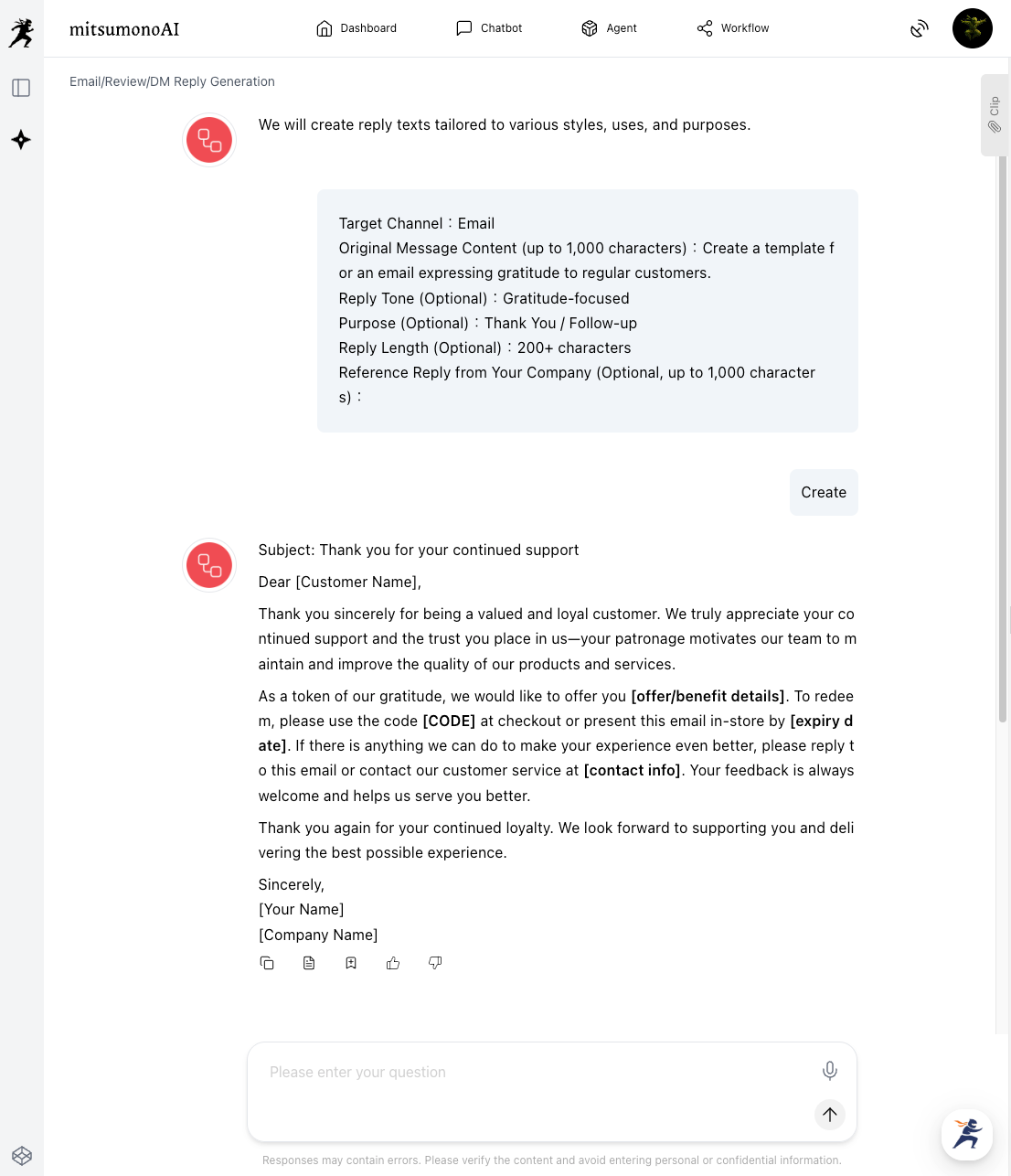
First, use the Email, Review, and DM Reply Generator to create a basic thank-you template for your regulars.
- Original Message
We are letting the AI create a general template here, so specific details are omitted. If you are replying to a specific inquiry or DM, enter that content here. - Reference Text
Omitted here to allow the AI to generate a general template. If you have past examples of thank-you emails, including them here will help the AI learn your brand’s specific tone.
Step 2: Review the AI Draft and Optimize the Template
▶︎ Email, Review, and DM Reply Generator (Continued)
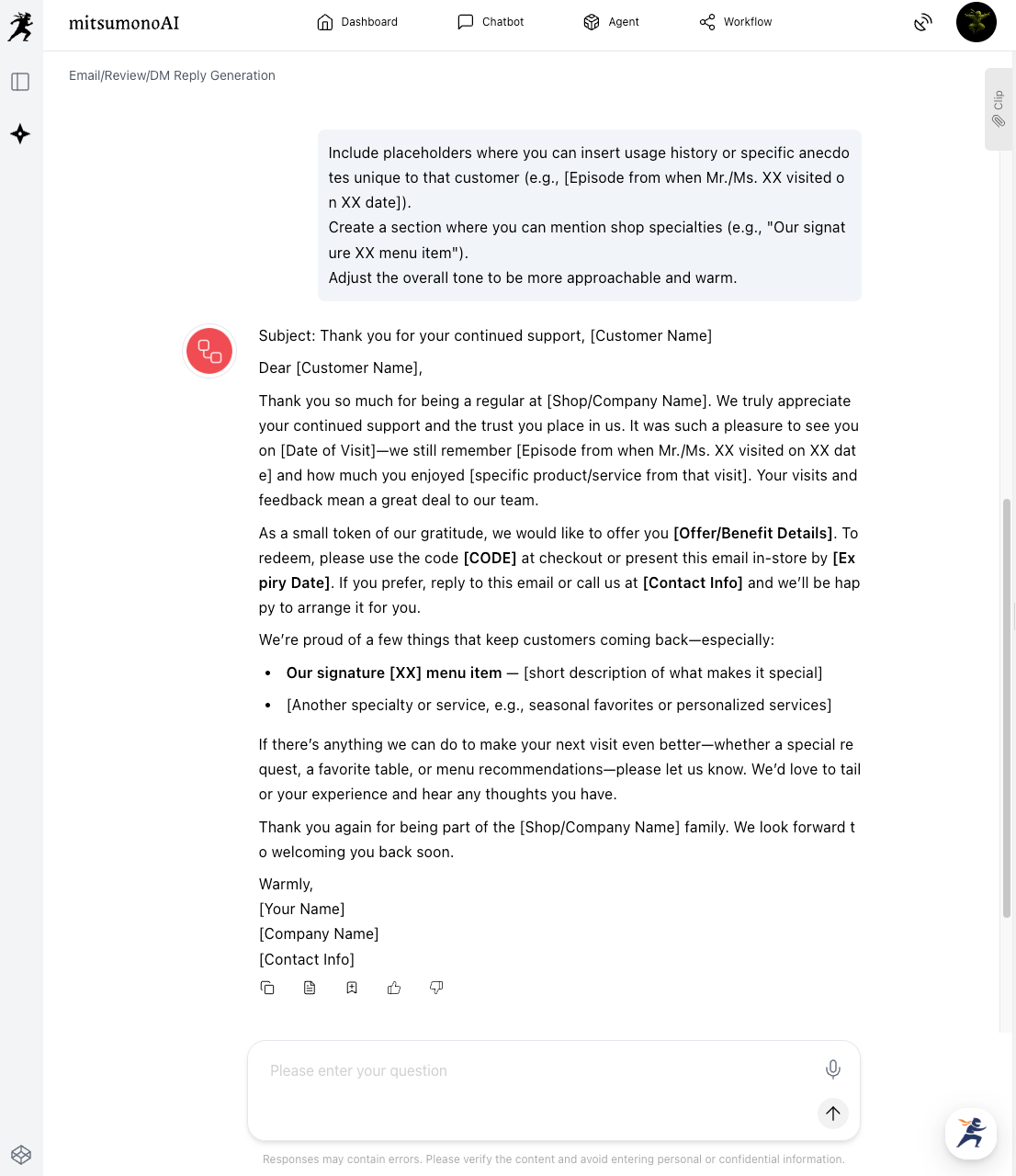
Review the draft generated by the AI and adjust it into a more practical template. By adding the following instructions, you can create a template that is easy to personalize:
Create a section where you can mention shop specialties (e.g., "Our signature XX menu item").
Adjust the overall tone to be more approachable and warm."
Once the template is finished, save it using one of the following methods:
- Save using the "Clip" function
- Save as a Word or text file
- Register it in your Customer Relationship Management (CRM) system’s template library
From now on, you can easily create personalized drafts just by adding specific customer details to this template.
Step 3: Personalize by Adding Individual Customer Data
▶︎ AI Model (e.g., Claude 4.5 Haiku)
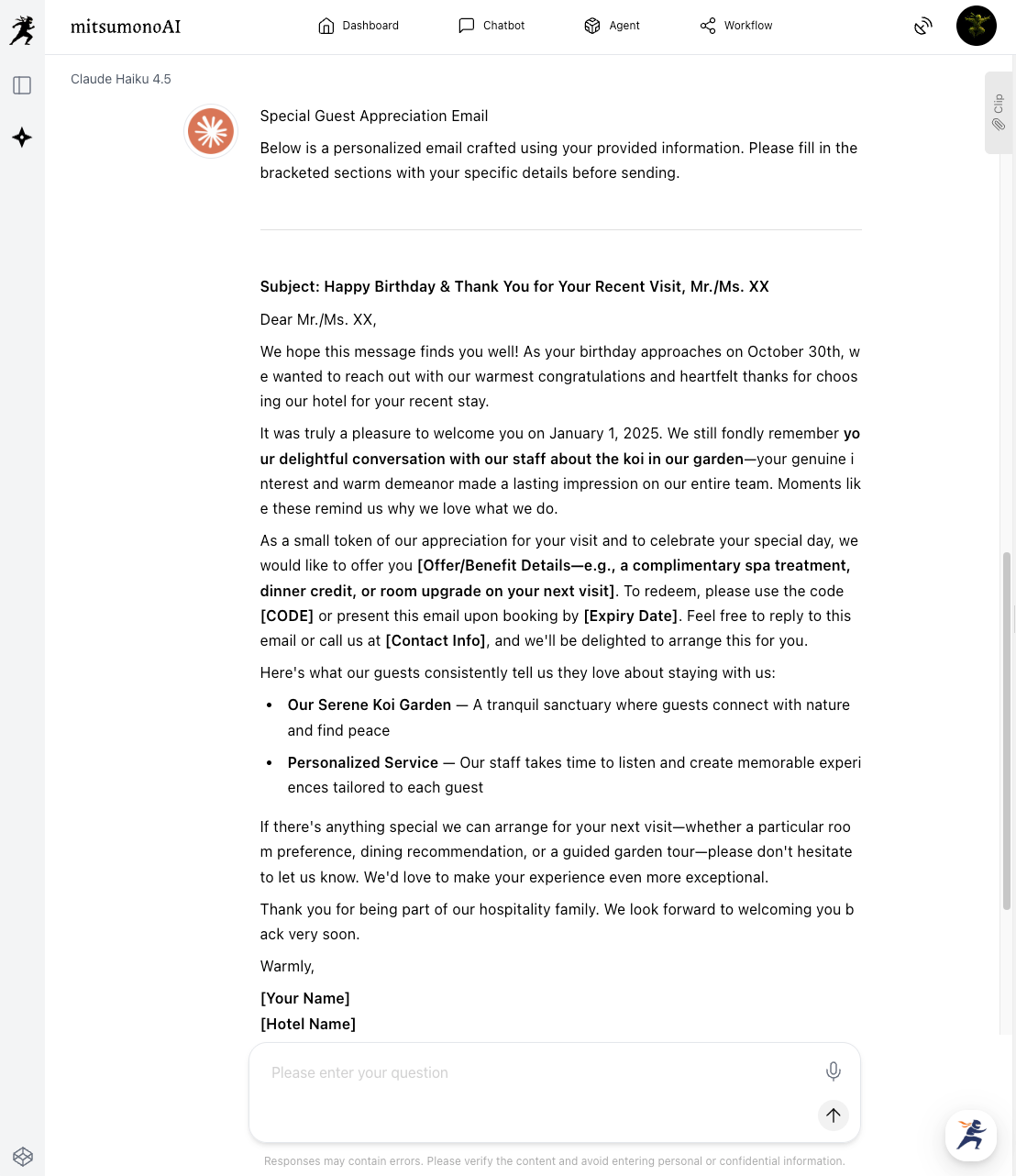
Using your completed template, use an AI model (such as Claude 4.5 Haiku) to fill in the individual customer information.
【Template】
[Paste the email template optimized in Steps 1 and 2]
【Details to include】
・Customer Name: Mr. XX
・He stayed with us on January 1, 2025, and had a pleasant chat with the staff about the koi in the garden.
・His birthday is October 30, so I want to send my best wishes and express my daily gratitude."
【Examples of Additional Information】
・Name, age, gender
・Usage history (Visit dates, purchased items, services used)
・Past interactions or specific anecdotes
・Birthdays or anniversaries
・Preferences and tastes (Allergy info, favorite menu items, etc.)
Step 4: Final Review and Sending
Always check the personalized message generated by the AI before hitting send.
- Are there any typos or grammatical errors?
- Is the specific information (names, dates) accurate?
- Are there any unnatural expressions or awkward phrasing?
- Is the brand image and tone appropriate?
- Are there any issues regarding the handling of personal information?
After confirming, make any necessary manual tweaks and send the message to the customer via your email system.
Results Achieved through This Approach (Examples)
- Deeper Customer Relationships and Higher Engagement
Personalized messages generated by AI align with the history and preferences of each individual. This creates a sense of being "special"—a feeling that the message was written just for them—leading to deep empathy and satisfaction. This experience strengthens the bond with the customer and contributes to building long-term loyalty. - Dramatic Efficiency in Email Creation and Improved Quality
The task of creating personalized emails, which used to take significant time and effort, is made much more efficient through AI. While the creation time per message is reduced from dozens of minutes to just a few, the quality remains high. AI can accurately reflect customer data, allowing you to produce high-quality emails that were previously difficult to maintain manually. - Higher Repeat Rates and Increased Average Spend
Customers feel positive towards shops that understand and value them. Personalized communication increases customer satisfaction, leading to repeat visits and purchases. Consequently, this contributes to a higher average transaction value and improved Lifetime Value (LTV).
Target Metrics after 3 Months of Implementation
- Reply/Response rate for personalized emails: 15% increase
- Repeat visit/Re-booking rate after email delivery: 10% increase
- Email creation time: 70% reduction (from 30 minutes to 10 minutes per message)
For more use cases and the latest information, visit the mitsumonoAI blog.