
How to Build an "Automated Recruitment Flow" to Reduce Workload with AI
Define ideal candidates with the "Persona Creation Assistant" and streamline screening with the "File Analysis Assistant." Accelerate the entire recruitment process further using "Google Imagen 4" and the "Email Reply Generator."


Tools to Use
- Persona Creation Assistant
- Google Imagen 4
- File Analysis Assistant
- Email/Review/DM Response Generator
Solving Recruiters' "Lack of Time" with AI
Recruiters' duties are diverse, and it is common for them to be unable to allocate time to candidate dialogue and relationship building, which is where their focus should primarily lie. By introducing AI tools into various processes of recruitment, these challenges can be resolved. Each function of mitsumonoAI can provide end-to-end support, from "Target Setting" to "Creating Attractive Job Content," "Document Screening," and "Candidate Communication."
Concrete Steps
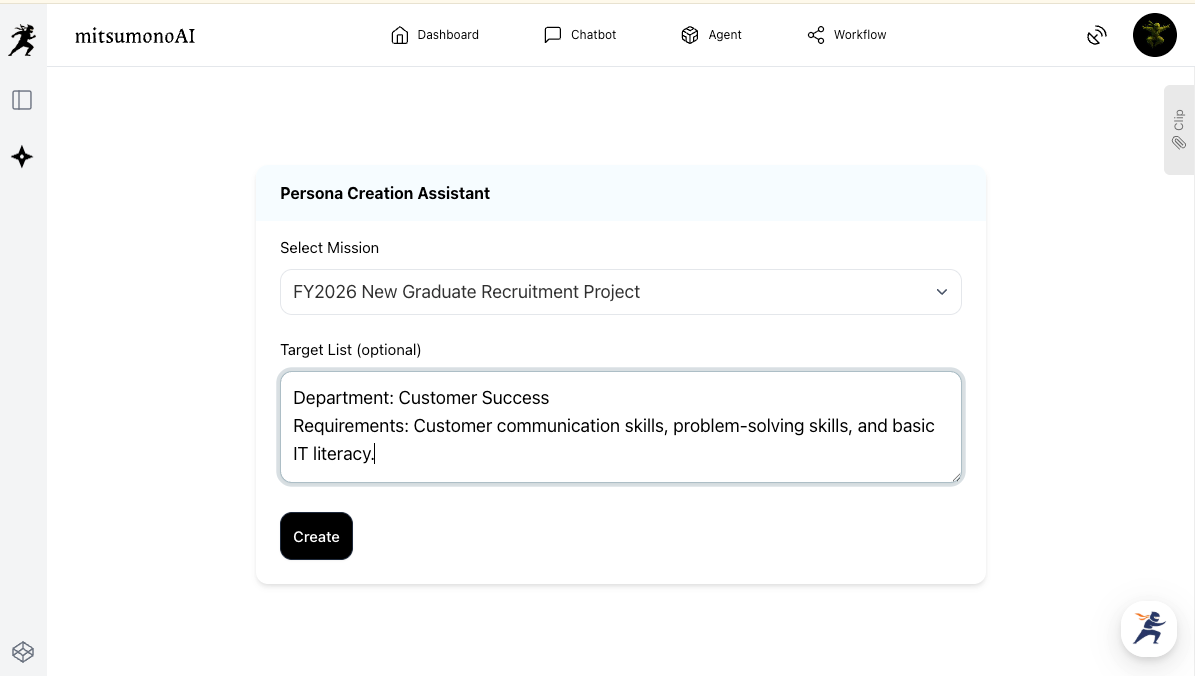
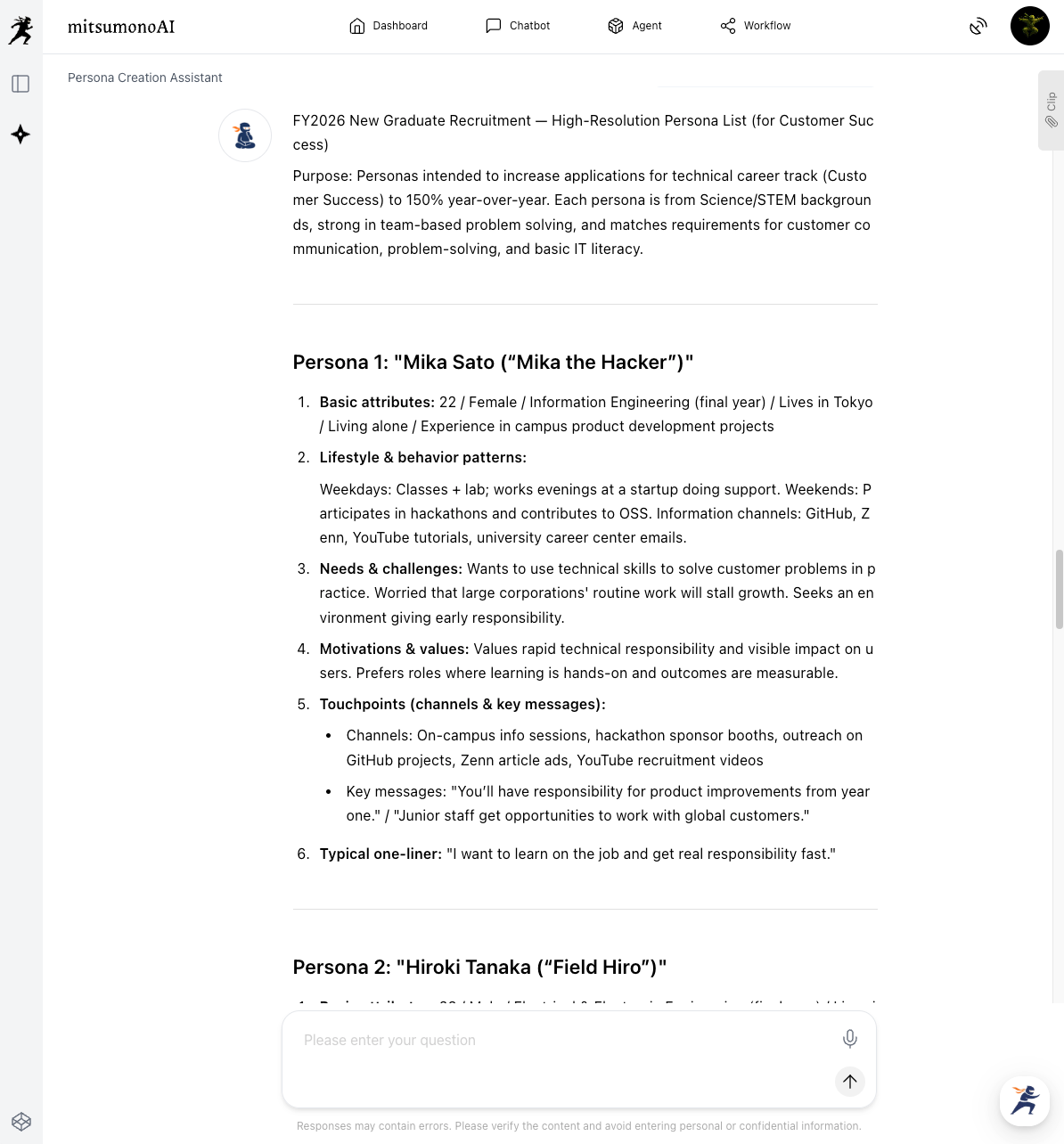
Step 1: Set the Ideal Candidate Profile with the "Persona Creation Assistant"
The first step in recruitment is to concretely define "who to approach." Based on information about the required skills in the assigned department and on-site, a detailed picture of the ideal target person (persona) is drawn.
Step 2: Create Visuals with "Google Imagen 4"
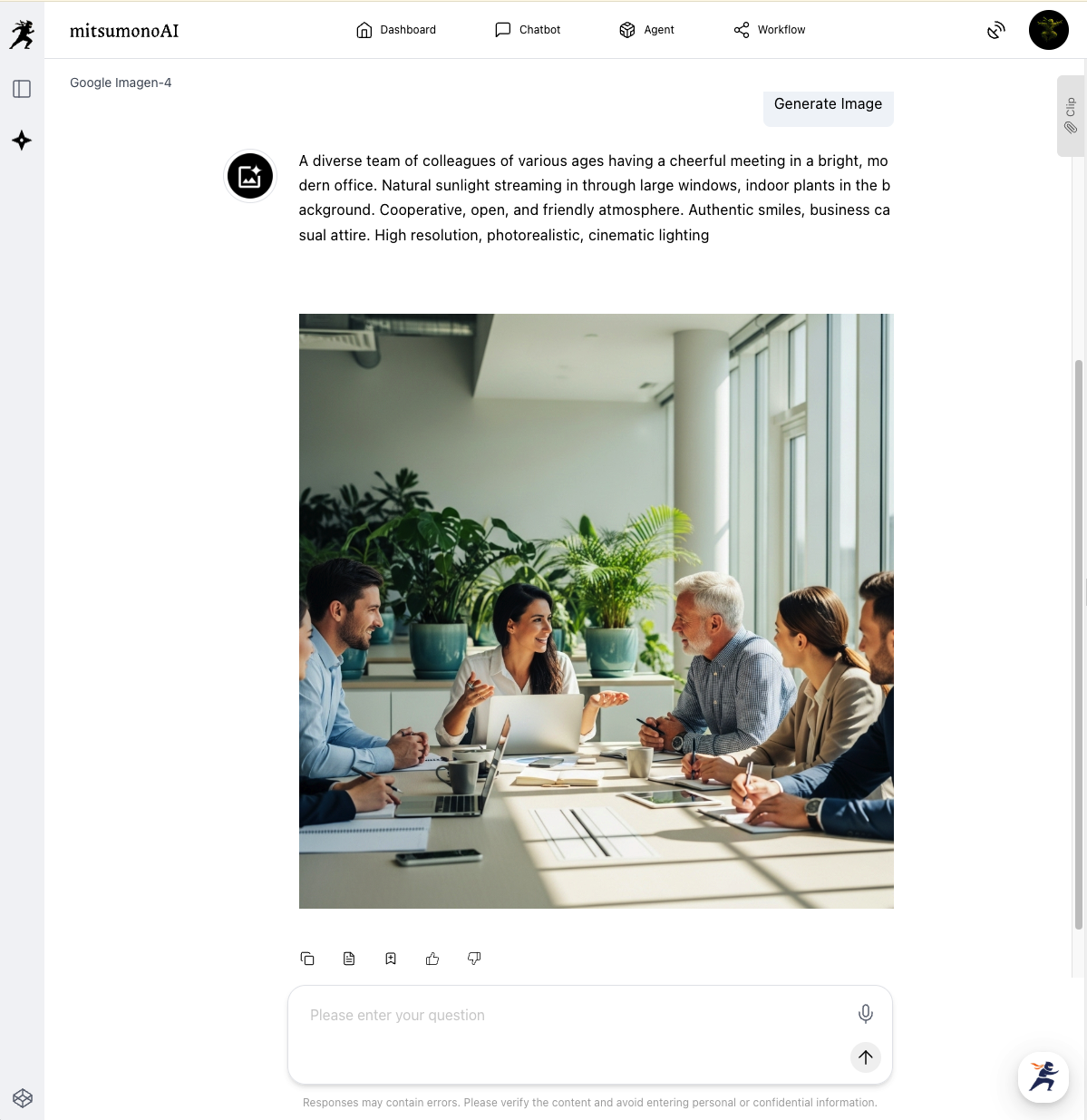
Visuals are crucial for conveying a company's appeal on job sites and owned media. The AI generates original, high-quality images of your company's own "working environment" and "employee atmosphere," which stock photos cannot convey, simply by providing text instructions.
Step 3: Streamline Document Screening with the "File Analysis Assistant"
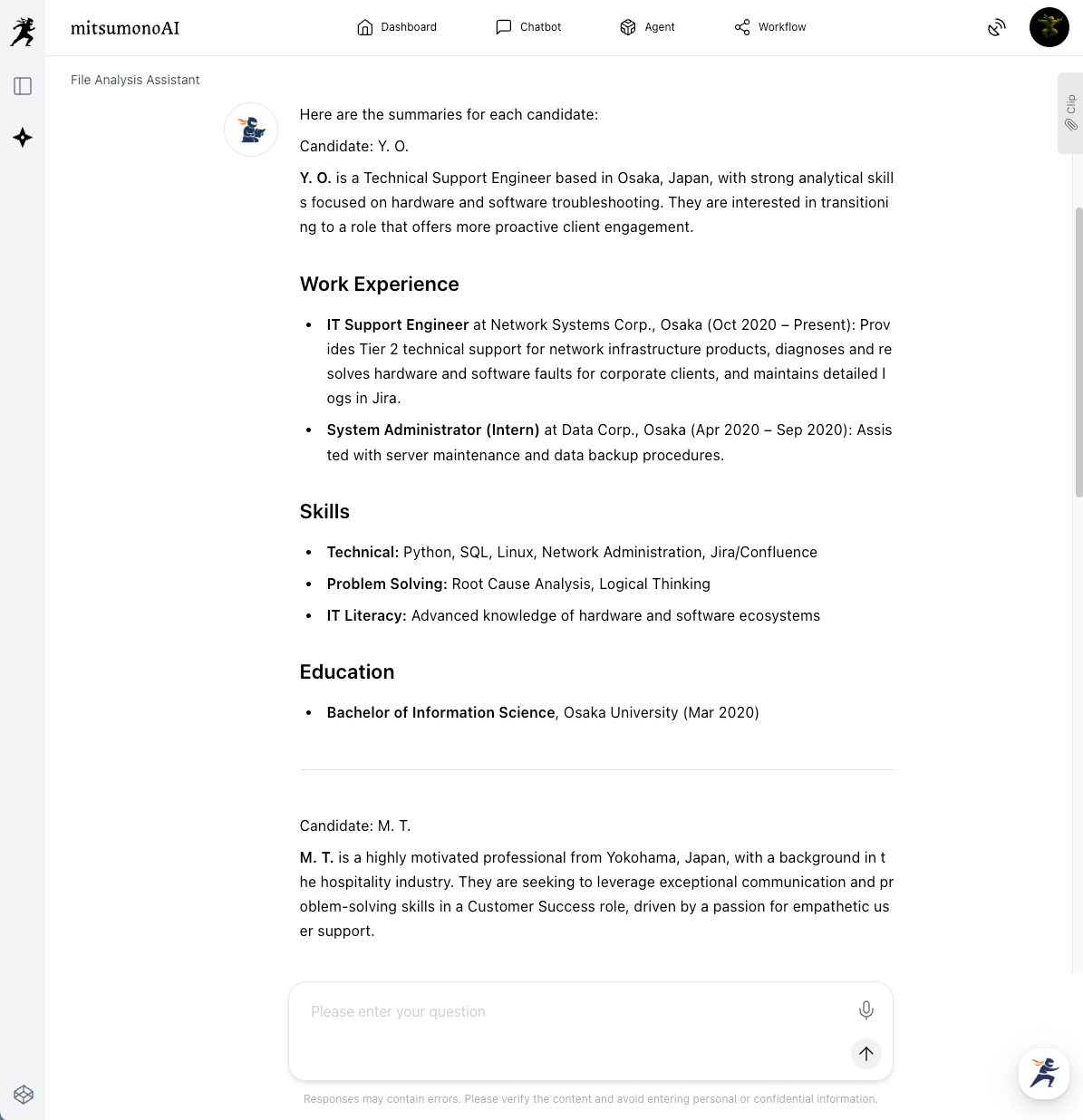
Document screening, especially when there are many applications, is one of the most time-consuming tasks. By uploading resumes and curriculum vitae (PDF, Word, etc.) in bulk and instructing criteria such as required skills and years of experience, the AI instantly lists candidates who meet the conditions.
⚠️Note: When uploading resumes/CVs, be careful to ensure that no personal information is included, such as by deleting individual names beforehand.
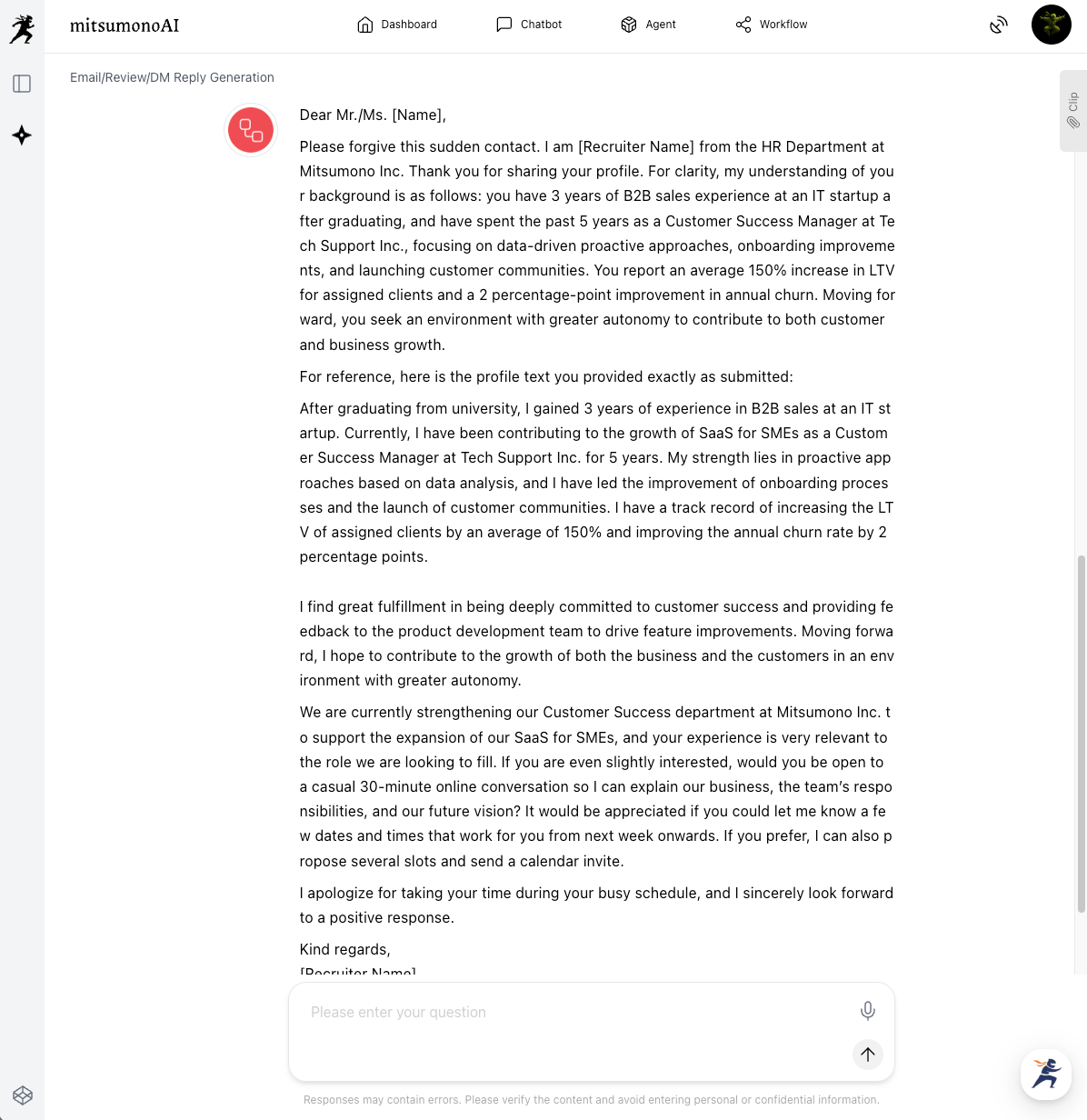
Step 4: Speedily Create Scout Email Content with the "Email/Review/DM Response Generator"
Communication with candidates, such as sending scout emails and coordinating interview schedules, requires both speed and politeness. By using the "Email/Review/DM Response Generator," you can instantly create email content tailored to the recipient.
Targeted Outcomes Achieved Through Utilization (Example)
By linking AI tools, the series of processes in recruitment activities is significantly reduced. This streamlines everything from persona definition and job content creation to document screening and candidate communication, establishing an environment where recruiters can concentrate on building relationships with candidates. As a result, it contributes to the acceleration of the overall hiring process and the smooth acquisition of the desired talent.
Target Figures for Six Months Following the Initiative
KGI :
- Average time to hire decision: 20% reduction from the current level
KPI:
- Average time from job posting to passing document screening: 30% reduction from the current level
- Click-through rate of job advertisements using AI-generated images: 0.5 percentage point increase from the current rate
- Average response time for emails: 50% reduction from the current level
- Accuracy of AI utilization in document screening (Agreement rate between AI evaluation and final selection): 80% or higher



