
How to Use AI to Conceptualize Image Visuals That Differentiate You from Competitors
Clarify composition, lighting, and mood before you shoot. This article explains how to use "Sensei AI" and image generation tools to design your ideal visuals. Learn to define your creative vision with precision before picking up a camera.

Tools Used
- Sensei AI - Accommodation
- gemini-2.5-flash-image or OpenAI-image-generation-1 or Google Imagen-4 (Image Generation)
What Makes an Image Stand Out from Competitors?
The challenge of not being chosen if your photos—the first thing customers see—fail to differentiate you from competitors is a common issue in modern web marketing across all industries. For instance, in the hospitality industry, promotional photos of guest rooms and cuisine are crucial, but images on websites and OTAs (Online Travel Agencies) tend to look similar to those of competitors.
This article introduces the steps involved in formulating a visual concept for promotional photos and creating reference images using image generation AI.
Specific Procedures
Step 1: Solidify the Concept
▶ Sensei AI - Accommodation
To create promotional photos that differentiate you from competitors, you need a concept that goes beyond simply "looks delicious." First, solidify a visual concept that reflects the strengths and target demographic of your ryokan (Japanese inn).
"Our ryokan's main feature is Japanese cuisine (seafood), but we feel our photos are too similar to other inns, and the appeal isn't being conveyed. Our target is "affluent couples celebrating an anniversary."
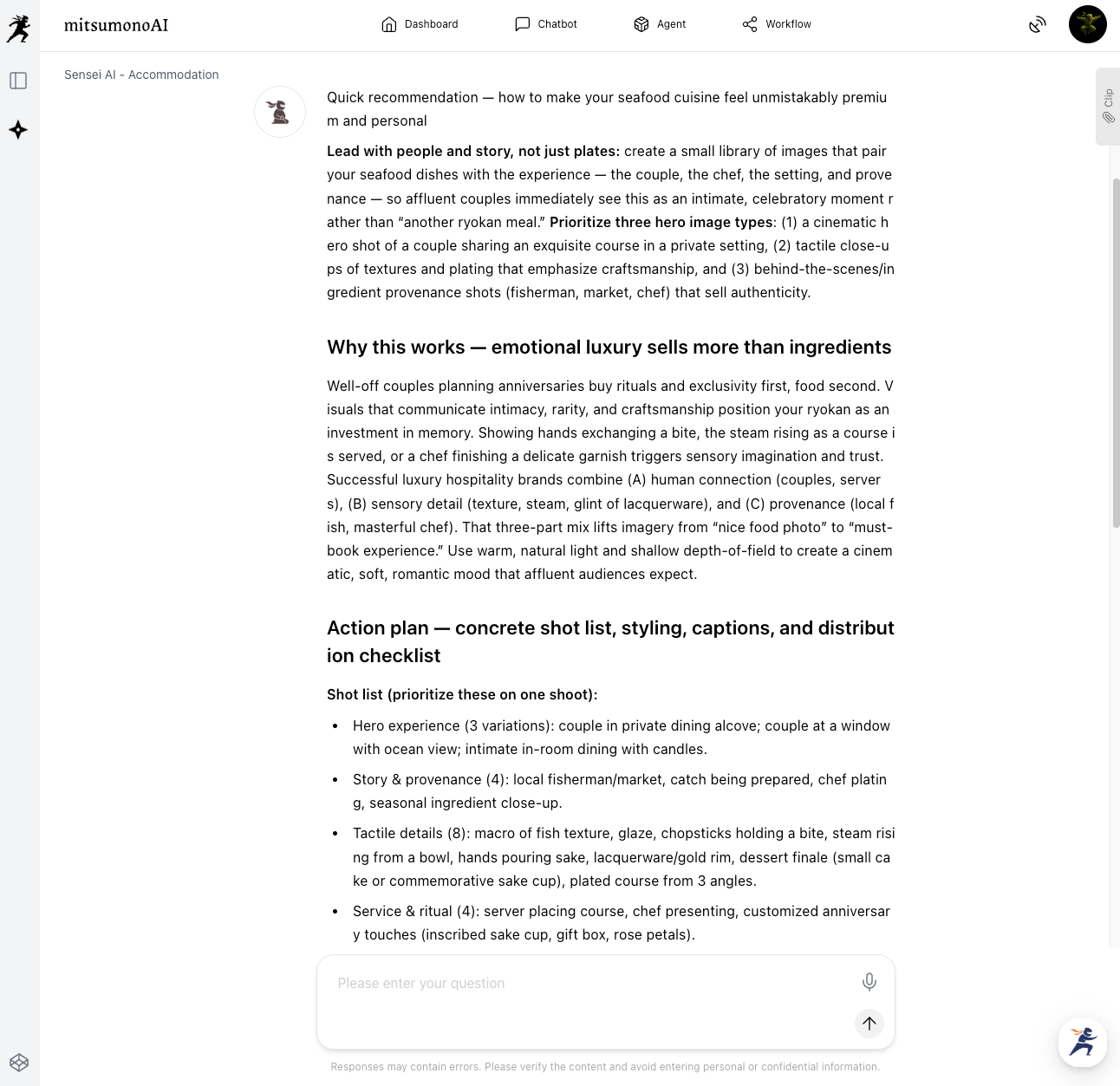
What concept for "Japanese cuisine (seafood) promotional photos" can differentiate us from competitors?
Sensei AI will suggest specific visual guidelines, including "Composition," "Lighting," "Texture," and "Scene Setting." You determine the concept by answering questions from Sensei AI or providing information about your ryokan, as shown below.
・All guest rooms in our ryokan have ocean views, and the sunset over the sea is our pride.
・We use dishes crafted by local traditional artisans.
・We are committed to using extremely fresh seafood sourced directly from fishermen.
・We are considering images to be used on [media where images will be posted] (e.g., the cuisine introduction page on our website, OTA sites, Instagram, etc.).
・Since the budget is limited, shooting with special equipment is not possible.
Step 2: Have AI Create the Image Generation Prompt
▶ Sensei AI - Accommodation (Continued)
Based on the concept decided in Step 1, create a prompt for the image generation AI.
A specialized instruction text is output, including technical photographic elements (lighting, composition, texture).
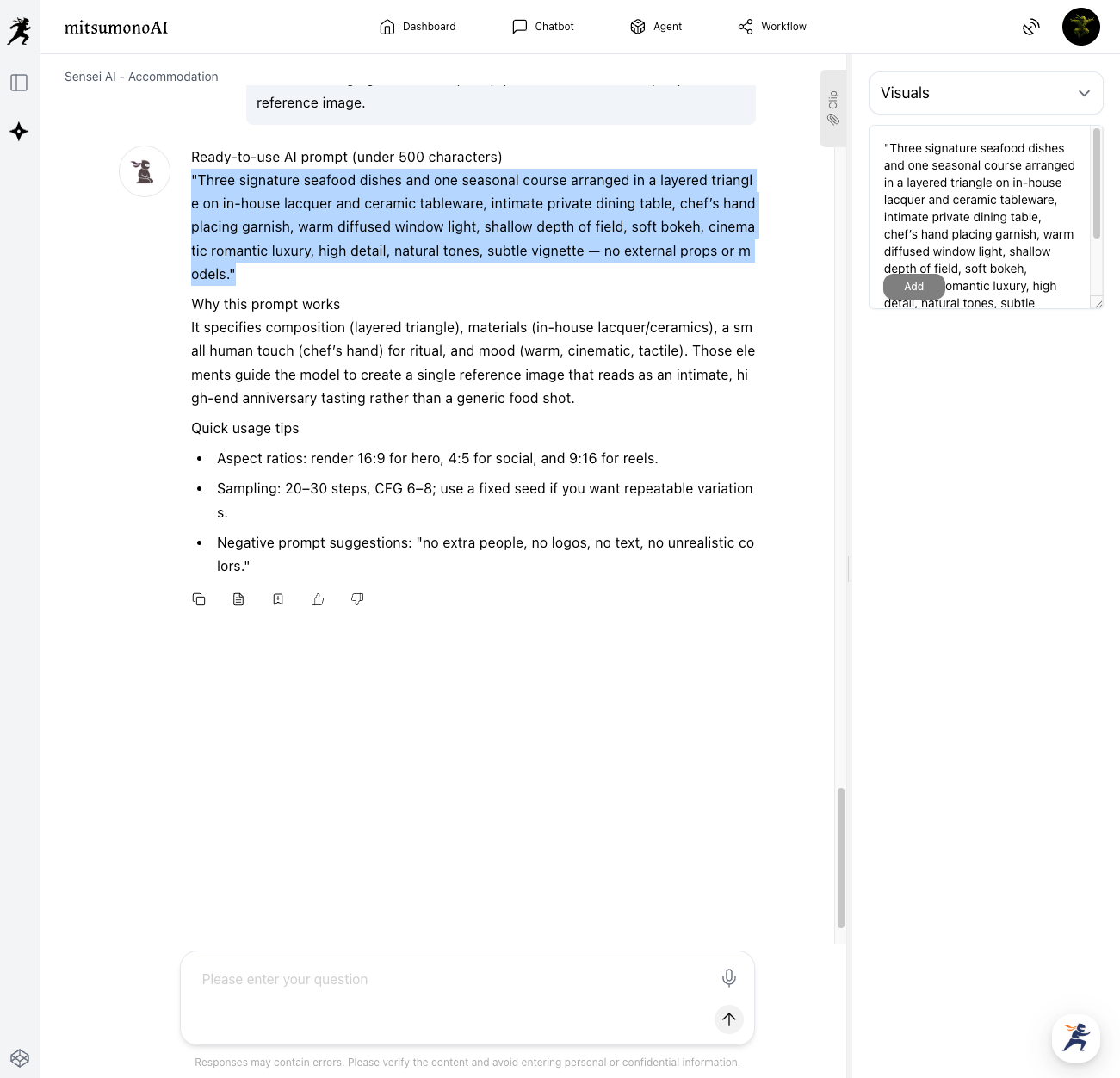
Save the necessary parts of this text to your clipboard for use in the next step.
Step 3: Create Reference Images to Serve as a "Differentiation Hint" with Image Generation AI
▶gemini-2.5-flash-image or Google Imagen-4 / OpenAI-image-generation-1
Input the "image generation text" created in Step 2 into the image generation AI, click "Generate," and create sample images.
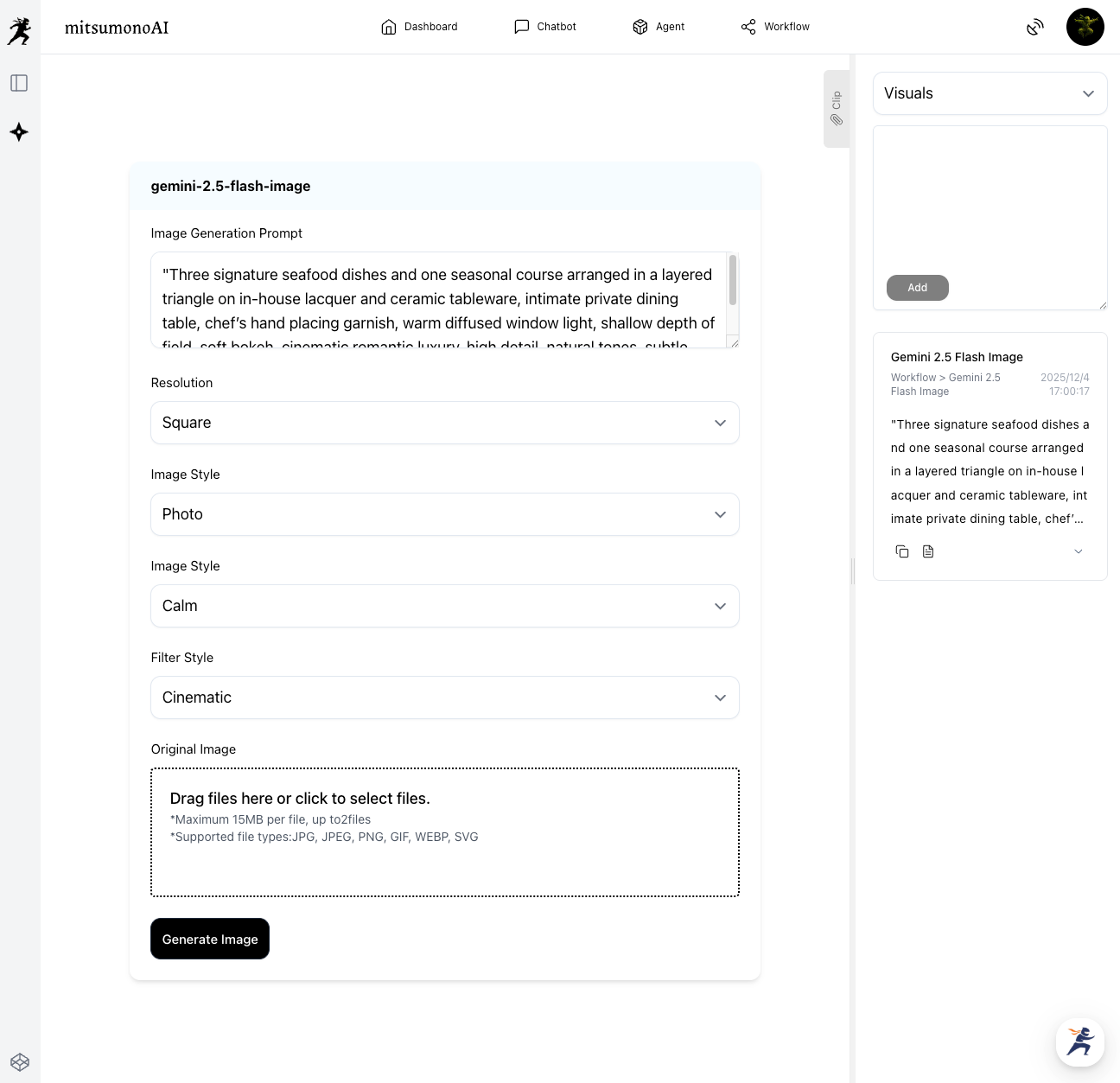
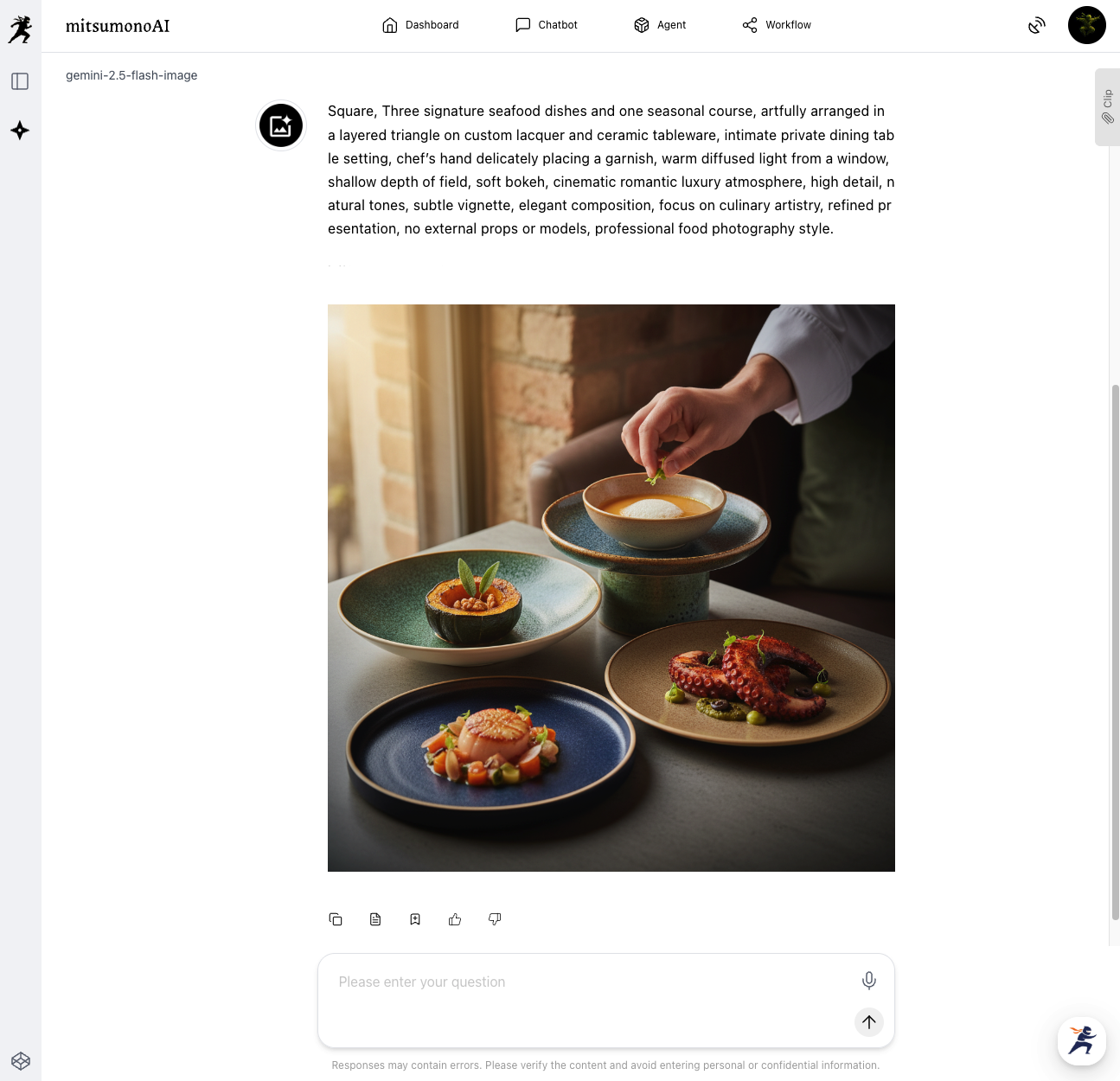
Additional Instruction: "Focus on the cuisine." This process allows you to confirm the concrete "picture" of the visual concept before the actual photoshoot, enabling pre-verification of composition and atmosphere.
Step 4: Final Human Review and Photoshoot
Based on the reference images created by the AI, the ryokan owner or planning manager makes final adjustments according to on-site conditions.
- The actual tableware to be used
- How light enters the room where the meal is served
- The actual color and texture of the food
Considering these factors, the composition, lighting, and background are decided upon with a professional photographer. By conducting meetings and photoshoots based on the concept presented by the AI, you can move away from "photos that look like everyone else's" and maximize the unique appeal of your establishment.
Results Achieved Through Utilization (Examples)
- Clarification of Differentiation Concept and Reduction of Planning Time
Sensei AI converts abstract requests into concrete visual elements like lighting and composition. Visualizing the concept unifies understanding among the photographer and the team, significantly reducing meeting time. - Optimization of Shooting Costs through High-Quality Reference Images
Pre-verification of composition and atmosphere using image generation AI reduces the number of trial shoots, optimizing shooting costs. This makes it possible to produce higher-quality promotional photos even with a limited budget. - Improved Click-Through Rate for Photos in Web Marketing
Visuals that set you apart from competitors improve the click-through rate on OTAs and your own website. The positive impression from the photos also positively impacts the booking rate for dining-inclusive plans.
Target Figures 3 Months After Implementation
KGI (Key Goal Indicator):
- Booking Rate for Dining-Inclusive Plans on the Website: 1.2 times increase year-over-year
KPI (Key Performance Indicators):
- "Photo Click-Through Rate" for Dining-Inclusive Plans on OTAs: 20% or higher
- Website Stay Time for Seafood Cuisine Plans after the Release of New Promotional Photos: 15% increase month-over-month
- Cost (including labor) spent on Planning and Shooting: 50% reduction compared to conventional methods
Summary
By entrusting the design of the visual concept and prompt generation to AI, the ryokan manager can focus on "pursuing flavor" and "customer hospitality." Use this application method to leverage the specialized instructions and reference images guided by AI, evolving your ryokan's wonderful cuisine into a "web marketing centerpiece."



