A Jargon-Free Guide to "Mission Registration": 3 Simple Steps for AI Beginners
Staring at words like "USP" or "Vision" and feeling stuck? This guide for AI beginners explains how to use mitsumonoAI to easily verbalize your business values and stress-free way to register missions.


Is Your Screen Frozen at "Mission Registration"?
You logged into mitsumonoAI with high hopes of improving efficiency, but the "Mission Registration" screen made you want to close your browser. If this sounds like you, don't worry—this is the most common hurdle for new users.
 mitsumonoAI
Looking at terms like "USP (Unique Selling Proposition)" or "Vision," you might think:
- "I just run a small local cafe; I don't have a grand strategy."
- "If I write the wrong thing, will the AI give me bad answers?"
- "It feels like it has to be perfect, so I'll do it later."
These are common misconceptions. Your mission does not need to be perfect, and you can edit or change it as many times as you like. Simply entering your "current thoughts" is more than enough. In this article, we’ll show you how to let the AI verbalize your strengths for you, so you can simply "pick and paste" to finish the setup.
Why Registering a "Mission" Makes Your Work Easier
Why is this setup necessary at the start? It’s about evolving the AI from a "simple tool" into "your dedicated staff member." Registering a mission provides three major benefits:
- Zero Explanation Effort: You won't have to repeat "We are a cafe for women in their 30s..." every time. The AI understands your background from the start.
- Dramatic Quality Shift: Even a simple prompt like "Give me marketing ideas" will return original plans tailored specifically to your business strengths.
- Consistent Branding: Whether you are using the Blog Article Creation Workflow or the Post Text Creation Workflow, your "brand voice" stays consistent across all channels.
To make this preparation easy, we will link the following features:
- Sensei AI - Restaurant (The Interviewer): Start a conversation without complex settings to help the AI grasp your business characteristics.
- AI Chat (The Ghostwriter): Provide a rough description of your shop, and it will generate multiple professional candidates for your "USP" and "Vision."
Step-by-Step Practical Guide
Let’s simulate a cafe owner creating a "temporary mission." Remember: you can always fix it later.
STEP 1: Consult in "Everyday Language" with Sensei AI
Start by talking about your current concerns as if you were speaking to a friend.
Action: Launch Sensei AI - Restaurant and enter a simple description.
Prompt Example:
"I run a cafe where locals gather. Recently, chain stores have been increasing, and I’m worried about how to appeal the strengths of an independent shop like mine. We take pride in our in-house deep-roasted coffee and my wife’s handmade scones. Most customers are housewives in their 30s."
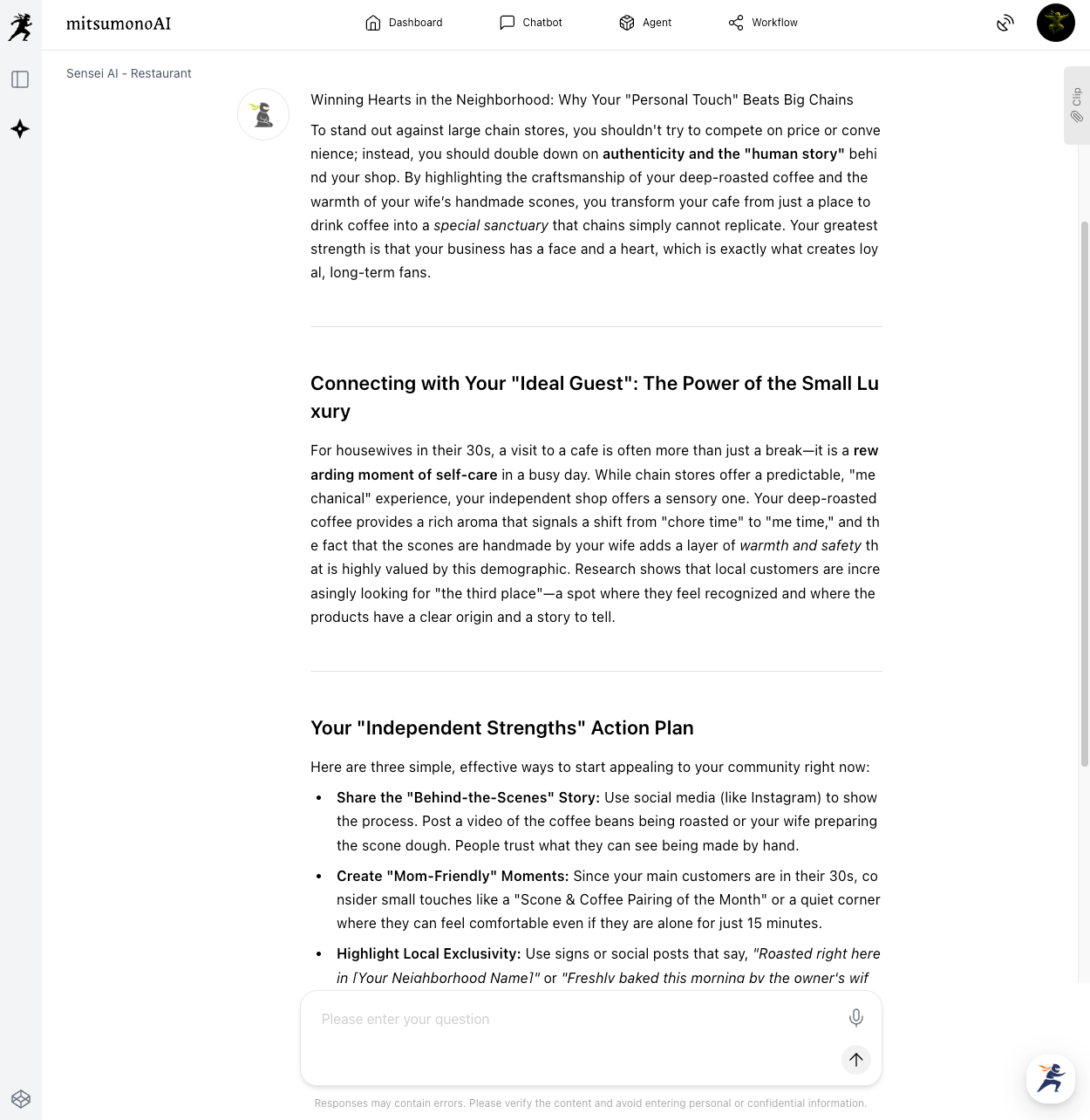
The AI will suggest concepts like "the security of a familiar face" or "a place where conversation happens." These insights are the "seeds" of your mission.
STEP 2: Convert to "Strategic Terms" with AI Chat
Next, turn those conversation points into professional language for the registration screen.
Action: Open an AI Chat and make the following request.
Prompt Example:
"I run a cafe. Based on the features below, please propose 3 candidates each for a 'USP (Unique Selling Proposition)' and a 'Vision' statement within 200 characters.
[Features]
・In-house deep-roasted coffee and handmade scones
・Target: Housewives in their 30s–40s, remote workers
・A 'Third Place' with the security of a familiar face, unlike chain stores."
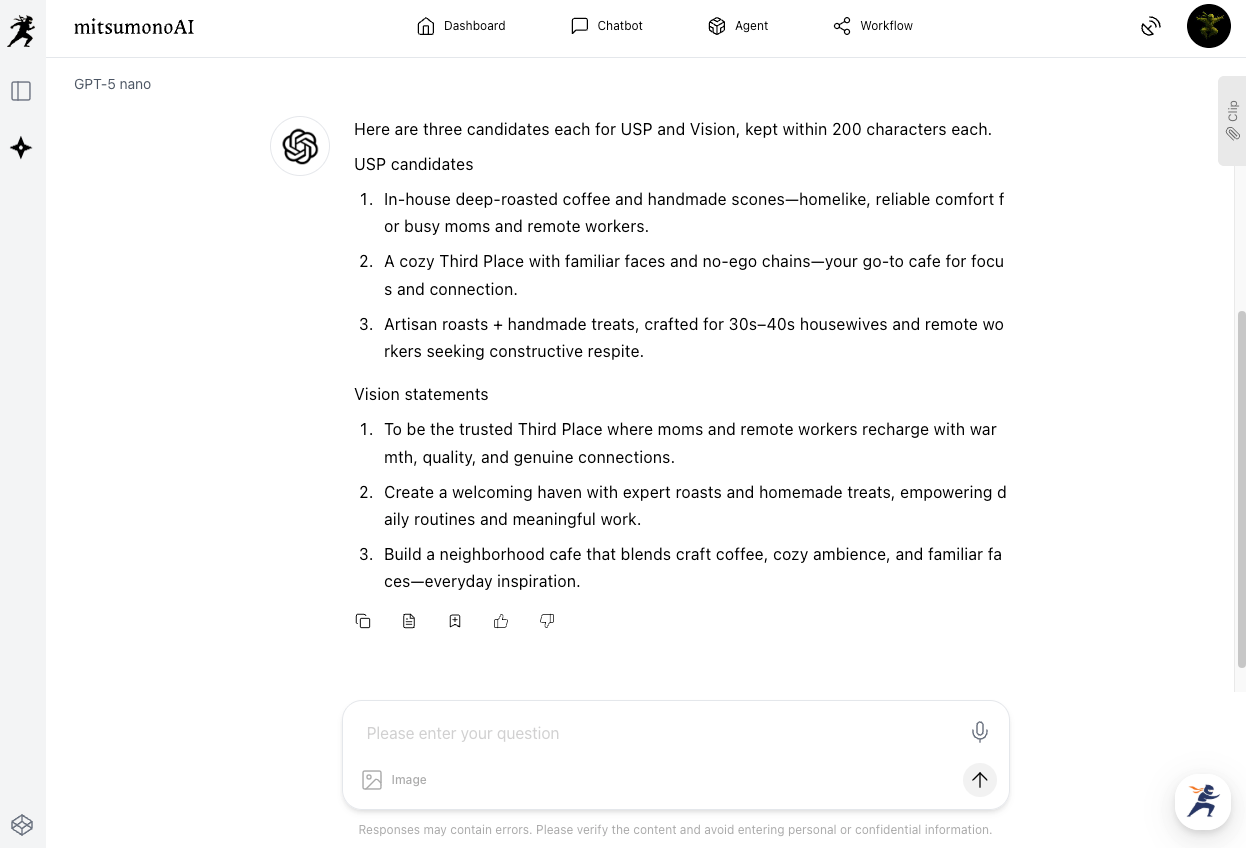
Pick the candidate that resonates with you the most.
STEP 3: Pick and Paste for Mission Registration
Simply copy your favorite phrases into the Mission Registration screen.
Action: Open the "Mission Function" and paste the content. Goal number one is just to fill it in; you can refine the wording any time.
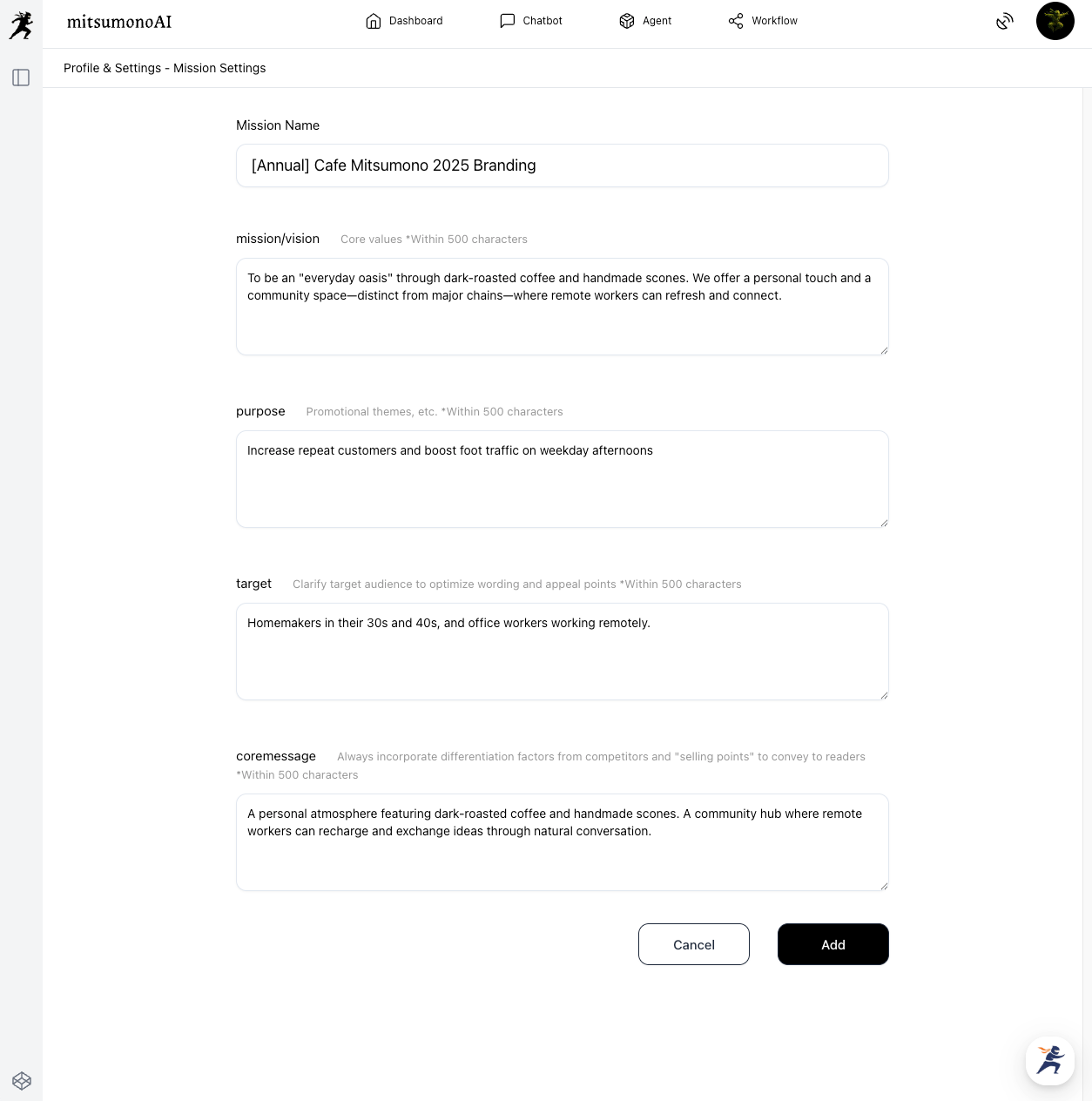
STEP 4: Use a Naming Convention to Avoid Confusion
As you create more missions for different campaigns, use these prefixes to stay organized:
- [Annual]: Basic store policy (what you created today).
- [CP]: Limited-time campaigns (e.g., [CP] Summer 2025 Pasta Promo).
- [Closed]: Finished projects (to be deleted or archived).
If a campaign ends or the store's policy changes, you can simply modify or delete the relevant information as needed.
Advanced Applications (From Staff Training to Loans)
Your registered mission can be used for more than just AI prompts:
- Sharing Philosophy with Staff: Print the AI-verbalized USP and post it in the back office to align your part-time staff with the shop's strengths.
- Business Plans: Use the text directly in the "Business Strengths" section of bank loan applications or subsidy requests.
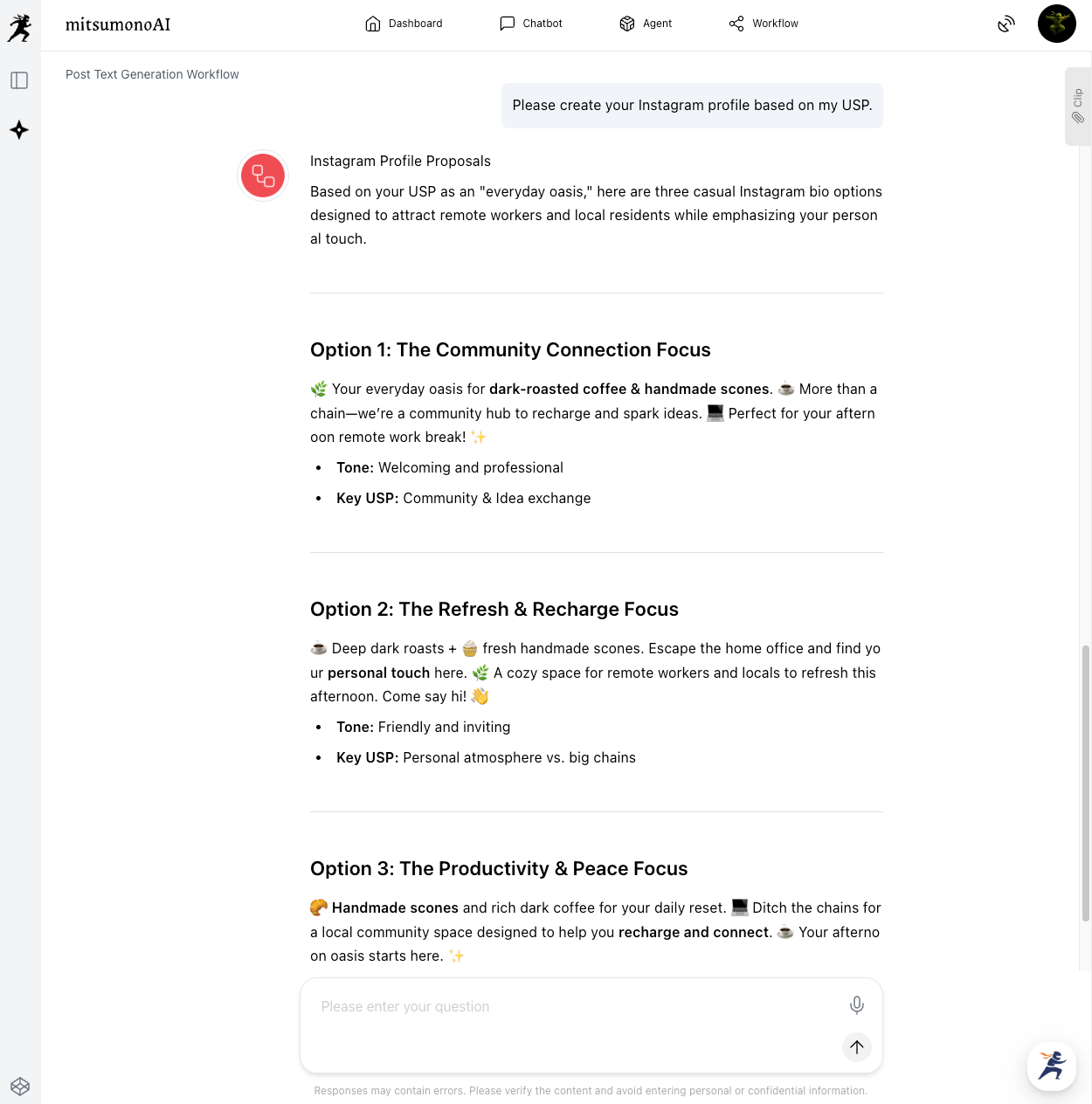
- SNS Profiles: Use your USP within the Post Text Creation Workflow to instantly generate an attractive Instagram bio.
Summary
You don't have to squeeze "strategy" out of your head alone. By using AI as a partner to draw out your thoughts, the passion in your mind becomes a powerful weapon for your business.
- Consult with Sensei AI using natural, "spoken" language.
- Let the AI Chat convert that into "strategic" language.
- Register it now, knowing you can edit it later.
Why not start with a simple consultation with Sensei AI - Restaurant today?
mitsumonoAI features capabilities that support not only mission creation but also daily social media posts, menu development, responding to customer reviews, and every other scenario.
Other use cases and the latest information are introduced on the mitsumonoAI blog site.