A Must-Read for Event Coordinators : 5 Management Strategies Using mitsumonoAI for Planning, PR, and Risk Management
This article uses the fictional "Mitsumono Festa 2026" to demonstrate how mitsumonoAI solves labor and budget shortages in regional event management. We explain five specific DX strategies, from menu development to risk management, complete with ready-to-use prompt examples.


Drastically Reduce Coordinator Workload | Digital Transformation (DX) for Event Planning, PR, and Risk Management via mitsumonoAI
Regional revitalization events are often sustained by the personal dedication of passionate coordinators. However, behind the scenes, deep-rooted challenges—such as a lack of manpower, budget, and expertise—persistently manifest as a struggle to generate fresh ideas, an inability to keep up with SNS operations, and a fear of on-day troubleshooting.
In this article, we use the fictional regional event "Mitsumono Festa 2026" as a case study to introduce five DX strategies. By utilizing mitsumonoAI as your "ultimate planning chief of staff," you can resolve these on-site pain points effectively.
Five AI Utilization Strategies Featured in This Article:
- Product Development: Create event menus using the "Recipe Development Chef."
- PR Material Production: Generate specifications for designers using the "Design Instruction Generator."
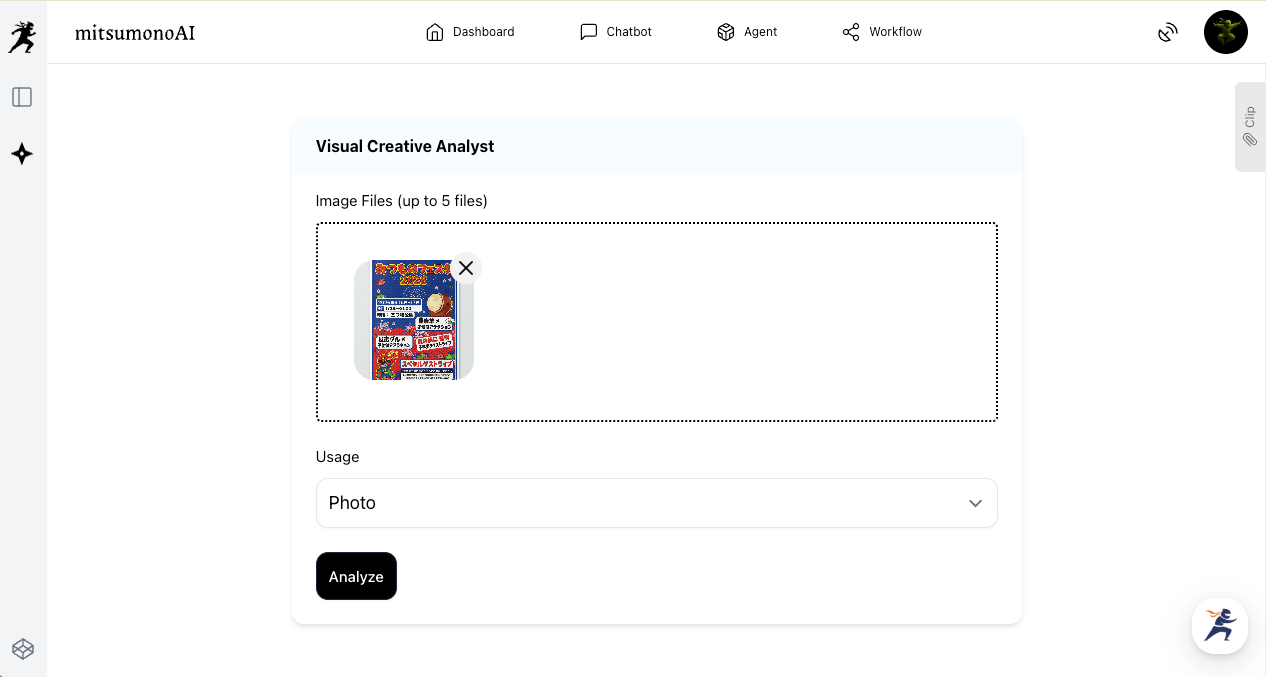
- Design Evaluation: Objectively analyze flyer drafts with the "Visual Creative Analyst."
- PR Strategy: Formulate a three-month roadmap with the "SNS Operation Strategy Planner."
- Risk Management: Automatically create operation manuals using the "File Analysis Assistant."
1. [Product Development] Brainstorm "Festa-Limited Menus" with AI
Food is the centerpiece of any event. To develop hit menus that capture the hearts of visitors, the "Recipe Development Chef" becomes your ideal partner.
- Theme: Developing "Instagrammable" street food that promotes local consumption.
- Function Used: Recipe Development Chef
[In Practice] Developing a "Festa-Limited Menu"
- Input for the "Recipe Development Chef": Enter the menu concept and ingredients. In the "Main materials/ingredients/techniques" section, specifically describe local specialties that fit the festival's theme.
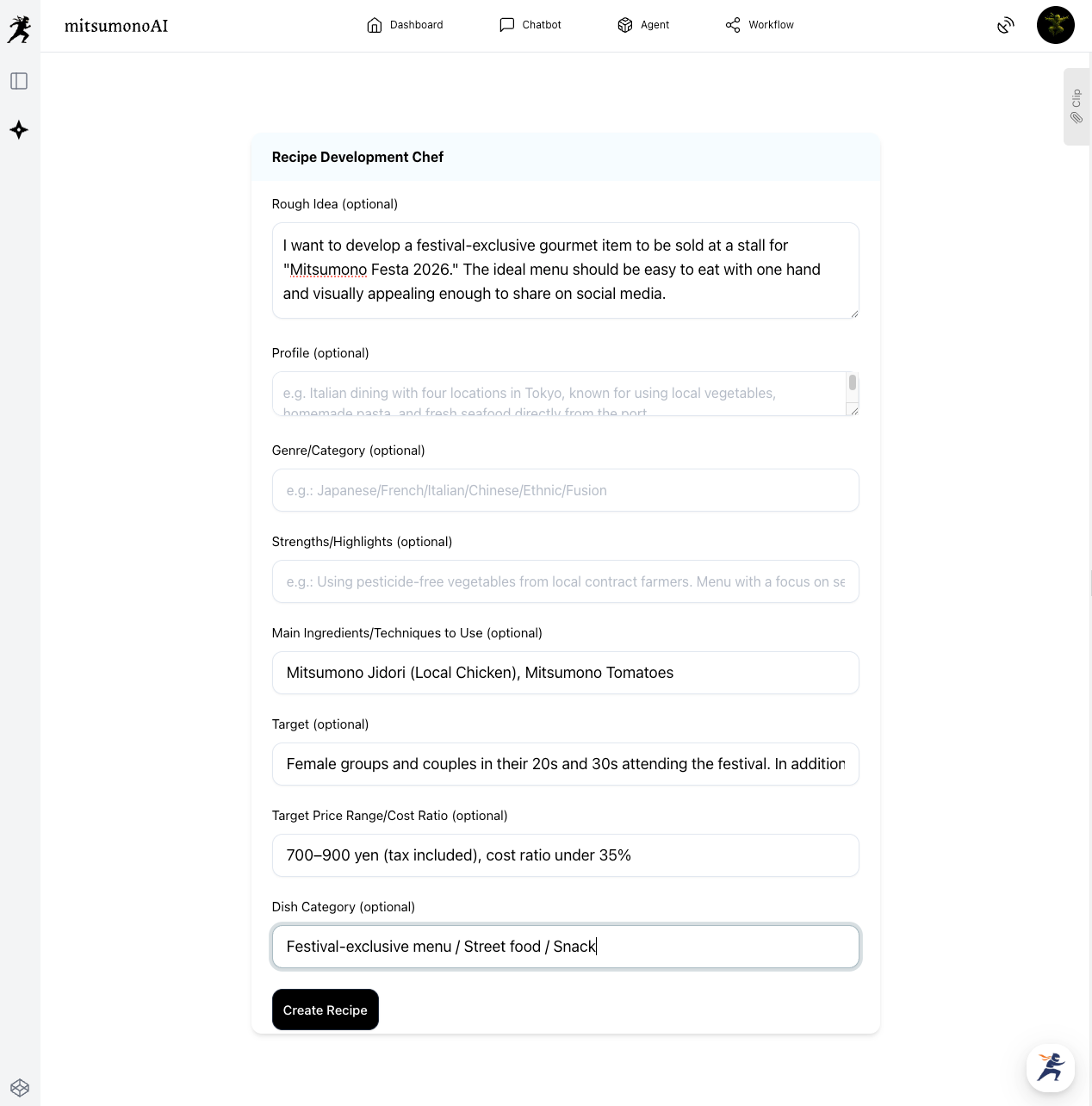
- Reviewing Recipe Proposals: After clicking "Create Recipe," the AI outputs the recipe concept, detailed cooking steps, and an image of the plating all at once. You can further refine the menu by sending additional requests via chat.
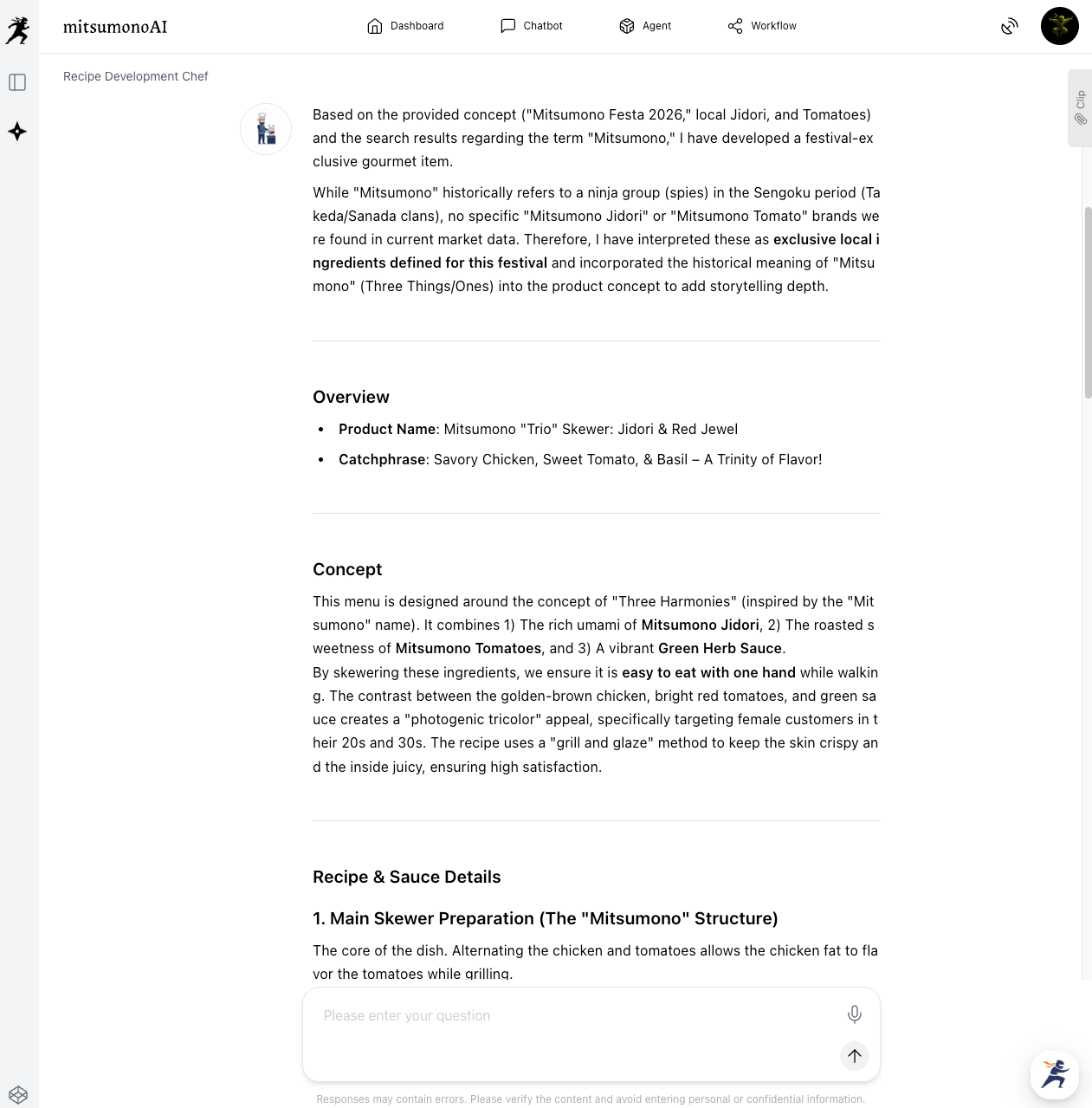
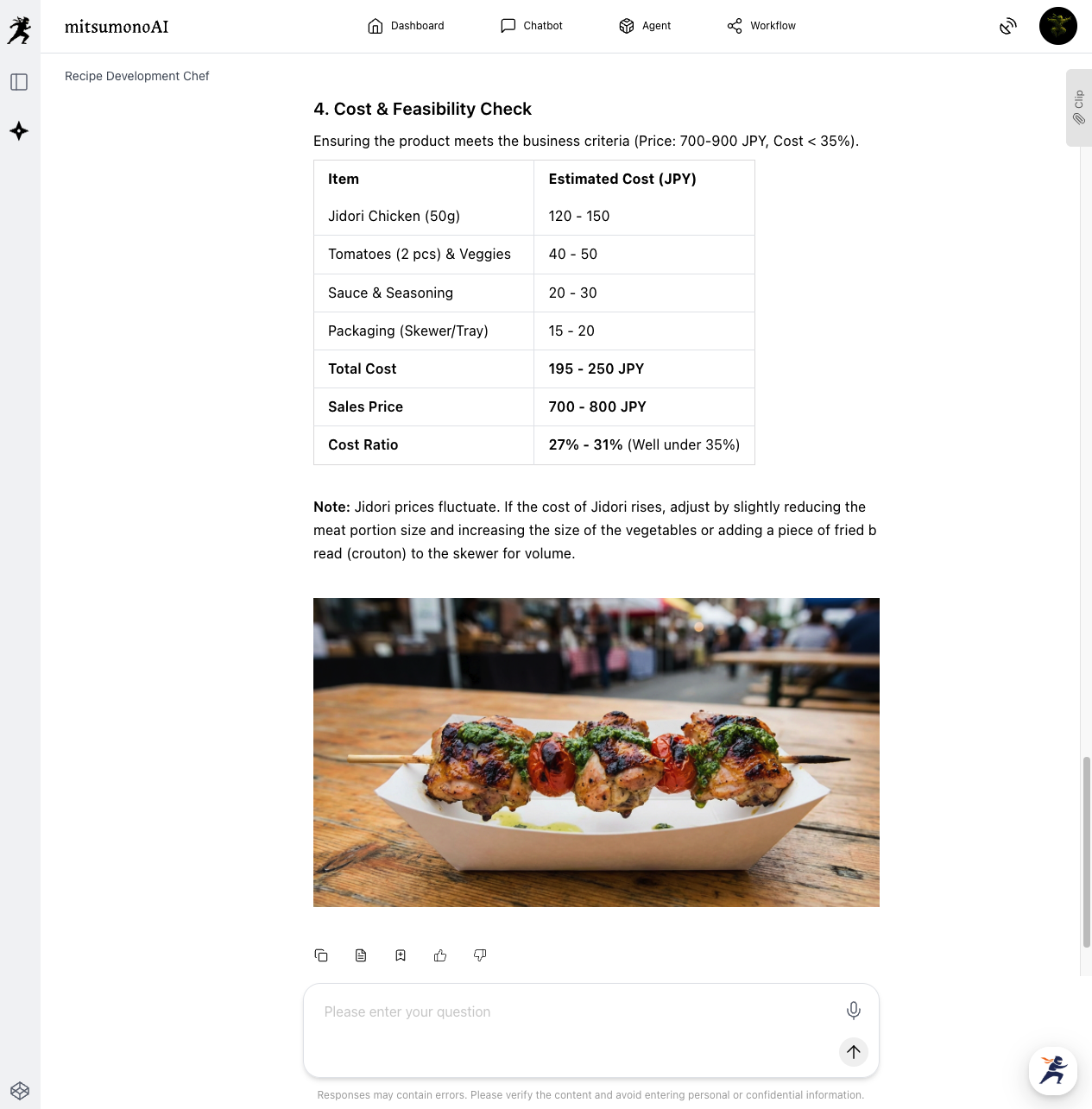
▶︎ What mitsumonoAI Enables: It suggests ingredient combinations you might never think of alone, significantly shortening development time while creating "buzzworthy" signature dishes.
2. [PR Material Production] Let AI Create Specifications for "Event Flyers"
Even without design skills, AI can instantly create a "specification sheet" based on your planning document to ensure smooth collaboration with professional designers.
- Theme: Creating a design instruction draft for high-quality flyers based on planning data.
- Function Used: Design Instruction Generator
[In Practice] Creating Flyer Design Drafts from Planning Documents
- Auto-generating Design Instructions: Upload the event planning file to the "Design Instruction Generator" and click "Generate."
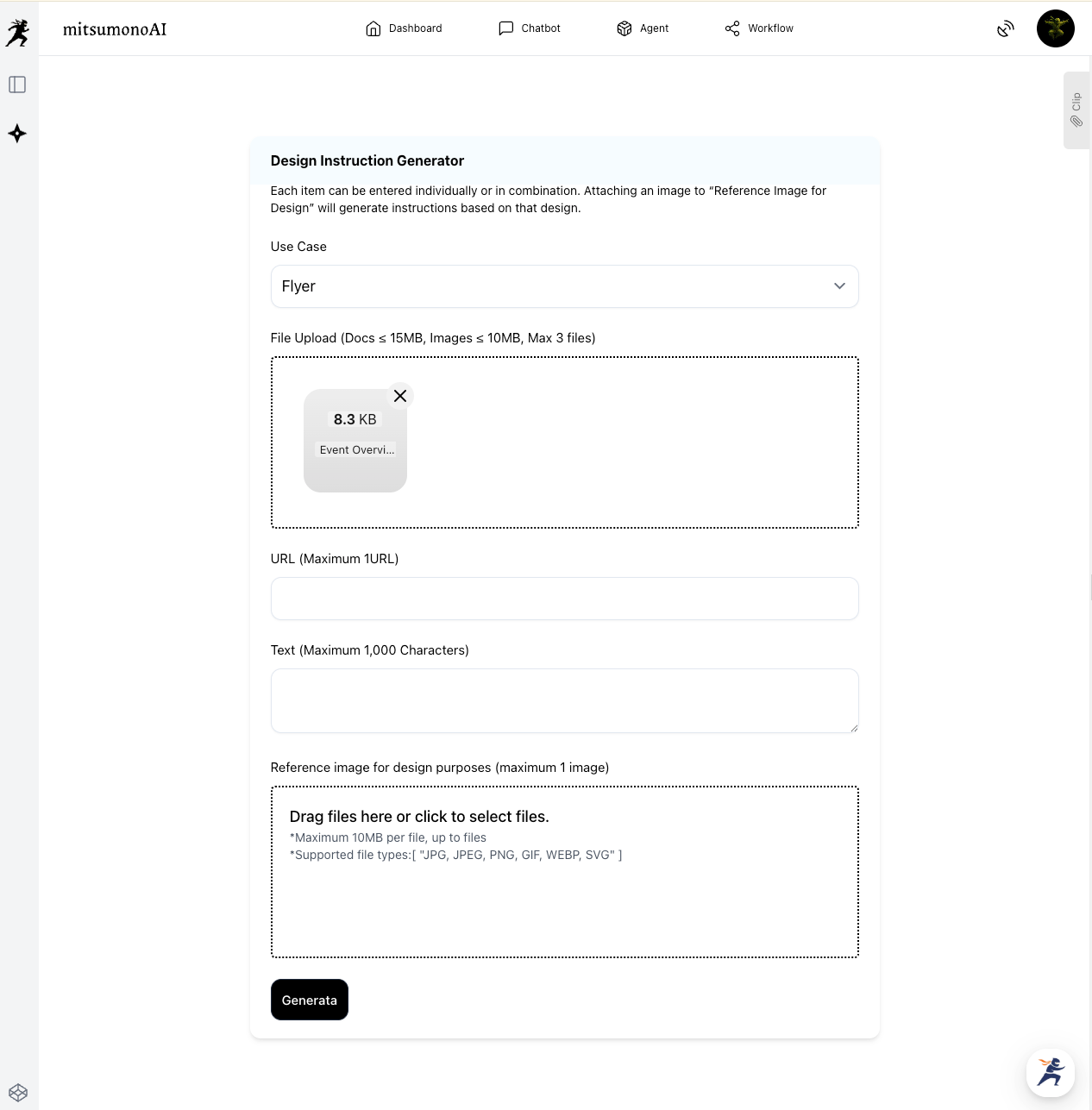
- Completion of Instructions: The AI analyzes the content and generates specific instructions including optimal color schemes, fonts, and layouts.
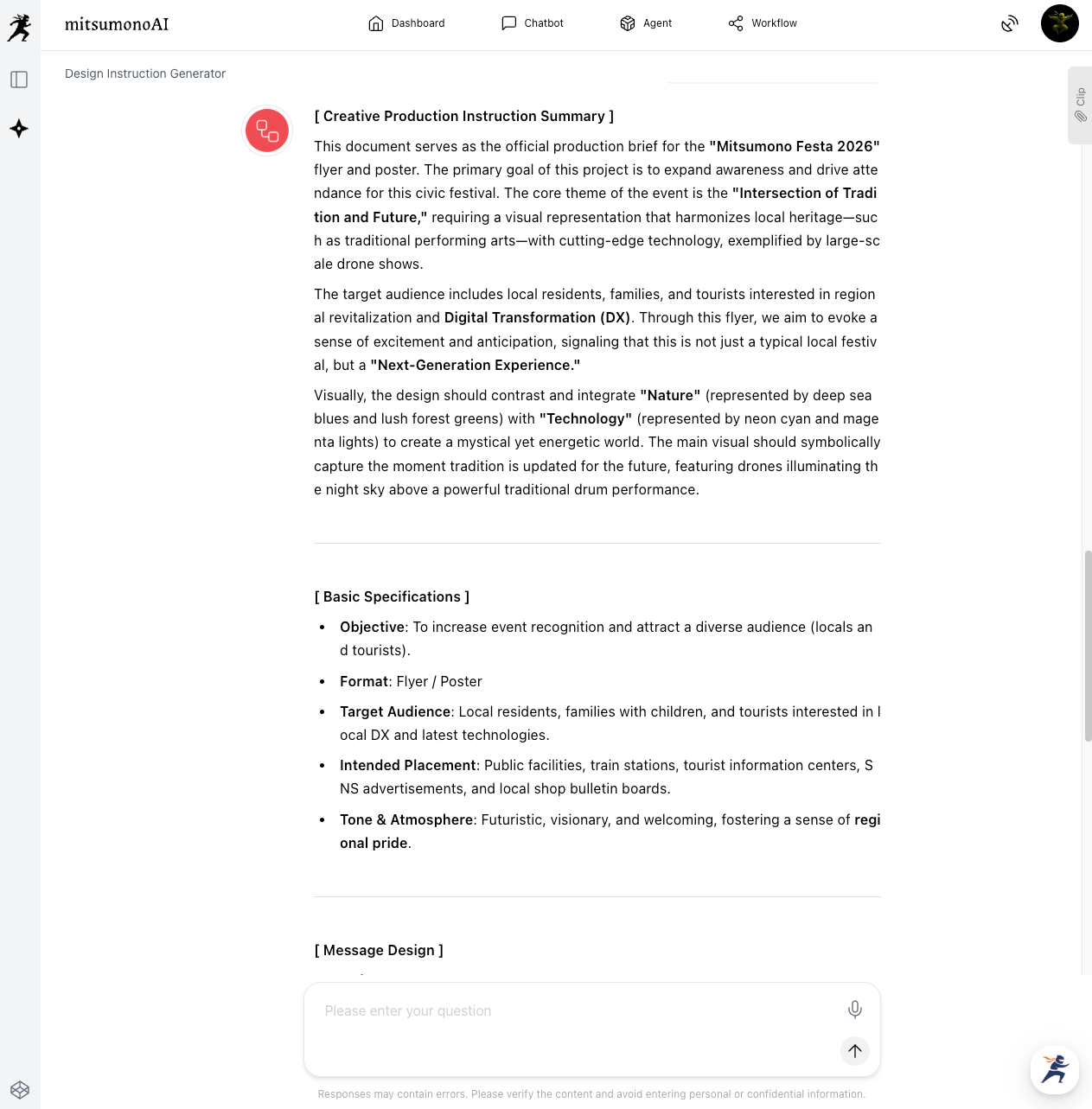
- Collaborating with Designers: Provide the AI-generated "Design Specifications" and "Reference Images" to your designer. This minimizes discrepancies in the design direction.
▶︎ What mitsumonoAI Enables: It quickly converts planning content into "information for professionals" without requiring technical knowledge. This improves communication quality and prevents time-consuming reworks caused by "misaligned expectations."
▶︎ [Recommended] Integration with Image Generation Tools By using "Image Generation Tool 2K" or "Image Generation Tool 4K," you can also generate actual design images for flyers and posters.
 mitsumonoAI
3. [Design Evaluation] Objective AI Assessment and Improvement of Flyer Drafts
When a designer submits a draft, do you ever feel uncertain if it's truly "ready"? The "Visual Creative Analyst" acts as your objective eye.
- Theme: Objective AI evaluation of whether a design effectively hits the target audience.
- Function Used: Visual Creative Analyst
[In Practice] Analyzing and Improving Flyer Designs
- Initial Objective Analysis: Upload the flyer image to the "Visual Creative Analyst" and click "Analyze." The AI provides an objective analysis of design elements and first impressions.
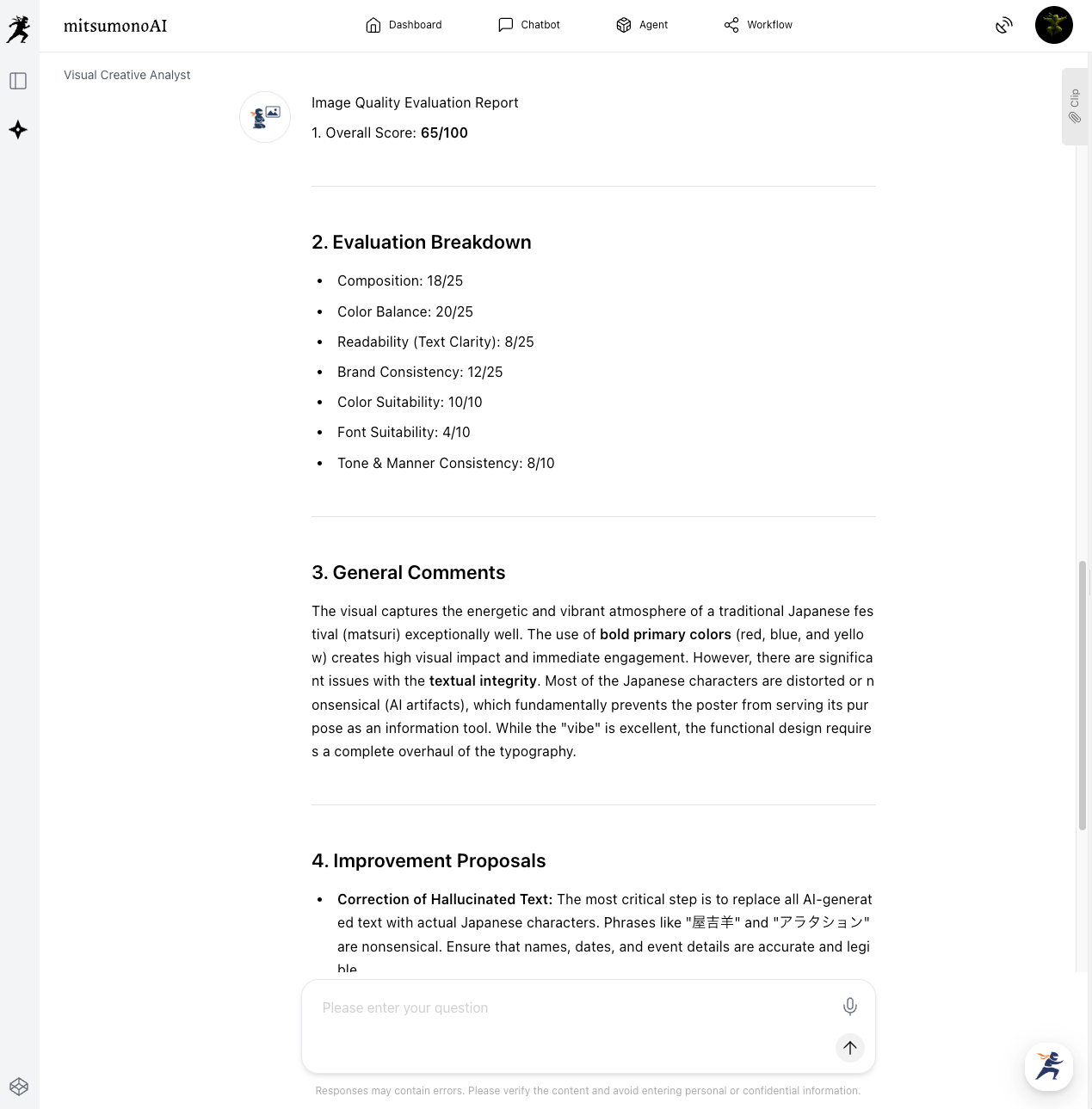
- Extracting Specific Improvements: Send a specific prompt via chat to get deeper insights.
Prompt Example:
"Analyze this flyer design and evaluate if it resonates with our target audience: families in their 20s to 40s. Specifically point out areas for improvement (color, font, layout) and suggest changes to increase attendance."
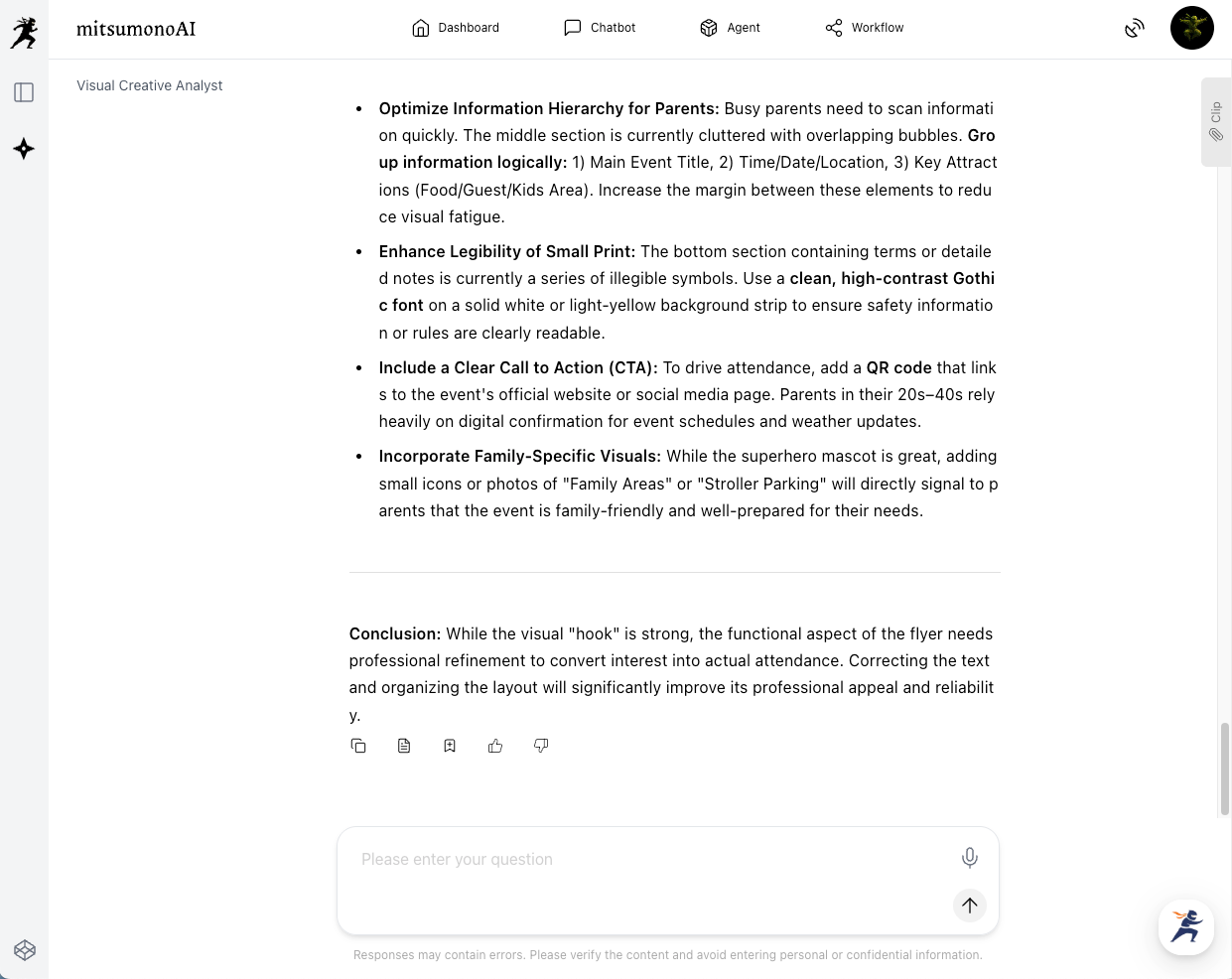
- Refining Instructions: Use the AI's suggestions (e.g., "Add photos of children," "Make the date more prominent") to provide precise feedback to the designer, making the proofing process highly efficient.
▶︎ What mitsumonoAI Enables: It provides concrete advice such as, "The main visual is too youth-oriented; adding photos of smiling children will better attract families." This makes feedback to designers accurate and reduces back-and-forth revisions.
4. [PR Strategy] Formulate an "SNS Operation Plan" with AI
Public relations determine an event's success. Use the "SNS Operation Strategy Planner" to build an effective plan.
- Theme: A three-month SNS roadmap to increase awareness without a massive budget.
- Function Used: SNS Operation Strategy Planner
[In Practice] Formulating the SNS Plan
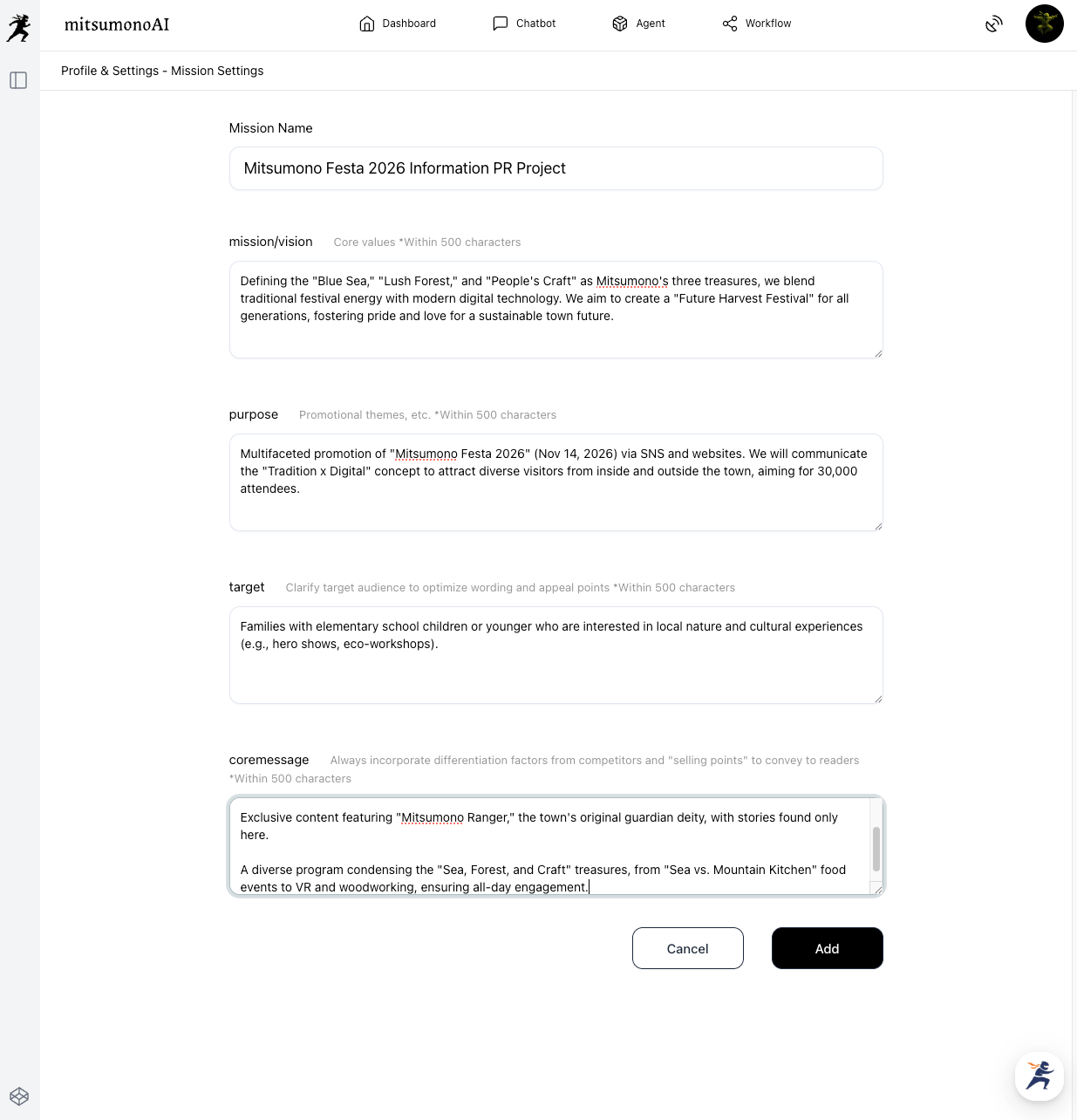
- Creating the "Mission": First, save a "Mission" regarding the communication goals for "Mitsumono Festa 2026."
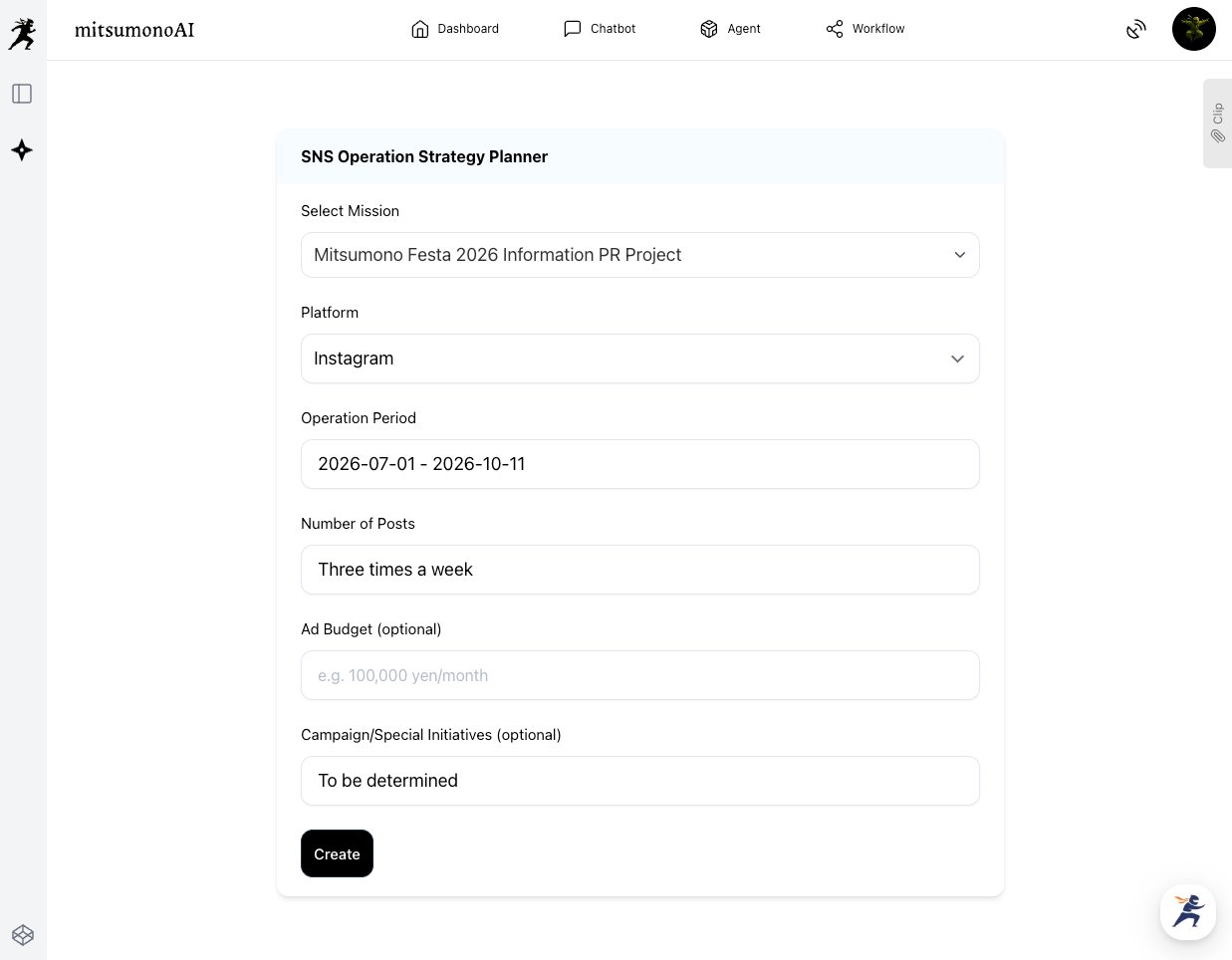
- Generating the Plan: Launch the "SNS Operation Strategy Planner" and select the mission. Enter the duration and frequency, then click "Create."
- Fine-tuning: The AI outputs a schedule including campaign ideas. You can then detail the action plan through chat.
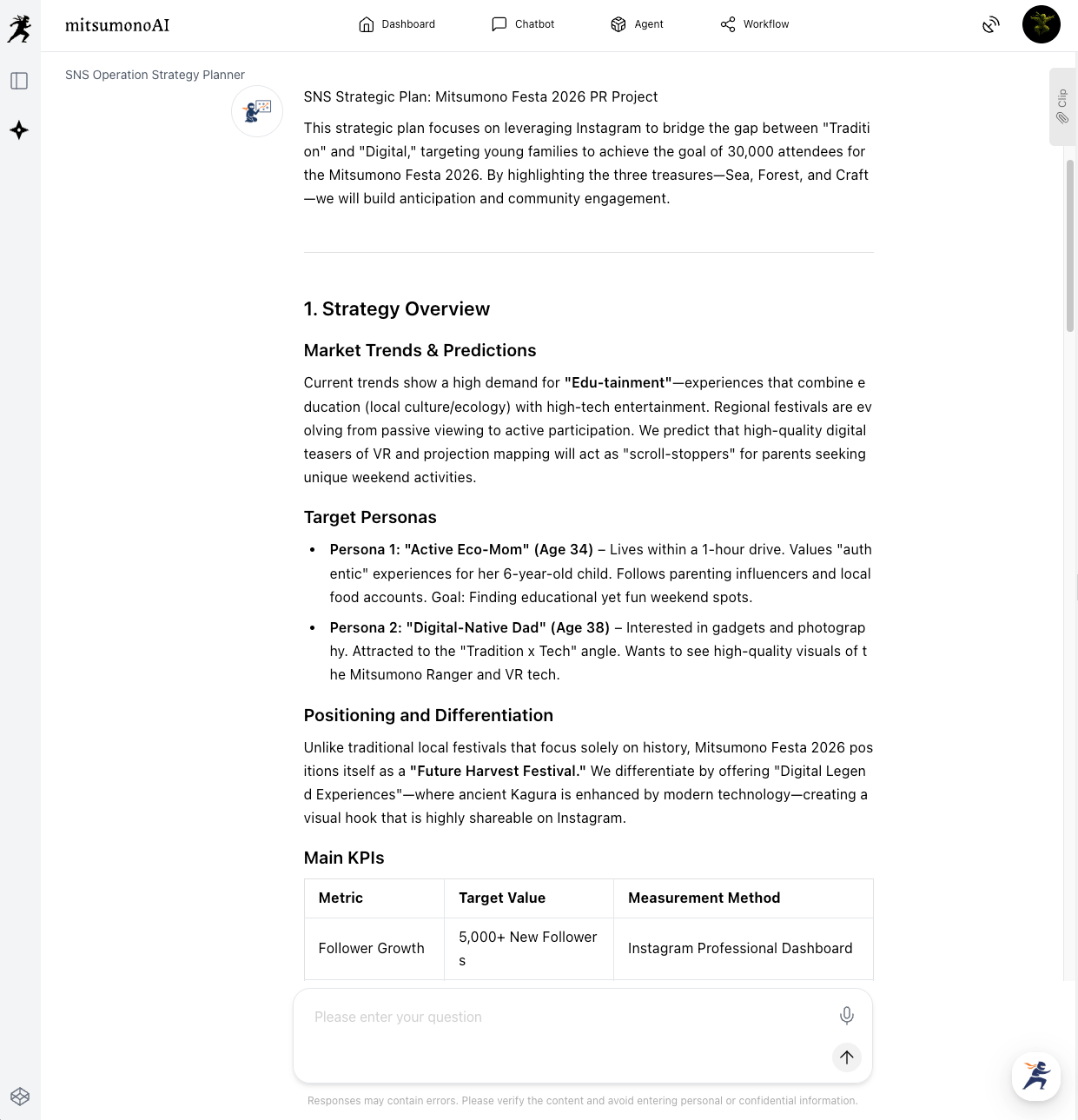
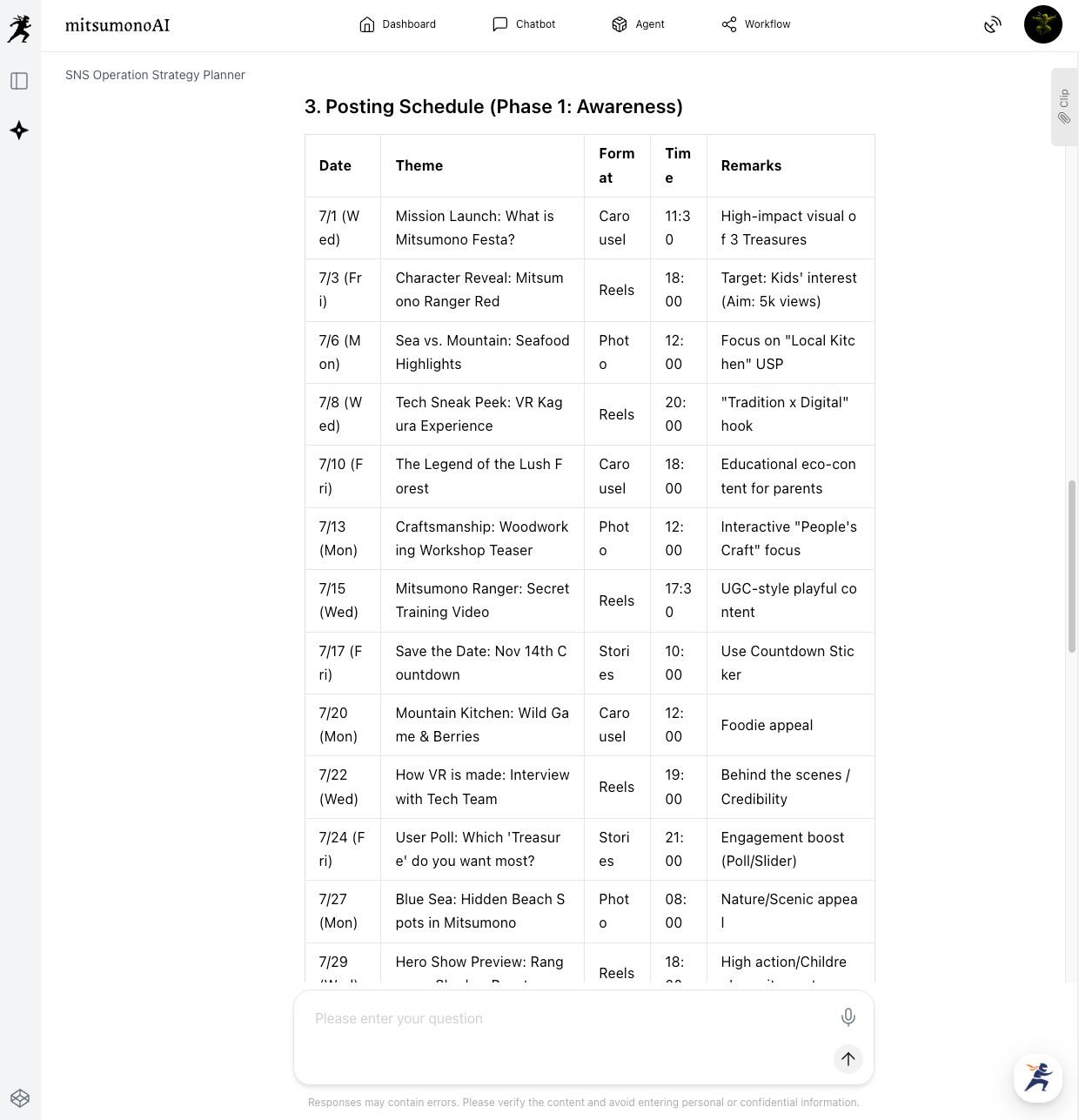
▶︎ What mitsumonoAI Enables: The AI generates a schedule aligned with your registered "Mission." Since the plan remains anchored to your business goals and target audience, your messaging remains consistent rather than being ad-hoc or reliant on a coordinator's whim.
5. [Risk Management] Creating Operation Manuals
High-quality event management requires detailed manuals so all staff are on the same page. AI can create a professional-grade draft instantly just by reading the event overview.
- Theme: Creating a clear, specific operation manual draft that even inexperienced staff can understand.
- Function Used: File Analysis Assistant (without guardrail)
[In Practice] Generating a Manual Draft from the Event Overview
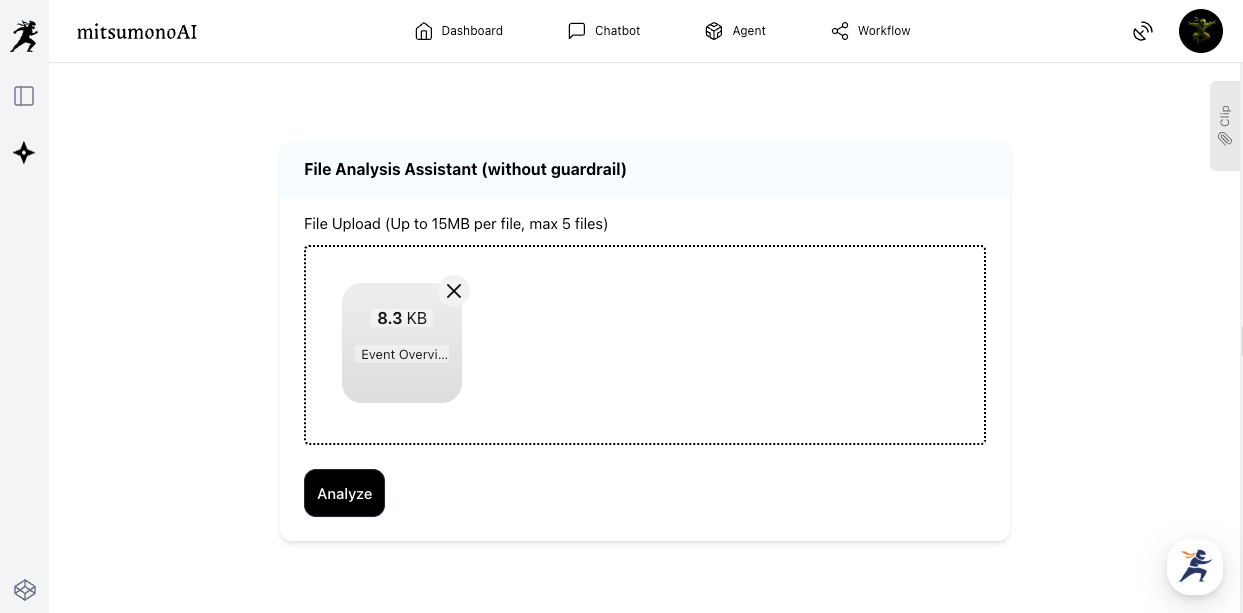
- AI Reading: Upload planning documents containing basic info (date, venue, program) to "File Analysis Assistant PRO (without guardrail)" and click "Analyze."
- Instruction for the Draft: Send a prompt specifying the structure.
Prompt Example:
"Create a draft operation manual for staff. Include: 1. Overall time schedule, 2. Role assignments (Stage, Market, Experience, Patrol), 3. Emergency response flows (illness, lost children, bad weather)."
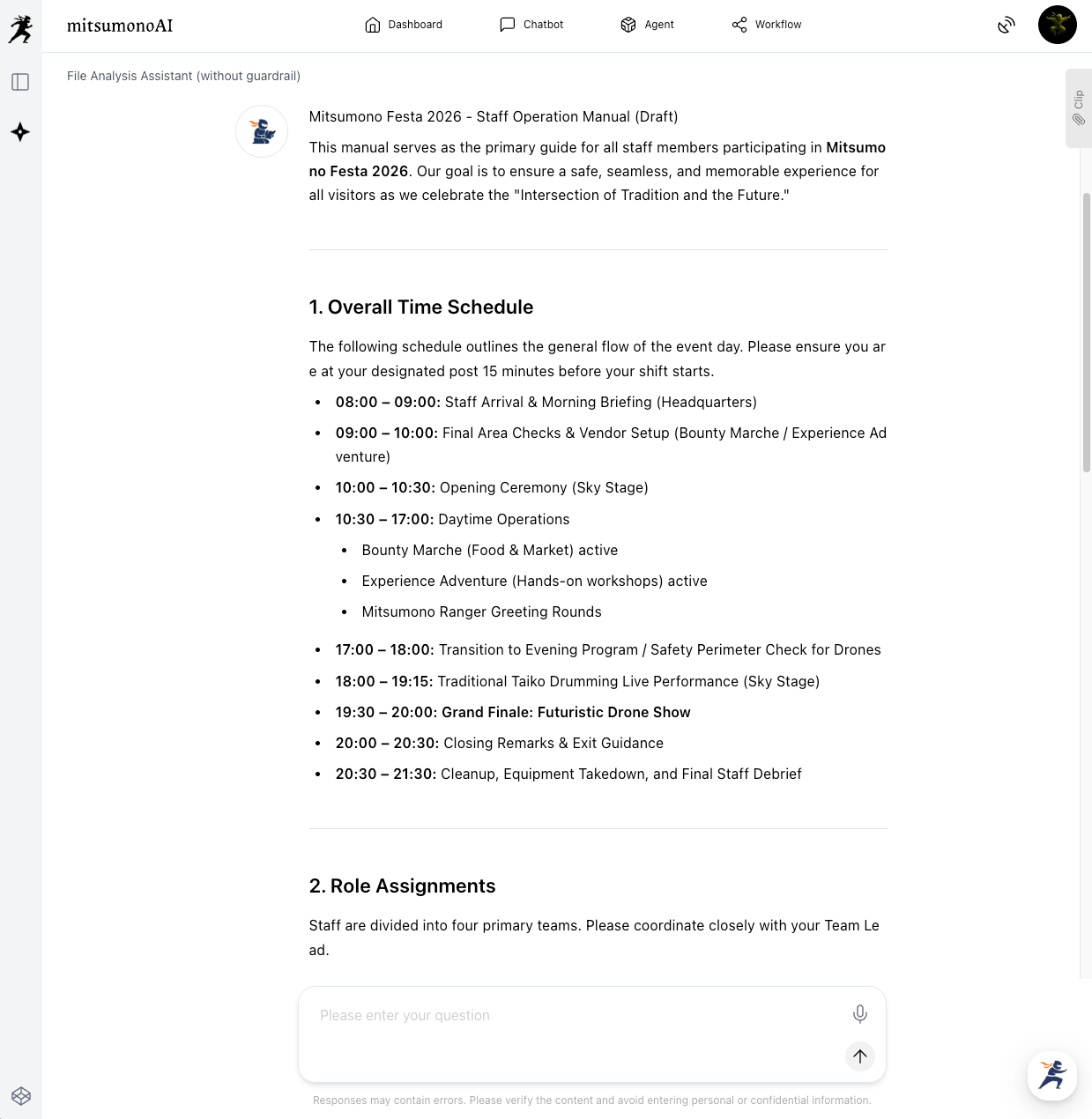
- Finalizing the Manual: Use the AI's draft as a foundation. Add specific names, contact info, and unique rules to complete your original manual.
▶︎ What mitsumonoAI Enables: It frees coordinators from the time-consuming task of organizing information from scratch. It ensures a comprehensive perspective, leading to higher-quality manuals in a fraction of the time.
Summary: AI Becomes Your "Best Partner" for Regional Revitalization
By gaining a powerful partner in AI, tasks that used to be a lonely struggle for coordinators can be transformed into efficient, strategic operations.
mitsumonoAI is more than just a tool. It is a "brainstorming partner" for when you're stuck, a "consultant" for strategy, and an "advisor" for identifying risks. For your next local event, why not consult the AI about your biggest challenge first? It is sure to provide the best answers.
For more success stories and specific techniques regarding mitsumonoAI, please see our other articles.